
WLIVE ASNG143BL
WLIVE 12-Drawer Dresser and TV Stand Instruction Manual
Model: ASNG143BL
Introduction
Thank you for choosing the WLIVE 12-Drawer Dresser and TV Stand. This versatile furniture piece is designed to provide ample storage, accommodate large televisions, and enhance your living space with integrated LED lighting and a convenient charging station. This manual provides essential information for safe assembly, operation, and maintenance of your new dresser.
Safety Information
- Anti-Tilt Device: Always install the included anti-tilt device to secure the dresser to the wall. This prevents accidental tipping and ensures safety, especially in households with children or pets.
- Weight Capacity: Do not exceed the maximum weight capacity of 150 lbs for the top surface. Distribute weight evenly across drawers and shelves.
- Electrical Safety: Ensure the charging station is connected to a properly grounded outlet. Do not overload the outlets. Keep liquids away from electrical components.
- Assembly: Assemble the unit on a soft, clean surface to prevent scratches. Ensure all screws and fasteners are tightened securely before use.
- Children: Keep small parts and packaging materials away from children during assembly.
Package Contents
Please verify that all components are present before beginning assembly. If any parts are missing or damaged, contact customer support.
- Metal Frame Components
- Wood Top Panel
- Fabric Drawers (12 units)
- Drawer Handles
- LED Light Strip Kit
- Built-in Charging Station (2 AC outlets, 2 USB ports)
- Adjustable Feet
- Anti-Tilt Device
- Assembly Hardware (screws, Allen wrench, etc.)
- Instruction Manual
Setup and Assembly Instructions
Follow these steps carefully for proper assembly. It is recommended to have two people for assembly.
- Prepare the Area: Clear a spacious area and lay out all components on a soft, clean surface to prevent damage.
- Assemble the Metal Frame: Connect the various metal frame components using the provided screws and Allen wrench. Ensure all connections are secure and the frame is stable. The frame includes cross support rods for enhanced durability.
- Attach the Wood Top: Carefully place the P2 grade artificial wood top panel onto the assembled metal frame. Secure it with the designated screws.
- Install Adjustable Feet: Screw the 9 all-directional adjustable feet into the bottom of the frame. Adjust them to ensure the dresser is level and stable on any surface, protecting your floor from scratches.
- Install the Charging Station: Integrate the built-in charging station into its designated slot on the top panel. Ensure the 5-foot power cord is accessible for connection to a wall outlet.
- Assemble Fabric Drawers: Each drawer consists of three layers: two non-woven fabric layers and an MDF board in the middle. Insert the bottom panel into each fabric drawer and attach the curved handles.
- Insert Drawers: Place the assembled fabric drawers into their respective slots within the metal frame. The smooth slide tracks ensure easy operation.
- Install LED Light Strip: Adhere the LED light strip to the designated area within the open shelves. Connect it to the power source as instructed in the LED kit manual.
- Secure Anti-Tilt Device: Attach the anti-tilt device to the back of the dresser and securely fasten it to a wall stud using the provided hardware. This is a critical safety step.
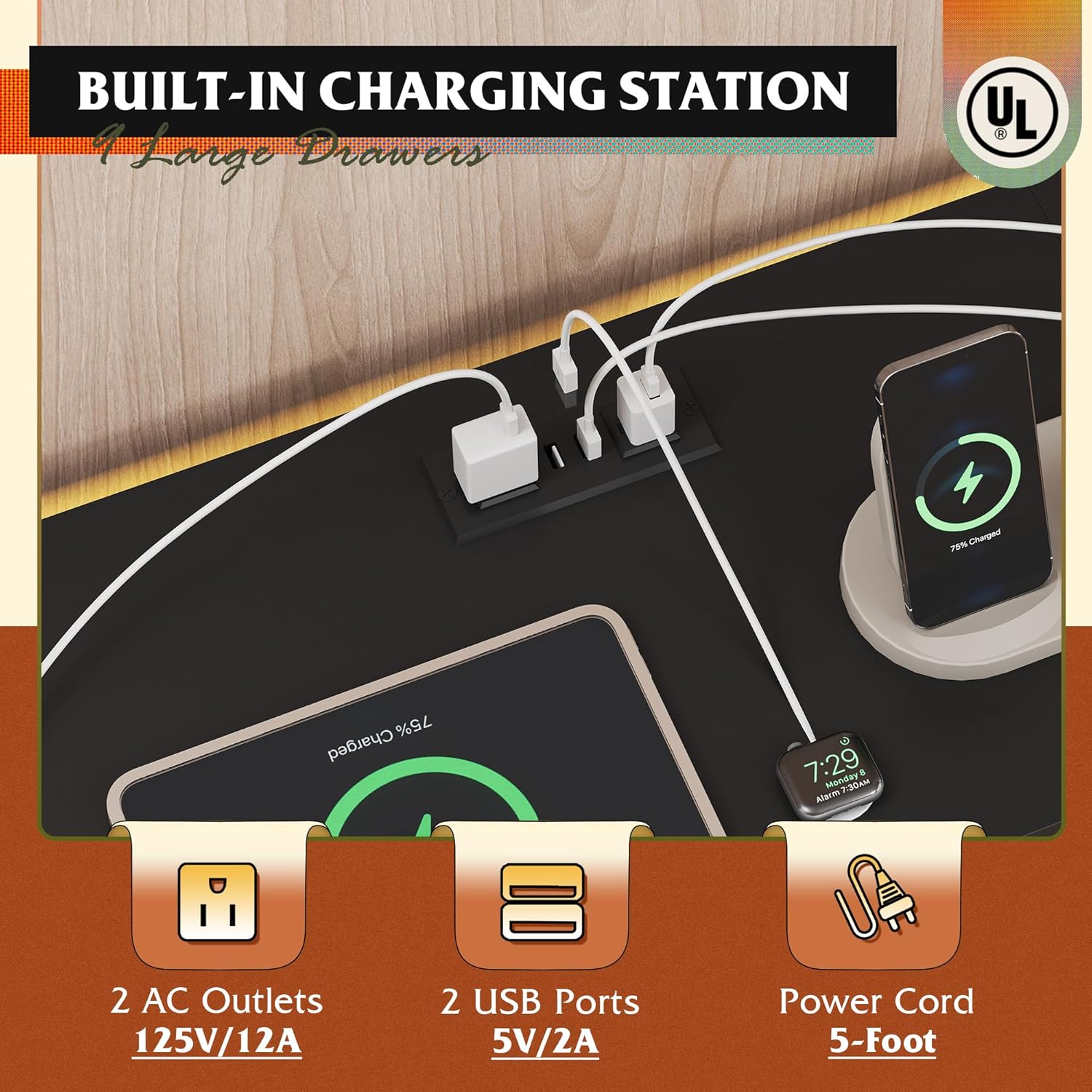
Image: The sturdy steel frame with cross support rods, ready for the top panel and drawers.
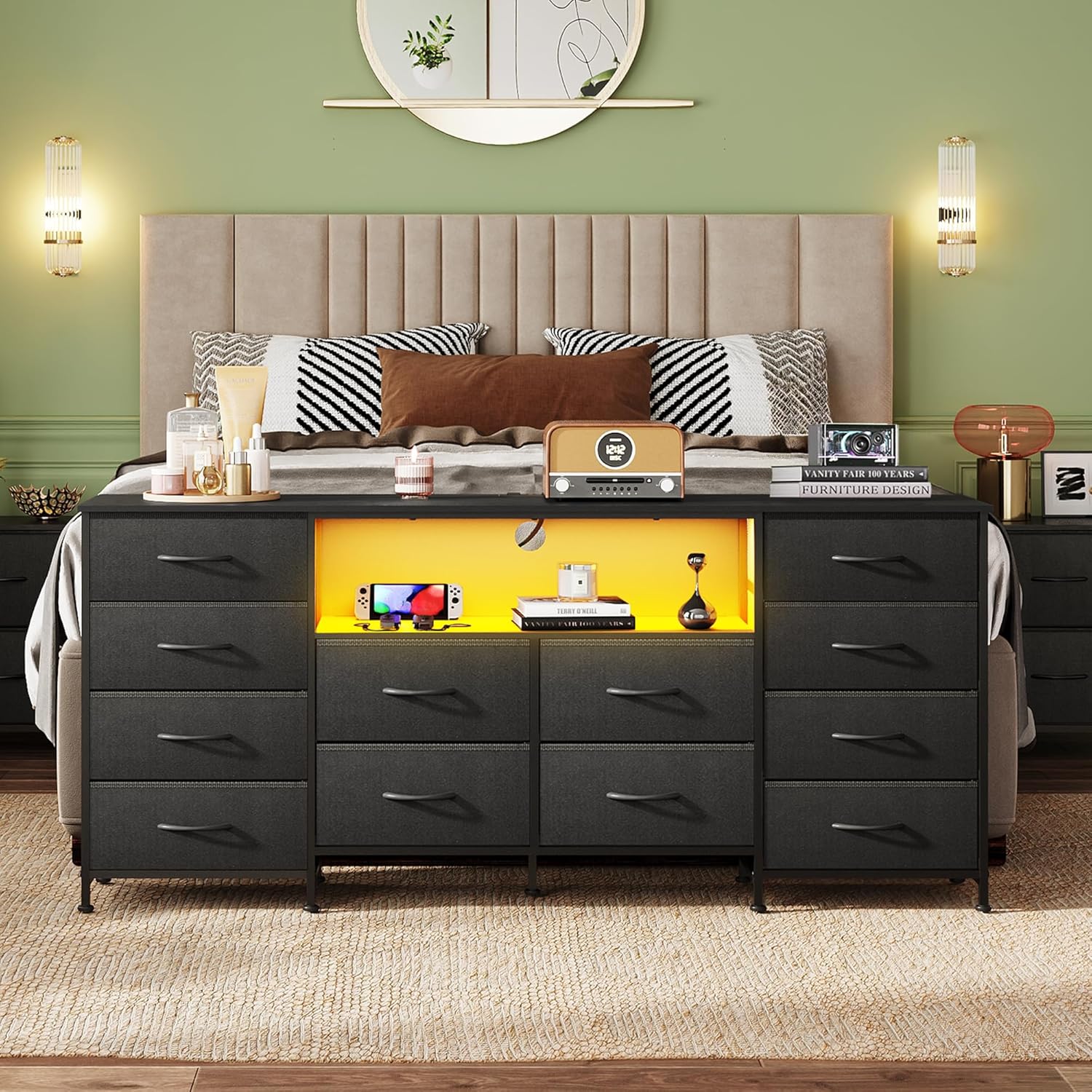
Image: Detail showing the 360-degree adjustable feet and the anti-tilt wall anchor for stability.
Operating Instructions
LED Light System
The integrated LED lighting offers over 6000 RGB colors and various modes to customize your ambiance.
- Control Methods: The LED lights can be controlled via a remote control or a dedicated smartphone application. Refer to the separate LED kit manual for specific pairing and usage instructions for the app.
- Modes: Explore various modes including static colors, rhythm, mic mode (reacts to sound), music mode (syncs with music), and timing mode for scheduled operation.
- Brightness and Speed: Adjust the light intensity and speed of dynamic modes using the remote or app.

Image: The dresser's open shelves illuminated by the smart LED light system, showcasing various color options.
Charging Station
The built-in charging station provides convenient power access for your devices.
- Power Connection: Plug the dresser's power cord into a standard 120V AC wall outlet.
- AC Outlets: Use the two 125V/12A AC outlets for powering devices such as TVs, game consoles, or other electronics.
- USB Ports: Use the two 5V/2A USB ports to charge smartphones, tablets, and other USB-powered devices.

Image: A close-up of the integrated charging station, featuring two AC outlets and two USB ports for device power and charging.
Maintenance
- Wood Top: The wood top is made of P2 grade artificial wood, which is scratch-resistant and easy to clean. Wipe with a soft, damp cloth and mild detergent. Avoid harsh chemicals.
- Fabric Drawers: The non-woven fabric drawers can be spot cleaned with a damp cloth and mild soap. Allow to air dry completely. Do not machine wash or tumble dry.
- Frame: Wipe the metal frame with a dry or slightly damp cloth to remove dust.
- Regular Checks: Periodically check all screws and fasteners to ensure they remain tight. Re-tighten if necessary.

Image: Illustration of the waterproof wood top being easily cleaned with a cloth.
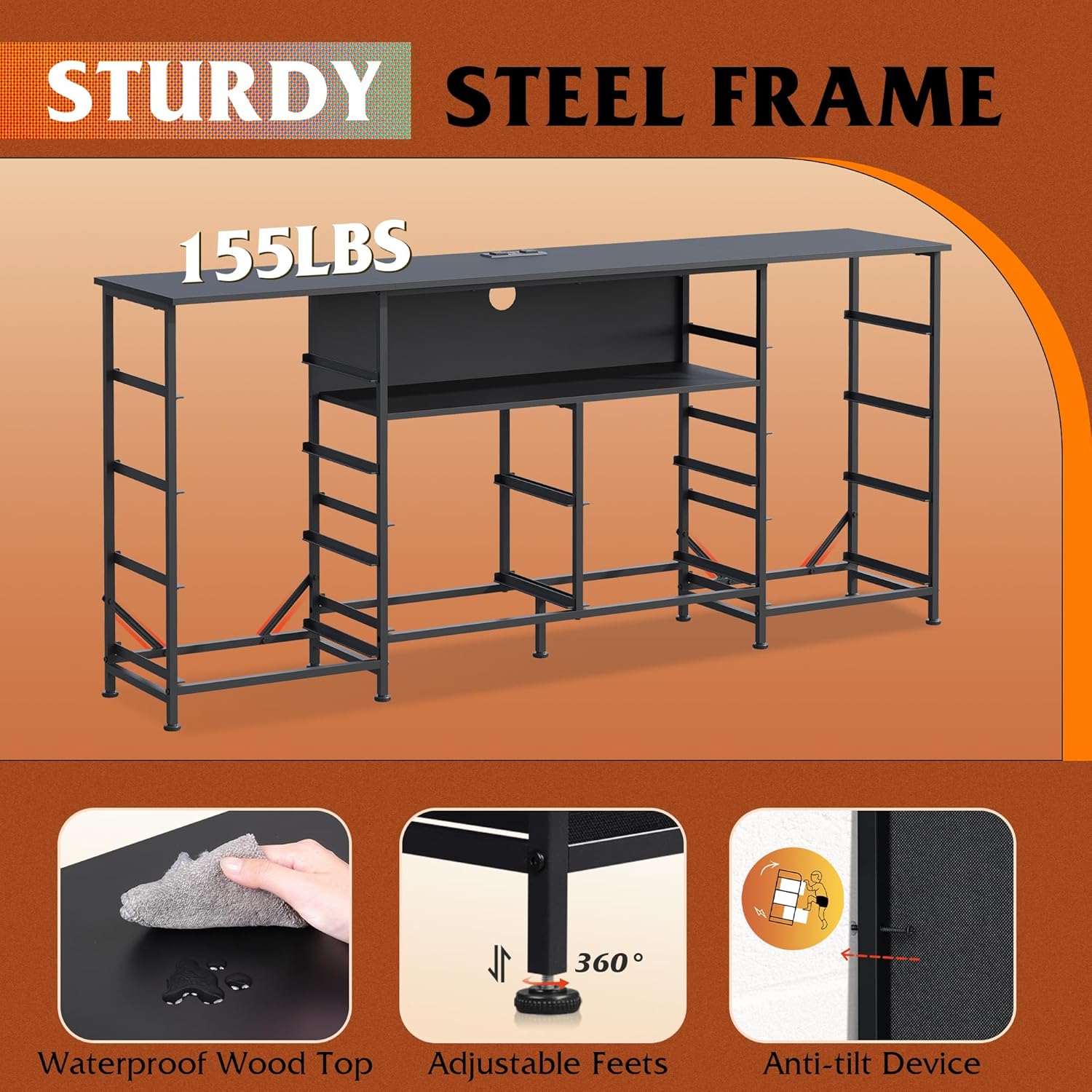
Image: A detailed view of the drawer's three-layer construction, highlighting the durable and breathable non-woven fabric and MDF board.
Troubleshooting
| Problem | Possible Cause | Solution |
|---|---|---|
| Dresser is wobbly | Uneven floor; loose screws | Adjust the leveling feet at the bottom of the frame. Ensure all assembly screws are tightened. |
| LED lights not working | Power not connected; remote battery low; app not paired | Check power connection to the LED strip. Replace remote battery. Re-pair the app if necessary (refer to LED kit manual). |
| Charging station not providing power | Dresser power cord unplugged; circuit breaker tripped; device not compatible | Ensure the dresser's main power cord is securely plugged into a working wall outlet. Check your home's circuit breaker. Verify device compatibility with 5V/2A USB or 125V/12A AC. |
| Drawers are difficult to open/close | Overloaded drawer; misaligned; debris in track | Reduce contents of the drawer. Ensure the drawer is inserted correctly into the tracks. Check for any obstructions in the slide tracks. |
Specifications
| Feature | Detail |
|---|---|
| Brand | WLIVE |
| Model Name | ASNG143BL |
| Product Dimensions | 13.78"D x 65.83"W x 30.12"H |
| Color | Black |
| Item Weight | 29.5 Pounds |
| Material | Metal frame, P2 grade artificial wood top, non-woven fabric drawers |
| Number of Drawers | 12 |
| TV Size Compatibility | Up to 75 inches |
| Charging Station | 2 AC Outlets (125V/12A), 2 USB Ports (5V/2A), 5-foot power cord |
| LED Lighting | 60000+ RGB colors, remote and app control, various modes |
| Safety Features | Anti-tilt device, UL/ETL certified charging station |
Warranty and Support
WLIVE is committed to providing quality products and customer satisfaction. While specific warranty details are not provided in this manual, a professional after-sales team is available to assist you with any questions or concerns regarding your product.
For assistance, please contact WLIVE customer support through the retailer's platform or the official WLIVE website.
Related documentsASNG143BL


Ask a question about this manual
Ask about setup, troubleshooting, compatibility, parts, safety, or missing instructions. Manuals+ will review the question and use this page’s manual context to help answer it.