
1. Introduction
This manual provides essential information for the proper use and maintenance of your eSynic ESY311 Portable HiFi Headphone Amplifier. Please read these instructions carefully before operating the device to ensure optimal performance and longevity.
2. Product Overview
2.1 Included Components
- 1 x eSynic ESY311 Headphone Amplifier
- 1 x 12cm 3.5MM Audio Cable
- 1 x 100cm 3.5MM Audio Cable
- 1 x USB Charging Cable
The image below shows the contents typically included in the product packaging.
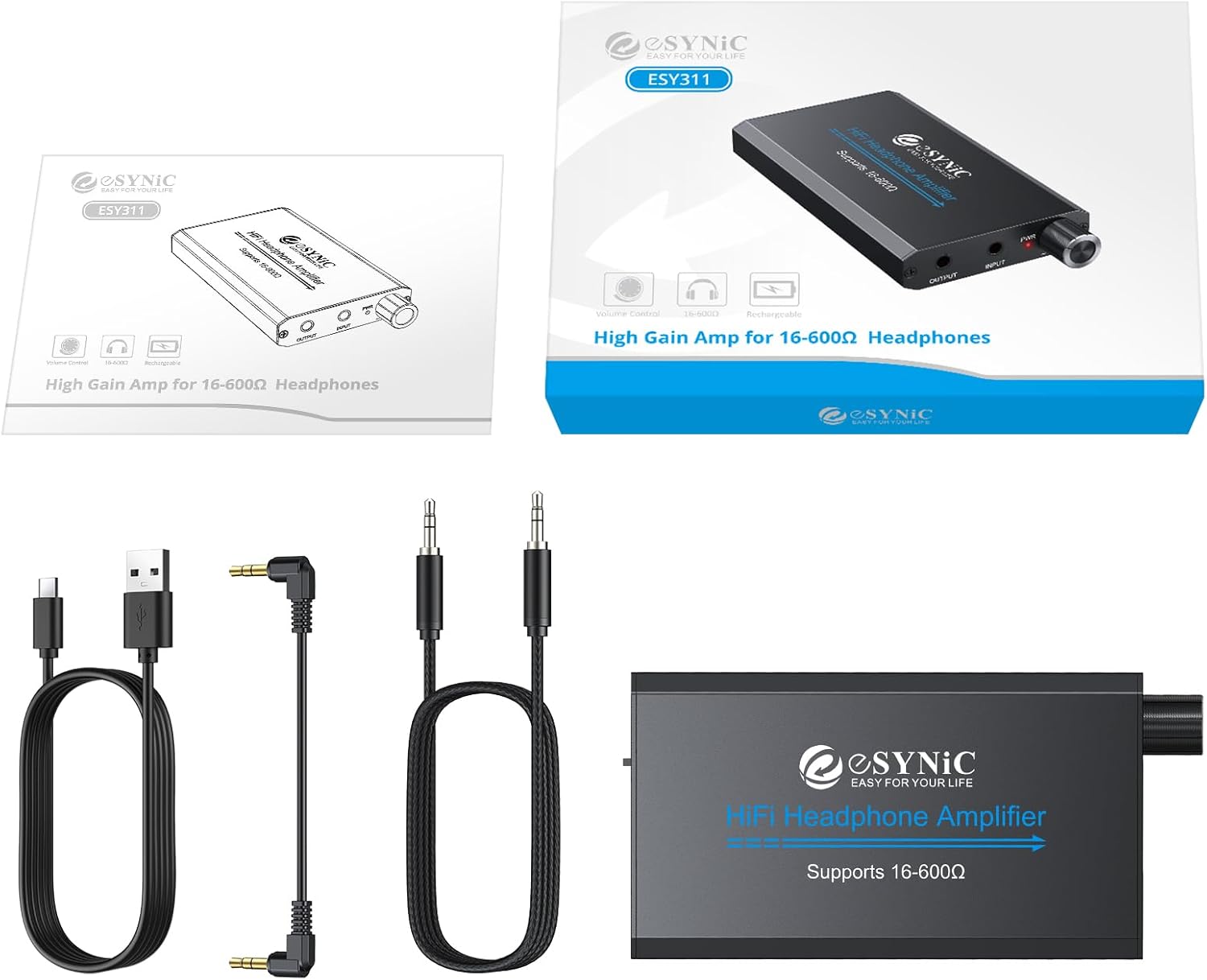
Image: The eSynic ESY311 Headphone Amplifier, a short 3.5mm audio cable, a longer 3.5mm audio cable, and a USB charging cable are displayed on a white background.
2.2 Key Features
- High-Fidelity Amplification: Engineered with a dual-voltage (±4V) circuit, delivering pristine audio reproduction across 16-600Ω impedance ranges. Achieves >100dB SNR and ultra-low distortion (0.0003% THD+N) for accurate monitoring.
- Extended Operation: The 1000mAh lithium battery provides over 8 hours of continuous playback at 80mW output into 600Ω loads. Intelligent power management ensures consistent voltage regulation.
- Two-Stage Gain Switch: Selectable gain settings (low/high) ensure proper load matching for various headphones. Low gain is suitable for 16-32Ω (IEMs/earbuds), while high gain is for 50-600Ω (monitoring headphones).
- Durable Construction: Made of 6061 aerospace-grade aluminum, the enclosure provides RF/EMI shielding and optimal thermal dissipation. Its portable form factor (95×52×13mm) makes it convenient for travel.
- Universal Connectivity: Features a standard 3.5mm audio jack, compatible with mobile devices, professional audio interfaces, and legacy playback systems.
The amplifier's design focuses on enhancing audio quality and user convenience.

Image: A graphic illustrating the noise filtering capabilities of the eSynic HiFi Headphone Amplifier, showing a cleaner audio waveform after processing.
3. Setup
3.1 Charging the Device
Before first use, fully charge the amplifier using the provided USB charging cable. Connect the USB cable to the DC 5V port on the amplifier and the other end to a compatible USB power source (e.g., computer USB port, USB wall adapter).

Image: The eSynic Headphone Amplifier is shown connected to a laptop via a USB-C cable for charging.
3.2 Connecting Audio Sources and Headphones
- Connect your audio source (e.g., MP3 player, smartphone, PC) to the INPUT port of the amplifier using one of the provided 3.5mm audio cables.
- Connect your headphones or speakers to the OUTPUT port of the amplifier using a 3.5mm audio cable.
The amplifier supports a wide range of headphones with impedance from 16Ω to 600Ω.

Image: The eSynic Headphone Amplifier is shown connected to a mobile phone as an input source and to headphones and speakers as output devices.
Setup Demonstration Video
Video: This official eSynic video demonstrates the unboxing, connection, and basic usage of the eSynic Professional Headphone Amplifier, showing how to connect it to a phone and headphones.
4. Operating Instructions
4.1 Power On/Off and Volume Control
To power on the amplifier, rotate the PWR knob clockwise. The power indicator light will illuminate. Continue rotating to adjust the volume. To power off, rotate the knob counter-clockwise until it clicks and the light turns off.
4.2 Gain Switch
The amplifier features a two-stage gain switch (H/L) located on the side. Use the 'L' (Low) setting for low-impedance headphones (16-32Ω) like earbuds, and the 'H' (High) setting for high-impedance headphones (50-600Ω) to achieve optimal sound levels and quality.

Image: A close-up view of the eSynic Headphone Amplifier, highlighting the INPUT and OUTPUT jacks, the PWR (power/volume) knob, and the H/L (gain) switch.
5. Maintenance
- Keep the device clean by wiping it with a soft, dry cloth.
- Avoid exposing the amplifier to extreme temperatures, humidity, or direct sunlight.
- Do not attempt to disassemble or repair the device yourself. Refer to qualified service personnel.
- Store the amplifier in a cool, dry place when not in use.
6. Troubleshooting
6.1 No Sound Output
- Ensure the amplifier is powered on and the volume knob is turned up.
- Check all audio cable connections (input and output) to ensure they are secure.
- Verify that your audio source is playing and its volume is not muted or too low.
- Confirm that your headphones or speakers are functioning correctly.
6.2 Distorted Sound
- Adjust the volume on both the amplifier and your audio source to prevent clipping.
- Check the gain switch setting. If using low-impedance headphones, switch to 'L' gain.
- Ensure audio cables are not damaged or faulty.
6.3 Device Not Charging
- Verify the USB charging cable is properly connected to both the amplifier and the power source.
- Try a different USB port or power adapter.
- Ensure the charging cable is not damaged.
7. Specifications
| Specification | Value |
|---|---|
| Model | ESY311 |
| Brand | eSynic |
| Item Dimensions (L x W x H) | 3.74 x 2.05 x 0.51 inches |
| Material Type | Aluminum |
| Voltage | 3.7 Volts (DC) |
| Number of Channels | 1 |
| Supported Impedance | 16-600Ω |
| THD+N | 0.0003% |
| SNR | >100dB |
| Battery Capacity | 1000mAh |
The image below provides a visual representation of the product's dimensions.

Image: The eSynic Headphone Amplifier is shown with its length (9.2cm / 3.62in), width (5.1cm / 2.01in), and thickness (1.2cm / 0.47in) clearly labeled.
8. Warranty and Support
8.1 Warranty Information
This eSynic product comes with a 12-month warranty from the date of purchase. The warranty covers manufacturing defects and malfunctions under normal use. It does not cover damage caused by misuse, accidents, unauthorized modifications, or natural disasters.
8.2 Customer Support
For technical assistance, troubleshooting, or warranty claims, please contact eSynic customer support through the retailer where the product was purchased or visit the official eSynic website for contact information.