
radtel RT-88
Radtel RT88 Rechargeable Walkie Talkies User Manual
Model: RT-88
Introduction
Thank you for choosing the Radtel RT-88 Walkie Talkie. This manual provides essential information for the safe and efficient operation of your device. The RT-88 is a versatile, long-range, handheld two-way radio designed for reliable communication in various environments, from outdoor adventures to professional coordination. Please read this manual thoroughly before using the product.
Safety Information
- Do not disassemble or modify the radio. Unauthorized modifications can void the warranty and may cause damage.
- Keep the radio away from extreme temperatures, direct sunlight, and moisture.
- Use only Radtel approved batteries and chargers. Using incompatible accessories can lead to fire, explosion, or injury.
- Do not operate the radio in explosive atmospheres (e.g., near flammable gases, dust, or powders).
- Maintain a safe distance from the antenna during transmission to avoid potential RF exposure.
- If the radio emits smoke or an unusual odor, immediately turn off the power and remove the battery.
What's in the Box
Your Radtel RT-88 package should contain the following items:
- Radtel RT-88 Walkie Talkie Unit(s)
- Rechargeable Battery(ies)
- Charging Cradle(s)
- USB Charging Cable(s)
- Belt Clip(s)
- Antenna(s)
- User Manual (this document)
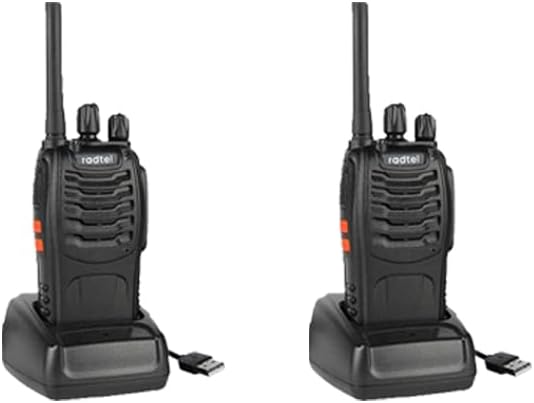
Image: Radtel RT88 walkie talkies with charging cradles.
Product Overview
Familiarize yourself with the various parts of your Radtel RT-88 walkie talkie:
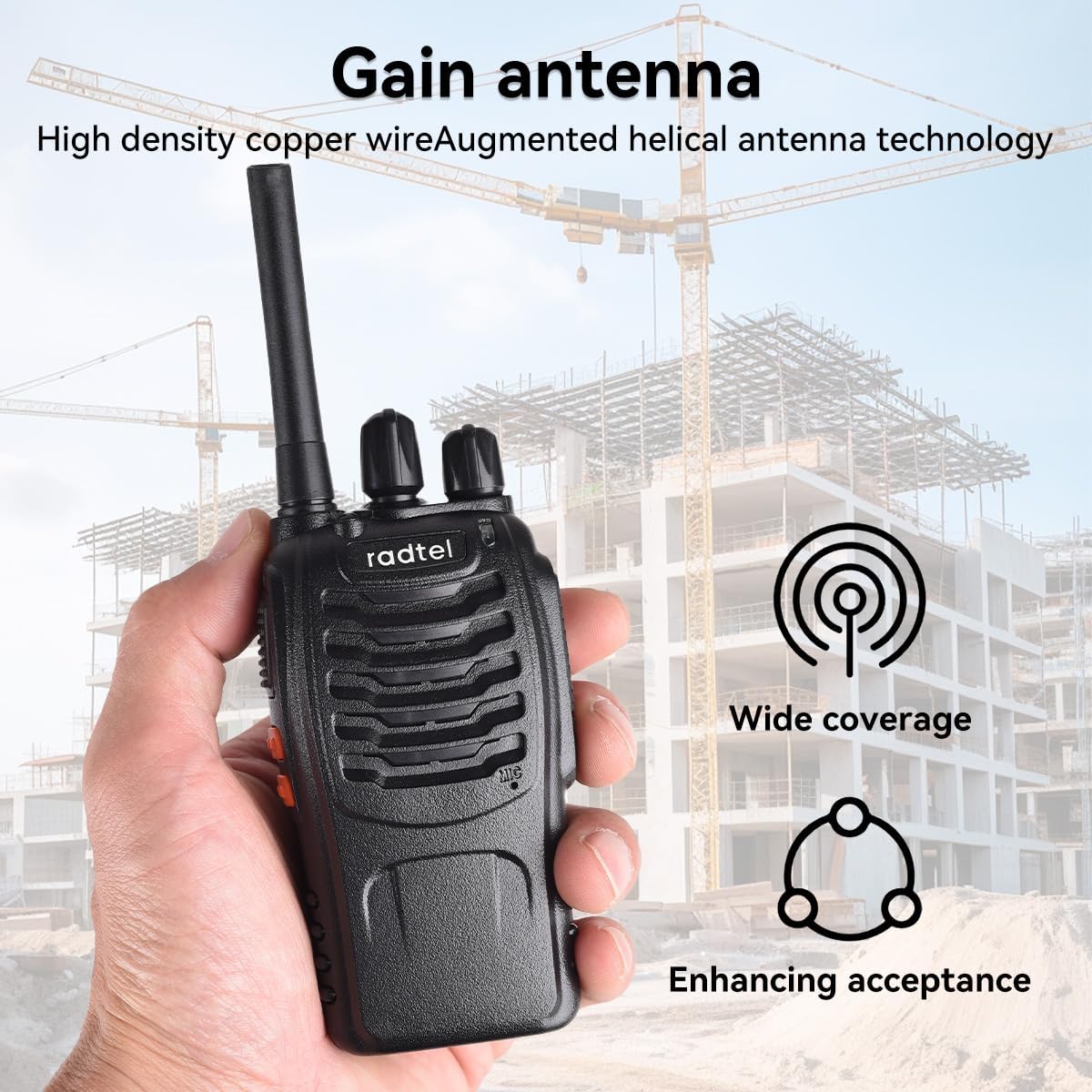
Image: Labeled components of the Radtel RT88 walkie talkie.
- Antenna: For transmitting and receiving signals.
- Flashlight: Built-in LED light for illumination.
- PTT Button (Push To Talk): Press and hold to transmit, release to receive.
- Moni Button: Momentarily press to open the squelch and listen for weak signals.
- Function Key: Programmable key for various functions (e.g., alarm, scan).
- Channel Switch: Rotary knob to select one of the 16 available channels.
- Power Switch/Volume Control: Rotary knob to turn the radio on/off and adjust volume.
- SP/MIC Jacks: For connecting external speaker-microphone or earpiece.
- MIC: Built-in microphone for voice input.
Setup
1. Battery Installation and Charging
- Ensure the radio is turned off.
- Align the battery pack with the grooves on the back of the radio.
- Slide the battery pack upwards until it clicks into place.
- To charge, place the radio (with battery installed) into the charging cradle.
- Connect the USB charging cable to the charging cradle and a compatible USB power source (e.g., wall adapter, computer USB port).
- The charging indicator light on the cradle will typically show red during charging and turn green when fully charged. A full charge takes approximately 3-4 hours.
2. Attaching the Antenna
- Screw the antenna clockwise into the connector on the top of the radio until it is firmly seated. Do not overtighten.
3. Attaching the Belt Clip
- Align the belt clip with the screw holes on the back of the radio (above the battery).
- Secure the belt clip using the provided screws.
Operating Instructions
1. Power On/Off and Volume Adjustment
- To turn on the radio, rotate the Power Switch/Volume Control knob clockwise until you hear a click and a voice prompt.
- Continue rotating the knob clockwise to increase the volume, and counter-clockwise to decrease it.
- To turn off the radio, rotate the knob counter-clockwise until you hear a click.
2. Channel Selection
- Rotate the Channel Switch knob to select your desired channel (1-16). The radio will announce the selected channel number.
- Ensure all radios in your group are set to the same channel for communication.
3. Transmitting and Receiving
- To Transmit: Press and hold the PTT (Push To Talk) button on the side of the radio. Speak clearly into the microphone, holding the radio approximately 2-3 inches from your mouth. Release the PTT button when you finish speaking.
- To Receive: Ensure the PTT button is not pressed. The radio will automatically receive signals on the selected channel.
4. Flashlight Operation
- The built-in flashlight can be activated by pressing the dedicated Flashlight button (refer to Product Overview diagram). Press once to turn on, press again to turn off.
5. Monitor Function
- Press and hold the Moni button to temporarily disable the squelch. This allows you to hear very weak signals or to check if a channel is clear before transmitting. Release the button to re-enable squelch.
Maintenance
- Cleaning: Use a soft, damp cloth to clean the radio's surface. Do not use harsh chemicals or abrasive cleaners.
- Battery Care:
- Charge the battery fully before first use.
- Avoid overcharging or completely draining the battery.
- If storing the radio for an extended period, remove the battery and store it in a cool, dry place.
- Storage: Store the radio in a dry, dust-free environment when not in use.
Troubleshooting
| Problem | Possible Cause | Solution |
|---|---|---|
| No power | Battery low or not installed correctly. | Charge the battery or re-install it correctly. |
| Cannot transmit or receive | Incorrect channel selected; out of range; antenna loose. | Verify channel setting; move closer to other radios; check antenna connection. |
| Poor audio quality | Low battery; out of range; interference. | Charge battery; move closer; move away from sources of interference. |
| Flashlight not working | Battery low; faulty LED. | Charge battery. If problem persists, contact support. |
Specifications
- Model: RT-88
- Frequency Range: 144-148MHz / 420-450MHz
- Number of Channels: 16
- Battery Type: Rechargeable 9V (included)
- Voltage: 3.7 Volts
- Talking Range Maximum: Up to 5 Miles (environment dependent)
- Special Feature: Built-in LED Flashlight
- Water Resistance Level: Not Water Resistant
- Item Weight: Approximately 1.32 pounds
- Package Dimensions: 9.37 x 6.97 x 2.09 inches
- Manufacturer: Xiamen Radtel Electronics Co.,Ltd

Image: Illustration of Radtel RT88's antenna performance.
Warranty and Support
The Radtel RT-88 Walkie Talkie comes with a 1-Year Warranty from the date of purchase, covering manufacturing defects. This warranty does not cover damage caused by misuse, accidents, unauthorized modifications, or normal wear and tear.
For technical support, warranty claims, or further inquiries, please contact Radtel customer service through the official Radtel store on Amazon or visit the manufacturer's website. Please have your product model number (RT-88) and purchase details ready when contacting support.
Manufacturer: Xiamen Radtel Electronics Co.,Ltd
Related documentsRT-88


Ask a question about this manual
Ask about setup, troubleshooting, compatibility, parts, safety, or missing instructions. Manuals+ will review the question and use this page’s manual context to help answer it.