
1. Introduction
The Hendari Slim Wallet Tracker Card F09-B is an ultra-thin, MFi-certified item finder designed to help you locate your valuables using the Apple Find My network. Its compact design allows it to fit seamlessly into wallets, card holders, passport sleeves, bags, and luggage without adding bulk. It features wireless charging, a long-lasting battery, and various tracking functionalities.

Image: Hendari Slim Wallet Tracker Card highlighting its key features and iOS-only compatibility.

Image: Illustration of the MFi-Certified chip, ensuring compatibility and security with Apple devices.
2. What's in the Box
- 1 x Hendari Slim Wallet Tracker Card
- 1 x Key Chain Lanyard
- 1 x User Manual
Video: A short preview demonstrating the unboxing of the Hendari Slim Wallet Tracker Card, showing the card, user manual, and keychain lanyard.

Image: Contents of the product package including the tracker card, key chain lanyard, and user manual.
3. Setup and Pairing
The Hendari Slim Wallet Tracker Card uses the Apple Find My network for seamless integration with your iOS devices. No additional app installation is required.
Pairing Your Tracking Card:
- Ensure your iOS device's operating system is iOS/iPadOS 14.5 or later, or macOS 12.5 or later.
- Press and hold the function button on the tracker card for 5 seconds to turn it on. You will hear a beep sound.
- Open the Find My app on your iPhone.
- Navigate to Items > Add New Item (+) > Add Other Item.
- When "Hendari Loshall Card" appears, tap to connect.
- Set a custom name and icon for your tracker card to complete the setup process.
Video: Detailed instructions on how to connect the Hendari Wallet Tracker Card to the Apple Find My app on an iOS device.

Image: Visual step-by-step guide for pairing the tracker card with the Find My app.

Image: Comprehensive visual guide for the pairing process, from turning on Bluetooth to finalizing the item setup in the Find My app.
4. Operating Instructions
Locating Your Item:
- Play Sound: If your item is nearby, open the Find My app and select your tracker card. Tap "Play Sound" to make the card emit an 80-100dB alarm, helping you quickly pinpoint its location.
- Global Location: For distant items, the Find My network allows items to be located worldwide as long as an iPhone is nearby. Use the map navigation in the app to guide you directly to the item.
- Siri Integration: Use Siri to quickly locate your item within Bluetooth range by saying, for example, "Hey Siri, where is my wallet?"
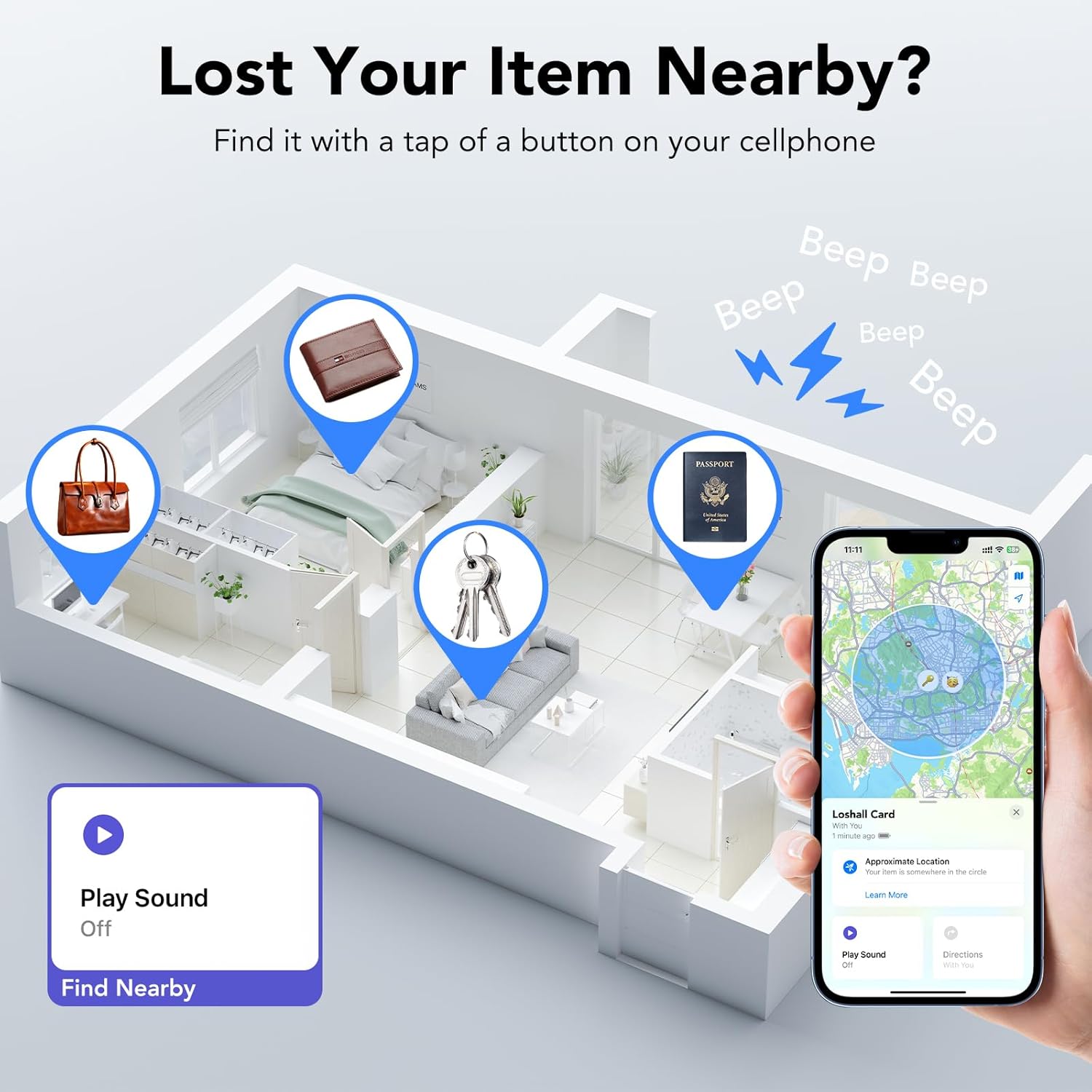
Image: Demonstrates using the 'Play Sound' feature in the Find My app to locate items within a home environment.

Image: Visualizing the loud alarm feature to find a wallet quickly.

Image: Using Siri for quick item location.

Image: Map navigation for locating items far away.
Advanced Features:
- Left-Behind Alerts: Receive instant notifications on your iOS device when the tracker card is out of Bluetooth range, showing its last known location.
- Lost Mode: If an item is lost, activate "Lost Mode" in the Find My app. You can leave your contact information, allowing anyone who finds your item to access it and help return it.
- Share with Friends and Family: (Requires iOS 17/iPadOS 17/macOS 14 or above) Share your tracker card with up to 5 borrowers in the Find My app, allowing them to view its location.
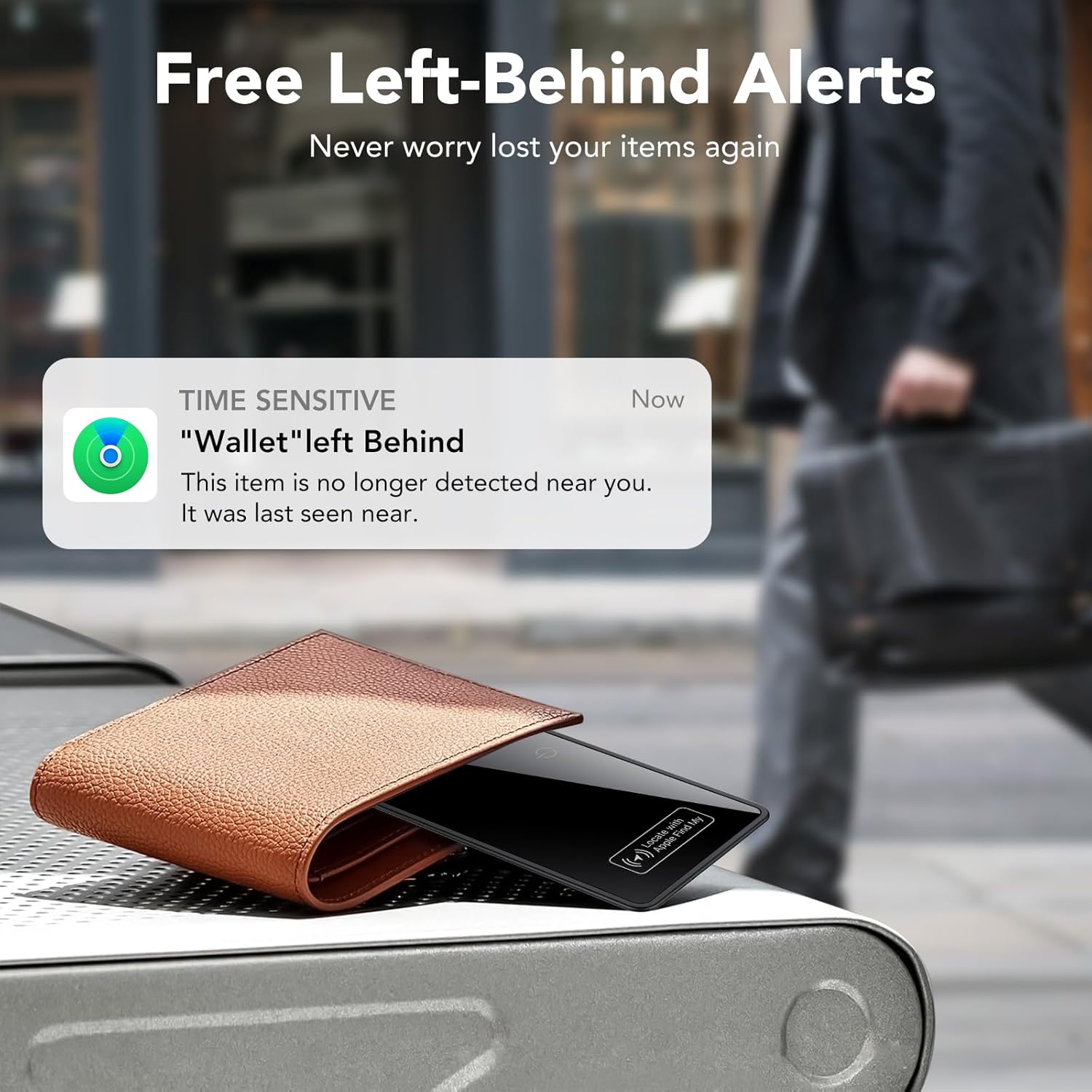
Image: Left-Behind Alert notification on an iPhone.

Image: Activating Lost Mode on the Find My app.

Image: Sharing item location with friends and family.
Video: Demonstrates various features of the Hendari Slim Wallet Tracker Card, including finding items, left-behind alerts, and Lost Mode.
5. Charging Instructions
The Hendari Slim Wallet Tracker Card features wireless charging and a long-lasting battery. One full charge can last up to 5-6 months.
How to Charge:
- Place the tracker card on any compatible wireless charger (not included).
- Ensure the side with the power button is facing up and aligned with the charging symbol.
- Upon successful connection, the tracking card lights up red and emits a "beep" sound.
- During charging, the red light remains on continuously.
- After charging is completed, the light will turn off.
You can check the battery level through the Apple Find My app.
Video: A short preview demonstrating the wireless charging process of the Hendari Slim Wallet Tracker Card.
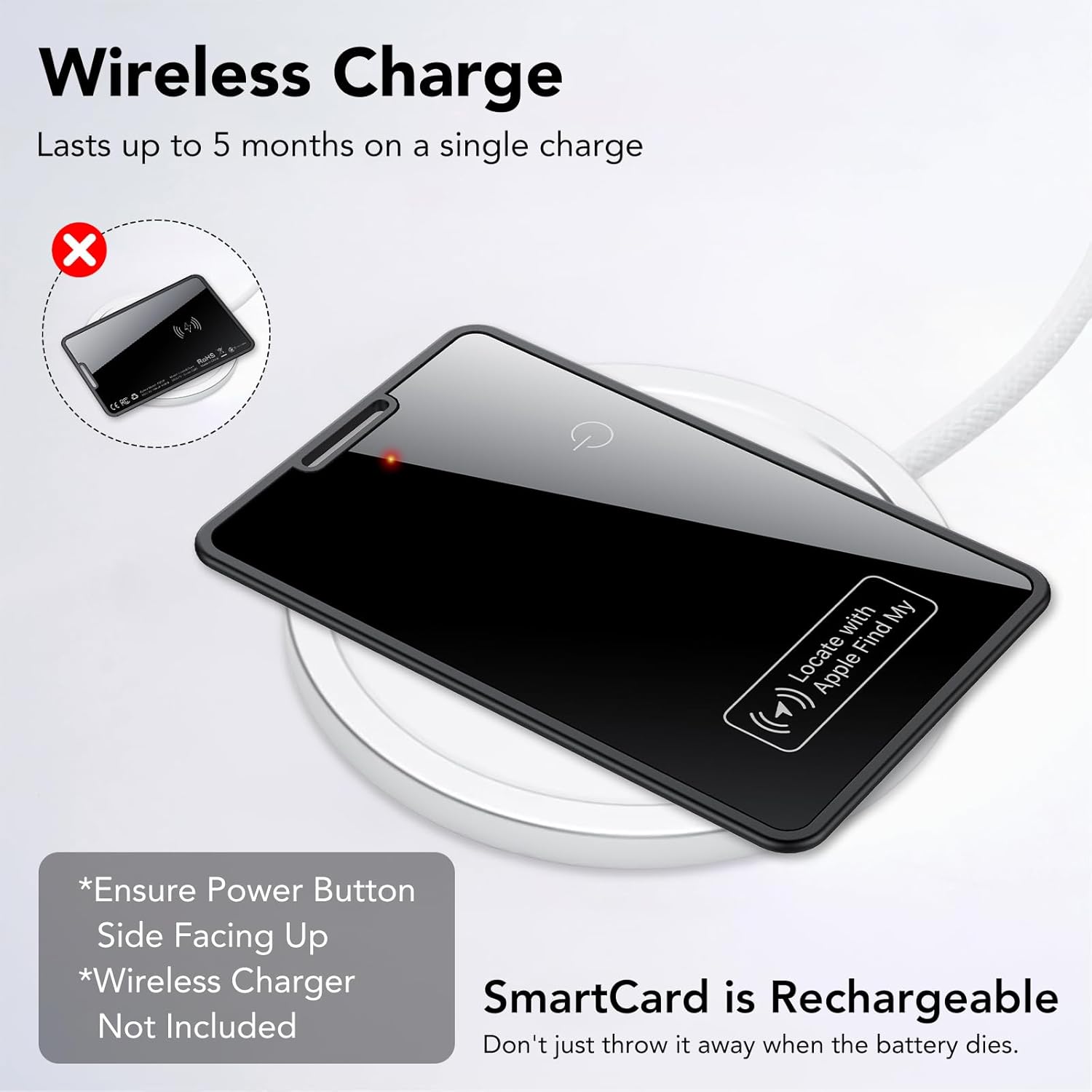
Image: Visual guide for wireless charging, showing the card on a charging pad.

Image: Emphasizing the rechargeable nature and battery life.

Image: Low battery alert notification in the Find My app.
6. Specifications
- Product Dimensions: 3.38"L x 2.13"W x 0.09"Th (2.3mm thickness)
- Item Weight: 0.642 ounces
- Model Number: F09-B
- Batteries: 1 Lithium Polymer battery (included)
- Connectivity: Bluetooth
- Special Features: Alert Notification, Battery Life Indicator, Location History, Rechargeable, Water Resistant (IP68)
- Material: Plastic
- Compatibility: iOS devices only (iOS/iPadOS 14.5 and later, macOS 12.5 and later)
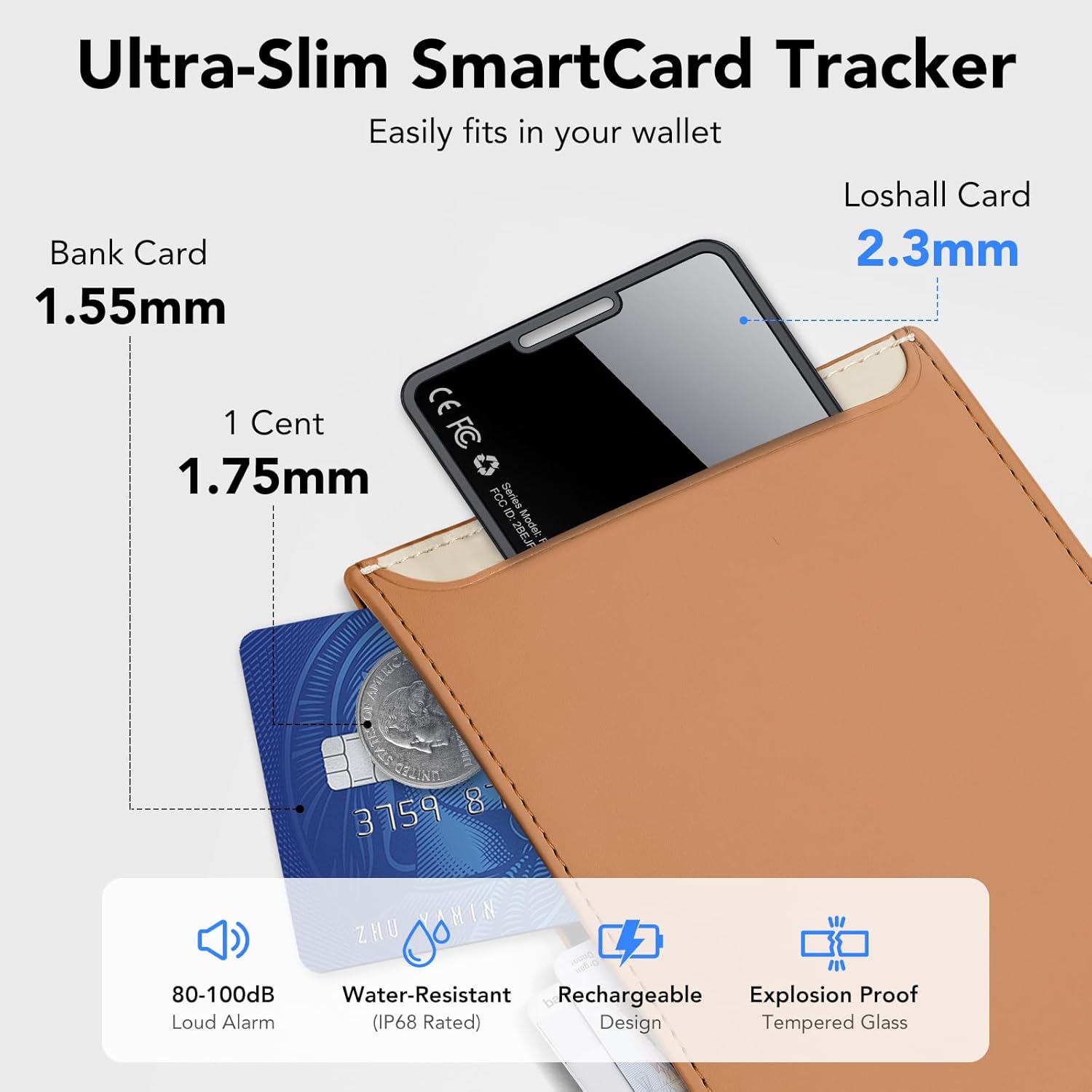
Image: Visual comparison of the tracker card's slim profile and key specifications.

Image: Demonstrating the IP68 waterproof rating.
7. Maintenance
- Cleaning: Wipe the tracker card with a soft, dry cloth. Avoid using harsh chemicals or abrasive materials.
- Water Resistance: The device is IP68 waterproof, meaning it can withstand immersion in water up to 3 feet for 30 minutes. However, it is recommended to avoid prolonged exposure to water or extreme conditions to ensure longevity.
- Storage: Store the tracker card in a cool, dry place when not in use.
8. Troubleshooting
- Device not turning on: Ensure the device is charged. Connect it to a wireless charger and check for the red indicator light.
- Unable to pair: Make sure Bluetooth is enabled on your iOS device and the Find My app is open. Ensure the tracker card is within range and fully charged. Try restarting both the tracker card (by holding the function button for 5 seconds) and your iOS device.
- No sound from tracker: Check the volume settings in the Find My app. Ensure the tracker card is not in a location where sound might be muffled.
- Inaccurate location: Location accuracy depends on the density of the Apple Find My network. In areas with fewer Apple devices, location might be less precise. Ensure your iOS device has a stable internet connection.
- Battery draining quickly: While designed for long battery life, frequent use of the 'Play Sound' feature or being constantly out of range can affect battery performance. Ensure the device is fully charged.
9. Warranty and Support
The Hendari Slim Wallet Tracker Card comes with a 2-Year Warranty. For any assistance or inquiries, please contact our customer service team. We offer 24-hour customer service.
For further assistance, please refer to the instruction manual included in the package or visit the official Hendari website.