1. Introduction
This manual provides detailed instructions for setting up, operating, maintaining, and troubleshooting your ASUS TUF Gaming VG27AQ5A 27-inch QHD Gaming Monitor. Please read this manual thoroughly before using the product to ensure proper and safe operation.
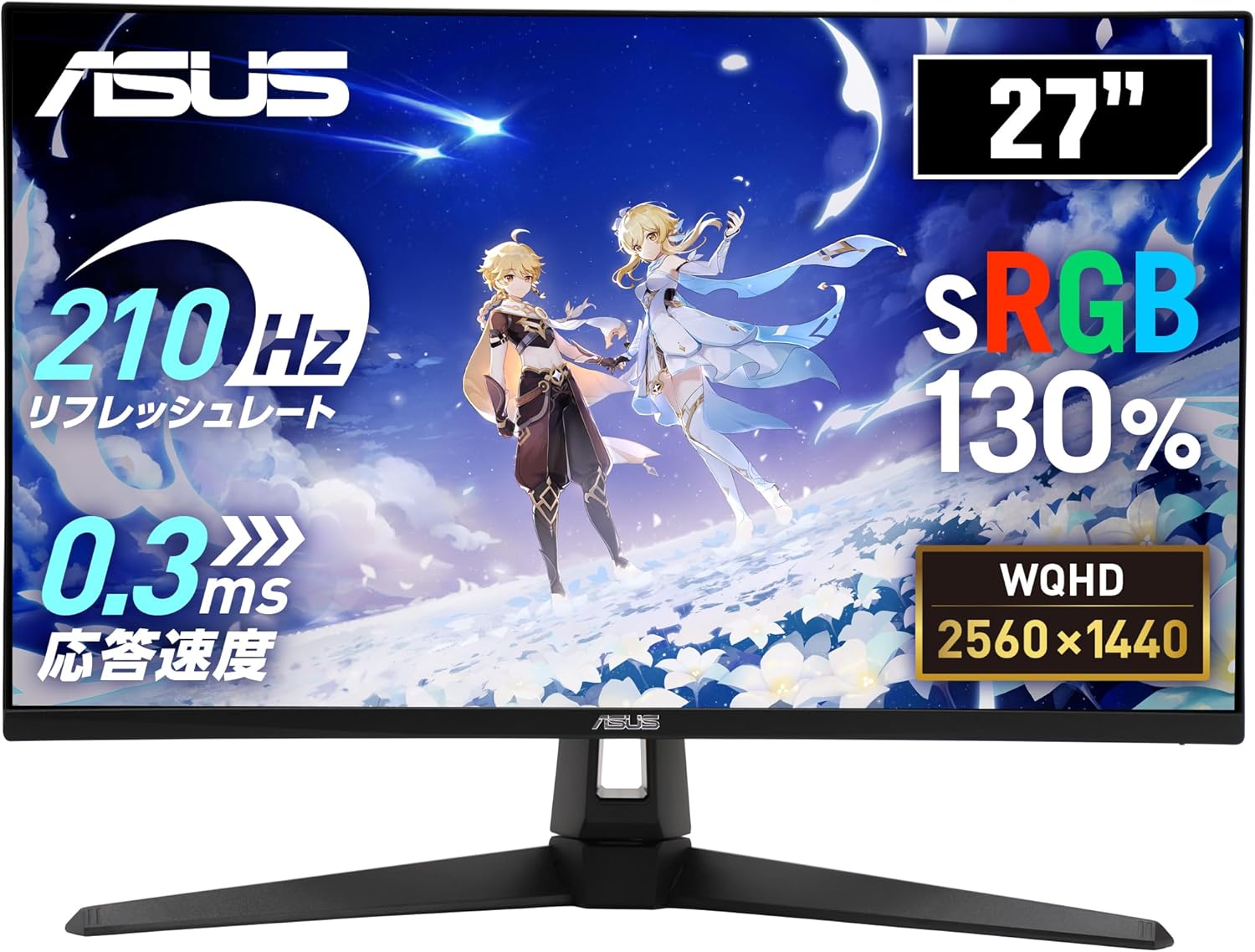
Figure 1: ASUS TUF Gaming VG27AQ5A Monitor Overview
2. Package Contents
Verify that all items listed below are present in your product package. If any item is missing or damaged, contact your retailer immediately.
- DisplayPort Cable
- Power Cord
- Quick Start Guide
- Warranty Card
3. Setup
3.1 Assembling the Monitor Stand
Follow these steps to attach the stand to your monitor:
- Place the monitor face down on a soft, clean surface to prevent scratches.
- Align the stand base with the stand neck and secure it with the provided screw.
- Attach the assembled stand to the back of the monitor until it clicks into place.
3.2 Connecting the Monitor
Connect the monitor to your computer or other devices using the appropriate cables.
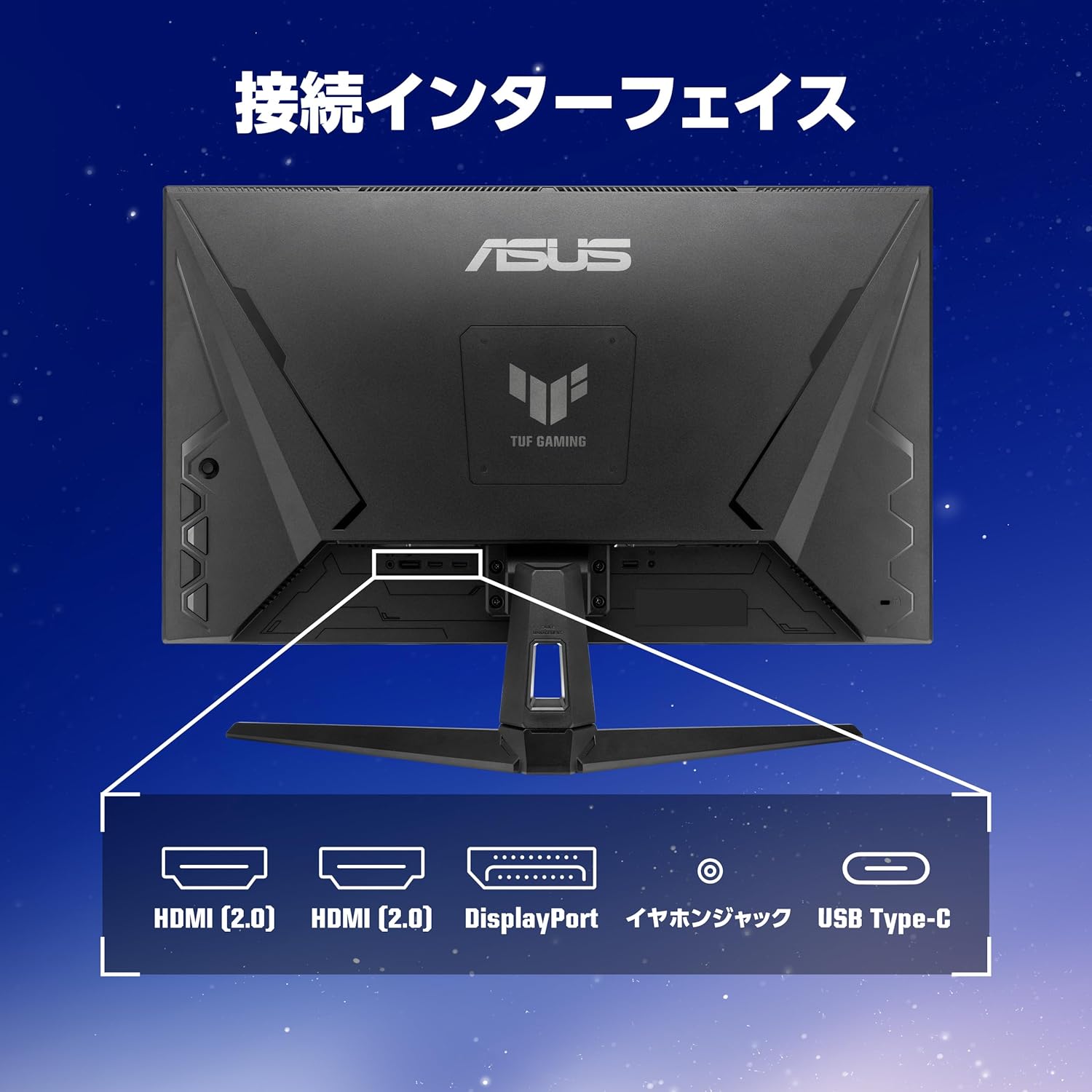
Figure 2: Monitor Connection Interfaces
- DisplayPort Connection: Connect one end of the DisplayPort cable to the monitor's DisplayPort 1.4 input and the other end to your computer's DisplayPort output.
- HDMI Connection: Connect one end of an HDMI cable to one of the monitor's HDMI (v2.0) inputs and the other end to your computer's HDMI output.
- USB Type-C Connection: Connect a USB 3.2 Gen 1 Type-C cable for video signal (if supported by your device) and power delivery.
- Audio Connection: Connect headphones or external speakers to the 3.5mm stereo mini jack.
- Power Connection: Connect the power cord to the monitor's power input and then to a power outlet.
4. Operating the Monitor
4.1 Power On/Off
Press the power button located on the monitor to turn it on or off.
4.2 On-Screen Display (OSD) Menu
Use the joystick and buttons on the back or bottom of the monitor to navigate the OSD menu and adjust settings.
Key Features and Settings:
- Refresh Rate (210Hz OC): This monitor supports a high refresh rate of up to 210Hz (overclocked) for smoother visuals, especially in fast-paced gaming.
- Fast IPS Panel: Provides wide viewing angles and excellent color reproduction.
- ELMB Sync (Extreme Low Motion Blur Sync): Reduces motion blur and ghosting for clearer fast-moving images.
- Adaptive-Sync (VRR Technology): Synchronizes the monitor's refresh rate with the GPU's frame rate to eliminate screen tearing and stuttering.
- GameVisual: Offers various display modes optimized for different content types (e.g., Scenery, Racing, Cinema, RTS/RPG, FPS, sRGB, MOBA, User Mode).
- GamePlus: Provides in-game enhancements like crosshair overlays, timer, FPS counter, and display alignment tools.
- Shadow Boost: Enhances details in dark areas without overexposing bright areas.
- DisplayWidget Center: Software utility for easy adjustment of monitor settings via your PC.
- Blue Light Reduction: Filters out harmful blue light to protect your eyes during extended use.
- Trace Free Technology: Improves response time to eliminate ghosting and motion blur.
- GameFast Input Technology: Minimizes input lag for a more responsive gaming experience.
- ASUS Power Sync: Manages power consumption efficiently.

Figure 3: Smooth Visuals with High Refresh Rate

Figure 4: Adaptive-Sync Technology

Figure 5: GameVisual Feature

Figure 6: Shadow Boost Levels

Figure 7: DisplayWidget Center Interface
4.3 Ergonomic Adjustments
The monitor stand allows for tilt adjustments to optimize your viewing experience.
- Tilt: Adjust the screen angle from +20° to -5°.

Figure 8: Tilt Adjustment Range
5. Maintenance
5.1 Cleaning the Monitor
- Always unplug the monitor before cleaning.
- Use a soft, lint-free cloth to gently wipe the screen and exterior surfaces.
- For stubborn marks, lightly dampen the cloth with water or a mild, non-abrasive cleaner specifically designed for monitors.
- Avoid using alcohol, ammonia, or abrasive cleaners, as they can damage the screen or casing.
5.2 General Care
- Avoid placing the monitor in direct sunlight or near heat sources.
- Ensure adequate ventilation around the monitor to prevent overheating.
- Do not place heavy objects on the monitor or its cables.
- Protect the monitor from excessive dust and moisture.
6. Troubleshooting
| Problem | Possible Cause | Solution |
|---|---|---|
| No image on screen | Power cable disconnected; Video cable disconnected; Incorrect input source selected. | Check power and video cable connections. Press the OSD menu button to select the correct input source. |
| Image is blurry or distorted | Incorrect resolution; Video cable issues. | Set the display resolution to 2560x1440. Ensure the video cable is securely connected and not damaged. |
| Screen tearing or stuttering | Adaptive-Sync not enabled; Refresh rate mismatch. | Enable Adaptive-Sync in the monitor's OSD menu and your graphics card settings. Ensure your system's refresh rate is set to 210Hz (OC) or lower, matching the monitor's capabilities. |
| No sound from speakers/headphones | Audio cable disconnected; Volume too low; Incorrect audio output selected on PC. | Check audio cable connection. Adjust monitor and PC volume. Select the monitor as the default audio output device on your PC. |
7. Specifications
| Feature | Description |
|---|---|
| Brand | ASUS |
| Model Number | VG27AQ5A |
| Screen Size | 27 inches |
| Panel Type | Fast IPS |
| Resolution | QHD (2560 x 1440) |
| Aspect Ratio | 16:9 |
| Refresh Rate | 210Hz (Overclocked) |
| Response Time | 0.3ms GTG (minimum), 1ms GTG |
| Brightness | 300 cd/m² |
| Contrast Ratio | 1,300:1 (Typical) |
| Viewing Angle | 178° (H) / 178° (V) |
| Pixel Pitch | 0.233mm |
| Connectivity | DisplayPort 1.4 x 1 (HBR2), HDMI (v2.0) x 2, USB 3.2 Gen 1 Type-C x 1 (Service Port), 3.5mm Stereo Mini Jack x 1 |
| Tilt Adjustment | +20° ~ -5° |
| VESA Mount Compatibility | 100mm x 100mm |
| Kensington Lock | Supported |
| Dimensions (WxHxD) | 61.50 x 45.50 x 21.40 cm (with stand) |
| Weight | Approx. 5.0 kg |

Figure 9: Product Dimensions
8. Warranty and Support
8.1 Product Warranty
This product comes with a 3-year domestic warranty from the date of purchase.
8.2 ASUS Customer Support
For technical support or inquiries, please contact the ASUS Call Center:
- Toll-Free Number: 0800-123-2787 (Available from landlines)
- Paid Number: 0570-783-886 (Charges apply for mobile phones, PHS, public phones, and calls from overseas)
- Operating Hours: 9:00 - 19:00, 365 days a year.
Additional information can be found on the official ASUS website.


