
1. Introduction
Thank you for choosing the OICIIDO Ai Translation Smart Glasses. These innovative glasses combine advanced AI translation capabilities with Bluetooth audio features, offering a seamless experience for communication, entertainment, and daily convenience. Featuring real-time two-way translation for over 164 languages, AI chat integration, and physically color-changing lenses, these glasses are designed to enhance your interactions in various environments. This manual provides detailed instructions to help you set up, operate, and maintain your new smart glasses.

Image: OICIIDO Ai Translation Smart Glasses demonstrating language translation capabilities.
2. What's in the Box
Please check the package contents to ensure all items are present:
- 1x Language Translator Smart Glasses
- 1x Charging Cable
- 1x User Manual
- 1x Translation Manual
- 1x After-sales Warranty Card

Image: Unboxing the OICIIDO Ai Translation Smart Glasses, showing all included accessories.
3. Setup Guide
3.1. App Download
To unlock the full potential of your OICIIDO Smart Glasses, download the "Ear Dance" app. You can find it on the Google Play Store or Apple App Store, or scan the QR code provided in the manual.
3.2. Initial Power On & Pairing
Upon receiving the product, turn on the smart glasses by pressing the power buttons located on both sides of the temples. Wait approximately 30 seconds for the temples to automatically pair with each other. Once paired, enable Bluetooth on your smartphone and connect to the smart glasses.
3.3. Binding Your Device
Open the "Ear Dance" app. Navigate to the "My" page, click "Bind Device," and scan the authorization code found in your manual to bind the device to the app. This step is crucial for activating all translation functions.

Image: Visual guide for downloading the app, pairing, and binding the smart glasses.
4. Operating Instructions
4.1. Basic Functions (3-in-1)
Your OICIIDO Smart Glasses integrate three core functions: translation, music playback, and phone calls. The built-in dual speakers and dual microphones ensure clear audio for all functions.

Image: Illustration of the 3-in-1 functionality of the smart glasses.
4.2. Multiple Translation Modes
The "Ear Dance" app provides several translation modes:
- Face-to-Face Translation: For direct conversations between two individuals.
- Voice Note Translation: Records voice and translates it into text.
- Audio & Video Translation: Translates audio and video content in real-time.
- Photo Translation: Translates text from images.
- Simultaneous Interpretation: Provides real-time interpretation for ongoing conversations.
Note: The Ear Dance app requires an internet connection for all translation functions; offline translation is not supported.
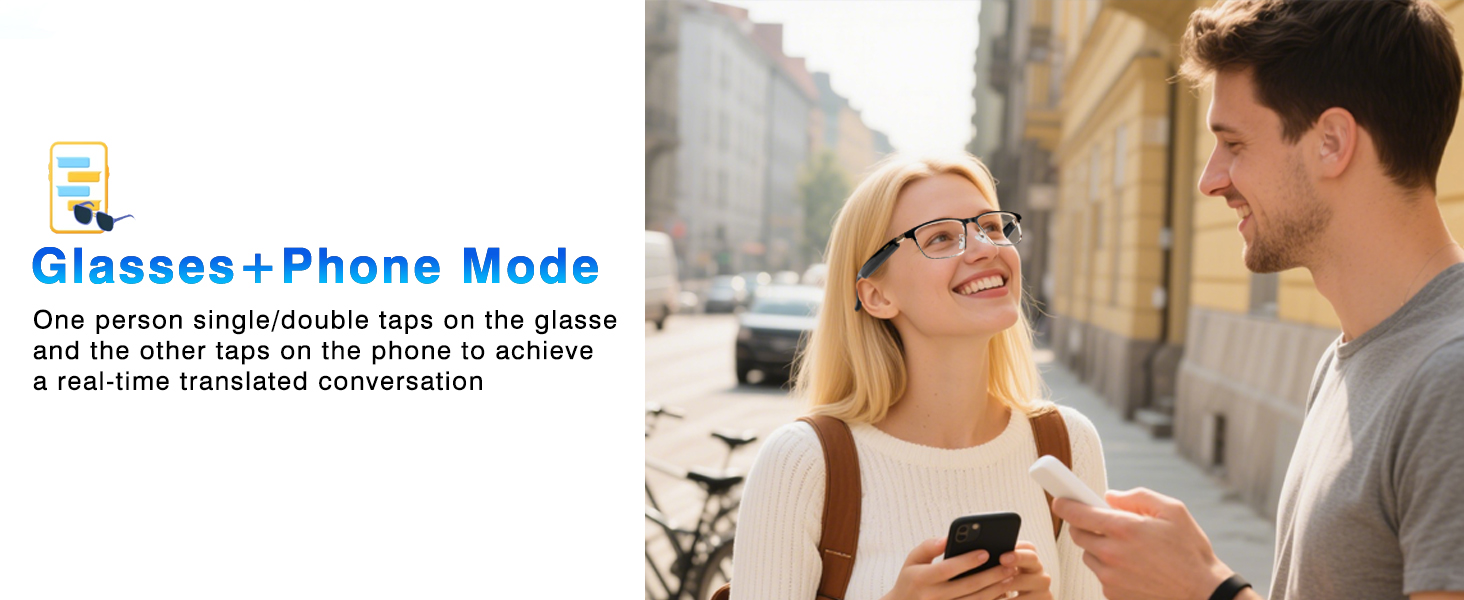
Image: Different translation modes available in the Ear Dance app.
4.3. AI Chat Integration
Powered by advanced AI models like ChatGPT, DouBao, Deepseek-R1, and Gemini-2.5-Pro, your smart glasses offer insightful and comprehensive responses for chats, searches, writing, brainstorming, and academic research.
4.4. Physically Color-Changing Lenses
The lenses are designed to adapt to your environment. They will slowly transform into sunglasses outdoors and revert to transparent lenses indoors, providing optimal vision and eye protection (100% UV400 polarized lenses) in any setting.

Image: Visual representation of the color-changing lens feature.
4.5. Intuitive Touch Controls
The smart glasses feature touch controls on the temples for easy operation:
- Click Once (L/R): Music play/pause, hang up calls.
- Double Click (L/R): Answer phone calls, change music track.
- Click 3 Times (L/R): Wake up voice assistant.
- Long Press (L/R): Adjust volume (addition/subtraction).
- Press 2 Seconds: Reject a call.
- Take off glasses: Disconnect Bluetooth.

Image: Detailed guide to the touch controls on the smart glasses.
4.6. Official Product Video
Video: An official OICIIDO video demonstrating the Ai Translation Smart Glasses in action, highlighting key features and usage scenarios.
5. Maintenance
5.1. Cleaning
To clean your smart glasses, use the provided microfiber cleaning cloth. For stubborn smudges, lightly dampen the cloth with water or a specialized lens cleaning solution. Avoid harsh chemicals that may damage the lenses or frame.
5.2. Water Resistance
The OICIIDO Smart Glasses are IP67 waterproof, meaning they can effectively resist sweat and rain. However, they are not designed for submersion in water. Avoid prolonged exposure to water or use during swimming or showering to prevent damage.
6. Troubleshooting
- Cannot connect via Bluetooth: Ensure the glasses are powered on and fully charged. Turn off and on your phone's Bluetooth, then try pairing again.
- Translation not working: Verify that the "Ear Dance" app is open, the glasses are connected, and your phone has an active internet connection.
- Poor audio quality: Check the volume settings on both your glasses and your phone. Ensure the speakers on the temples are not obstructed.
- Lenses not changing color: Ensure the glasses are exposed to sufficient UV light (sunlight) for the photochromic effect to activate.
If you encounter any problems not listed here, please contact our customer service team via "Find Order - Contact Seller" on Amazon. We are committed to resolving your issue within 24 hours.
7. Specifications
| Feature | Detail |
|---|---|
| Model Number | c1ff3259-6fbb-4fe8-88bb-681f6479e1bb |
| Brand | OICIIDO |
| Connectivity Technology | Bluetooth 5.4 |
| Battery Capacity | Dual 85 mAh (total 170 mAh) |
| Battery Life | Up to 6+ hours (playback) |
| Water Resistance | IP67 |
| Operating System Compatibility | Android, iOS |
| Translation Languages | 164+ languages & accents |
| AI Integration | ChatGPT, DouBao, Deepseek-R1, Gemini-2.5-Pro |
| Special Features | AI Translation, Bluetooth Calls, Music Playback, Color-Change Lenses |
| Item Weight | 5.6 ounces (0.16 Kilograms) |
| Package Dimensions | 6.77 x 2.28 x 1.97 inches |
8. Warranty and Support
Your OICIIDO Ai Translation Smart Glasses come with an After-sales Warranty Card. Please refer to the card for specific warranty terms and conditions. For any product-related issues or support, please contact OICIIDO customer service directly through your Amazon order page by selecting "Find Order - Contact Seller." Our team is dedicated to providing prompt assistance.