1. Product Overview
The PASYOU Under Desk Elliptical Machine (Model PE10) is a compact and portable leg exerciser designed for use while seated. It provides a low-impact workout to help promote blood circulation, reduce fascial stiffness, and support joint mobility. This machine is suitable for office workers, seniors, and individuals seeking gentle leg movement without requiring extensive space or complex setup.

Figure 1.1: The PASYOU Under Desk Elliptical Machine, showing the main unit with pedals and the included remote control.
Key Features:
- Multifunctional Leg Exercise: Designed to promote blood flow and joint mobility while seated.
- Auto & Manual Modes: Offers 12 manual speed levels and 12 preset automatic programs (P1-P12).
- Forward & Reverse Directions: Pedals can move in both directions to target different muscle groups.
- LCD Display & Remote Control: Easy monitoring of workout metrics and convenient setting adjustments.
- Quiet Operation: Whisper-quiet motor for undisturbed use in various environments.
- No Installation Required: Arrives fully assembled and ready to use.
- Portable Design: Compact and lightweight with a built-in handle for easy carrying and storage.
2. Setup and Initial Use
The PASYOU Under Desk Elliptical Machine is designed for immediate use with no assembly required. Simply unpack the unit, place it in your desired location, and connect it to a power source.
2.1 Unpacking and Placement
- Carefully remove the elliptical machine from its packaging.
- Place the machine on a flat, stable surface, such as under a desk, in front of a sofa, or near a chair. Ensure there is enough clear space around the unit for comfortable leg movement.
- Verify that the anti-skid pads on the bottom of the unit are securely in place to prevent movement during use.

Figure 2.1: The elliptical machine is ready to use directly out of the box, requiring no installation.
2.2 Power Connection
- Locate the power cord included with your machine.
- Plug the power cord into the designated port on the elliptical machine.
- Plug the other end of the power cord into a standard electrical outlet.
2.3 Remote Control Setup
- The remote control allows for convenient operation without bending over. Ensure batteries are inserted correctly if not pre-installed.
- The remote control can be stored in the integrated storage box on the machine when not in use.

Figure 2.2: The compact design and built-in handle make the machine easy to carry and store.
3. Operating Instructions
The PASYOU elliptical machine offers both manual and automatic exercise modes, along with forward and reverse pedal directions, to customize your workout.
3.1 Powering On/Off
- Press the POWER button on the machine's control panel or the remote control to turn the unit on or off.
- The LCD display will illuminate when the machine is powered on.
3.2 Understanding the LCD Display
The clear LCD screen provides real-time feedback on your workout progress:
- TIME: Duration of your exercise session.
- DISTANCE: Estimated distance covered.
- SPEED: Current speed of the pedal rotation.
- CALORIES: Estimated calories burned.
- COUNT: Number of pedal rotations.
- SCAN: Cycles through all metrics automatically.

Figure 3.1: The LCD display provides essential workout data at a glance.
3.3 Exercise Modes: Manual (HR) and Automatic (P1-P12)
You can select between two primary exercise modes using the MODE button on the control panel or remote.
- Manual (HR) Mode: Allows you to manually adjust the speed from 1 to 12 levels. You have full control over the intensity.
- Automatic (P1-P12) Modes: Provides 12 preset programs with varying speeds and directions. Simply select a program (P1 through P12) and the machine will adjust automatically.

Figure 3.2: Comparison of Manual (HR) and Automatic (P1-P12) modes.

Figure 3.3: Close-up of the control panel illustrating Auto and Manual mode displays.
3.4 Adjusting Speed and Direction
- Use the + and - buttons on the control panel or remote to increase or decrease the speed in Manual (HR) mode.
- Press the DIRECTION button (often indicated by arrows) to switch between forward and reverse pedal motion. This allows you to engage different leg muscles.
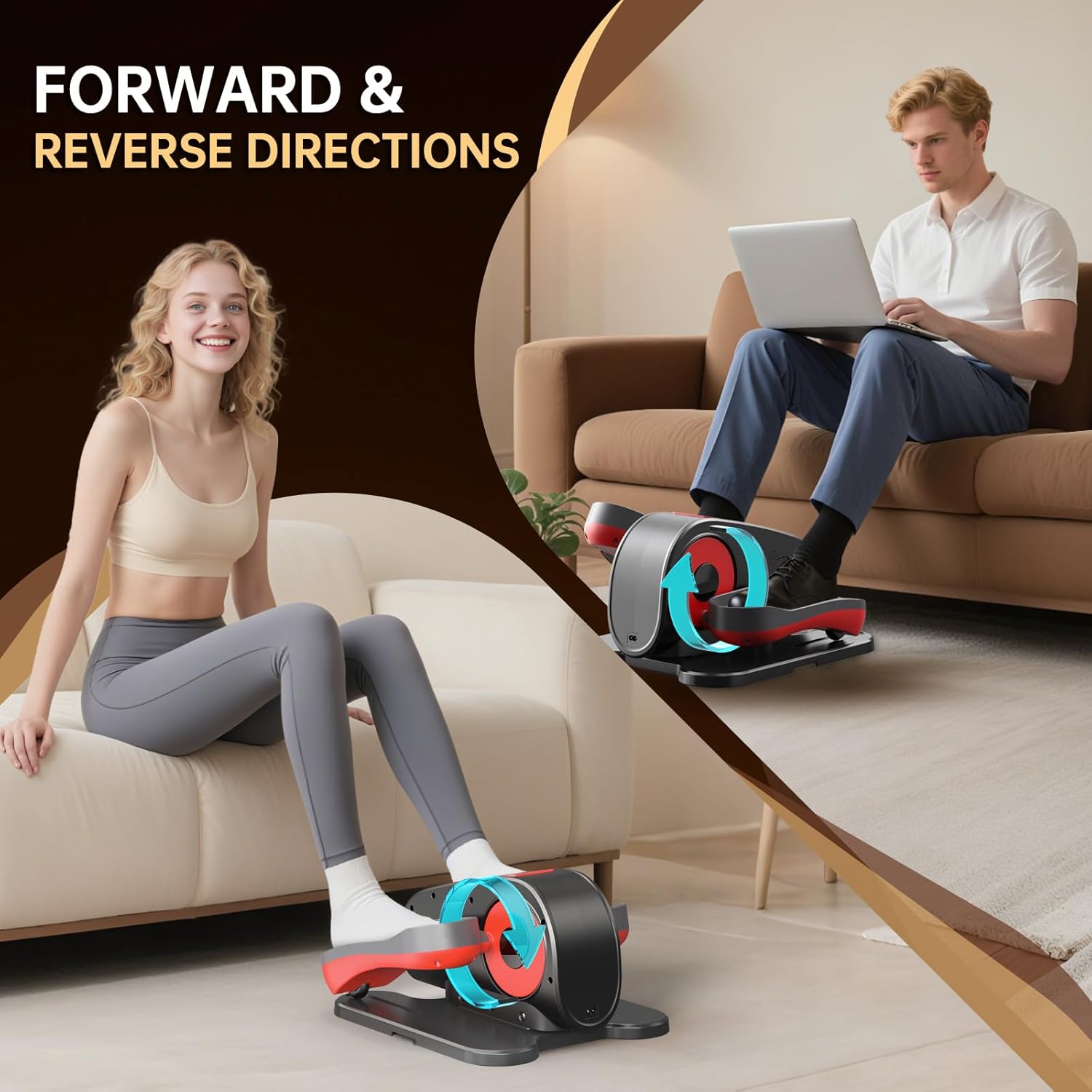
Figure 3.4: The machine supports both forward and reverse pedal directions for varied muscle engagement.

Figure 3.5: Forward motion targets front and side thigh muscles, while reverse motion targets back and inner thigh muscles.
3.5 Quiet Operation
The PASYOU elliptical machine features a whisper-quiet motor, ensuring your workout does not disturb others around you. This makes it ideal for use in offices, shared living spaces, or late at night.

Figure 3.6: The ultra-quiet motor allows for discreet use in any environment.

Figure 3.7: The powerful and quiet motor ensures a smooth and comfortable workout experience.
4. Maintenance and Care
Proper maintenance ensures the longevity and optimal performance of your PASYOU Under Desk Elliptical Machine. Regular cleaning and inspection are recommended.
4.1 Cleaning
- Before cleaning, ensure the machine is powered off and unplugged from the electrical outlet.
- Wipe down the exterior surfaces of the machine with a soft, damp cloth.
- Do not use abrasive cleaners, solvents, or harsh chemicals, as these may damage the finish or internal components.
- Avoid spraying water directly onto the machine.
4.2 Storage
- Store the elliptical machine in a cool, dry place away from direct sunlight and extreme temperatures.
- Its compact size and built-in handle make it easy to store under a desk, in a closet, or in its original packaging.
5. Troubleshooting Guide
If you encounter any issues with your PASYOU Under Desk Elliptical Machine, please refer to the following common troubleshooting steps. If the problem persists, contact customer support.
| Problem | Possible Cause | Solution |
|---|---|---|
| Machine does not power on. | Power cord not securely plugged in. No power from outlet. | Ensure power cord is fully inserted into both the machine and the wall outlet. Test the outlet with another device to confirm it has power. |
| Pedals are not moving smoothly. | Obstruction under pedals. Machine placed on uneven surface. | Check for any objects obstructing the pedal movement. Relocate the machine to a flat, stable surface. |
| Remote control is not working. | Batteries are low or incorrectly inserted. Obstruction between remote and machine. | Replace batteries with new ones, ensuring correct polarity. Remove any objects blocking the line of sight between the remote and the machine's sensor. |
| Unusual noise during operation. | Loose component. Machine placed on uneven surface. | Inspect the machine for any loose parts. If found, gently tighten. Ensure the machine is on a flat, stable surface. If noise persists, discontinue use and contact support. |
6. Product Specifications
| Feature | Detail |
|---|---|
| Model Name | PE10 |
| Brand | PASYOU |
| Color | Black |
| Material Type | Acrylonitrile Butadiene Styrene (ABS) |
| Product Dimensions (L x W x H) | 43.2 x 40 x 24 cm (17 x 15.8 x 9.5 inches) |
| Item Weight | 6.87 kg (15.15 lbs) |
| Resistance Mechanism | Magnetic |
| Number of Resistance Levels | 12 (Manual Mode) |
| Included Components | Under Desk Elliptical Machine, Power Cord, Remote Control, User Manual |
7. Warranty and Customer Support
PASYOU is committed to providing high-quality products and excellent customer service. For information regarding warranty coverage, product support, or any inquiries not covered in this manual, please contact our customer support team.
7.1 Contact Information
Please refer to the contact details provided on the product packaging or the official PASYOU website for the most up-to-date customer support information.
When contacting support, please have your product model number (PE10) and purchase details readily available.


