1. Introduction
This manual provides essential instructions for the safe and efficient operation, installation, and maintenance of your POXURIO 1HP 5300GPH Submersible Sump Pump (Model QS-1). Please read this manual thoroughly before use and retain it for future reference.

Image 1: POXURIO 1HP 5300GPH Submersible Sump Pump.
2. Safety Information
WARNING: Failure to follow these safety instructions may result in electric shock, fire, or serious injury.
- Do not use this pump for flammable, explosive, or corrosive liquids such as oil, gasoline, kerosene, or ethanol.
- Ensure the power supply matches the pump's specifications (110 Volts).
- Always disconnect the power supply before performing any maintenance or cleaning.
- Do not pull the pump by its power cable. Use the integrated handle or a rope attached to it.
- Ensure the pump is fully submerged in water before operation to prevent dry running, which can cause damage.
- Avoid bending or twisting the water pipe during use, as this can affect pumping efficiency.
- The pump is equipped with a built-in automatic thermal overload protector to prevent overheating.
- This pump has an IPX8 waterproof rating, ensuring safe operation when submerged.

Image 2: Important safety warnings for pump operation.
3. Package Contents
Verify that all items are present and undamaged upon opening the package:
- POXURIO Submersible Sump Pump (Model QS-1)
- Automatic Float Switch (integrated)
- Power Cable (26FT long)
- Transport Rope
- Multi-diameter Outlet Adapters (Ø1”, Ø1-1/4”, 1” NPT, 3/4” NPT)
- Elbow Connector
- Reducer

Image 3: Components of the POXURIO Sump Pump, including the pump body, float switch, power cable, and various outlet adapters.
4. Specifications
| Feature | Specification |
|---|---|
| Brand | POXURIO |
| Model Number | QS-1 |
| Horsepower | 1 HP |
| Maximum Flow Rate | 5300 GPH (Gallons Per Hour) |
| Maximum Lifting Height | 30 Feet |
| Power Source | Corded Electric |
| Voltage | 110 Volts |
| Cable Length | 26 Feet |
| Material | Acrylonitrile Butadiene Styrene (ABS) |
| Item Weight | 11.29 pounds |
| Product Dimensions (L x W x H) | 6.69" x 6.21" x 12.99" |
| Protection Type | IPX8 Waterproof |
| Minimum Suction Level | 1/2 inch |
| Maximum Water Temperature | 35°C |
| Outlet Sizes | Ø1”, Ø1-1/4”, 1” NPT, 3/4” NPT |

Image 4: Technical specifications and head-flow curve for the pump.
5. Setup
- Attach Outlet Adapter: Select the appropriate multi-diameter outlet adapter for your hose size. Thread it securely onto the pump's discharge port. If using a flexible hose, secure it with a hose clamp (not included).
- Connect Hose: Attach your discharge hose to the selected outlet adapter.
- Position the Pump: Place the pump in the area to be drained. Ensure it is on a stable, level surface. The low-profile base allows for efficient water removal down to 1/2 inch.
- Submerge the Pump: Before plugging in, fully submerge the pump in the water. For initial use or after dry periods, submerge the pump at an inclined angle to release any trapped air.
- Float Switch Adjustment:
- Automatic Operation: Allow the float switch to hang freely. The pump will activate automatically when the water level rises and lifts the float, and will turn off when the water level drops and the float falls.
- Manual (Continuous) Operation: Secure the float switch in the upward position using the integrated clip on the pump handle. This will keep the pump running continuously, regardless of water level. Caution: Monitor the pump closely in manual mode to prevent dry running.
- Secure with Rope (Optional): If lowering the pump into a deep area (e.g., a well or septic tank), attach the provided transport rope to the handle for easy retrieval.

Image 5: Illustration of automatic and manual float switch operation.
6. Operating Instructions
- Pre-Operation Check: Before each use, inspect the pump, power cable, and float switch for any signs of damage. Ensure all connections are secure.
- Power Connection: Plug the 26-foot power cord into a grounded 110-volt electrical outlet.
- Start Pumping:
- Automatic Mode: The pump will start automatically once the water level is sufficient to lift the float switch.
- Manual Mode: If the float switch is secured in the upward position, the pump will start immediately upon plugging in.
- Monitor Operation: Observe the pump during operation. Ensure water is being discharged efficiently and there are no unusual noises or vibrations.
- Shut Down:
- Automatic Mode: The pump will stop automatically when the water level drops below the float switch's activation point.
- Manual Mode: Unplug the pump from the power outlet to stop operation.
- Applications: This pump is suitable for draining swimming pools, basements, garden ponds, window wells, and rainwater collection buckets.

Image 6: The POXURIO sump pump in operation, demonstrating its water transfer capability.
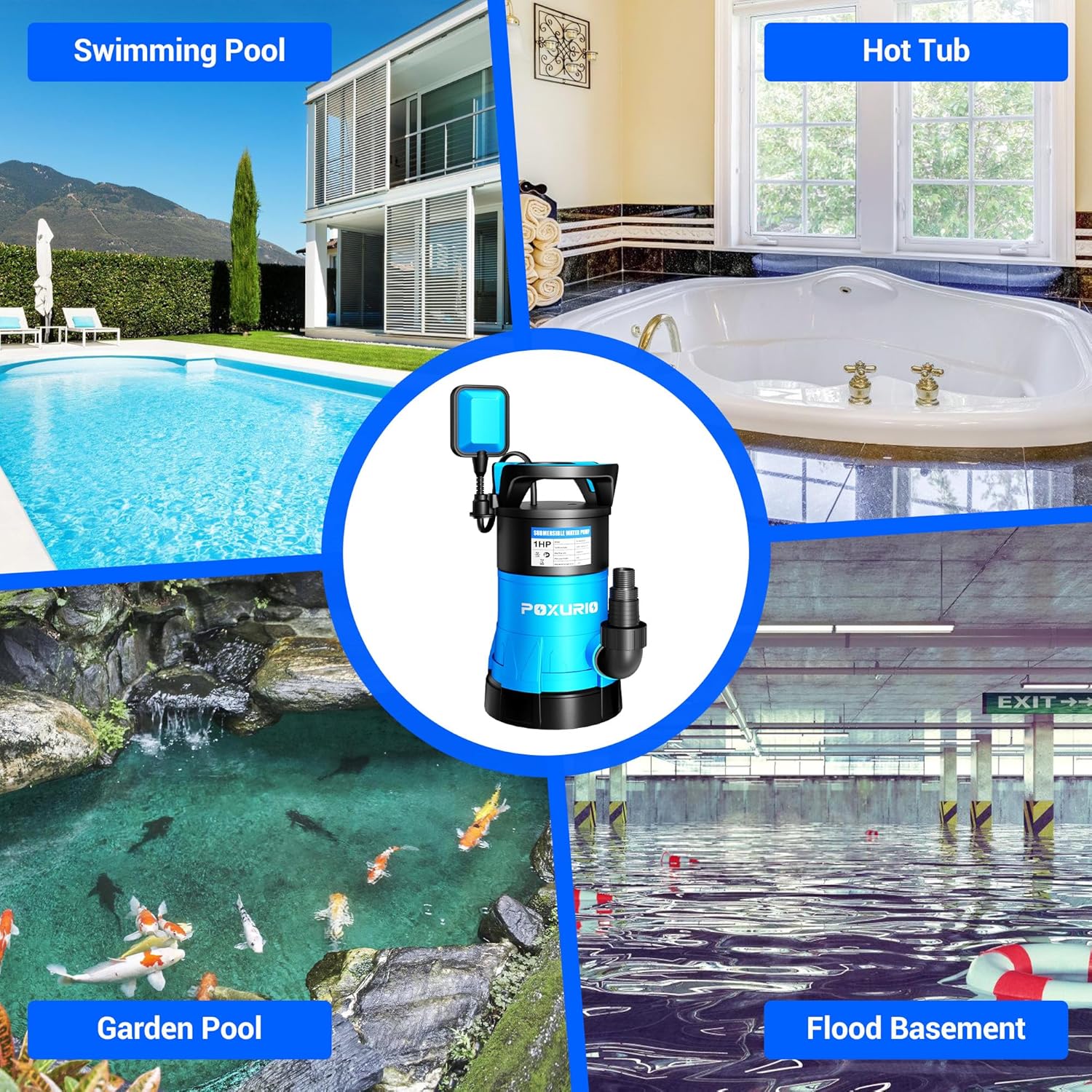
Image 7: Common applications for the POXURIO sump pump.
7. Maintenance
Regular maintenance ensures the longevity and optimal performance of your sump pump.
- Disconnect Power: Always unplug the pump before any maintenance.
- Clean Impeller and Inlet: Periodically check the pump's inlet and impeller for debris (leaves, dirt, small stones) that may obstruct water flow. Clean thoroughly with water. The higher bottom plate design helps prevent debris collection.
- Inspect Cables and Connections: Examine the power cable and float switch cable for cuts, abrasions, or damage. Ensure all electrical connections are dry and secure.
- Check Float Switch: Verify that the float switch moves freely and is not obstructed by debris or the pump itself.
- Storage: If storing the pump for an extended period, clean it thoroughly, drain all water, and store it in a dry, frost-free location.

Image 8: Key design features including the low suction base, which aids in maintenance.
8. Troubleshooting
| Problem | Possible Cause | Solution |
|---|---|---|
| Pump does not start | No power; Float switch stuck (in auto mode); Impeller jammed; Thermal overload activated. | Check power connection/outlet; Ensure float switch moves freely or is in manual position; Clear any debris from impeller/inlet; Allow pump to cool down and reset. |
| Pump runs but no water is discharged or flow is weak | Air lock; Clogged inlet/outlet; Kinked or blocked hose; Insufficient water level. | Submerge pump at an angle to release air; Clean inlet/outlet; Straighten hose or clear blockage; Ensure water level is above minimum suction level. |
| Pump cycles too frequently | Float switch improperly adjusted or obstructed; Water returning to pit. | Adjust float switch position; Ensure check valve (if installed) is functioning correctly. |
| Pump makes unusual noise | Debris in impeller; Dry running. | Disconnect power and clear impeller; Ensure pump is fully submerged. |
9. Warranty and Support
For warranty information or technical support, please refer to the product packaging or contact POXURIO customer service directly. Keep your purchase receipt as proof of purchase.


