Introduction
The Sharge Pixel 100W USB-C GaN Charger is a compact, high-performance charging device designed to power multiple electronics simultaneously. Featuring advanced GaN technology and a unique dot-matrix display, it offers efficient and safe charging for a variety of devices, including laptops, tablets, and smartphones. This manual provides essential information for the proper setup, operation, maintenance, and troubleshooting of your Sharge Pixel 100W charger.
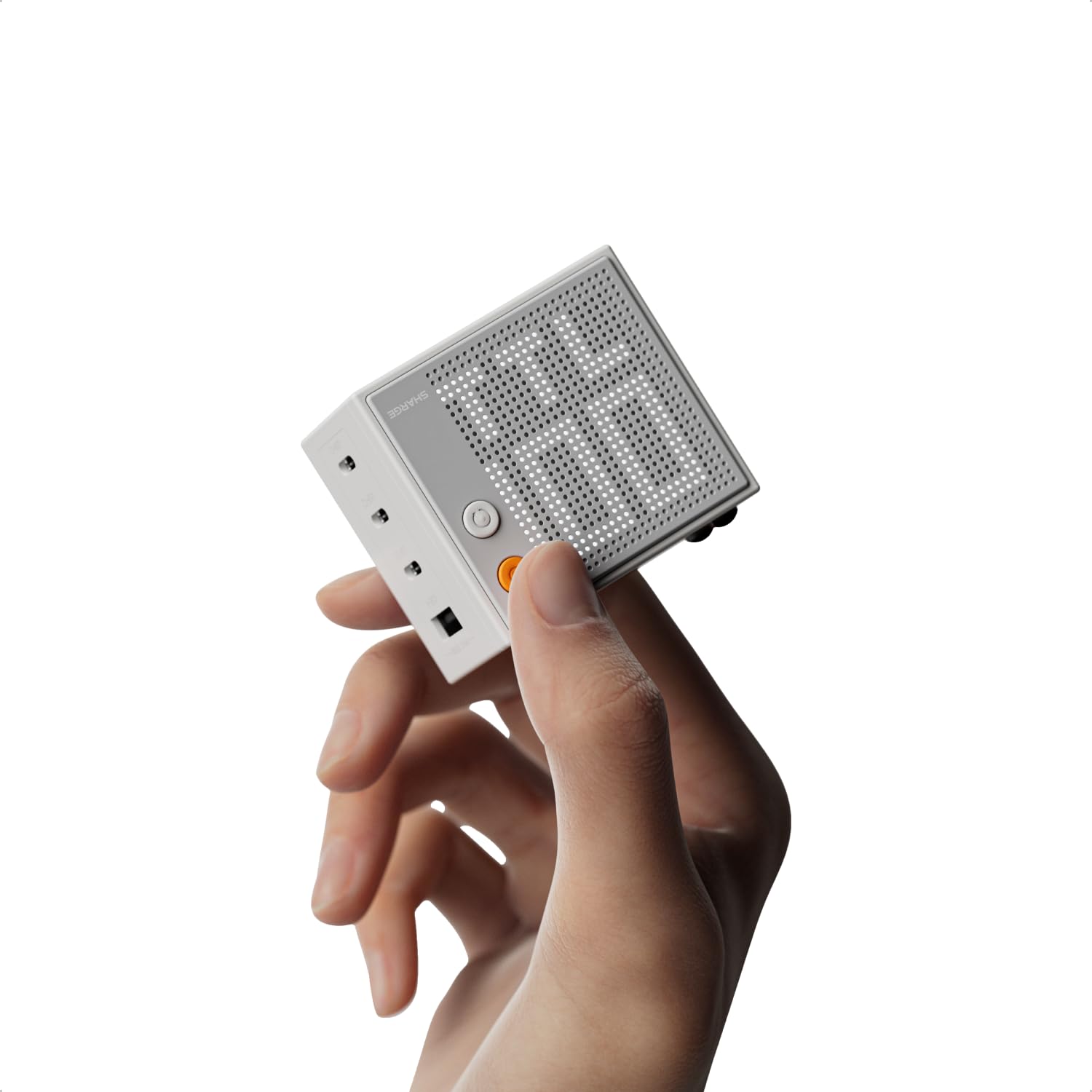
Figure 1: Sharge Pixel 100W USB-C GaN Charger
Setup
- Unfold the Prongs: Gently pull out the foldable AC prongs located on the back of the charger.
- Connect to Power Outlet: Plug the charger into a standard wall outlet.
- Power On/Off: Press the orange power button on the side of the charger to activate or deactivate the device.
- Adjust Display Orientation: The dot-matrix display can be rotated to match the charger's orientation in the outlet. Press the white button below the power button to cycle through display orientations.
- Adjust Display Brightness: Press and hold the orange power button to adjust the brightness of the dot-matrix display.

Figure 2: Adjustable Display Orientation

Figure 3: Display Control Buttons
Operating Instructions
The Sharge Pixel 100W charger features three USB-C ports and one USB-A port, allowing for simultaneous charging of up to four devices. The intelligent power distribution ensures optimal charging speeds for connected devices.
Connecting Devices
- Connect your devices using appropriate USB-C to USB-C or USB-A to USB-C/Lightning cables.
- For optimal 100W fast charging, use a single USB-C port (USB-C1) with a compatible cable and device.
- The dot-matrix display will show the real-time wattage output for each active port, cycling through the connected ports and displaying the total wattage.

Figure 4: Charging Multiple Devices

Figure 5: 100W Max Output Indication
GaN Technology
The charger utilizes 5th-generation Gallium Nitride (GaN) technology, which allows for a smaller, more efficient design. This technology contributes to faster charging speeds, reduced heat generation, and enhanced safety during operation.

Figure 6: Benefits of 5th-Gen GaN Technology
Official Product Video
Video 1: Overview of Sharge Pixel 100W USB-C GaN Charger features and operation.
Maintenance
- Cleaning: Disconnect the charger from the power outlet and all devices before cleaning. Use a soft, dry cloth to wipe the surface. Do not use liquid cleaners or aerosols.
- Storage: Store the charger in a cool, dry place away from direct sunlight and extreme temperatures. Ensure the foldable prongs are retracted for compact storage.
- Safety: Avoid dropping or subjecting the charger to strong impacts. Do not disassemble or attempt to repair the device. Keep away from water and high humidity.

Figure 7: Real-Time Safety with Activeshield
Troubleshooting
- Device not charging:
- Ensure the charger is properly plugged into a live power outlet.
- Verify that the power button on the charger is pressed (display is active).
- Check the charging cable for damage and ensure it is securely connected to both the charger and the device.
- Confirm the device is compatible with USB-C or USB-A charging.
- Slow charging:
- Ensure you are using a high-quality cable that supports fast charging (e.g., PD 3.0 compatible).
- If charging multiple devices, the total wattage is distributed. For maximum speed on a single device, use only one port.
- Some devices may limit charging speed based on battery level or temperature.
- Display not working or flickering:
- Press the power button to ensure the charger is on.
- Adjust the display brightness by pressing and holding the orange power button.
- If the issue persists, disconnect and reconnect the charger from the power outlet.
- Charger feels warm:
- It is normal for the charger to become warm during operation, especially during high-power charging.
- If it becomes excessively hot, disconnect all devices and the charger from the outlet. Allow it to cool down before resuming use. The built-in temperature monitoring system will reduce power output if overheating is detected.
Specifications
| Feature | Detail |
|---|---|
| Model Number | S1U-Standard |
| Product Dimensions | 2.36 x 2.14 x 1.46 inches |
| Item Weight | 7.4 ounces |
| Input Voltage | 100-240V ~ 50/60Hz, 2A Max |
| Total USB Ports | 4 (3x USB-C, 1x USB-A) |
| Max Output | 100W |
| Special Feature | Adjustable Dot-Matrix Screen, GaN Technology, Foldable Plug |
| Compatible Devices | Laptops, Tablets, Smartphones (e.g., MacBook Air, iPhone 17, Galaxy S25) |
| Included Components | 100W Wall Charger, User Manual |

Figure 8: Compact Design Comparison

Figure 9: Charging Interface Power Distribution
Warranty and Support
The Sharge Pixel 100W USB-C GaN Charger comes with a standard manufacturer's warranty. For detailed warranty information, product support, or technical assistance, please refer to the official Sharge website or contact their customer service directly. Keep your purchase receipt for warranty claims.


