Introduction
This manual provides detailed instructions for the installation, operation, and maintenance of your Kviflon 36-inch modern flush mount ceiling fan with integrated light. Please read all instructions carefully before beginning installation and retain this manual for future reference.
Safety Information
- Always disconnect power at the circuit breaker before installation or servicing.
- Ensure all electrical connections comply with local codes and ordinances. If you are unfamiliar with electrical wiring, consult a qualified electrician.
- Mount the fan to a ceiling joist or a suitable support structure capable of supporting the fan's weight.
- Do not connect the fan to a dimmer switch or a fan's gear switch. Use a conventional switch for light on/off control.
- Keep hands clear of fan blades during operation.
Package Contents
Verify that all components are present before beginning installation:
- Fan Motor Assembly
- Hanging Board
- 5 Fan Blades
- Lampshade
- Remote Control
- Receiver
- Screw Bag
- Instruction Manual

Image: All components included in the Kviflon 36-inch ceiling fan package, laid out on a surface. This includes the fan body, blades, remote control, receiver, lampshade, mounting hardware, and instruction manual.
Product Features
- Low-Profile Flush Mount Design: Ideal for rooms with low ceilings, providing a sleek and modern aesthetic.
- Powerful Airflow: 36-inch diameter with curved blades for effective air circulation.
- Convenient Control: Operable via included remote control or a dedicated smartphone APP.
- Reversible DC Motor: Allows for downward airflow in summer and upward airflow in winter to optimize room temperature.
- Dimmable LED Light: Offers 3 color temperatures (3000K Warm, 4500K Natural, 6000K Cool) and adjustable brightness from 20% to 100%.
- Ultra-Quiet Operation: Noise level less than 30dB for a peaceful environment.
- 6 Fan Speeds: Adjustable fan speeds for personalized comfort.
- Timer Function: Set the fan to turn off automatically after 1 or 2 hours.

Image: Illustrates the 6 adjustable fan speeds, suggesting different settings for sleep (1-2 gear), leisure (3-4 gear), and fitness (5-6 gear) in various room settings.
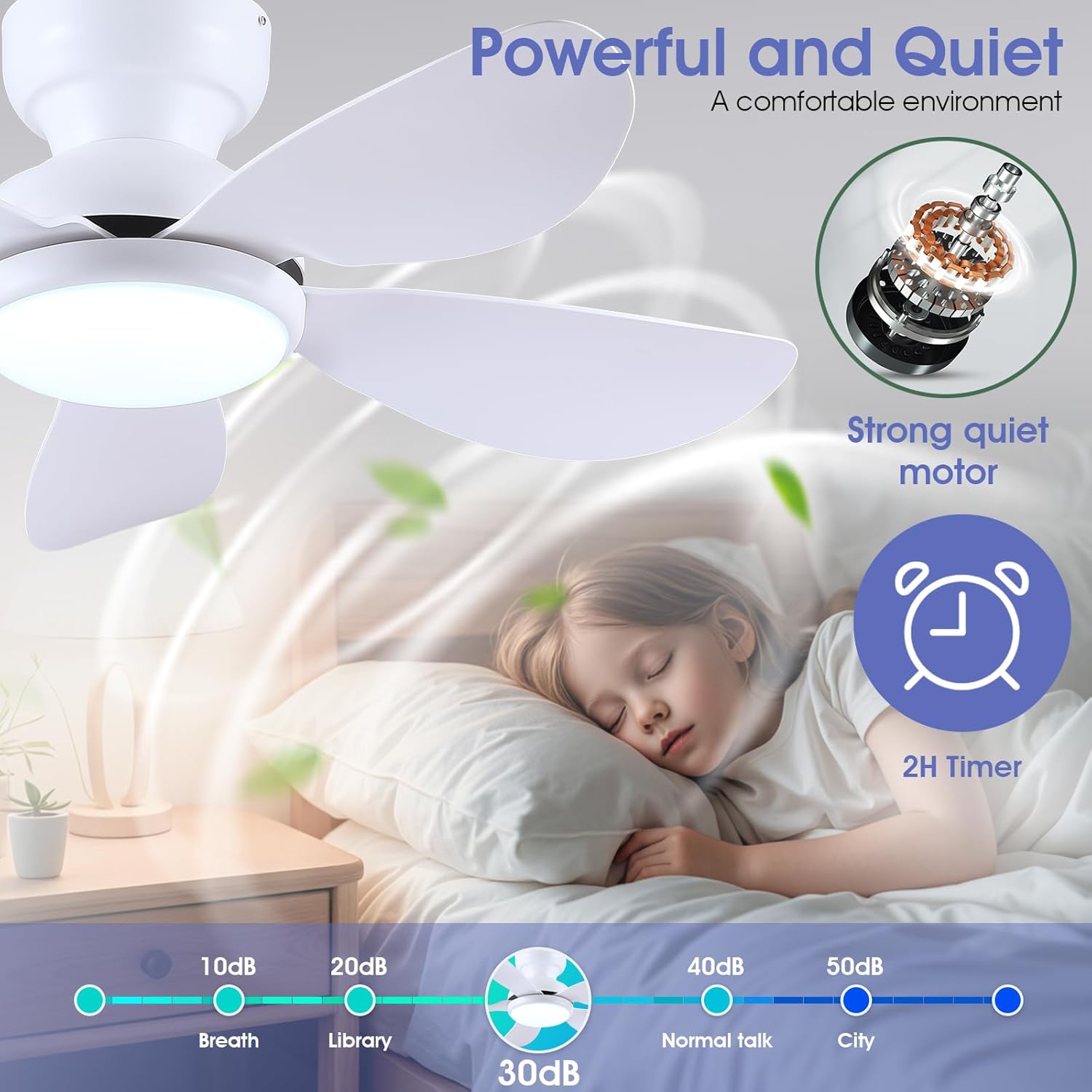
Image: Demonstrates the reversible air circulation feature, showing downward airflow for summer cooling and upward airflow for winter heat distribution.

Image: Highlights the fan's powerful yet quiet operation (under 30dB), suitable for peaceful environments like bedrooms, with a 2-hour timer function.
Installation
The installation process is designed to be straightforward. A safety hook is included to assist with installation. It is recommended to install the fan blades and light fixtures first, then install the fan to the ceiling.
Step-by-Step Installation Guide
- Prepare the Fan Body: Remove the screws from the fan motor assembly to access the wiring.
- Attach Fan Blades: Securely attach the 5 fan blades to the motor assembly using the provided screws. (Note: Screws for blades are pre-installed on the motor).
- Install LED Light Board: Mount the LED light board to the fan body.
- Mount Hanging Board: Secure the hanging board to your ceiling junction box. Ensure it is firmly attached to a structural support.
- Wire Connections: Connect the household wiring to the fan's wiring according to the wiring diagram in the manual. Ensure proper grounding.
- Hang the Fan: Use the safety hook to temporarily hang the fan body while making final electrical connections.
- Secure Fan Body: Once wiring is complete, carefully lift and secure the fan body to the hanging board.
- Install Lampshade: Attach the lampshade to the fan body.
Video: A detailed installation guide for the Kviflon 8922 ceiling fan light, demonstrating each step from assembly to final mounting.

Image: Displays product dimensions (36" diameter, 9.45" height) and confirms flush mount compatibility, along with key specifications like blade quantity, color temperature range, voltage, and control methods.
Operating Instructions
Remote Control Functions
The included remote control allows for convenient operation of your ceiling fan and light. Ensure 2 AAA batteries (included) are installed correctly.
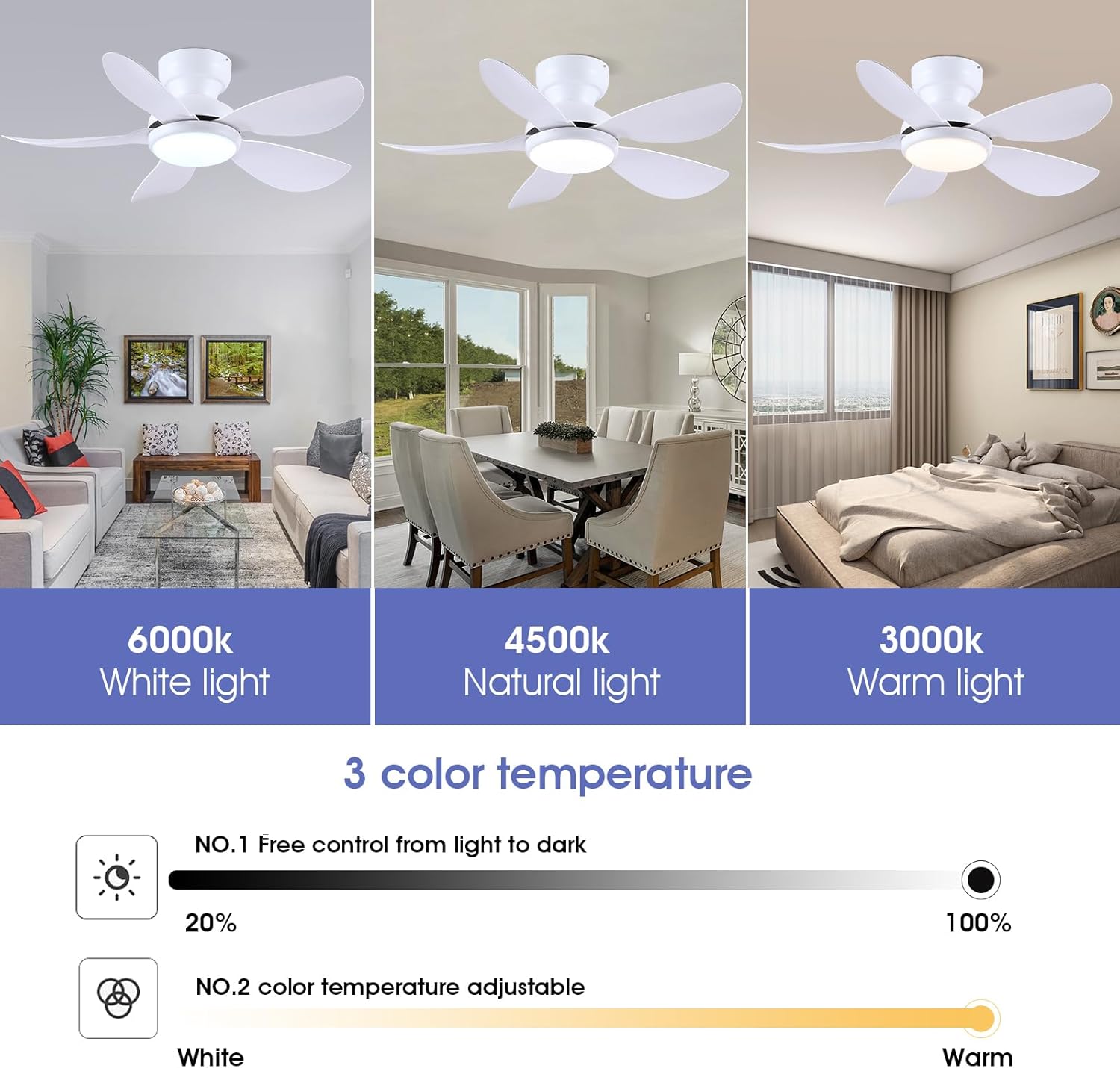
Image: Diagram of the remote control, showing buttons for power (All off, Light on/off), fan speed (1-6, Fan off), color temperature adjustment (+/-), brightness adjustment (+/-), night light, forward/reverse, 2H timer, and code matching.
- Power On/Off: Use the 'All off' button to turn off both fan and light, or 'Light on/off' for the light only.
- Fan Speed: Select from 6 speeds using buttons 1-6. Press 'STOP' to turn off the fan.
- Light Color Temperature: Adjust between Warm (3000K), Natural (4500K), and Cool (6000K) using the 'change color temperature' button or dedicated +/- buttons.
- Light Brightness: Dim or brighten the light from 20% to 100% using the 'Brightness +' and 'Brightness -' buttons.
- Night Light: Activate a low-intensity night light mode.
- Forward/Reverse: Switch fan direction for summer (downward airflow) or winter (upward airflow) modes.
- Timer: Set a 2-hour timer for the fan to automatically turn off.
- Code Matching: If the remote does not pair, follow the instructions for code matching.
APP Control Functions
Download the 'Fan Lamp Pro' APP to control your fan via smartphone. The APP offers additional convenience and features.
Video: Demonstrates the APP control method for the Kviflon 8922 ceiling fan, including language settings, adding a device, and controlling fan speed and light functions.
- Download APP: Scan the QR code in the manual or visit http://www.jasonghost.com/fanlamppro/ to download 'Fan Lamp Pro'.
- Enable Bluetooth: Turn on Bluetooth on your smartphone.
- Add Device: Open the APP, enter the main page, and click '+' to add a new fan lamp.
- Pairing: Turn on the main power to the fan. Within 5 seconds, click the pair button several times in the APP. The fan light will blink twice or beep to indicate successful connection.
- Control: Once paired, you can control fan speed, light brightness, color temperature, and set timers directly from the APP.

Image: Illustrates the three adjustable color temperatures (6000K White, 4500K Natural, 3000K Warm) and brightness adjustment from 20% to 100%.
Maintenance
- Cleaning: To clean the fan, wipe with a soft, damp cloth. Do not use abrasive cleaners or solvents.
- Blade Care: Periodically check that all blade screws are tight. Over time, they may loosen, causing the fan to wobble.
- Light Source: The LED light source is integrated and designed for long-term use. Do not attempt to replace individual LEDs.
Troubleshooting
| Problem | Possible Cause | Solution |
|---|---|---|
| Fan does not operate | No power to the fan; Loose wiring; Remote/APP not paired. | Check circuit breaker; Verify all wire connections are secure; Re-pair remote/APP following instructions. |
| Light does not turn on | No power to the light; Loose wiring; LED board issue. | Check power supply; Verify light wiring connections; Contact customer support if LED board is faulty. |
| Fan wobbles | Loose blade screws; Unbalanced blades; Loose mounting bracket. | Tighten all blade screws; Check for balanced blades (use a balancing kit if necessary); Ensure mounting bracket is securely fastened to the ceiling. |
| Remote/APP not responding | Low batteries in remote; Remote/APP not paired; Interference. | Replace remote batteries; Re-pair remote/APP; Ensure no obstructions between remote/phone and fan. |
Specifications
| Feature | Detail |
|---|---|
| Model Number | 8922 |
| Size | 36 Inches |
| Product Dimensions | 36"D x 36"W x 9.8"H |
| Number of Blades | 5 |
| Blade Length | 16 Inches |
| Motor Type | Brushless DC |
| Number of Power Levels | 6 Speeds |
| Noise Level | 30 Decibels |
| Light Power | 24 Watts |
| Color Temperature | 3000K-6500K (3 CCT Dimmable) |
| Voltage | 110 Volts |
| Control Method | Remote Control, APP Control, Push Button (Wall Switch) |
| Indoor/Outdoor Usage | Indoor |
| Item Weight | 8.2 pounds |
Warranty and Support
This Kviflon ceiling fan comes with a 1-year warranty from the date of purchase. This warranty covers defects in materials and workmanship under normal use. It does not cover damage resulting from improper installation, accident, misuse, abuse, or unauthorized modifications.
For technical support, troubleshooting assistance, or warranty claims, please contact Kviflon customer service through the retailer where the product was purchased.


