Introduction
Thank you for choosing GOLREX T59 Active Noise Cancelling Wireless Earbuds. This manual provides detailed instructions for setup, operation, maintenance, and troubleshooting to ensure optimal performance and longevity of your device. Please read this manual thoroughly before use.
What's in the Box
- GOLREX T59 Earbuds (Left and Right)
- Wireless Charging Case
- USB-C Charging Cable
- Eartips (S, M, L sizes)
- User Manual
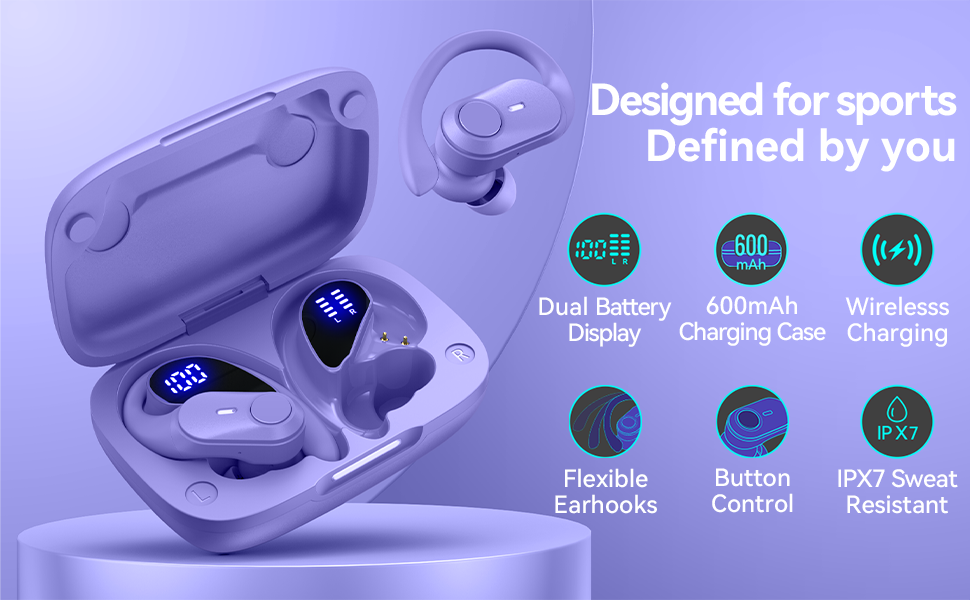
Image: Contents of the GOLREX T59 Earbuds package. This includes the two earbuds, the charging case, a USB-C charging cable, three sizes of eartips (small, medium, large), and the user manual.
Product Overview
Familiarize yourself with the main components of your GOLREX T59 earbuds and charging case.
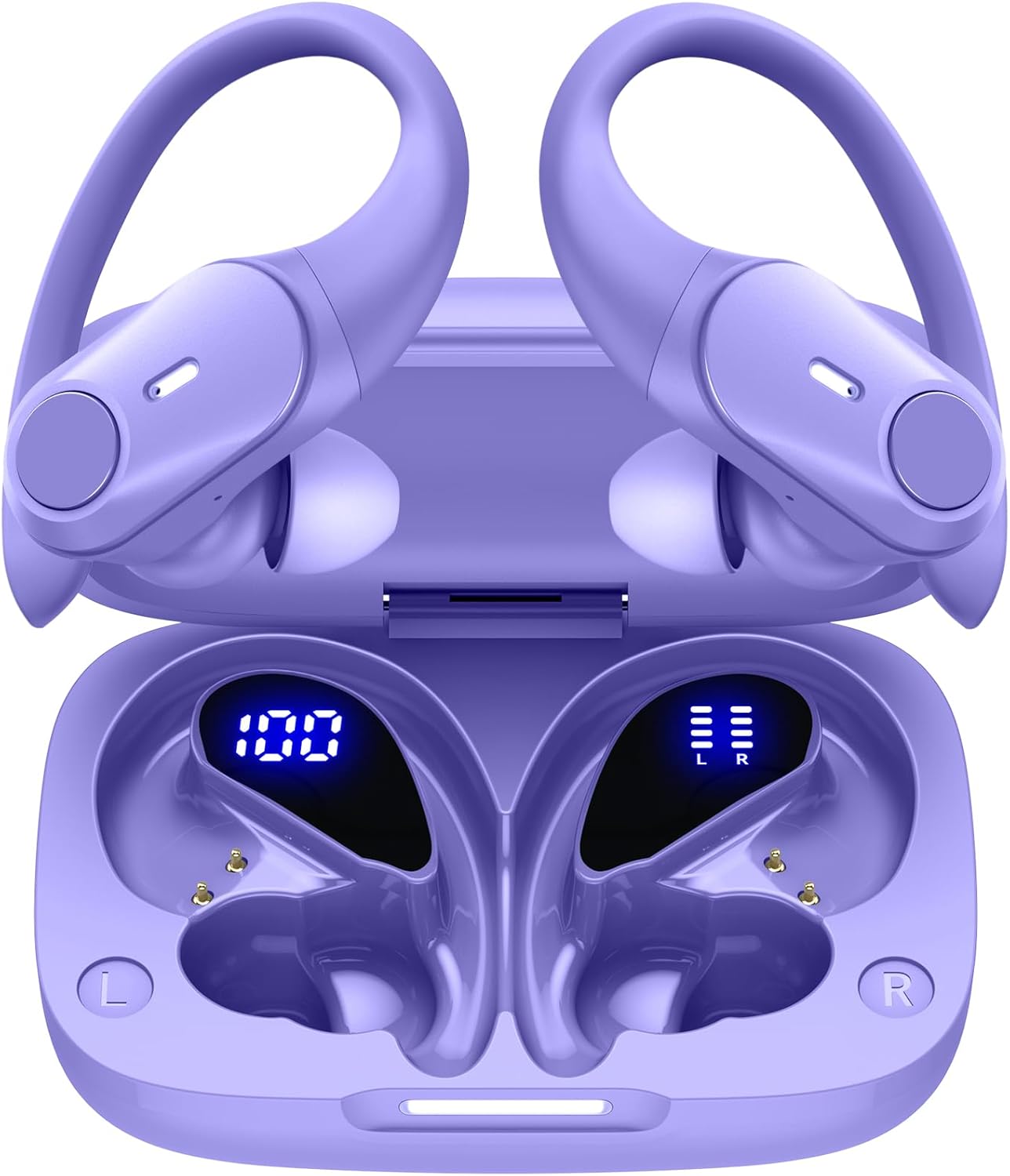
Image: The GOLREX T59 wireless earbuds are shown inside their open charging case. The case features a digital LED display indicating its battery percentage, while each earbud also has a separate LED indicator for its charging status. The earbuds are purple with flexible over-ear hooks.
Key Features
- Hybrid Active Noise Cancelling (ANC): Reduces ambient noise by up to 30dB for focused audio.
- Extended Playtime: Up to 80 hours total with the charging case (8 hours per earbud charge).
- Dual LED Power Display: Shows case battery percentage and individual earbud charging status.
- Wireless & USB-C Fast Charging: Flexible charging options for convenience.
- Smart Touch Control: Intuitive controls for music, calls, and voice assistants.
- Instant Auto Pairing: Automatic connection upon removal from case.
- Secure Fit Over-Ear Hooks: Designed for stability during active use.
- IPX7 Water Resistant: Protection against sweat and light rain.
Setup and Initial Use
1. Charging the Earbuds and Case
Before first use, fully charge the earbuds and the charging case.
- Via USB-C Cable: Connect the provided USB-C cable to the charging port on the case and to a power source. The LED display on the case will show the charging progress.
- Via Wireless Charging: Place the charging case on a compatible wireless charging pad (not included). The LED indicator bar on the case will blink slowly during charging and remain solid when fully charged.
A 15-minute quick charge provides approximately 1 hour of playtime.

Image: The GOLREX T59 charging case demonstrating both wireless charging on a charging pad and wired charging via a USB-C cable. The case shows an LED indicator for charging status.

Image: A detailed view of the GOLREX T59 charging case's LED display. It clearly shows the battery percentage of the charging case (e.g., "100") and separate bar indicators for the power status of the left (L) and right (R) earbuds.
2. Pairing with Your Device
- Open the charging case. The earbuds will automatically power on and enter pairing mode.
- On your device (smartphone, tablet, laptop), enable Bluetooth.
- Search for Bluetooth devices and select "T59" from the list.
- Once connected, you will hear a confirmation tone, and the earbuds will be ready for use.
The earbuds feature Bluetooth 5.3 for a stable connection up to 30 feet.
Note: After initial pairing, the earbuds will automatically connect to the last paired device when removed from the case.
Operating Instructions
Wearing the Earbuds
The GOLREX T59 earbuds are designed with flexible over-ear hooks for a secure and comfortable fit, especially during physical activity.
- Identify the Left (L) and Right (R) earbuds.
- Gently place the earbud into your ear canal.
- Adjust the flexible over-ear hook to fit snugly and comfortably around your ear.
- Experiment with the included eartip sizes (S, M, L) to find the best seal for optimal sound quality and noise cancellation.

Image: A person wearing the GOLREX T59 earbuds during exercise, highlighting the secure fit provided by the flexible over-ear hooks. The image also illustrates the availability of small, medium, and large eartip sizes for personalized comfort.
Touch Controls
The earbuds feature intuitive touch controls for various functions:
| Function | Action |
|---|---|
| Play/Pause Music | Single tap on either earbud |
| Next Track | Double tap on the Right earbud |
| Previous Track | Double tap on the Left earbud |
| Answer/End Call | Single tap on either earbud |
| Reject Call | Press and hold either earbud for 2 seconds |
| Activate Voice Assistant (Siri, Google Assistant) | Triple tap on either earbud |
| Toggle ANC/Transparency Mode | Press and hold either earbud for 3 seconds |
Active Noise Cancellation (ANC)
The GOLREX T59 earbuds feature Hybrid Active Noise Cancellation, reducing ambient noise by up to 30dB. This allows for a more immersive listening experience.

Image: A cutaway diagram of an earbud illustrating the Hybrid Active Noise Cancellation mechanism. It shows how external sound waves are detected and counteracted by anti-noise signals, resulting in a quieter listening environment.
To toggle between ANC mode and Transparency mode (which allows you to hear your surroundings), press and hold either earbud for 3 seconds.
Single Earbud Use
Both earbuds can be used independently. Simply take one earbud out of the case, and it will automatically connect to your device. The other earbud can remain in the case or be used by another person (if paired separately).
Maintenance and Care
- Cleaning: Regularly clean the earbuds and charging case with a soft, dry, lint-free cloth. Do not use harsh chemicals or abrasive materials.
- Eartips: Remove eartips and clean them with water and mild soap if necessary. Ensure they are completely dry before reattaching.
- Storage: When not in use, store the earbuds in their charging case to protect them from dust and damage.
- Water Resistance: The earbuds are IPX7 water-resistant, meaning they can withstand sweat and light rain. Do not submerge them in water or expose them to strong jets of water. Ensure the charging port is dry before charging.
- Temperature: Avoid exposing the earbuds to extreme temperatures (hot or cold) or high humidity.
Troubleshooting
| Issue | Possible Solution |
|---|---|
| Earbuds not pairing with device |
|
| Only one earbud working |
|
| Poor sound quality or low volume |
|
| Charging case not charging |
|
Specifications
| Feature | Detail |
|---|---|
| Model Name | T59 |
| Brand | GOLREX |
| Connectivity Technology | Wireless (Bluetooth 5.3) |
| Noise Control | Hybrid Active Noise Cancelling (up to 30dB) |
| Audio Driver Type | Dynamic Driver (10mm) |
| Total Playtime | Up to 80 hours with charging case |
| Earbud Playtime (single charge) | Up to 8 hours |
| Charging Type | USB-C, Wireless Charging |
| Water Resistance Level | IPX7 |
| Control Method | Touch |
| Compatible Devices | Cellphones, Desktops, Laptops, Gaming Consoles, Music Production Equipment, Tablets, Telephones |
| Product Dimensions | 3.5 x 2.36 x 1.5 inches (charging case) |
| Item Weight | 3.53 ounces |
Safety Information
- Do not disassemble or modify the product.
- Keep away from extreme temperatures, direct sunlight, and open flames.
- Avoid listening at high volumes for extended periods to prevent hearing damage.
- Keep out of reach of children and pets.
- Dispose of the product responsibly according to local regulations.
Warranty and Support
GOLREX provides a warranty for its products. For specific warranty terms and conditions, please refer to the warranty card included in your package or visit the official GOLREX website.
Some customer reviews indicate that registering your purchase may provide a lifetime warranty. Please check the official GOLREX website or contact customer support for details on product registration and warranty benefits.
For technical support, troubleshooting assistance, or any inquiries, please contact GOLREX customer service through their official channels.
GOLREX Official Store: Visit GOLREX Store on Amazon