
Baicycle A03 Electric Bike
Baicycle A03 Electric Bike User Manual
Model: A03 Electric Bike
1. Introduction and Safety Guidelines
Welcome to the Baicycle A03 Electric Bike user manual. This manual provides essential information for the safe and efficient operation, maintenance, and troubleshooting of your new electric bicycle. Please read this manual thoroughly before your first ride and keep it for future reference.
General Safety Precautions
- Always wear a certified helmet and appropriate safety gear when riding.
- Familiarize yourself with local traffic laws and regulations regarding electric bicycles.
- Perform a pre-ride inspection before each use, checking brakes, tires, and battery level.
- Do not exceed the maximum weight recommendation of 265 pounds.
- Avoid riding in adverse weather conditions or on excessively rough terrain if you are not experienced.
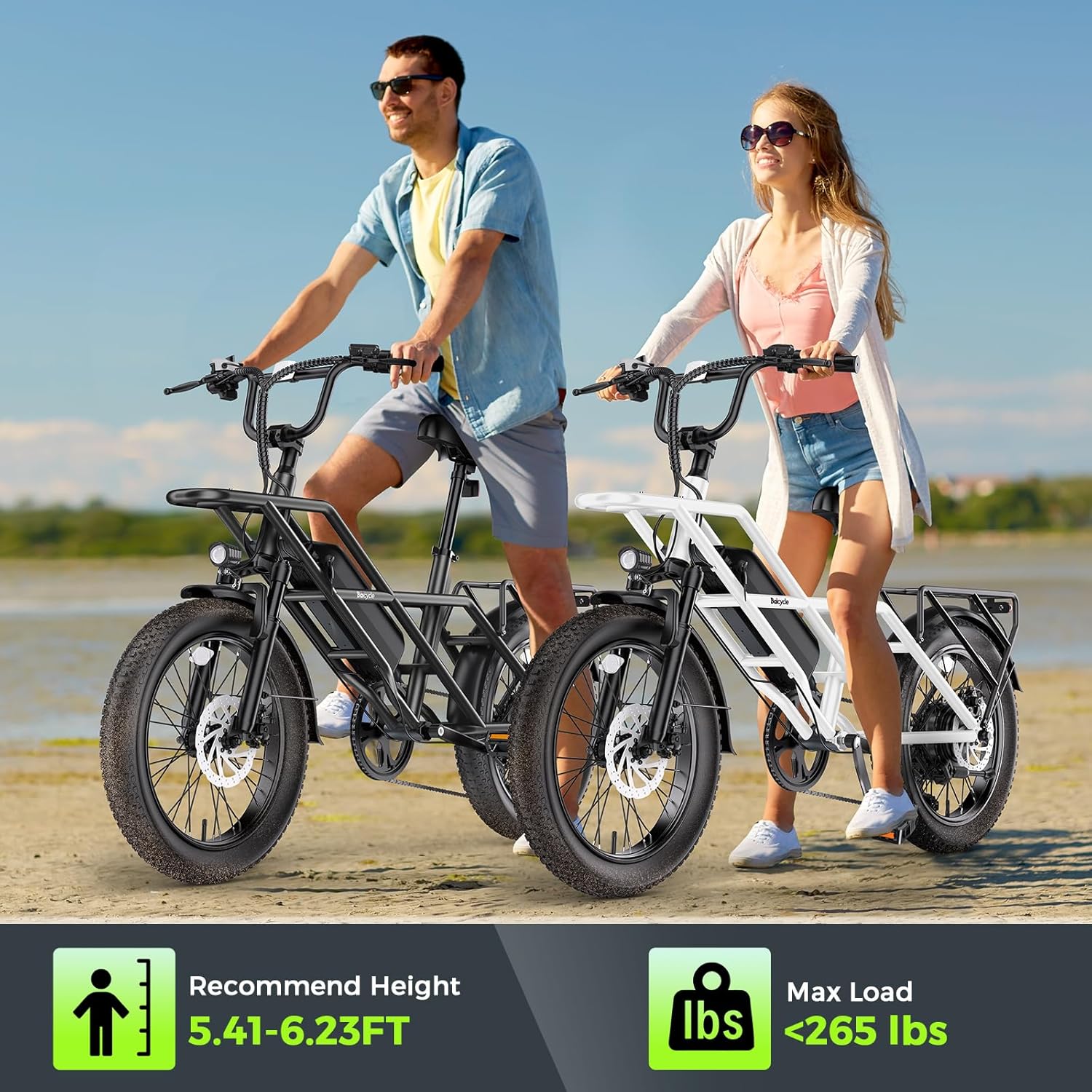
Figure 1: Recommended user height (5.41-6.23 FT) and maximum load capacity (265 lbs) for safe operation.
2. Setup and Initial Preparation
2.1 Unpacking and Assembly
Your Baicycle A03 Electric Bike comes partially assembled. Tools required for final assembly are included in the package. Follow the detailed assembly instructions provided in the separate quick start guide to ensure all components are securely attached before first use. Typical assembly time is approximately 15-30 minutes.
2.2 Battery Charging
Before your first ride, fully charge the 48V 13Ah lithium-ion battery. The battery is removable for convenient charging. Connect the charger to the bike's charging port or directly to the battery if removed. A full charge typically takes 5-6 hours. The battery has an IPX54 waterproof rating, allowing for charging in various weather conditions, though direct exposure to heavy rain is not recommended during charging.
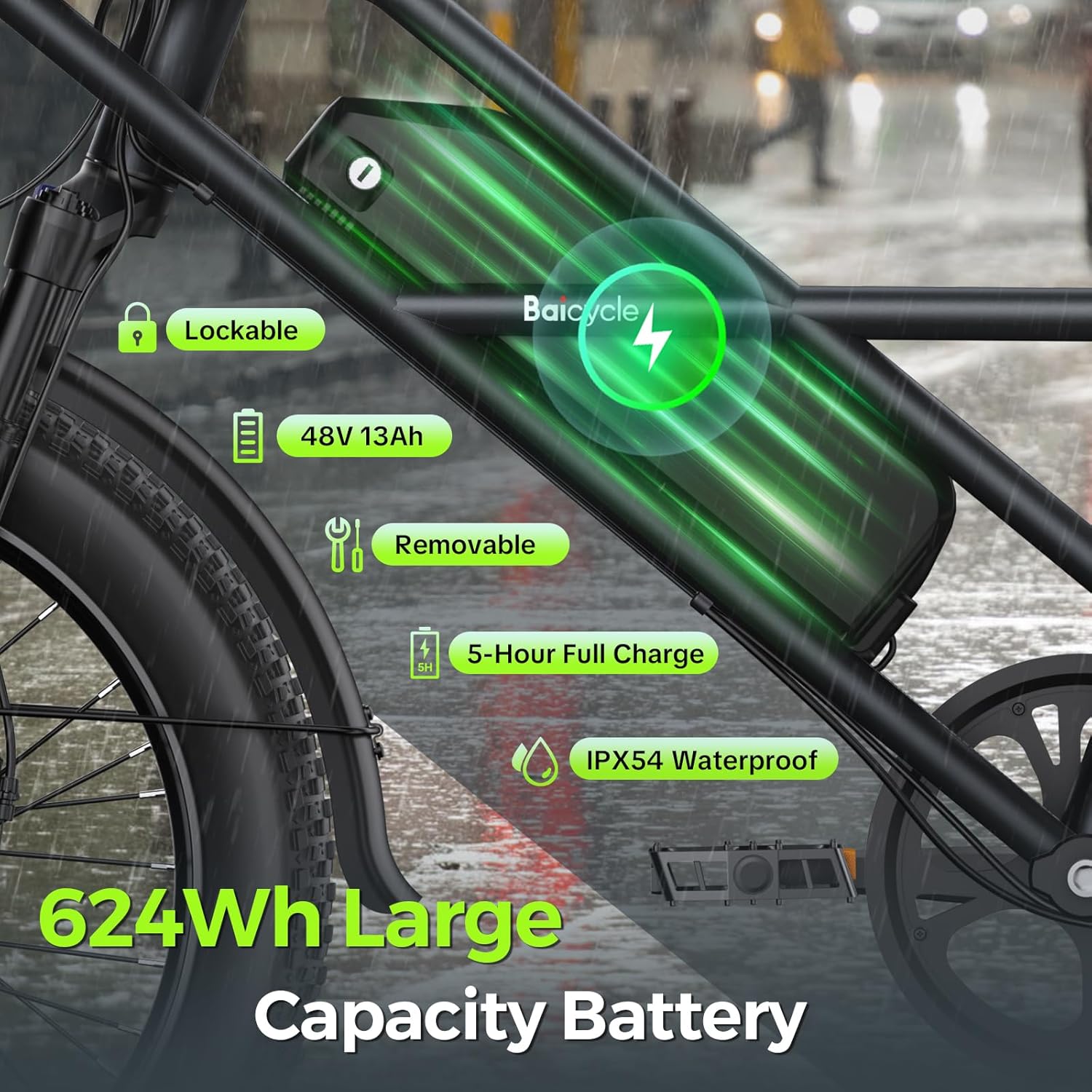
Figure 2: The 48V 13Ah removable battery, highlighting its lockable design, 5-hour full charge time, and IPX54 waterproof rating.
2.3 Tire Pressure
Ensure the 20"x3.0" fat tires are inflated to the recommended pressure, typically around 25 PSI. Proper tire pressure is crucial for ride comfort, efficiency, and safety. Check tire pressure regularly, ideally before each ride.
3. Operating Instructions
3.1 Powering On and Off
To power on the bike, ensure the power switch on the battery is in the "on" position, then press and hold the power button on the LCD display unit. To power off, press and hold the power button again.
3.2 Riding Modes
The Baicycle A03 offers four distinct working modes to suit various riding preferences and conditions:
- Pure Electric Mode: Provides full motor power without pedaling, ideal for effortless travel.
- Pedal-Assist Mode: Offers five levels of motor assistance that amplify your pedaling effort. Select your desired assist level using the '+' and '-' buttons on the display.
- Walk Push-Assist Mode: Activates a low-speed motor assist to help you push the bike uphill or through difficult terrain without riding.
- Normal Bike Mode: The motor is disengaged, and the bike operates like a traditional bicycle, relying solely on pedal power.

Figure 3: Overview of the four available riding modes for versatile use.
3.3 Gear Shifting
The bike is equipped with a 7-speed gear derailleur system. Use the trigger shifter on the handlebars to change gears, allowing you to adapt to different terrains and optimize your pedaling efficiency. Shift smoothly to avoid strain on the drivetrain.
3.4 LCD Display and Controls
The integrated LCD display provides real-time information such as speed, battery level, assist level, and trip distance. Use the '+' and '-' buttons to navigate through display options and adjust assist levels. The power button also serves to confirm selections or enter settings menus.

Figure 4: Key operational features including the LCD display, 7-speed freewheel, and 180mm dual disc brakes.
3.5 Adjusting Speed Limiter (Advanced)
To adjust the speed limiter, ensure the bike is completely powered off. Flip the power switch on the battery to the "on" position. Squeeze and hold the left brake lever, then turn on the display. While holding the brake, twist the throttle 5 times. Release the brake. This procedure allows for adjustment of the top speed limit. Exercise caution and adhere to local regulations when adjusting speed settings.
3.6 Night Riding Safety
The bike is equipped with a sharp headlight and responsive brake light for enhanced visibility during night riding. A loud horn is also integrated to warn others promptly, boosting safety on every path.

Figure 5: Features designed for improved safety during night rides, including the headlight, brake light, and horn.
4. Maintenance
Regular maintenance ensures the longevity and optimal performance of your Baicycle A03 Electric Bike.
4.1 Battery Care
- Charge the battery regularly, even if the bike is not in frequent use, to maintain battery health.
- Avoid completely draining the battery before recharging.
- Store the battery in a cool, dry place when not in use.
- The battery is IPX54 waterproof, but avoid submerging it or exposing it to high-pressure water jets.
4.2 Tire and Wheel Maintenance
The 20"x3.0" fat tires provide excellent grip across various terrains. Regularly check tire pressure and inflate as needed (recommended 25 PSI). Monthly inflation helps prevent premature tire damage. Inspect tires for wear, cuts, or punctures before each ride.

Figure 6: The dual shock design and 20"x3.0" fat tires provide a comfortable ride and excellent traction.
4.3 Brake System
The bike features 180mm stainless steel disc brakes. Regularly inspect brake pads for wear and ensure brake levers provide firm and responsive stopping power. Adjust or replace brake pads as necessary.
4.4 General Cleaning
Clean your e-bike regularly with a damp cloth and mild soap. Avoid using high-pressure washers directly on electrical components or bearings.
5. Troubleshooting
This section covers common issues and their solutions. For problems not listed here, please contact customer support.
5.1 LCD Display Issues: Restoring Factory Settings
If your LCD display is behaving unexpectedly or you wish to revert its settings to the default factory parameters, follow the steps outlined in the video below. This process will reset the display to its original configuration.
Video 1: Instructions on how to restore the LCD display to factory settings. This process involves pressing and holding the plus and power buttons simultaneously for more than 2 seconds, then selecting 'DEF-Y' and confirming to restore default parameters.
5.2 Power Issues
- If the bike does not power on, check if the battery is fully charged and securely installed.
- Ensure the power switch on the battery is in the "on" position.
5.3 Motor Not Engaging
- Verify that the bike is in Pure Electric or Pedal-Assist mode.
- Check for any error codes on the LCD display. Refer to the display's specific error code guide if available.
6. Specifications
Detailed technical specifications for the Baicycle A03 Electric Bike:
| Feature | Specification |
|---|---|
| Bike Type | A03 Electric Bike, Fat Tire |
| Motor | 750W Rated, 1500W Peak Hub-Brushless Motor |
| Battery | 48V 13Ah Lithium-ion (624Wh) |
| Max Speed | Up to 28 MPH |
| Max Range | Up to 90 Miles (Pedal Assist) |
| Number of Speeds | 7 |
| Wheel Size | 20 Inches (3.0" width) |
| Frame Material | Carbon Steel |
| Suspension Type | Front Fork Suspension |
| Brake Style | Disc (180mm Stainless Steel) |
| Item Weight | 32 Kilograms |
| Maximum Weight Recommendation | 265 Pounds |
| Minimum User Height | 5.41 Feet |
7. Warranty and Support
7.1 Warranty Information
The Baicycle A03 Electric Bike comes with a 1-year warranty. Please retain your proof of purchase for warranty claims. The warranty covers manufacturing defects and issues arising from normal use.
7.2 Customer Support
For any questions, technical assistance, or warranty claims, please contact Baicycle US customer support. Refer to the product packaging or the official Baicycle website for the most current contact information.
Ask a question about this manual
Ask about setup, troubleshooting, compatibility, parts, safety, or missing instructions. Manuals+ will review the question and use this page’s manual context to help answer it.