
1. Introduction
Welcome to the user manual for your ATEVIX Smart Watch with Earbuds. This innovative 2-in-1 device combines the functionality of a fitness tracker with the convenience of integrated wireless earphones. Designed for seamless connectivity and comprehensive health monitoring, this manual will guide you through the setup, operation, maintenance, and troubleshooting of your new device. Please read these instructions carefully to ensure optimal performance and longevity of your product.

Image 1.1: The ATEVIX Smart Watch with Earbuds, showcasing its unique 2-in-1 design.
2. Product Overview
2.1 Key Features
- 2-in-1 Design: Smartwatch with integrated wireless earbuds.
- Display: 2.02-inch HD IPS display with 320x385 resolution.
- Connectivity: Bluetooth BLE 5.4 for smartphone notifications and audio streaming.
- Fitness Tracking: Comprehensive activity monitoring, heart rate sensing (HX3918), and sports modes.
- Battery Life: 300mAh lithium polymer battery for extended usage.
- Durability: IP67 life waterproof rating and durable zinc alloy construction.
- Compatibility: Supports Android 4.0 and above, iOS 9.0 and above.
2.2 Package Contents
Upon opening your product package, please ensure all items are present:
- ATEVIX Smart Watch with Earbuds
- Watch Band
- Magnetic Charging Cable
- User Manual (this document)

Image 2.1: Overview of the ATEVIX Smart Watch with Earbuds, emphasizing its dual functionality.
3. Setup
3.1 Initial Charging
Before first use, fully charge your ATEVIX Smart Watch. Connect the magnetic charging cable to the charging points on the back of the watch and plug the USB end into a standard USB power adapter (not included).
- The watch battery capacity is 300mAh.
- The earbuds have a 25mAh battery and charge automatically when placed inside the watch.
- A full charge typically takes approximately 3 hours.
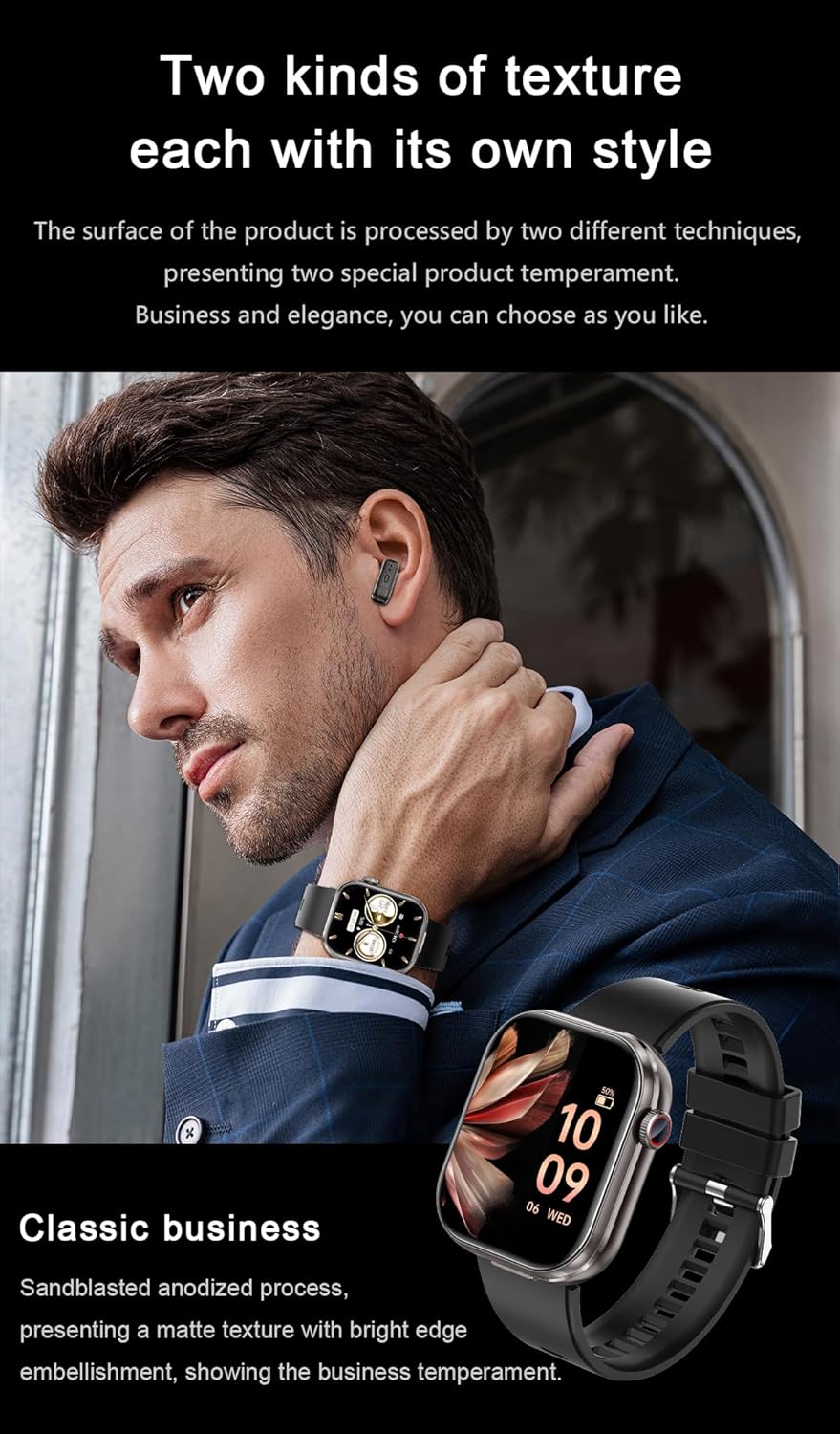
Image 3.1: Magnetic charging method for the ATEVIX Smart Watch.
3.2 App Installation and Pairing
To unlock the full potential of your smartwatch, download and install the companion application on your smartphone. The app name is typically found in the quick start guide or on the product packaging. Search for the app in your device's app store (Google Play Store for Android, Apple App Store for iOS).
- Scan the QR code provided in the quick start guide or search for the app name in your smartphone's app store.
- Install the application.
- Ensure Bluetooth is enabled on your smartphone.
- Open the app and follow the on-screen instructions to create an account or log in.
- In the app, navigate to 'Device' or 'Add Device' and select your ATEVIX Smart Watch from the list of available Bluetooth devices.
- Confirm the pairing request on both your watch and smartphone.
3.3 Earbud Pairing
The earbuds are designed to pair automatically with the watch once removed from their charging slots. For initial use or if re-pairing is needed:
- Ensure the earbuds are charged by placing them in the watch.
- Remove the earbuds from the watch. They will automatically enter pairing mode.
- On your smartphone, go to Bluetooth settings and select the earbud device name (e.g., 'ATEVIX Earbuds') to connect.
- Once connected, audio will stream through the earbuds.
4. Operating Instructions
4.1 Basic Navigation
The ATEVIX Smart Watch features a touch-sensitive HD display and a rotating button for navigation.
- Swipe Up/Down: Scroll through menus and notifications.
- Swipe Left/Right: Access quick functions or different screens.
- Tap: Select an item or confirm an action.
- Press and Hold: Customize watch faces or access specific settings.
- Rotating Button: Rotate to zoom control, quick slide through menus, or switch interfaces. Press the button to return to the home screen or confirm a selection.

Image 4.1: Functions of the rotating button on the ATEVIX Smart Watch.
4.2 Fitness Tracking
Your smartwatch is equipped with various sensors to monitor your physical activity and health metrics.
- Steps: Tracks your daily step count.
- Heart Rate: Monitors your heart rate continuously or on demand.
- Sleep Monitoring: Analyzes your sleep patterns.
- Sports Modes: Select from various sports modes (e.g., running, walking, cycling) for accurate workout tracking.
All data can be viewed on the watch and synchronized with the companion app for detailed analysis and historical records.

Image 4.2: High-definition screen displaying fitness and health data.
4.3 Call Management
With Bluetooth connectivity, you can manage calls directly from your watch.
- Answering Calls: Tap the green icon on the watch screen when a call comes in.
- Rejecting Calls: Tap the red icon to decline a call.
- Making Calls: Use the dialer on the watch or access your contacts through the companion app.
4.4 Music Playback with Earbuds
The integrated wireless earbuds provide a convenient way to listen to music or take calls privately.
- Remove the earbuds from the watch to automatically connect them to your paired smartphone.
- Control music playback (play, pause, skip tracks) directly from the watch interface.
- The earbuds feature two-way noise cancellation for focused listening.

Image 4.3: Earbuds featuring two-way noise cancellation and Hi-Fi audio.
4.5 Notifications
Receive notifications from your smartphone directly on your watch. Ensure notification permissions are enabled in both your phone's settings and the companion app.
- Swipe down from the top of the watch face to view recent notifications.
- The watch supports notifications from various apps, including messages, social media, and calendar alerts.
4.6 Watch Faces
Customize the appearance of your watch by changing watch faces.
- Press and hold the watch face to access the watch face selection menu.
- Swipe left or right to browse available watch faces.
- Tap to select a new watch face. More options may be available through the companion app.
5. Maintenance
5.1 Cleaning
To maintain the appearance and functionality of your watch:
- Wipe the watch screen and body with a soft, lint-free cloth.
- For stubborn dirt, slightly dampen the cloth with water. Avoid using harsh chemicals or abrasive materials.
- Clean the charging contacts regularly to ensure efficient charging.
- Clean the earbuds with a dry, soft cloth. Avoid getting moisture into the earbud openings.
5.2 Water Resistance
The ATEVIX Smart Watch has an IP67 life waterproof rating. This means it is resistant to splashes, rain, and brief immersion in water (up to 1 meter for 30 minutes). However, it is not suitable for swimming, showering with hot water, or diving.
- Do not press buttons while the watch is submerged in water.
- Dry the watch thoroughly after exposure to water to prevent damage.
5.3 Battery Care
To prolong battery life:
- Avoid extreme temperatures.
- Charge the watch regularly, but avoid leaving it fully discharged for extended periods.
- If storing the watch for a long time, charge it to about 50% before storage.
6. Troubleshooting
If you encounter issues with your ATEVIX Smart Watch, refer to the following common solutions:
- Watch not turning on: Ensure the watch is fully charged. Connect it to the charger for at least 30 minutes.
- Cannot pair with smartphone:
- Ensure Bluetooth is enabled on your phone and the watch.
- Make sure the watch is within range of your phone.
- Restart both the watch and your smartphone.
- Clear previous Bluetooth connections on your phone if necessary.
- Earbuds not connecting:
- Ensure earbuds are charged by placing them in the watch.
- Remove and reinsert earbuds into the watch.
- Check your phone's Bluetooth settings to ensure the earbuds are selected as the audio output.
- Notifications not appearing:
- Verify that notification permissions are granted for the companion app in your phone's settings.
- Ensure notifications are enabled within the companion app for specific applications.
- Check that the watch is connected via Bluetooth.
- Inaccurate fitness data:
- Ensure the watch is worn snugly on your wrist, about one finger's width above the wrist bone.
- Calibrate step tracking or other metrics through the companion app if available.
If these steps do not resolve your issue, please contact customer support.
7. Specifications
Detailed technical specifications for the ATEVIX Smart Watch with Earbuds:
| Feature | Specification |
|---|---|
| Display | 2.02 inches, Resolution 320*385 |
| Main Control Chip | Zhongke 5 generation AB5691G (128M) |
| Battery Capacity (Watch) | 300mAh Lithium Polymer |
| Battery Capacity (Earbuds) | 25mAh (charges from watch) |
| Charging Method | Magnetic Charging |
| Bluetooth Version | BLE 5.4 |
| Heart Rate Sensor | HX3918 |
| Waterproof Grade | IP67 Life Waterproof |
| Material | Imported Plastic + Zinc Alloy |
| System Requirements | Android 4.0 and above, iOS 9.0 and above |
| Item Weight | 4 Ounces |
| Package Dimensions | 7 x 2.9 x 0.7 inches |

Image 7.1: Product parameters and dimensions.
8. Warranty and Support
8.1 Warranty Information
Your ATEVIX Smart Watch with Earbuds is covered by a manufacturer's warranty against defects in materials and workmanship. The specific terms and duration of your warranty may vary by region and retailer. Please refer to the warranty card included in your product packaging or contact your point of purchase for detailed information.
8.2 Customer Support
For further assistance, technical support, or warranty claims, please contact ATEVIX customer service. Contact details can typically be found on the official ATEVIX website or on your product packaging.
When contacting support, please have your product model name (ATEVIX Smart Watch with Earbuds) and ASIN (B0F9TGSHJ5) ready.