
1. Introduction
This manual provides essential information for the safe and efficient operation of your SANSUI ES-G24C1L 24-inch curved gaming monitor. Please read this manual thoroughly before using the product and retain it for future reference.

Image: Front view of the SANSUI 24-inch curved gaming monitor highlighting its key specifications.
Key Features:
- 24-inch 1500R Curved VA Display
- Full HD (1920x1080P) Resolution
- 160Hz Refresh Rate
- 1ms MPRT Response Time
- AMD FreeSync Compatibility
- HDR Support
- 110% sRGB Color Gamut
- Multiple Connectivity: HDMI 2.0, DisplayPort 1.4
- VESA Mount Compatible (75x75mm)
2. Safety Information
Observe the following safety precautions to prevent damage to the monitor and ensure user safety:
- Do not expose the monitor to rain or moisture to avoid fire or electric shock hazards.
- Do not open the monitor casing. There are no user-serviceable parts inside. Refer all servicing to qualified personnel.
- Place the monitor on a stable, flat surface to prevent it from falling.
- Ensure proper ventilation. Do not block ventilation openings.
- Use only the power adapter and cables provided or specified by the manufacturer.
- Unplug the monitor during lightning storms or when unused for long periods.
3. Package Contents
Verify that all items are present in the package:
- SANSUI ES-G24C1L 24-inch Curved Gaming Monitor
- Monitor Stand (Base and Neck)
- Power Adapter
- HDMI Cable
- User Manual
- Screws for Stand Assembly
4. Setup Instructions
4.1 Assembling the Stand
- Carefully remove the monitor from its packaging, keeping the screen protected.
- Attach the stand neck to the monitor panel using the provided screws.
- Connect the stand base to the stand neck and secure it with the remaining screws.
- Place the assembled monitor on a stable, flat surface.
Alternatively, the monitor supports VESA 75x75mm mounting for compatible wall mounts or monitor arms. Ensure the VESA mount is rated for the monitor's weight (approximately 7.68 lbs).

Image: Illustrated guide for stand assembly and product dimensions.
4.2 Connecting Cables
Ensure the monitor and your computer are powered off before making any connections.
- Power Connection: Connect the power adapter to the monitor's DC IN port, then plug the adapter into a power outlet.
- Video Connection: Connect one end of the HDMI cable (or DisplayPort cable, not included) to your computer's graphics card output and the other end to the corresponding HDMI 2.0 or DP 1.4 port on the monitor.
- Audio Output: If desired, connect external speakers or headphones to the monitor's 3.5mm Audio Jack.
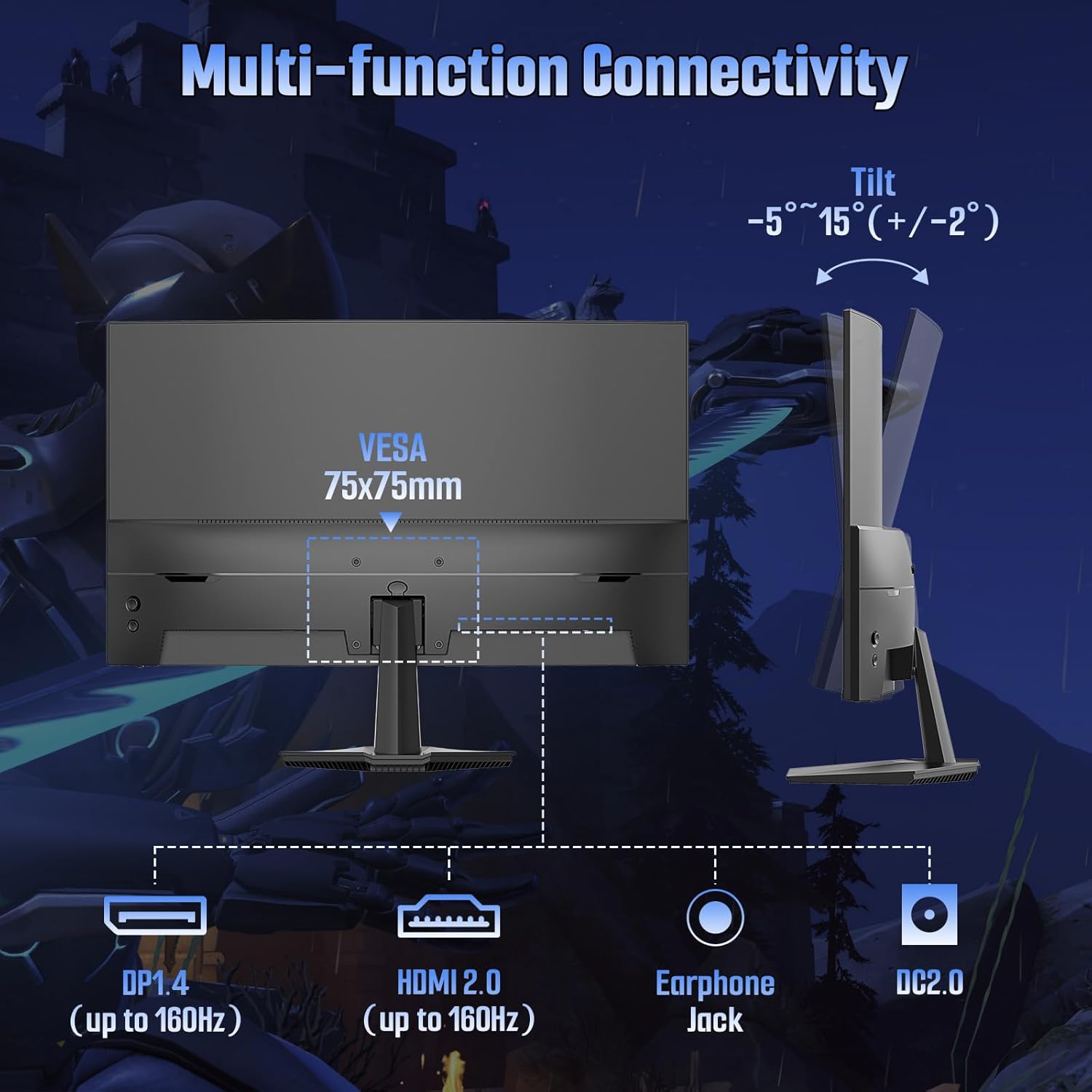
Image: Rear view of the monitor detailing port locations and tilt adjustment capability.
5. Operating Instructions
5.1 Power On/Off
Press the power button located on the monitor to turn it on or off. The power indicator light will illuminate when the monitor is active.
5.2 On-Screen Display (OSD) Menu
Use the control buttons on the monitor to navigate and adjust settings within the OSD menu. Common OSD menu options include:
- Picture Settings: Brightness, Contrast, Color Temperature, Sharpness, HDR.
- Color Settings: Adjust color gamut, gamma, and individual RGB levels.
- Input Select: Manually switch between HDMI and DisplayPort inputs.
- Audio: Adjust volume for the audio jack output.
- OSD Settings: Language, OSD Transparency, OSD Timeout.
- Gaming Features: FreeSync, MPRT, Crosshair, Game Timer, Black Level.
5.3 Gaming Features
The ES-G24C1L monitor includes several features designed to enhance your gaming experience:
- 160Hz Refresh Rate: Provides smoother motion and reduced input lag.
- 1ms MPRT (Moving Picture Response Time): Minimizes motion blur for clearer fast-paced scenes.
- FreeSync: Synchronizes the monitor's refresh rate with your AMD graphics card to eliminate screen tearing and stuttering. Enable this feature in the OSD menu and your graphics card settings.

Image: Visual demonstration of FreeSync technology reducing screen tearing.
- Black Level Adjustment: Enhances visibility in dark areas of games.
- Crosshair: Displays an on-screen crosshair for improved aiming in first-person shooter games.
- Game Timer: An on-screen timer for tracking in-game events.
- Multiple Game Modes: Pre-calibrated display settings for various game genres (FPS, RTS, MOVIE, STANDARD).
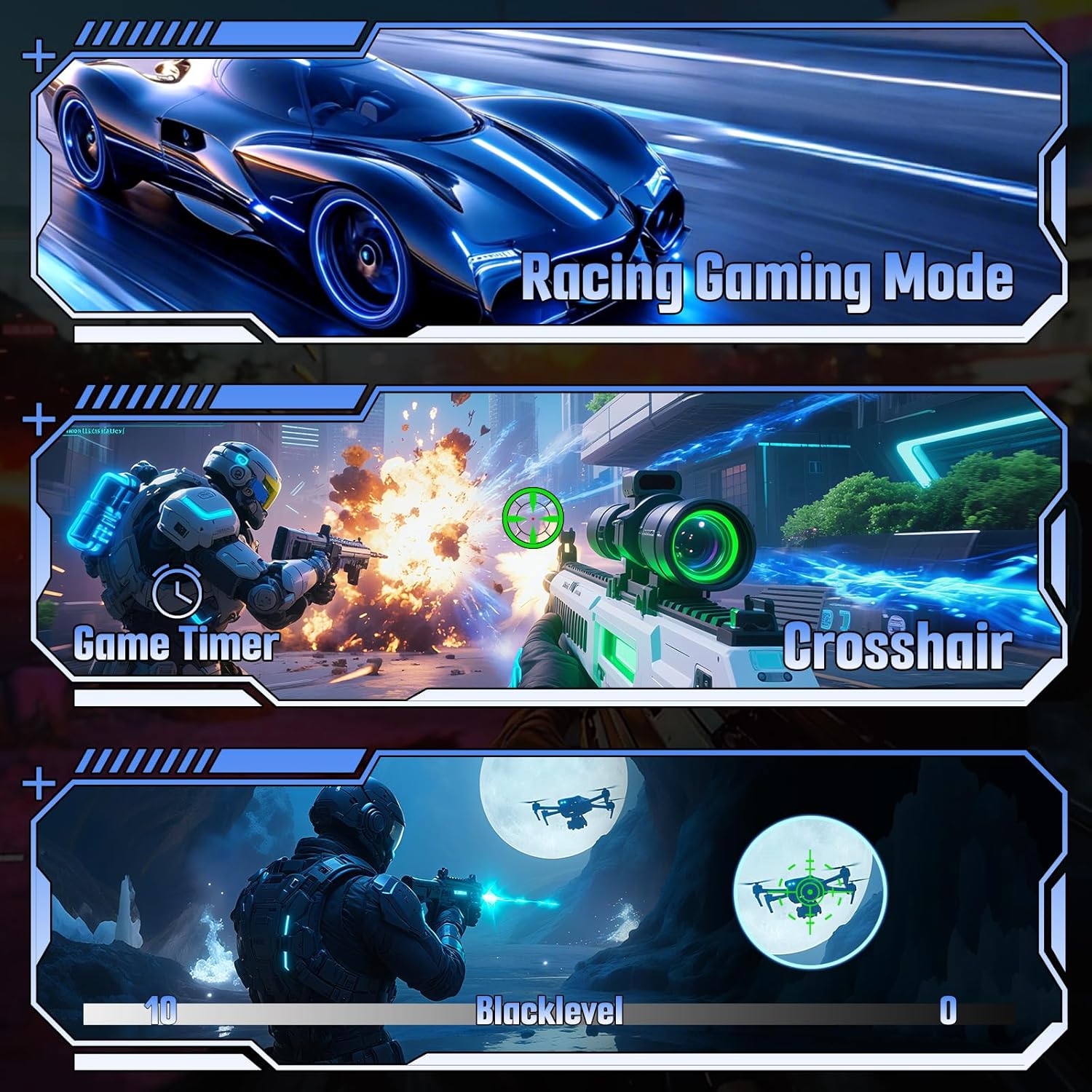
Image: Examples of various gaming features including game modes, timer, crosshair, and black level.
6. Specifications
| Feature | Specification |
|---|---|
| Model Number | ES-G24C1L |
| Screen Size | 24 inches |
| Curvature | 1500R |
| Panel Type | VA |
| Resolution | 1920 x 1080 (FHD) |
| Refresh Rate | 160Hz |
| Response Time | 1ms MPRT |
| Brightness | 300 nits |
| Contrast Ratio | 3000:1 |
| Color Gamut | 110% sRGB |
| Display Colors | 16.7 Million (8-bit) |
| HDR Support | Yes |
| Adaptive Sync | FreeSync |
| Connectivity | 1x HDMI 2.0, 1x DisplayPort 1.4, 1x Audio Jack |
| VESA Mount | 75x75mm |
| Tilt Adjustment | -5° to 15° (+/-2°) |
| Product Dimensions (with stand) | 4.69 x 23.78 x 15.55 inches |
| Item Weight | 7.68 pounds |

Image: Overview of the monitor's technical specifications and gaming enhancements.
7. Troubleshooting
If you encounter issues with your monitor, refer to the following common troubleshooting steps:
- No Power: Ensure the power cable is securely connected to both the monitor and the power outlet. Verify the power adapter is functioning.
- No Signal: Check that the video cable (HDMI/DP) is firmly connected to both the monitor and your computer. Ensure the correct input source is selected in the monitor's OSD menu. Try restarting your computer.
- Flickering Screen: Check the video cable for damage. Ensure your graphics card drivers are up to date. Disable or enable FreeSync in the OSD menu and graphics card settings to see if it resolves the issue.
- Incorrect Resolution/Refresh Rate: Adjust the display settings in your computer's operating system to the recommended resolution (1920x1080) and refresh rate (160Hz).
- Image Quality Issues: Adjust brightness, contrast, and color settings in the OSD menu. Ensure HDR is enabled or disabled as desired in both the monitor OSD and your operating system settings.
8. Maintenance
Proper care will extend the life of your monitor:
- Cleaning the Screen: Gently wipe the screen with a soft, lint-free cloth. For stubborn marks, lightly dampen the cloth with water or a specialized screen cleaner. Do not spray liquid directly onto the screen.
- Cleaning the Casing: Use a soft, dry cloth to wipe the monitor casing. Avoid abrasive cleaners.
- Ventilation: Keep the ventilation openings clear of dust and obstructions to prevent overheating.
- Storage: When storing the monitor for extended periods, place it in a cool, dry environment and protect it from dust.
9. Warranty and Support
Your SANSUI ES-G24C1L monitor is backed by a warranty that includes:
- Money-back guarantee and free replacement within 30 days from the order date.
- Lifetime technical support.
For technical assistance or warranty claims, please contact SANSUI customer support. Refer to the contact information provided with your purchase or visit the official SANSUI website.


