
Realpower PB-5000 MAG Ultra Slim
Realpower PB-5000 MAG Ultra Slim User Manual
Model: PB-5000 MAG Ultra Slim
1. Introduction
The Realpower PB-5000 MAG Ultra Slim is a compact and powerful portable power bank designed for convenient charging of mobile devices. Featuring a 5000 mAh battery capacity and MagSafe compatibility, it offers both wired and wireless charging solutions for on-the-go use. Its durable aluminum housing ensures longevity while maintaining a lightweight and slim profile.
2. Safety Information
Please read all safety instructions carefully before using the device. Failure to follow these instructions may result in electric shock, fire, or serious injury.
- Do not expose the power bank to extreme temperatures (above 45°C or below 0°C).
- Do not expose to water or excessive humidity.
- Do not disassemble, open, or attempt to repair the device. This will void the warranty and may cause harm.
- Keep out of reach of children.
- Use only certified charging cables and adapters.
- Avoid dropping or subjecting the power bank to strong impacts.
- Dispose of the device responsibly according to local regulations.
3. Package Contents
Verify that all items are present in the package:
- Realpower PB-5000 MAG Ultra Slim Power Bank (1 pc)
- USB Type-C to USB Type-C Cable (1 pc)
- Operating Instructions (this manual)
4. Product Overview

Figure 4.1: Front View of the Power Bank
This image displays the front of the Realpower PB-5000 MAG Ultra Slim power bank. The prominent circular area in the center indicates the MagSafe compatible wireless charging pad. To the left, a small LED indicator is visible, which shows the current battery charge level.
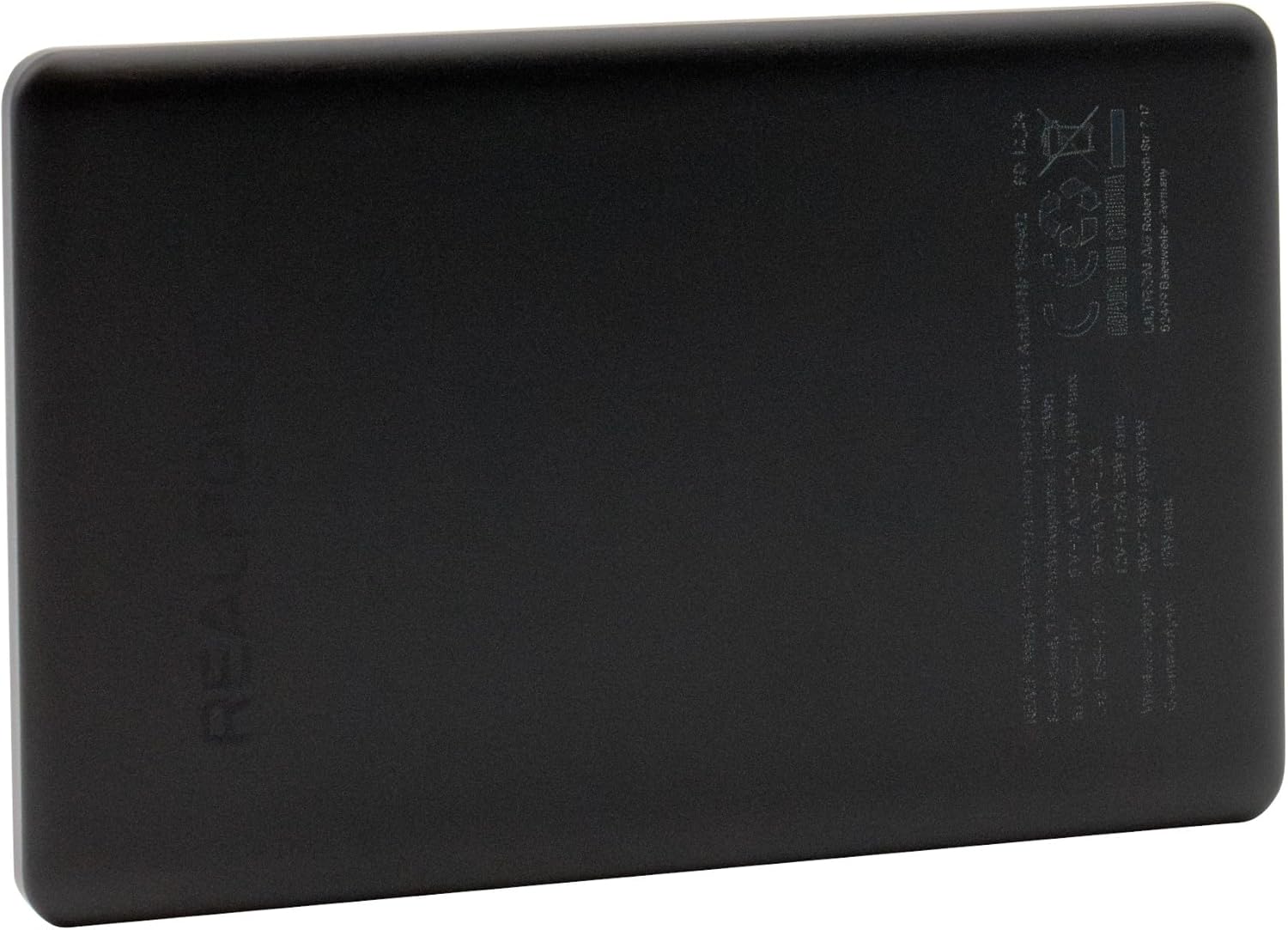
Figure 4.2: Back View of the Power Bank
This image shows the back of the Realpower PB-5000 MAG Ultra Slim power bank. Various regulatory markings, model information, and basic electrical specifications are printed on this surface, including the "MADE IN CHINA" label and CE mark.
Key Components:
- Wireless Charging Pad: Central circular area for MagSafe compatible wireless charging.
- USB Type-C Port: Located on the side, serves as both input for charging the power bank and output for charging other devices.
- Charge Level Indicator: Small LED lights (usually on the side or front) indicating remaining battery capacity.
5. Setup and Initial Use
5.1 Charging the Power Bank
Before first use, it is recommended to fully charge the power bank.
- Connect the supplied USB Type-C to USB Type-C cable to the USB Type-C port on the power bank.
- Connect the other end of the cable to a compatible USB power adapter (not included) or a computer's USB-C port.
- The charge level indicator lights will illuminate, indicating the charging status. The lights will stop blinking and remain solid when fully charged.
5.2 Checking Battery Level
To check the remaining battery capacity, briefly press the power button (if present, otherwise it might activate automatically when a device is connected or when charging starts). The LED indicators will light up to show the current charge level.
6. Operating Instructions
6.1 Wireless Charging (MagSafe Compatible)
The power bank supports MagSafe compatible wireless charging for devices that support this feature (e.g., iPhone 12 series and newer).
- Ensure the power bank has sufficient charge.
- Align your MagSafe compatible device with the circular wireless charging pad on the power bank. The magnets will help snap it into place.
- Charging should begin automatically. The device's screen will indicate charging status.
- For optimal charging, ensure no foreign objects are between the power bank and your device.
6.2 Wired Charging (USB Type-C)
The USB Type-C port can be used to charge a wide range of devices.
- Ensure the power bank has sufficient charge.
- Connect one end of a USB Type-C cable (or a compatible cable for your device) to the USB Type-C port on the power bank.
- Connect the other end of the cable to your device's charging port.
- Charging should begin automatically.
7. Maintenance
7.1 Cleaning
To clean the power bank, gently wipe the surface with a soft, dry, lint-free cloth. Do not use harsh chemicals, abrasive cleaners, or immerse the device in water.
7.2 Storage
When not in use for extended periods, store the power bank in a cool, dry place away from direct sunlight and extreme temperatures. It is recommended to charge the power bank at least once every three months to maintain battery health.
8. Troubleshooting
| Problem | Possible Cause | Solution |
|---|---|---|
| Power bank not charging. | Cable not connected properly; faulty cable/adapter; power bank fully discharged. | Ensure cable is securely connected. Try a different cable or power adapter. Allow a few minutes for the power bank to respond if deeply discharged. |
| Device not charging from power bank. | Power bank is out of charge; incorrect cable; device not compatible with wireless charging; foreign object on wireless pad. | Recharge the power bank. Use the correct cable for your device. Ensure your device supports wireless charging and is properly aligned. Remove any objects from the wireless pad. |
| Slow charging. | Cable quality; device input limits; high temperature. | Use a high-quality, certified charging cable. Ensure the environment is not excessively hot. Some devices may limit charging speed. |
| Power bank gets warm during charging. | Normal operation; excessive load. | It is normal for the power bank to get slightly warm during charging or discharging. If it becomes excessively hot, disconnect immediately and contact support. |
9. Specifications
| Feature | Detail |
|---|---|
| Model | PB-5000 MAG Ultra Slim |
| Battery Capacity | 5000 mAh / 19.25 Wh |
| Input Connection | USB Type-C |
| USB Type-C Output | Yes (1 port) |
| Total Output Power | 20 W (Max) |
| Wireless Charging Power | 15 W (Max) |
| MagSafe Compatible | Yes |
| USB Power Delivery | Yes |
| Dimensions (W x D x H) | 66 mm x 9.5 mm x 105 mm |
| Weight | 100 g |
| Housing Material | Aluminum |
| Product Color | Black |
| Country of Origin | China |
10. Warranty and Support
This product comes with a standard manufacturer's warranty. Please refer to the warranty card included in your original packaging or contact your point of purchase for specific warranty terms and conditions.
For technical support, troubleshooting assistance, or warranty claims, please contact Realpower customer service through their official website or the contact information provided with your product documentation.
Note: As per the provided data, specific warranty duration or direct support contact details are not available. Please consult your product's packaging or the manufacturer's official resources for the most accurate and up-to-date information.