
Introduction
Welcome to your new ZARIMI X Car Vacuum Portable Cordless. This manual provides essential information for the safe operation, effective maintenance, and troubleshooting of your device. Please read this manual thoroughly before first use and retain it for future reference.
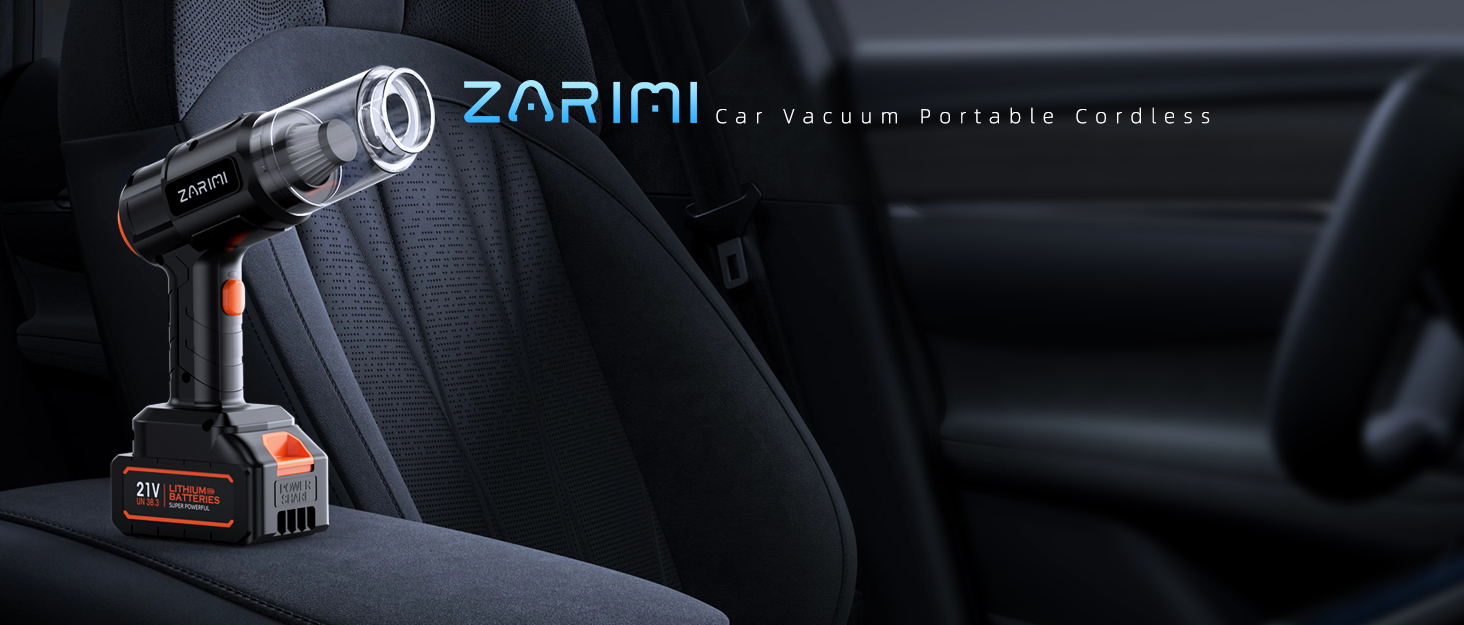
Image: The ZARIMI X Car Vacuum Portable Cordless positioned within a car interior, highlighting its compact design and readiness for use.
Important Safety Information
To reduce the risk of fire, electric shock, or injury, please observe the following safety precautions:
- Read all instructions before using the appliance.
- Do not use outdoors or on wet surfaces.
- Do not allow to be used as a toy. Close attention is necessary when used by or near children.
- Use only as described in this manual. Use only manufacturer’s recommended attachments.
- Do not use with damaged cord or plug. If appliance is not working as it should, has been dropped, damaged, left outdoors, or dropped into water, return it to a service center.
- Do not pull or carry by cord, use cord as a handle, close a door on cord, or pull cord around sharp edges or corners. Do not run appliance over cord. Keep cord away from heated surfaces.
- Do not unplug by pulling on cord. To unplug, grasp the plug, not the cord.
- Do not handle plug or appliance with wet hands.
- Do not put any object into openings. Do not use with any opening blocked; keep free of dust, lint, hair, and anything that may reduce air flow.
- Keep hair, loose clothing, fingers, and all parts of body away from openings and moving parts.
- Do not pick up anything that is burning or smoking, such as cigarettes, matches, or hot ashes.
- Do not use to pick up flammable or combustible liquids, such as gasoline, or use in areas where they may be present.
- Do not pick up toxic material, such as chlorine bleach, ammonia, or drain cleaner.
- Do not use without dust bag and/or filters in place.
- Turn off all controls before unplugging.
- Use extra care when cleaning on stairs.
- Do not charge the unit outdoors.
- Use only the charger specified by the manufacturer.
Package Contents
Verify that all items listed below are included in your package:
- ZARIMI X Car Vacuum Main Unit
- 2 x High-Capacity Batteries
- 2 x Reusable Filters
- Storage Bag
- 6 x Versatile Nozzles (e.g., brush nozzle, crevice tool, wide nozzle, inflation nozzle, vacuum sealing nozzle)
- Charging Cable

Image: An exploded view of the ZARIMI X Car Vacuum, showcasing the main unit, two battery packs, and a selection of interchangeable nozzles and accessories.
Product Features
The ZARIMI X Car Vacuum Portable Cordless is designed with advanced features for efficient cleaning:
- 50,000Pa Ultra-Strong Suction & Brushless Motor: Provides professional-grade cleaning power for various debris.
- 6-in-1 Multi-Functional Design: Combines vacuuming, blowing, and inflating capabilities in one compact device.
- Long-Lasting Dual Batteries & 60-Min Runtime: Two high-capacity batteries offer extended, continuous cleaning with a quick-swap system.
- Lightweight & Portable Cordless Design: Weighs only 1.9 pounds for easy handling and storage.
- Easy to Use & Maintain with Complete Accessories: Includes multiple nozzles and washable filters for versatile and hassle-free cleaning.

Image: An internal diagram illustrating the high-performance brushless motor, emphasizing its powerful suction capabilities.

Image: The vacuum actively collecting debris from a surface, visually representing its strong suction power.

Image: A hand comfortably holding the ZARIMI X Car Vacuum, highlighting its ergonomic and lightweight design for easy portability.
Setup
1. Charging the Batteries
- Ensure the battery is securely attached to the charging cable.
- Plug the charging cable into a suitable power outlet.
- The battery indicator lights will show charging status. Charge until fully charged before first use (approximately 3-4 hours).
- Always use the provided charging cable and adapter.

Image: A close-up of the detachable battery pack, ready to be inserted into or removed from the vacuum unit.

Image: The battery pack connected to a charger, with illuminated indicators showing the charging process.
2. Attaching Accessories
- Select the appropriate nozzle for your cleaning task.
- Align the nozzle with the vacuum's intake or exhaust port (depending on function).
- Push firmly until it clicks into place.
Operating Instructions
1. Powering On/Off
- Press the power button once to turn on the vacuum at its default suction level.
- Press the power button again to cycle through different suction modes (if applicable).
- Press and hold the power button for 2 seconds to turn off the device.
2. Using Vacuum Function
- Attach the desired vacuum nozzle (e.g., crevice tool for tight spaces, brush nozzle for upholstery).
- Turn on the vacuum.
- Move the nozzle over the surface to be cleaned, ensuring the intake port is clear.

Image: The vacuum with a narrow nozzle effectively cleaning dust and debris from a computer keyboard.

Image: The vacuum with a brush attachment being used to clean crumbs and pet hair from a sofa cushion.
3. Using Blower Function
- Attach a suitable nozzle to the exhaust port of the vacuum.
- Turn on the device.
- Direct the airflow to clear dust from crevices, keyboards, or other hard-to-reach areas.

Image: The vacuum configured for its blower function, expelling air to clear debris.
4. Using Inflator Function
- Attach the inflation nozzle to the exhaust port.
- Connect the nozzle to the item you wish to inflate (e.g., air mattress, balloon).
- Turn on the device to begin inflation. Monitor the item to prevent over-inflation.

Image: The vacuum with an inflation nozzle attached, actively inflating a balloon.
5. Using Vacuum Sealing Function
- Attach the vacuum sealing nozzle to the intake port.
- Place the nozzle onto the valve of a vacuum storage bag.
- Turn on the device to remove air from the bag.

Image: A person using the ZARIMI X Car Vacuum with a specialized nozzle to remove air from a vacuum storage bag, demonstrating its sealing capability.
Maintenance
Regular maintenance ensures optimal performance and extends the lifespan of your ZARIMI X Car Vacuum.
1. Emptying the Dustbin
- Ensure the vacuum is turned off.
- Twist or unlatch the dustbin from the main unit.
- Empty the collected debris into a waste bin.
- Reattach the dustbin securely.
2. Cleaning the Filter
- After emptying the dustbin, carefully remove the filter.
- Tap the filter gently to dislodge loose dust.
- Rinse the filter under running water until clean.
- Allow the filter to air dry completely before reinserting it into the vacuum. Do not use the vacuum with a wet filter.

Image: A four-step visual guide demonstrating how to clean the vacuum filter: detach the dust cup, remove the filter, empty dust, and rinse the filter with water.
Troubleshooting
If you encounter issues with your ZARIMI X Car Vacuum, refer to the following common problems and solutions:
| Problem | Possible Cause | Solution |
|---|---|---|
| Vacuum does not turn on. | Battery is not charged or not properly inserted. | Ensure battery is fully charged and securely inserted. |
| Low suction power. | Dustbin is full, filter is clogged, or nozzle is blocked. | Empty dustbin, clean or replace filter, check for blockages in the nozzle or intake. |
| Short battery life. | Battery not fully charged or battery degradation. | Ensure battery is fully charged. If issue persists, consider replacing the battery. |
| Blower/Inflator not working. | Nozzle not properly attached to exhaust port or blockage. | Ensure nozzle is securely attached to the exhaust port and check for any obstructions. |
Specifications
Key technical specifications for the ZARIMI X Car Vacuum:
| Specification | Detail |
|---|---|
| Brand | ZARIMI |
| Model Number | X Car Vacuum |
| Item Weight | 1.5 Kilograms |
| Form Factor | Handheld |
| Color | Black |
| Unit Count | 1.0 Count |
| Suction Power | Up to 50,000Pa |
| Motor Type | Brushless Motor |
| Battery Type | Lithium-ion (2 included) |
| Runtime | Up to 60 minutes (with dual batteries) |
Warranty Information
ZARIMI products are manufactured to high-quality standards and are warranted against manufacturing defects. Please refer to the warranty card included in your product packaging for specific terms and conditions, including warranty period and coverage details. Keep your purchase receipt as proof of purchase for any warranty claims.
Customer Support
For further assistance, technical support, or inquiries regarding your ZARIMI X Car Vacuum, please contact our customer support team. Contact information can typically be found on the ZARIMI official website or on the product packaging. When contacting support, please have your product model number (X Car Vacuum) and purchase details ready.