
AIPER ZT6002+S2
AIPER ZT6002 Cordless Robotic Pool Cleaner User Manual
Model: ZT6002+S2
1. Introduction
Thank you for choosing the AIPER ZT6002 Cordless Robotic Pool Cleaner. This manual provides essential information for the safe and efficient operation, maintenance, and troubleshooting of your device. Please read this manual thoroughly before first use and retain it for future reference.

Image: The AIPER ZT6002 robotic pool cleaner and its accompanying Surfer S2 accessory, designed for comprehensive pool cleaning.
2. Safety Information
Always adhere to the following safety precautions to prevent injury or damage to the product:
- Do not operate the cleaner when people or pets are in the pool.
- Ensure the charging port is dry before connecting the charger.
- Use only the original charger provided by AIPER.
- Keep the cleaner away from heat sources and direct sunlight when not in use.
- Do not attempt to disassemble or repair the cleaner yourself. Contact authorized service personnel.
- Store the cleaner in a cool, dry place when not in use.
3. Product Overview
The AIPER ZT6002 features advanced technology for efficient pool cleaning.
Key Features:
- WavePath Navigation: Intelligent planning for optimal cleaning coverage of floor, walls, and waterline.
- Quad-Motor System: Provides powerful suction and efficient movement.
- Wall-Climbing Capability: Effectively scrubs pool walls and waterlines.
- Multiple Cleaning Modes: Floor, Wall, and Auto modes for flexible control.
- Large Filter Basket: Captures various debris types with ease of access for cleaning.
- Chlorine Dispenser: Integrated dispenser for 3-inch chlorine tablets (on Surfer S2 accessory).

Image: Illustration of the AIPER ZT6002's internal quad-motor system, highlighting its powerful filtration and cleaning capabilities.

Image: Close-up view of the chlorine dispenser integrated into the Aiper Surfer S2 accessory, showing where to place chlorine tablets and how it functions.
4. Setup
Follow these steps for initial setup of your AIPER ZT6002:
- Unpack the Cleaner: Carefully remove all components from the packaging. Ensure all parts are present: the robotic cleaner, charger, and user manual.
- Initial Charge: Before first use, fully charge the cleaner. Connect the charger to a power outlet and then to the cleaner's charging port. The battery indicator will show charging status. A full charge typically takes 4 hours.
- Prepare the Pool: Ensure the pool is free of large debris that could obstruct the cleaner's movement or intake.
- Optional: Install Chlorine Tablets (Surfer S2): If using the Surfer S2 accessory, open the chlorine dispenser compartment and insert 3-inch chlorine tablets. Close the compartment securely.
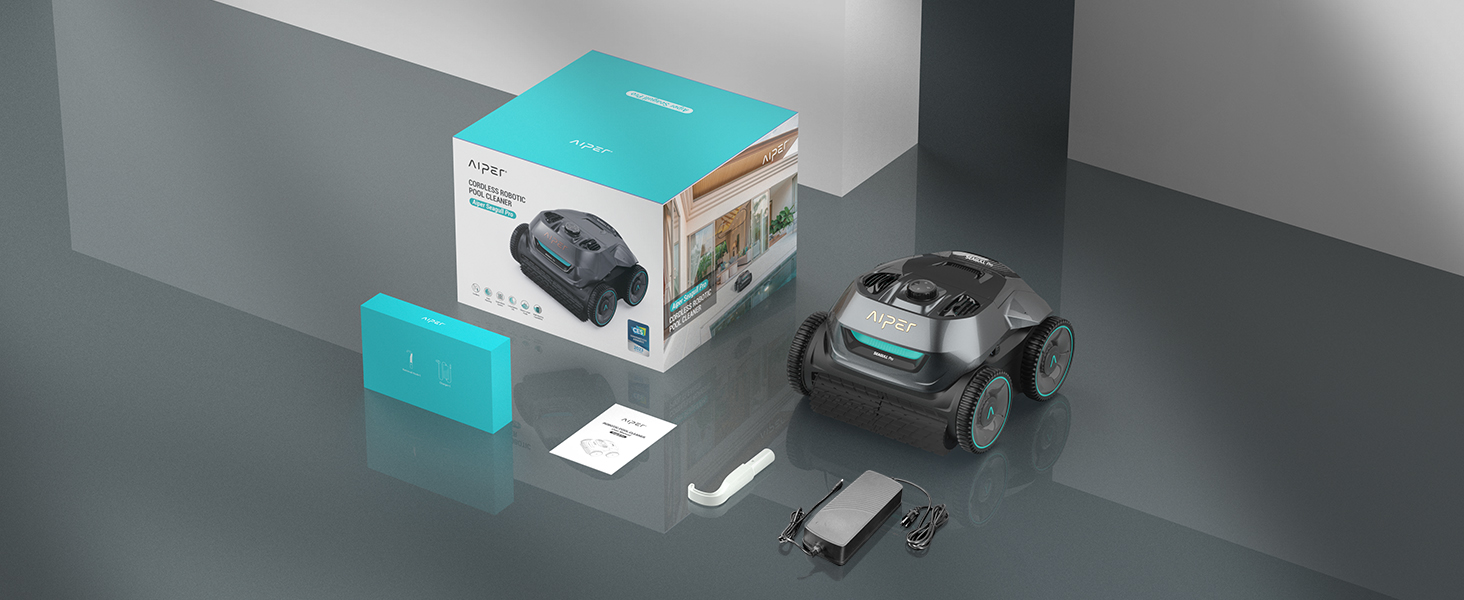
Image: The AIPER ZT6002 robotic pool cleaner and its accessories laid out, including the charger and user manual, demonstrating typical package contents.
5. Operating Instructions
Operating your AIPER ZT6002 is straightforward:
Placing the Cleaner in the Pool:
Gently lower the cleaner into the pool until it sinks to the bottom. Ensure no air bubbles are trapped inside.
Selecting Cleaning Mode:
The cleaner features an intuitive control dial with a 4-color battery indicator:
- Automatic (Auto): The cleaner will automatically clean the pool floor, walls, and waterline. This is the default and recommended mode for comprehensive cleaning.
- Floor Only: The cleaner will focus solely on cleaning the pool floor.
- Wall Only: The cleaner will focus on cleaning the pool walls and waterline.
Rotate the control dial to select your desired cleaning mode. The cleaner will begin operation shortly after selection.
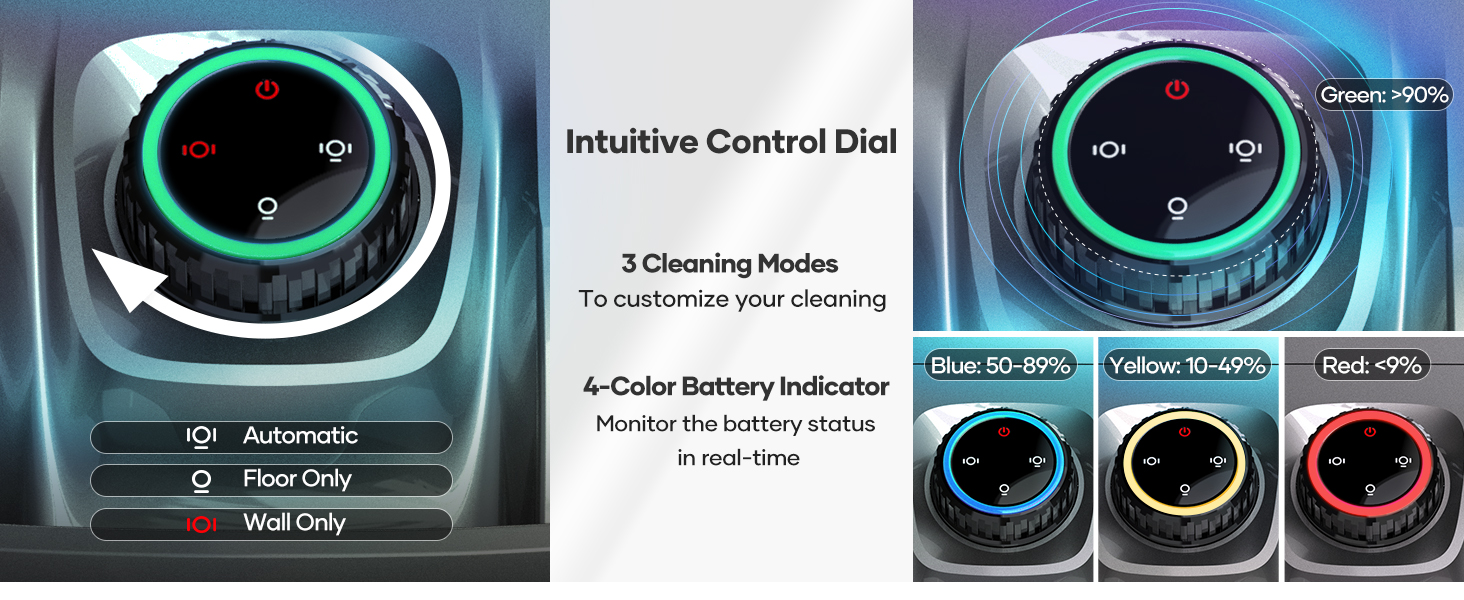
Image: Detailed view of the AIPER ZT6002's intuitive control dial, showing the three cleaning modes (Automatic, Floor Only, Wall Only) and the four-color battery indicator (Green: >90%, Blue: 50-89%, Yellow: 10-49%, Red: <9%).
WavePath Navigation:
The WavePath navigation system ensures efficient cleaning. When the battery is over 50%, the cleaner prioritizes floor cleaning in an 'S' pattern. When the battery drops below 50%, it switches to an 'N' pattern for wall and waterline cleaning to ensure these areas are addressed before the battery depletes.
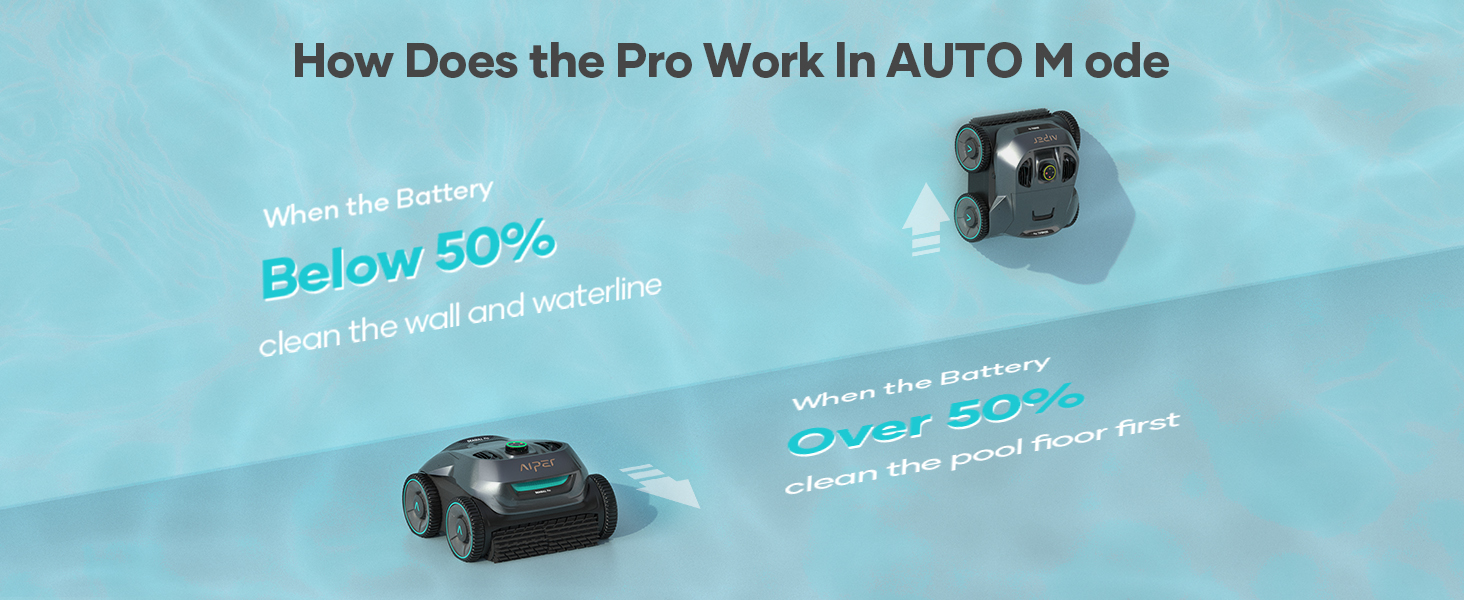
Image: Diagram illustrating the AIPER ZT6002's WavePath navigation in Auto Mode, showing 'S' pattern for floor cleaning when battery is over 50% and 'N' pattern for wall and waterline cleaning when battery is below 50%.
Retrieving the Cleaner:
Once the cleaning cycle is complete or the battery is low, the cleaner will typically park itself near a wall. Use the included hook to gently pull the cleaner to the edge of the pool. Lift it out of the water using the handle, allowing excess water to drain.
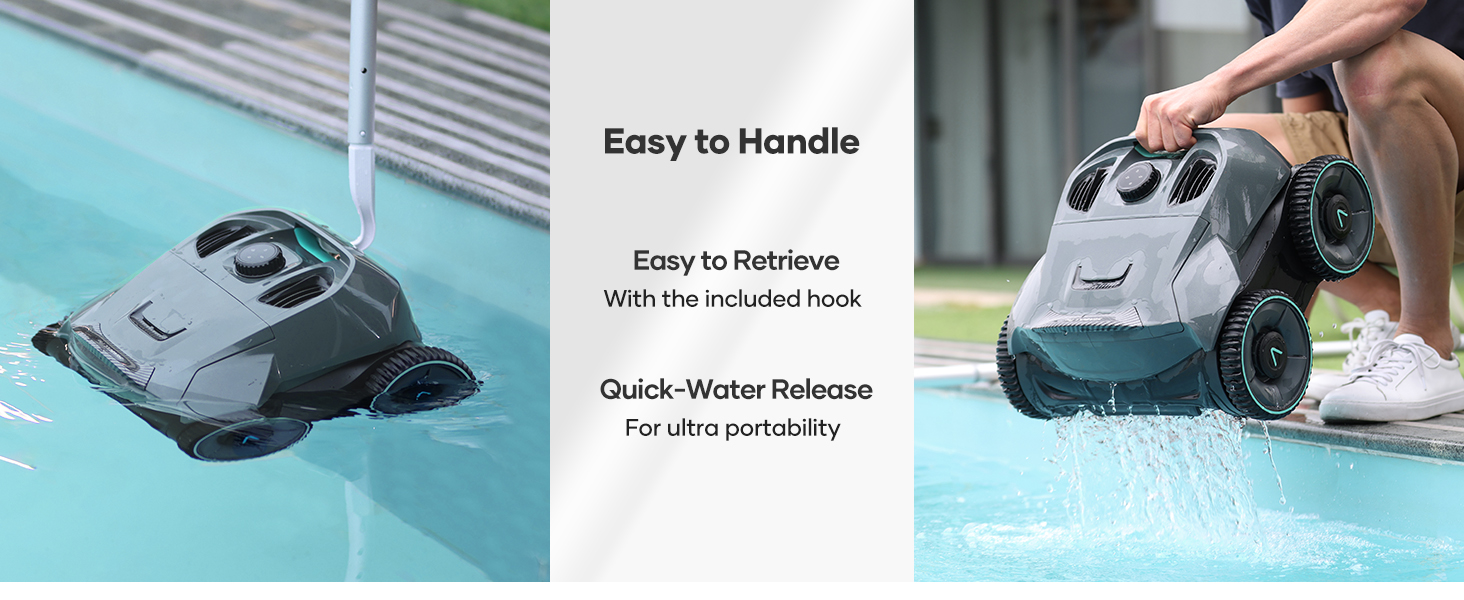
Image: A person retrieving the AIPER ZT6002 from the pool using a hook, demonstrating its easy handling and quick water release for portability.
APP Support:
The AIPER ZT6002 supports a mobile application for enhanced control and monitoring. Download the AIPER app from your device's app store. The app allows you to view cleaning logs and potentially target specific spots for cleaning.

Image: A smartphone screen displaying the AIPER app interface, showing options for cleaning logs and targeted spot cleaning, with the robotic cleaner operating in the background.
6. Maintenance
Regular maintenance ensures optimal performance and longevity of your cleaner:
Cleaning the Filter Basket:
After each cleaning cycle, or when the filter basket is full, it must be emptied and cleaned.
- Open the top access panel of the cleaner.
- Remove the filter basket.
- Empty all collected debris into a waste bin.
- Rinse the filter basket thoroughly with a garden hose until clean.
- Reinsert the clean filter basket into the cleaner and close the access panel securely.
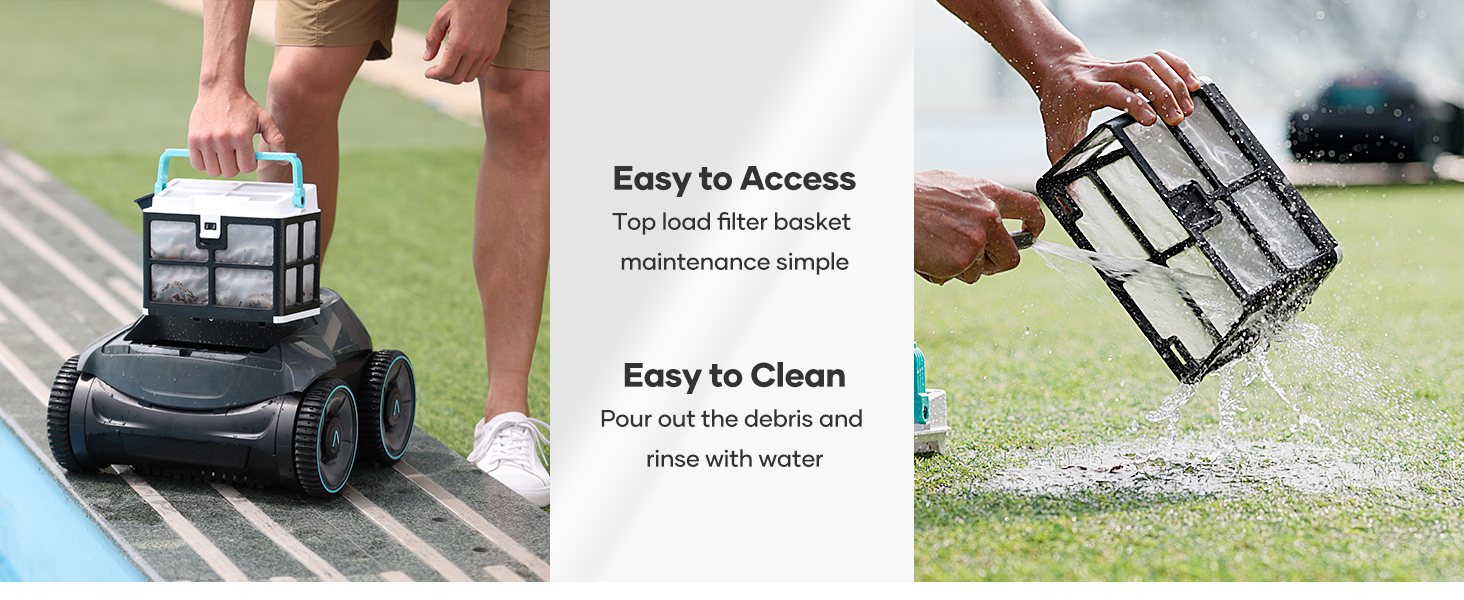
Image: A two-part image showing the AIPER ZT6002's top-load filter basket being removed for easy access and then being rinsed with water to clean out debris.
General Cleaning:
Wipe down the exterior of the cleaner with a soft, damp cloth as needed. Do not use harsh chemicals or abrasive cleaners.
Storage:
When storing the cleaner for extended periods, ensure it is clean, dry, and fully charged. Store in a cool, dry place away from direct sunlight.
7. Troubleshooting
If you encounter issues with your AIPER ZT6002, refer to the following common problems and solutions:
| Problem | Possible Cause | Solution |
|---|---|---|
| Cleaner does not turn on. | Low battery; Power button not pressed correctly. | Charge the cleaner fully; Ensure the control dial is turned to a cleaning mode. |
| Cleaner moves slowly or stops. | Filter basket is full; Obstruction in brushes/wheels; Low battery. | Clean the filter basket; Remove any obstructions; Recharge the cleaner. |
| Cleaner does not clean effectively. | Filter basket is dirty; Water chemistry imbalance; Large debris in pool. | Clean the filter basket; Check pool water chemistry; Remove large debris manually. |
| Cleaner does not climb walls. | Low battery; Excessive algae on walls; Air trapped inside. | Recharge the cleaner; Brush pool walls manually; Re-submerge cleaner to release air. |
| Package arrived wet or repackaged. | All machines undergo 100% water testing and re-sampling inspection before shipping. | This is normal and indicates the product has been tested for proper functionality. It is not a used item. |
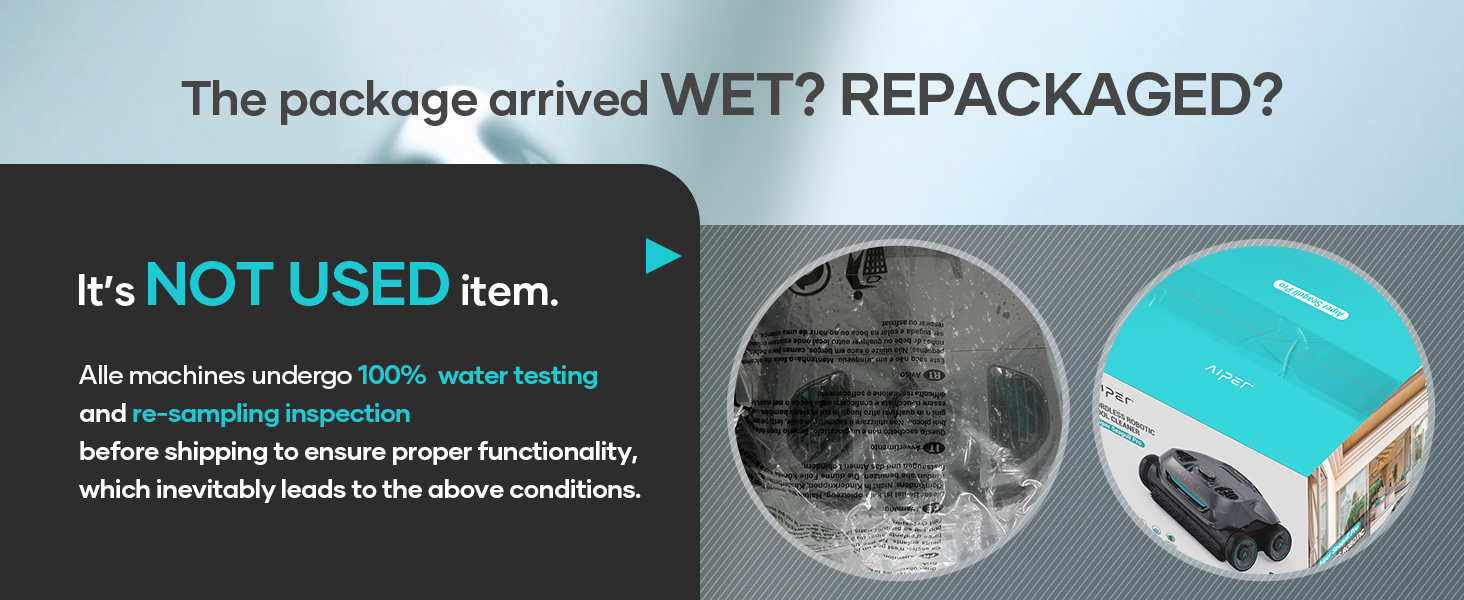
Image: An explanation addressing concerns about wet or repackaged products, clarifying that all units undergo 100% water testing before shipment, which may result in residual moisture.
8. Specifications
Technical specifications for the AIPER ZT6002:
- Model: ZT6002+S2
- Power Source: Battery Powered
- Engine Type: Quad-motor
- Voltage: 25.2 Volts
- Battery Type: Rechargeable Lithium-Ion (21 cells included)
- Battery Energy Content: 196.56 Watt Hours
- Battery Weight: 1160 Grams
- Charging Time: Approximately 4 Hours
- Runtime: Up to 150 minutes (for pools up to 1,600 sq.ft)
- Filtration Capacity: Up to 80 gallons of water per minute
- Product Dimensions: 16 x 16 x 10 inches
- Item Weight: 32 pounds
- Material: Plastic
- Color: Gray

Image: An aerial view of a pool with an overlay indicating a 150m² area, representing the pool size capacity for the AIPER ZT6002's 150-minute battery life.
9. Warranty & Support
The AIPER ZT6002 robotic pool cleaner comes with a two-year product protection warranty. For warranty claims, technical support, or any inquiries, please contact AIPER customer service through their official website or the contact information provided in your product packaging.
For more information and support, visit the official AIPER Store: AIPER Store on Amazon
Related documentsZT6002+S2


Ask a question about this manual
Ask about setup, troubleshooting, compatibility, parts, safety, or missing instructions. Manuals+ will review the question and use this page’s manual context to help answer it.