
Introduction
This manual provides instructions for the Effireli ARC433A87 Replacement Remote Control, designed for various Daikin air conditioner models. This remote control requires no programming or setup; simply insert batteries and begin operation. It serves as a direct replacement for original Daikin remote models including ARC433B47, ARC433B69, ARC433B70, ARC433B71, ARC433A1, ARC433A17, ARC433A27, ARC433A46, ARC433A75, and ARC433A83.
Setup
Battery Installation
The Effireli ARC433A87 remote control operates on two AAA batteries (not included). Follow these steps to install the batteries:
- Locate the battery compartment cover on the back of the remote control.
- Slide the cover downwards or press the latch and lift to open.
- Insert two new AAA batteries, ensuring the positive (+) and negative (-) terminals align correctly with the markings inside the compartment.
- Replace the battery compartment cover by sliding it back into place until it clicks securely.
Note: No programming or pairing is required for this remote control. It is ready for use immediately after battery installation.
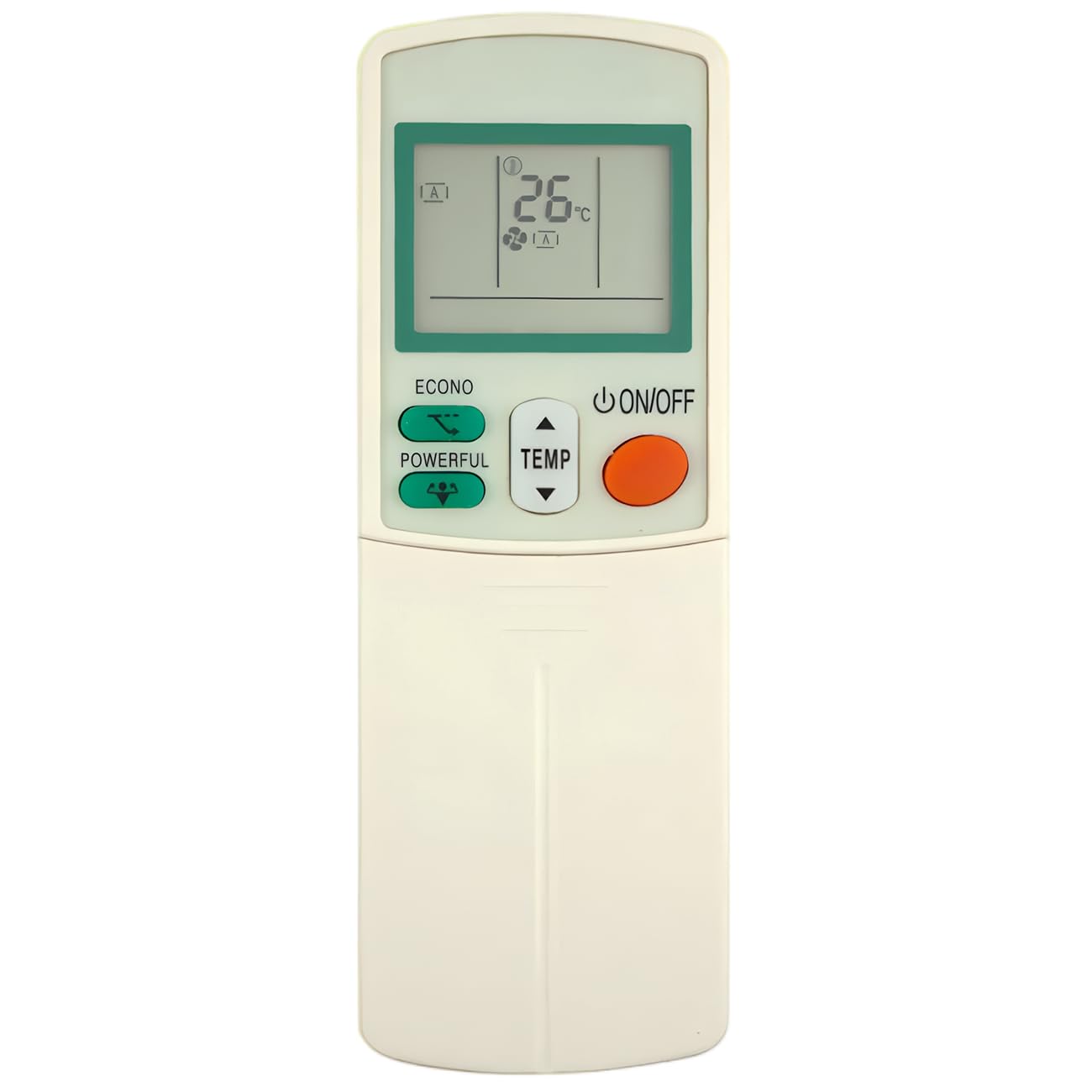
Figure 1: Effireli ARC433A87 Replacement Remote Control. This image shows the remote's display and various function buttons, including ON/OFF, Mode, Temp, Fan, Swing, Econo, Powerful, and Timer controls.
Operating Instructions
Point the remote control directly at your Daikin air conditioner unit. Ensure there are no obstructions between the remote and the air conditioner's receiver.
Button Functions
- ON/OFF Button (Orange): Press to turn the air conditioner unit ON or OFF.
- MODE Button: Cycles through operating modes such as Cool, Heat, Fan, Dry, and Auto. The current mode is displayed on the remote's screen.
- TEMP ▲ / ▼ Buttons: Adjusts the desired temperature setting upwards (▲) or downwards (▼).
- FAN Button: Adjusts the fan speed (e.g., Auto, Low, Medium, High).
- SWING Button: Activates or deactivates the automatic louver swing function, directing airflow.
- ECONO Button: Activates the Economy mode for reduced power consumption.
- POWERFUL Button: Activates the Powerful mode for rapid cooling or heating.
- TIMER ON Button: Sets a time for the air conditioner to turn ON automatically.
- TIMER OFF Button: Sets a time for the air conditioner to turn OFF automatically.
- CANCEL Button: Cancels any active timer settings.
Refer to your Daikin air conditioner's original manual for specific functions and indicators on the air conditioner unit itself.
Maintenance
Battery Replacement
Replace batteries when the remote's display becomes dim or the air conditioner unit no longer responds reliably to commands. Always replace both batteries simultaneously with new AAA batteries. Do not mix old and new batteries or different types of batteries.
Cleaning
Wipe the remote control with a soft, dry cloth. Do not use liquid cleaners, abrasive cleaners, or chemical solvents, as these may damage the remote's surface or internal components.
Storage
If the remote control will not be used for an extended period, remove the batteries to prevent leakage and potential damage to the remote.
Troubleshooting
- Remote not responding:
- Check if the batteries are inserted correctly with the correct polarity.
- Replace old batteries with new ones.
- Ensure there is a clear line of sight between the remote control and the air conditioner's receiver.
- Confirm the remote is pointed directly at the air conditioner.
- Display is dim or blank:
- This indicates low battery power. Replace the batteries.
- Air conditioner not performing expected function:
- Verify the selected mode (Cool, Heat, Fan, etc.) and temperature setting on the remote's display.
- Ensure the air conditioner unit itself is powered on and functioning correctly.
Compatibility Note: If your specific Daikin air conditioner model number is not listed in the introduction or your original remote control looks significantly different, please contact the seller directly to confirm compatibility before use.
Specifications
| Brand | Effireli |
| Model Number | ARC433A87 (Internal: YK-ARC433A87) |
| Compatible Devices | Daikin Air Conditioners (ARC433B47, ARC433B69, ARC433B70, ARC433B71, ARC433A1, ARC433A17, ARC433A27, ARC433A46, ARC433A75, ARC433A83) |
| Connectivity Technology | Infrared |
| Special Feature | No Programming Required |
| Max Number of Supported Devices | 1 |
| Package Dimensions | 6.3 x 2.17 x 0.59 inches |
| Item Weight | 2.46 ounces |
Warranty and Support
Warranty Information
This Effireli remote control comes with a 12-month warranty covering manufacturing defects from the date of purchase. Additionally, a 30-day money-back guarantee is offered. Returns and exchanges are accepted within the warranty period for eligible issues.
Customer Support
For any questions, troubleshooting assistance, or warranty claims, please contact the seller directly through the platform where the product was purchased. Provide your order details and a description of the issue for prompt support.