
1. Introduction
This manual provides detailed instructions for the installation, use, and maintenance of your BMPNLSZ TPU Cover and HD Tempered Glass Screen Protector designed specifically for the Samsung Galaxy A07. Please read these instructions carefully to ensure proper application and optimal protection for your device.
2. Product Overview
The BMPNLSZ protective set for the Samsung Galaxy A07 includes a flexible TPU (Thermoplastic Polyurethane) back cover and a high-definition tempered glass screen protector. This combination offers comprehensive protection against daily wear and tear, impacts, and scratches.
2.1. TPU Cover Features
- Tailored Fit: Designed precisely for the Samsung Galaxy A07, ensuring easy access to all buttons, ports, and camera.
- Flexible Material: Made from premium silicone TPU, offering a comfortable grip and easy installation/removal.
- Shock Absorption: Features anti-drop technology and soft edges to buffer impacts and protect against accidental drops.
- Anti-Scratch & Dust Protection: Helps shield the device from light scratches and dust accumulation.
2.2. HD Tempered Glass Features
- 9H Hardness: Provides robust protection against scratches from sharp objects.
- Ultra-Thin: With a thickness of only 0.33mm, it maintains the original touch sensitivity and display clarity.
- High Definition: Ensures crystal clear viewing experience.
- Oleophobic Coating: Resistant to oil, fingerprints, and smudges.
- Shatterproof: Designed to resist shattering into sharp pieces upon impact.
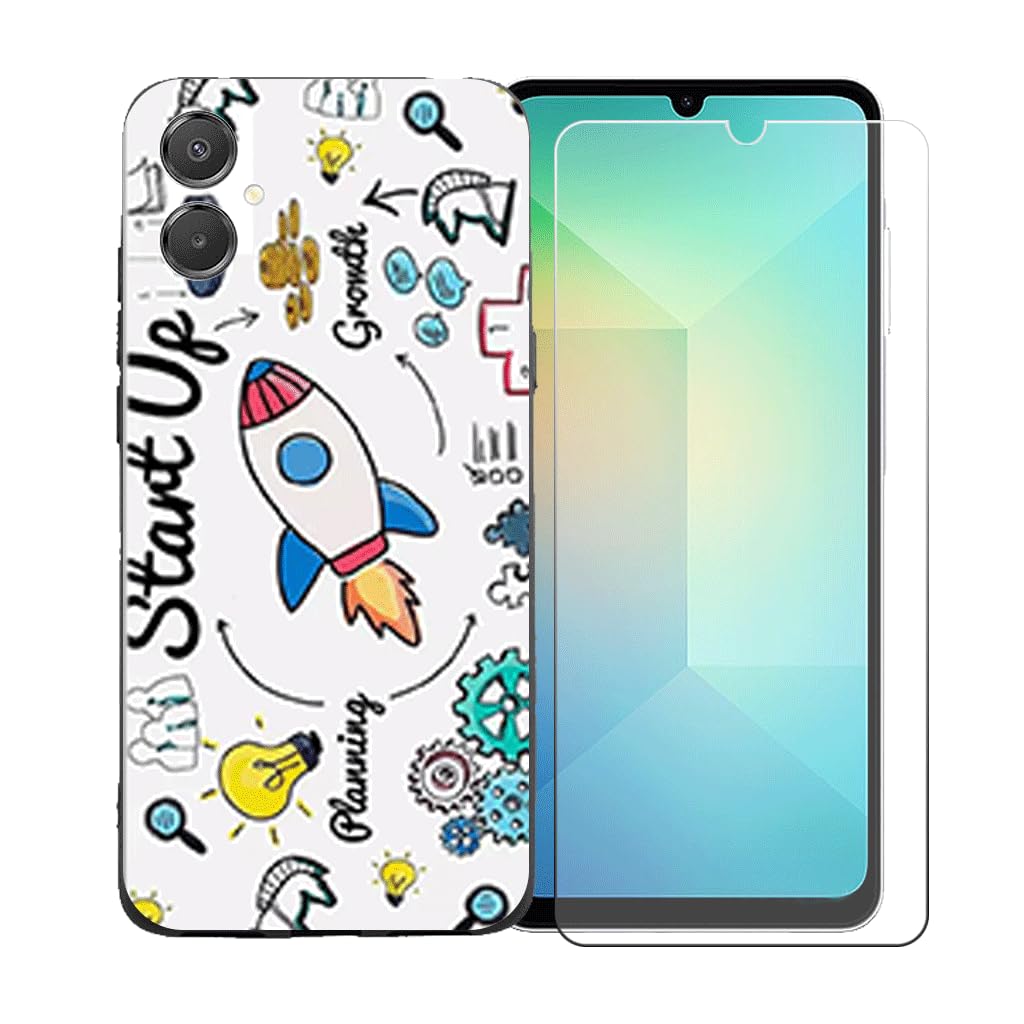
Image 1: The BMPNLSZ TPU Cover and HD Tempered Glass for Samsung Galaxy A07, showcasing both components.

Image 2: Close-up of the TPU cover highlighting its soft material and anti-drop design.

Image 3: The tempered glass screen protector demonstrating its water and fingerprint resistant properties.

Image 4: A demonstration of the tempered glass screen protector's 9H scratch resistance.
3. Package Contents
Your package should contain the following items:
- 1 x BMPNLSZ TPU Cover for Samsung Galaxy A07
- 1 x HD Tempered Glass Screen Protector for Samsung Galaxy A07
- 1 x Dust Remover Sticker
- 1 x Wet Wipe (Professional Screen Cleaning Paper)
- 1 x Dry Wipe (Professional Screen Cleaning Paper)
- Guide Stickers (for screen protector alignment)
- Lint-free dry cloth

Image 5: The included cleaning kit for screen protector installation, featuring wet and dry wipes, dust absorber, and guide stickers.
4. Setup and Installation
4.1. Installing the TPU Cover
- Ensure your Samsung Galaxy A07 is clean and free of dust or debris.
- Gently align the top edge of your phone with the top edge of the TPU cover.
- Press the phone into the cover, working your way around the edges until the phone is fully seated and all corners are protected.
- Verify that all cutouts for ports, buttons, and the camera are correctly aligned.
4.2. Installing the HD Tempered Glass Screen Protector
For best results, perform this installation in a dust-free environment, such as a bathroom after a hot shower.
- Clean the Screen: Use the provided wet wipe (labeled '1') to thoroughly clean your phone's screen. Remove all dirt, oil, and fingerprints.
- Dry the Screen: Immediately use the dry wipe (labeled '2') to dry the screen completely. Ensure no moisture or streaks remain.
- Remove Dust: Use the dust remover sticker to dab the screen and pick up any remaining dust particles. Check carefully for any specks of dust.
- Position the Protector: Carefully peel off the protective film from the adhesive side of the tempered glass. Avoid touching the adhesive surface.
- Align and Apply: Align the tempered glass with your phone's screen, paying close attention to the speaker, camera, and edges. Once aligned, gently lower the protector onto the screen.
- Adhere: The tempered glass will begin to adhere to the screen automatically. If there are any small bubbles, gently push them towards the edges with a clean, soft cloth or your finger.
- Final Check: Inspect the screen for any remaining bubbles or misalignments. Small bubbles usually disappear within 24-48 hours.
5. Operating
Once installed, the TPU cover and tempered glass screen protector work together to protect your Samsung Galaxy A07 without interfering with its functionality.
- Touch Sensitivity: The ultra-thin tempered glass maintains the original touch sensitivity of your screen.
- Button Access: The TPU cover's precise cutouts ensure all buttons are easily accessible and responsive.
- Port Access: Charging ports and headphone jacks remain fully accessible.
- Camera Functionality: The camera cutout ensures no obstruction to your phone's camera or flash.
6. Maintenance
To keep your protective gear in optimal condition:
- Cleaning the TPU Cover: Wipe the cover with a damp cloth and mild soap if necessary. Avoid harsh chemicals.
- Cleaning the Tempered Glass: Use a microfiber cloth to gently wipe the screen protector. For stubborn smudges, a screen cleaner spray designed for electronics can be used.
- Avoid Extreme Conditions: Do not expose the products to extreme temperatures or direct sunlight for prolonged periods.
7. Troubleshooting
- Bubbles under Screen Protector: If small bubbles persist after installation, try gently pushing them towards the nearest edge with a soft cloth. Most small bubbles will dissipate within 24-48 hours. For larger bubbles, carefully lift the nearest edge of the protector slightly to release the air, then re-apply.
- Dust under Screen Protector: If dust particles are trapped, it is best to carefully lift the screen protector, use a dust remover sticker to remove the particle from both the screen and the protector's adhesive side, then re-apply.
- Case Fit Issues: Ensure the case is correctly aligned and snapped onto all corners of the phone. If it feels loose, double-check that it is the correct model for your Samsung Galaxy A07.
8. Specifications
| Feature | Specification |
|---|---|
| Compatible Phone Model | Samsung Galaxy A07 |
| TPU Cover Material | Premium Silicone TPU |
| Tempered Glass Hardness | 9H |
| Tempered Glass Thickness | 0.33mm |
| Product Dimensions (L x W x H) | 4.72 x 2.36 x 0.39 inches |
| Item Weight | 1.41 ounces |
| Manufacturer | BMPNLSZ |
9. Warranty and Support
For any questions, concerns, or support regarding your BMPNLSZ TPU Cover and HD Tempered Glass, please contact the seller directly through your purchase platform. Please refer to your purchase receipt or order details for specific warranty information, as it may vary by retailer.


