
GODOX IT30Pro-C
Contents
Godox IT30Pro TTL Flash for Canon Cameras User Manual
Model: IT30Pro-C
Brand: GODOX
1. Product Overview
The Godox IT30Pro is a compact and versatile TTL flash designed for Canon cameras, featuring 2.4GHz wireless master/slave capabilities, high-speed sync, and a responsive touch screen. This manual provides detailed instructions for its proper use and maintenance.

Figure 1: Godox IT30Pro TTL Flash unit with its carrying bag and USB-C charging cable.
2. Setup
2.1 Installing the Flash
To install the IT30Pro flash onto your camera's hot shoe, hold the quick-release button located on the side of the flash unit. Slide the flash into the hot shoe until it securely locks into place. Ensure the connection is firm to prevent accidental detachment during use.

Figure 2: Attaching the Godox IT30Pro flash to a camera's hot shoe using the quick-release mechanism.
2.2 Initial Charging
Before first use, fully charge the IT30Pro's internal 7.4V Li-ion battery using the provided USB-C charging cable. Connect the USB-C end to the flash unit and the other end to a compatible USB power source. The charging indicator on the screen will show progress. A full charge provides up to 560 full-power flashes.

Figure 3: Charging the Godox IT30Pro flash via its USB-C port.
3. Operating the Flash
The Godox IT30Pro features a 2.8" full-color touchscreen and a rotary dial for intuitive control over its various functions.
3.1 Power On and Basic Controls
To power on the unit, press and hold the power button. Swipe right or twist the dial on the touchscreen to unlock the device. The touchscreen allows for tap and swipe adjustments, while the rotary dial offers precise fine-tuning of flash output.

Figure 4: The responsive 2.8" full-color touchscreen for adjusting flash settings.
3.2 Flash Modes
The IT30Pro supports TTL, Manual (M), and Multi (Stroboscopic) modes. Swipe down on the touchscreen to access the function menu and select your desired mode.
- TTL Auto-Exposure: The flash meters light through your camera's lens in real-time to calculate optimal flash output, ensuring balanced exposures.
- Manual Mode (M): Allows precise manual control over flash power from 1/1 to 1/128. Adjust power using the touchscreen icons, slider bar, or rotary dial.
- Multi (Stroboscopic) Mode: Enables a series of rapid flashes during a single exposure, useful for capturing motion sequences. Adjust flash count and frequency in this mode.

Figure 5: The IT30Pro in TTL mode, automatically adjusting exposure for balanced lighting.
3.3 Wireless Master & Receiver Functionality
The IT30Pro integrates a built-in Godox 2.4GHz X system, supporting both Master (Sender) and Receiver modes. This allows for flexible multi-light setups when paired with an X3 trigger or other Godox 2.4GHz wireless flashes.
- Sender Mode: Use the IT30Pro to control other Godox 2.4GHz wireless flashes. Adjust power and compensation for selected groups directly from the IT30Pro.
- Receiver Mode: Syncs wirelessly with an X3 trigger unit. Tap the group icon to open group settings and select your channel for seamless integration.

Figure 6: Example of a wireless multi-light setup using the Godox IT30Pro.
3.4 Advanced Sync Features
The IT30Pro supports advanced sync modes for diverse shooting scenarios:
- 1/8000s High-Speed Sync (HSS): Allows you to shoot with flash at shutter speeds faster than your camera's native sync speed, ideal for freezing fast action or overpowering ambient light.
- Front-Curtain Sync: The flash fires at the beginning of the exposure.
- Rear-Curtain Sync: The flash fires at the end of the exposure, creating a motion blur effect behind the subject.
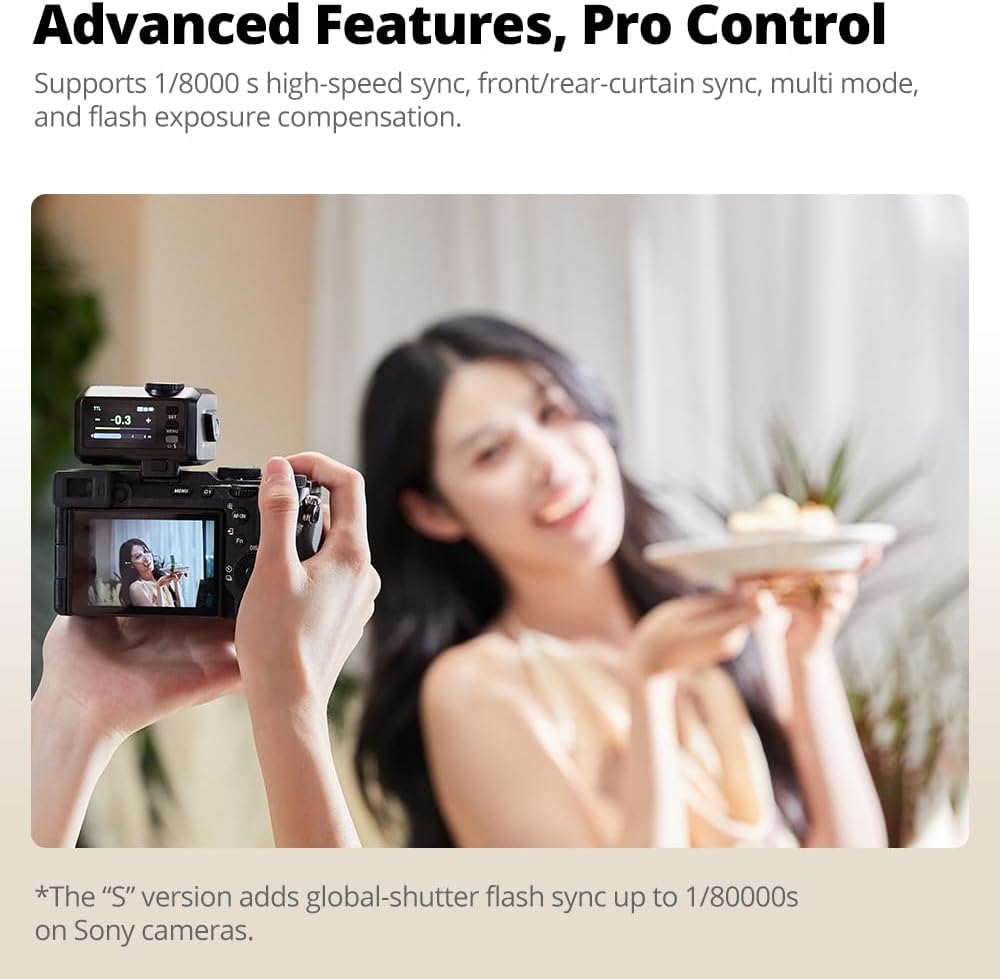
Figure 7: The IT30Pro's screen showing advanced features, including high-speed sync.
3.5 Built-in Diffuser
For softer, more even lighting, the IT30Pro includes a built-in diffuser. With a quick flick of a lever, the diffuser extends to provide wider coverage, flattering skin tones without the need for external modifiers.

Figure 8: Comparison of lighting with the built-in diffuser off and on.
3.6 Operation Video Tutorial
For a visual guide on operating your Godox IT30Pro, including installation, body controls, various modes (M, TTL, Multi), function settings, and wireless settings, please refer to the official operation video below.
Video: Godox IT30Pro Mini Flash Operation Video. This video demonstrates the installation, body controls, Wi-Off mode, sender mode, receiver mode, function settings, wireless settings, and other functions of the Godox IT30Pro flash.
4. Maintenance
4.1 Cleaning
Regularly clean the flash unit with a soft, dry cloth. For stubborn dirt, a slightly damp cloth can be used, followed by immediate drying. Avoid using harsh chemicals or abrasive materials, which can damage the screen or casing.
4.2 Battery Care
To prolong battery life, avoid fully discharging the battery frequently. Store the unit with a partial charge (around 50%) if not used for extended periods. The IT30Pro boasts a 1.5-second recycle time and up to 560 full-power flashes per charge, ensuring reliable performance.
4.3 Storage
Store the flash unit in a cool, dry place away from direct sunlight and extreme temperatures. Use the provided bag for protection against dust and scratches. Ensure the unit is powered off before storage.
5. Troubleshooting
5.1 Flash Not Firing
- Check battery level and ensure it is sufficiently charged.
- Verify the flash is securely mounted on the camera's hot shoe.
- Ensure the flash is powered on and not in standby mode.
- In wireless mode, confirm correct channel and ID settings for both sender and receiver units.
5.2 Incorrect Exposure
- In TTL mode, check flash exposure compensation settings.
- In Manual mode, adjust flash power output.
- Ensure camera ISO, aperture, and shutter speed settings are appropriate for flash photography.
- Check if the built-in diffuser is deployed when not intended, or vice-versa.
6. Specifications
| Feature | Detail |
|---|---|
| Brand | GODOX |
| Model Number | IT30Pro-C |
| Compatible Mountings | Canon Camera |
| Camera Flash Type | Hotshoe |
| Flash Sync Speed | 1/8000s (High-Speed Sync) |
| Display | 2.8" Touch Screen |
| Wireless System | Built-in Godox 2.4GHz X system (Master/Receiver) |
| Battery Type | 7.4V Li-ion Battery |
| Full Power Flashes | Up to 560 |
| Recycle Time | 1.5 seconds |
| Included Components | Godox IT30Pro Flash, Bag, USB-C Charging Cable |
7. Warranty and Support
For warranty information and technical support, please refer to the official GODOX website or contact their customer service directly. Keep your purchase receipt as proof of purchase for any warranty claims.
GODOX is committed to providing professional lighting solutions and continuously innovating their products. For further assistance or to explore other products, visit the GODOX Store on Amazon.
Ask a question about this manual
Ask about setup, troubleshooting, compatibility, parts, safety, or missing instructions. Manuals+ will review the question and use this page’s manual context to help answer it.