
JOYROOM JR-MS03
Contents
JOYROOM Wearable Bluetooth Speaker User Manual
Model: JR-MS03
Introduction
Thank you for choosing the JOYROOM Wearable Bluetooth Speaker. This compact and versatile speaker is designed for hands-free audio enjoyment in various environments, from outdoor adventures to daily work. Its robust construction and multi-functional design ensure reliable performance. Please read this manual carefully to understand the product's features and ensure optimal use.
Key Features
- Multi-Functional Wearable Design: Features a sturdy carabiner clip and magnetic back for secure attachment to clothing, bags, belts, or iron surfaces. It can also stand on flat horizontal surfaces. Ideal for hands-free use during work, outdoor activities, or daily chores.
- Crisp Clear Sound & 3EQ Sound Modes: Delivers powerful audio in a compact form factor. Offers three Equalizer (EQ) modes: Bass Boost for enhanced low frequencies, Enhanced Clarity for clear vocals, and Balanced Mode for general listening.
- 3 Mode Task Light: Built-in LED light with three modes: 50% brightness, 100% brightness, and SOS flashing light. Provides illumination for dark environments, campsites, or night runs.
- ENC Mic for Crystal-Clear Calls: Integrated noise-canceling microphone with ENC (Environmental Noise Cancellation) technology reduces up to 90% of background noise, enabling clear hands-free calls.
- IP67 Waterproof & Rugged Durability: Boasts an IP67 rating for dust and water resistance, allowing it to withstand rain, spills, or accidental submersion (up to 30 minutes).
- TWS Pairing & Bluetooth 5.4: Supports True Wireless Stereo (TWS) pairing to connect two JOYROOM speakers for immersive surround sound. Bluetooth 5.4 ensures ultra-low latency (<50ms), a stable 100ft range, and 40% less power consumption.
What's in the Box
Upon unboxing, please ensure all the following items are present:
- JOYROOM Wearable Bluetooth Speaker (Model: JR-MS03)
- Power Cable (USB Type-C)
- Quick Start Guide
Setup
Charging the Speaker
Before first use, fully charge the speaker. Connect the provided USB Type-C cable to the speaker's charging port and the other end to a compatible USB power source (e.g., wall adapter, computer USB port). The charging indicator light will show the charging status.
Bluetooth Pairing
- Power On: Press and hold the power button (usually the central button on the side) for 2 seconds until you hear an audible prompt or see the indicator light flash.
- Enable Bluetooth: On your mobile device (smartphone, tablet, etc.), go to the Bluetooth settings and enable Bluetooth.
- Select Device: Look for "JR-MS03" or a similar name in the list of available Bluetooth devices and select it to pair.
- Connection Confirmation: Once successfully paired, you will hear a confirmation tone from the speaker.
TWS (True Wireless Stereo) Pairing (Optional)
To achieve a stereo sound experience, you can pair two JOYROOM JR-MS03 speakers together:
- Ensure both speakers are powered on and not connected to any other Bluetooth device.
- On one of the speakers, triple-click the power button to initiate TWS pairing. It will enter TWS pairing mode.
- The two speakers will automatically connect to each other. You will hear a confirmation tone once TWS pairing is successful.
- Now, connect your mobile device to one of the paired speakers via Bluetooth as described in the "Bluetooth Pairing" section. Both speakers will play audio simultaneously.
Operating Instructions
Basic Controls
The speaker features intuitive buttons for easy control:

Image: Side view of the speaker highlighting the power and call control buttons.
- Power On: Press and hold the power button for 2 seconds.
- Power Off: Press and hold the power button for 4 seconds.
- Answer Call/End Call: Single click the power button.
- Reject Call: Press and hold the power button for 2 seconds.
- Redial: Double click the power button.

Image: Side view of the speaker highlighting the volume and track control buttons.
- Volume Up: Single click the "+" button.
- Next Track: Press and hold the "+" button for 1 second.
- Volume Down: Single click the "-" button.
- Previous Track: Press and hold the "-" button for 1 second.

Image: Side view of the speaker highlighting the light and EQ control button.
- Light On/Off: Press and hold the light effect button for 2 seconds.
- Switch Light Effect: Single click the light effect button (cycles through 50% brightness, 100% brightness, SOS flashing).
- Switch EQ Mode: Double click the light effect button (cycles through Bass Boost, Vocal Clarity, Balanced).
Maintenance
Cleaning
Due to its IP67 waterproof and dustproof rating, the speaker can be easily cleaned. If it gets dirty or sandy, simply rinse it under clean water. Ensure the charging port cover is securely closed before rinsing. Do not use harsh chemicals or abrasive cleaners, as these may damage the speaker's finish or internal components.
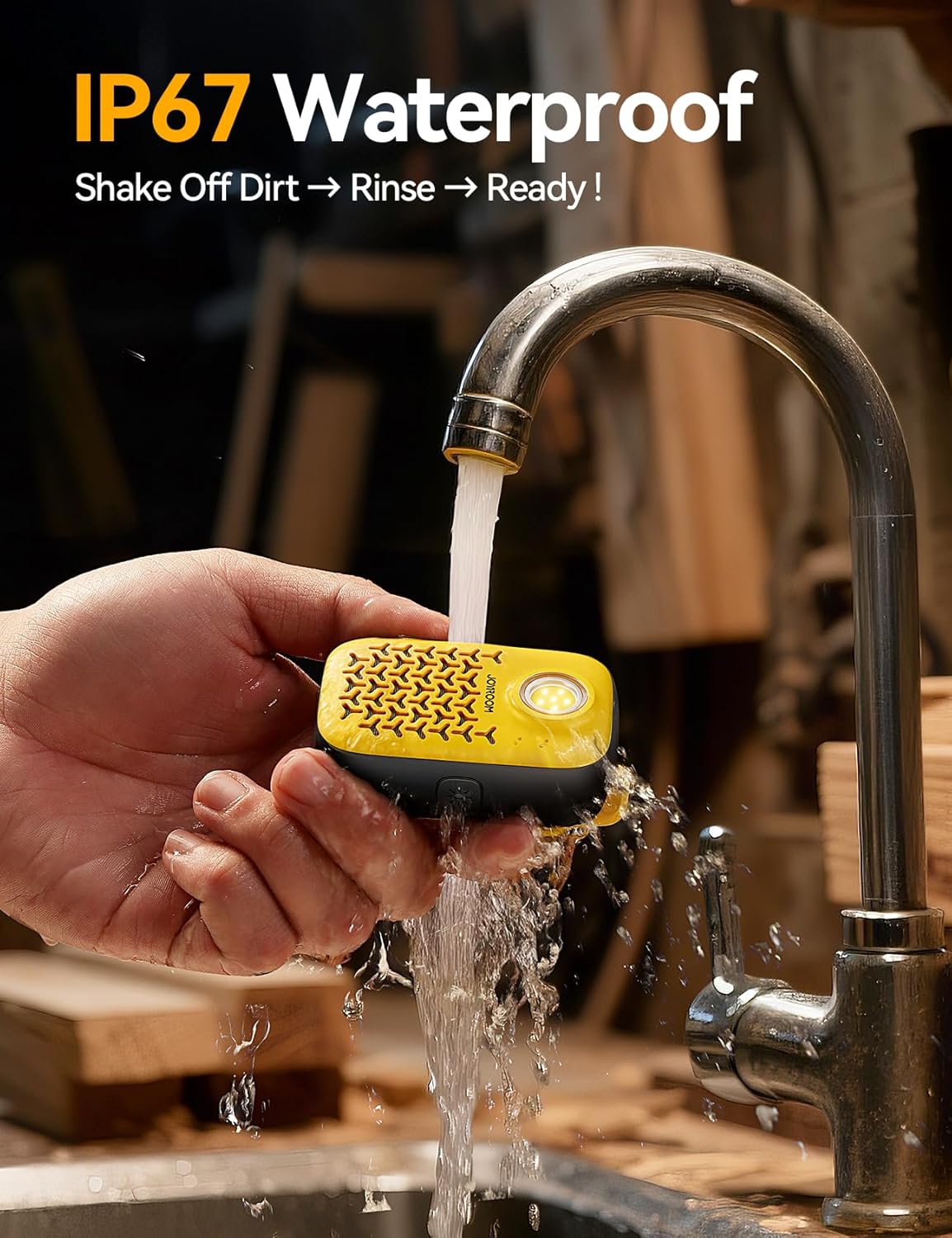
Image: A hand rinsing the JOYROOM speaker under a running faucet, demonstrating its waterproof capability.
Storage
Store the speaker in a cool, dry place away from direct sunlight and extreme temperatures. If storing for an extended period, ensure the battery is partially charged (around 50%) to prolong its lifespan.
Troubleshooting
| Problem | Possible Cause | Solution |
|---|---|---|
| Speaker does not power on. | Low battery. | Charge the speaker fully. |
| Cannot pair with Bluetooth device. | Speaker is not in pairing mode or already connected to another device. | Ensure speaker is powered on and not connected. Turn off Bluetooth on other nearby devices. Restart speaker and try pairing again. |
| No sound or low volume. | Volume too low on speaker or device; device not connected. | Increase volume on both speaker and connected device. Ensure Bluetooth connection is stable. |
| TWS pairing fails. | Speakers are too far apart or already connected to other devices. | Ensure both speakers are within close proximity and not connected to any other Bluetooth device. Triple-click the power button on one speaker to re-initiate TWS pairing. |
| Light function not working. | Light function is off. | Press and hold the light effect button for 2 seconds to turn it on. |
Specifications
| Feature | Detail |
|---|---|
| Brand | JOYROOM |
| Model Name | JR-MS03 |
| Speaker Type | Portable Speaker |
| Mounting Type | Clip Mount |
| Special Feature | Dustproof, LED Light, Lightweight, Portable, Waterproof |
| Product Dimensions | 1.26"D x 1.83"W x 2.95"H |
| Item Weight | 5.3 ounces |
| Water Resistance Level | Waterproof (IP67) |
| Bluetooth Range | 10 Meters |
| Speaker Maximum Output Power | 5 Watts |
| Frequency Response | 20 KHz |
| Connectivity Technology | Bluetooth |
| Audio Output Mode | Stereo |
Warranty & Support
For warranty information and customer support, please refer to the documentation included with your purchase or visit the official JOYROOM website. Specific warranty terms may vary by region and retailer.
Documents and downloads
Ask a question about this manual
Ask about setup, troubleshooting, compatibility, parts, safety, or missing instructions. Manuals+ will review the question and use this page’s manual context to help answer it.