Introduction
This manual provides detailed instructions for the safe and efficient operation of your OMIZN X6 4G LTE Dual Mode Walkie Talkie. Please read this manual thoroughly before using the device to ensure optimal performance and longevity. Keep this manual for future reference.
What's in the Box
Your OMIZN X6 package includes the following components:
- 1x Handheld Radio
- 1x Antenna
- 1x Earphone
- 1x Battery
- 1x Charger
Product Overview
The OMIZN X6 is a dual-mode walkie talkie supporting both 4G LTE and UHF frequencies, designed for reliable communication across unlimited distances or in off-grid scenarios. It features AES256 encryption for secure communication and a built-in repeater function to extend range.

Figure 1: Front view of the OMIZN X6 Walkie Talkie with key components labeled, including UHF Antenna, Cellular Antenna, Power Switch/Volume Switch, Headset/Mic Jack, Data Port, Network PTT Key, UHF Analog PTT Key, Channel/Frequency Mode Switching Key, Back/Return, Menu/OK, Function Key, FM Radio(RX) Key, and Key Locked/Unlocked indicator.
Key Features:
- Dual Mode (4G LTE / UHF): Seamlessly switch between 4G LTE for unlimited range and UHF for off-grid use.
- Unlimited Range: Utilizes 4G signals for global communication in 172+ countries (built-in SIM card, no contract/hidden fees).
- Off-Grid Capability: 16 preset channels and manual frequency input (350-520MHz) for communication without cellular signal.
- Built-in Repeater: Amplifies signals and transfers communications between public and analog networks.
- AES256 Encryption: Ensures secure and private conversations with CTCSS/DCS dual protection.
- Durable Design: PC material shell, shockproof, drop-resistant (IP65 rated).
- Long Battery Life: Large-capacity battery supports all-day use and 7-day standby, with base and Type-C charging.
- AI Noise-Canceling: High-fidelity clear sound quality in noisy environments.
Setup
1. Battery Installation
To install the battery, align the battery contacts with the terminals on the back of the radio. Gently push the battery into place until it clicks securely. To remove, slide the release latch and pull the battery out.
2. SIM Card Installation
The OMIZN X6 comes with a built-in SIM card for 4G LTE functionality. Ensure the SIM card is properly inserted for network connectivity. If you need to replace or insert a new SIM card, carefully open the battery compartment and follow the diagram in the user manual.

Figure 2: Illustration of different SIM card sizes (Standard, Micro, Nano) for reference.
3. Attaching Belt Clip and Lanyard
The device includes a belt clip and a lanyard for convenient carrying. Attach the belt clip to the back of the radio using the provided screws. Thread the lanyard through the designated loop at the top of the radio for secure handling.
Operating Instructions
1. Power On/Off
To power on the radio, rotate the Power Switch/Volume Switch knob clockwise until you hear a click and the screen illuminates. To power off, rotate the knob counter-clockwise until it clicks off.
2. Mode Selection (4G LTE / Off-Grid)
The OMIZN X6 supports both 4G LTE (public network) and off-grid (analog) modes. Use the dedicated PTT buttons on the side of the device to switch between network and analog communication. The display will indicate the active mode.

Figure 3: Illustration of the walkie talkie's dual modes: 4G LTE Mode for push-to-talk over cellular and Off-Grid Mode for communication via frequency band and channel.
3. Making Calls
To initiate a call, select your desired group or individual contact using the menu buttons. Press and hold the appropriate PTT button (Network PTT for 4G LTE or UHF Analog PTT for off-grid) while speaking clearly into the microphone. Release the PTT button to listen for a response.
4. Volume Adjustment
Rotate the Power Switch/Volume Switch knob to adjust the listening volume. You can also access volume settings through the device menu.
5. One-Touch Frequency Match
For quick frequency pairing in off-grid mode, utilize the one-touch frequency match function. Long press the designated button (refer to Figure 1) to activate this feature, simplifying channel setup.
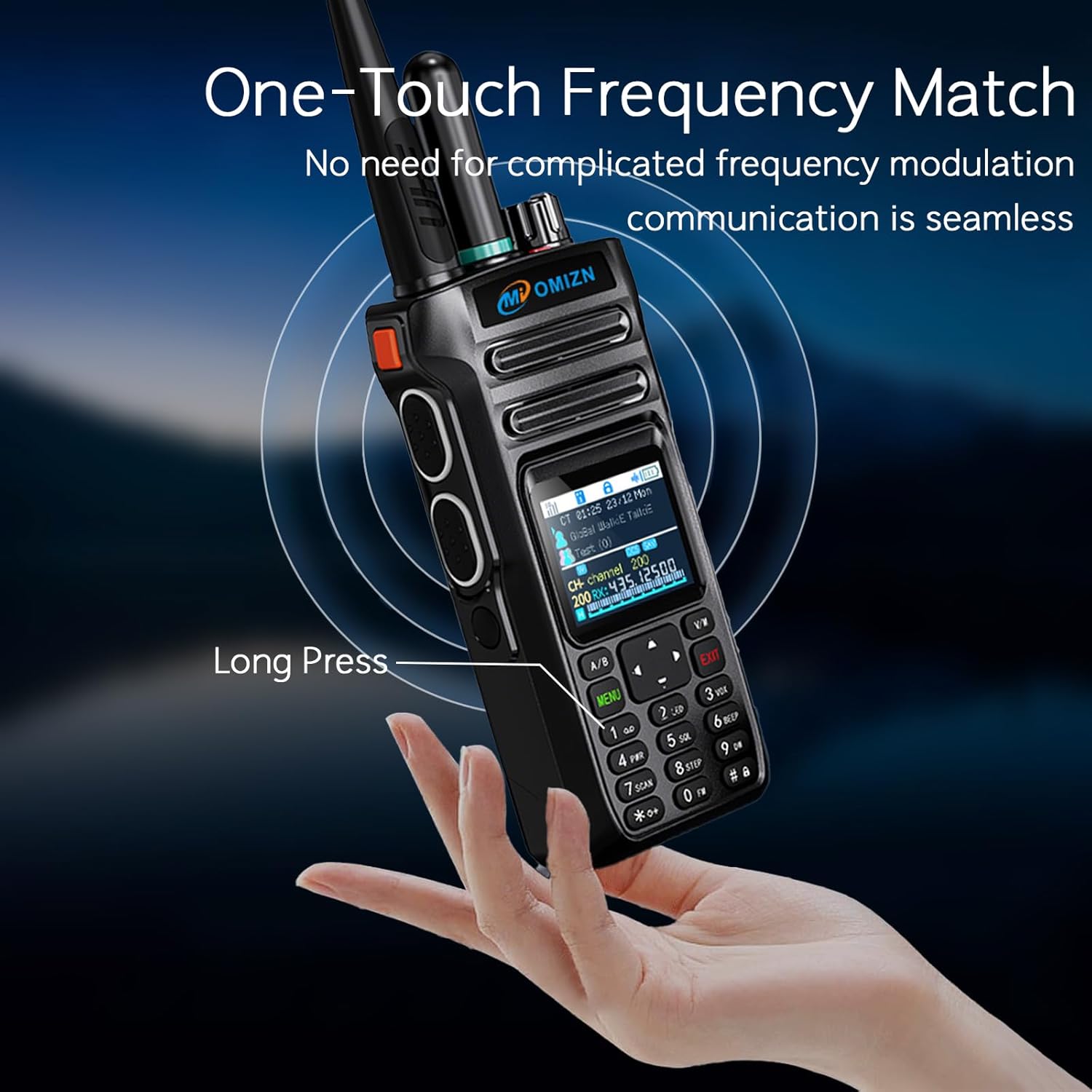
Figure 4: A hand long-pressing a button on the walkie talkie to activate the One-Touch Frequency Match feature for seamless communication.
6. Built-in Repeater Function
The built-in repeater amplifies signals, extending communication range. It supports both public network to analog and analog to public network transfers. This feature is particularly effective in off-grid mode.

Figure 5: Illustration showing the walkie talkie acting as a signal hub, amplifying and transferring communications between multiple users in a mountainous environment.
7. AI Noise-Canceling Call
The device is equipped with AI noise-canceling technology to ensure clear sound quality even in noisy outdoor environments. No special activation is required; this feature operates automatically.

Figure 6: A person using the walkie talkie in an outdoor setting, highlighting the high-fidelity clear sound quality with AI noise-canceling technology.
Maintenance
To ensure the longevity and optimal performance of your OMIZN X6 Walkie Talkie, follow these maintenance guidelines:
- Cleaning: Use a soft, damp cloth to clean the exterior of the device. Avoid using harsh chemicals or abrasive cleaners.
- Battery Care: Charge the battery fully before first use and when the battery level is low. Avoid overcharging or completely draining the battery for extended periods.
- Storage: Store the device in a cool, dry place away from direct sunlight and extreme temperatures.
- Water Resistance: The device is IP65 rated, meaning it is protected against dust and low-pressure water jets. Do not immerse the device in water.
Troubleshooting
If you encounter any issues with your OMIZN X6 Walkie Talkie, please refer to the following common solutions:
- No Power: Ensure the battery is fully charged and properly installed. Check the power switch.
- No Signal (4G LTE): Verify that the built-in SIM card is active and you are within a 4G LTE coverage area.
- No Signal (Off-Grid): Ensure you are on a compatible frequency/channel with the other device. Use the one-touch frequency match function.
- Poor Sound Quality: Check the volume level. Ensure the microphone and speaker are clear of obstructions. The AI noise-canceling feature should automatically optimize sound.
- Unable to Communicate: Confirm both devices are in the same mode (4G LTE or off-grid) and on the same channel/group.
If the problem persists, please contact customer support for assistance.
Specifications
| Feature | Specification |
|---|---|
| Model Number | OMIZN-MX-X6 |
| Product Dimensions | 1.54 x 2.24 x 5.24 inches |
| Display Type | LCD |
| Number of Channels | 199 |
| Frequency Range | 4G LTE (Public Network), 350-520MHz (Off-Grid) |
| Talking Range Maximum | Unlimited (4G LTE), Significant (Off-Grid with Repeater) |
| Battery Capacity | Large-capacity (supports all-day use, 7-day standby) |
| Water Resistance Level | IP65 (Water Resistant) |
| Special Features | Digital Display, Keypad Lock, Noise Reduction, Rechargeable, Built-in Repeater, AES256 Encryption, One-Touch Frequency Match, Auto Scan |
Warranty and Support
Your OMIZN X6 Walkie Talkie comes with a manufacturer's warranty. For specific warranty details, please refer to the documentation included in your product packaging or contact OMIZN customer service.
For any malfunction, signal issues, or if you require assistance with product usage, please contact our support team through Amazon immediately. We will provide online debugging services and resolve your problem promptly.

Figure 7: OMIZN customer support is available to assist with any product-related inquiries.
Official Product Videos
OMIZN X6 Dual Mode Global Walkie Talkie 4G POC/UHF Radios
This video provides an overview of the OMIZN X6 Dual Mode Global Walkie Talkie, showcasing its 4G POC and UHF radio capabilities.
OMIZN T6 Ultra-Slim Walkie Talkie
This video demonstrates the features and functionality of the OMIZN T6 Ultra-Slim Walkie Talkie, which shares similar operational principles with the X6 model.
OMIZN-T6 4G Ultra-thin Walkie Talkie
A short video highlighting the ultra-thin design and 4G capabilities of the OMIZN T6 Walkie Talkie, relevant for understanding the form factor and connectivity of OMIZN products.


