1. Introduction
This manual provides detailed instructions for the safe installation, operation, and maintenance of your Parrot Uncle 84-inch industrial ceiling fan. Please read all instructions carefully before beginning installation and retain this manual for future reference.
The Parrot Uncle 84-inch industrial ceiling fan is designed for large indoor and covered outdoor spaces such as living rooms, bedrooms, shops, and garages. It features a powerful yet quiet DC motor, remote control operation, and a reversible function for year-round air circulation.
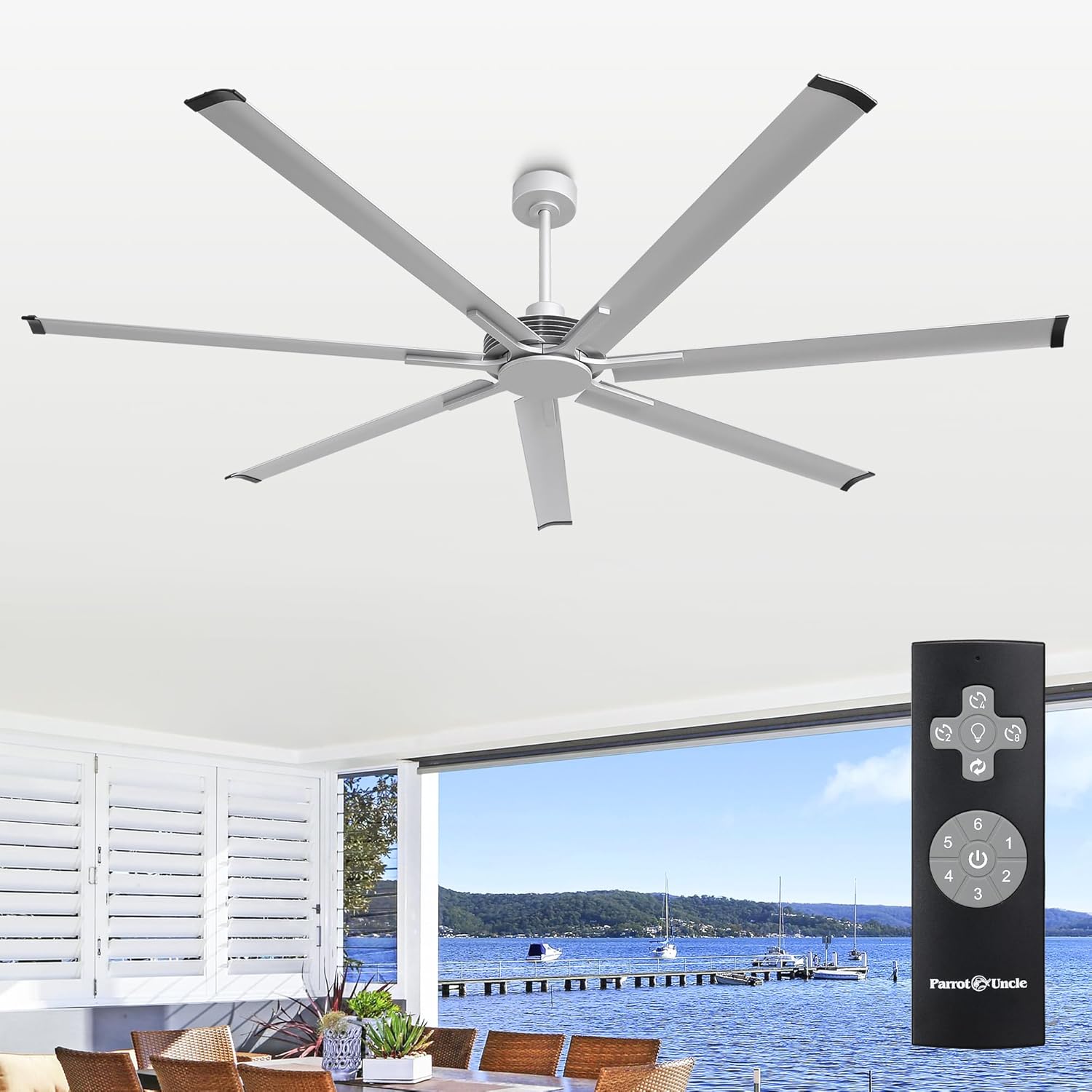
Image 1.1: Parrot Uncle 84-inch industrial ceiling fan in a residential setting.
2. Safety Information
To reduce the risk of electrical shock, fire, or personal injury, always follow these basic safety precautions:
- Ensure the power is turned off at the circuit breaker before installation or servicing.
- All electrical connections must be made in accordance with local codes, ordinances, or national electrical codes. If you are unfamiliar with wiring, consult a qualified electrician.
- The mounting structure must be capable of supporting the weight of the fan (approximately 25 pounds).
- Keep hands, clothing, and other objects clear of the fan blades when the fan is operating.
- Do not operate the fan with a damaged power cord or plug.
- This fan is designed for indoor and covered outdoor use. Do not expose to direct water spray.
3. Package Contents
Verify that all components are present before beginning installation. If any parts are missing or damaged, contact customer support.
- Fan Motor Assembly
- 7 Aluminum Fan Blades
- Canopy
- Downrods (8-inch and 12-inch options)
- Mounting Bracket
- Remote Control
- Remote Control Holder
- 23A 12V Battery (for remote)
- Hardware Pack (screws, washers, wire nuts)
- Instruction Manual

Image 3.1: Included components: remote control, downrods, and fan blade.
4. Setup and Installation
Installation typically takes approximately 30 minutes. Ensure you have the necessary tools and follow these steps carefully.
4.1 Mounting Location
Choose a location where the fan blades will have at least 7 feet of clearance from the floor and 24 inches from any walls or obstructions. The fan can be installed on flat or sloped ceilings (up to 15 degrees).
4.2 Assembly Steps
- Turn off Power: Before starting, ensure the power supply to the installation location is turned off at the circuit breaker.
- Install Mounting Bracket: Secure the mounting bracket to the ceiling junction box using the provided hardware. Ensure the bracket is firmly attached and can support the fan's weight.
- Assemble Downrod: Select either the 8-inch or 12-inch downrod based on your ceiling height. Feed the electrical wires from the fan motor through the downrod.
- Attach Fan to Downrod: Secure the fan motor assembly to the chosen downrod.
- Hang Fan: Carefully lift the fan assembly and hang it onto the mounting bracket.
- Make Electrical Connections: Connect the fan's electrical wires to the household wiring according to the wiring diagram in the detailed user manual (not provided here, refer to product packaging for full manual). Ensure all connections are secure with wire nuts.
- Install Canopy: Slide the canopy up to cover the mounting bracket and wiring, then secure it in place.
- Attach Fan Blades: Secure each of the 7 aluminum fan blades to the motor housing using the provided screws.

Image 4.1: Fan dimensions and compatibility with flat and sloped ceilings.

Image 4.2: Visual representation of the installation process.
5. Operating Instructions
Your Parrot Uncle ceiling fan is operated using the included remote control.
5.1 Remote Control Functions
- Fan ON/OFF: Press the power button to turn the fan on or off.
- Fan Speed Control (1-6): Buttons 1 through 6 adjust the fan speed from low (1) to high (6).
- Reversible Rotation: Press the reverse button to change the direction of the fan blades.
- Timer Setting: Use the timer buttons (2H, 4H, 8H) to set the fan to automatically shut off after 2, 4, or 8 hours.

Image 5.1: Reversible motor function and quiet operation.

Image 5.2: Fan speed levels and corresponding airflow.

Image 5.3: Multi-functional remote control overview.
5.2 Reversible Motor Function
The fan features a reversible DC motor for year-round comfort:
- Summer Mode (Counterclockwise Rotation): Creates a downward airflow, producing a cooling effect.
- Winter Mode (Clockwise Rotation): Creates an upward airflow, circulating warm air trapped near the ceiling throughout the room.

Image 5.4: Seasonal reversible air circulation.
6. Maintenance
Regular maintenance ensures optimal performance and extends the life of your fan.
- Cleaning: To clean the fan, wipe with a soft, damp cloth. Do not use abrasive cleaners or solvents. Ensure power is off before cleaning.
- Blade Inspection: Periodically check the fan blades for any signs of damage or looseness. Tighten screws if necessary.
- Motor Lubrication: The DC motor is permanently lubricated and does not require additional oiling.
7. Troubleshooting
If you experience issues with your fan, refer to the following common problems and solutions:
| Problem | Possible Cause | Solution |
|---|---|---|
| Fan does not start | No power to the fan; Loose wire connections; Remote control battery low. | Check circuit breaker; Verify all wire connections are secure; Replace remote control battery. |
| Fan wobbles | Loose fan blades; Uneven blade installation; Loose mounting bracket. | Ensure all blade screws are tight; Re-install blades evenly; Tighten mounting bracket screws. |
| Remote control not working | Battery low or incorrectly installed; Remote not paired. | Replace battery, ensuring correct polarity; Refer to the full manual for remote pairing instructions. |
| Fan is noisy | Loose screws; Internal component issue. | Check and tighten all screws; If noise persists, contact customer support. |
If the problem persists after attempting these solutions, please contact Parrot Uncle customer support.
8. Specifications
| Feature | Detail |
|---|---|
| Brand | Parrot Uncle |
| Model Name | F8311110V |
| Color | Silver |
| Product Dimensions | 84"D x 84"W x 14.5"H |
| Item Weight | 25 Pounds |
| Power Source | AC/DC |
| Voltage | 120 Volts |
| Wattage | 40 watts |
| Motor Type | DC Motor |
| Number of Blades | 7 |
| Blade Material | Aluminum |
| Air Flow Capacity | 11200 Cubic Feet Per Minute |
| Noise Level | 40 dB |
| Control Method | Remote |
| Number of Power Levels | 7 (speeds 1-6, plus off) |
| Downrod Lengths | 8 Inches, 12 Inches |
| Indoor/Outdoor Usage | Indoor, Covered Outdoor |
| Specification Met | ETL |

Image 8.1: Key product specifications and dimensions.
9. Warranty and Support
Parrot Uncle stands behind the quality of its products.
- Whole Fan Coverage: 3-year warranty.
- Motor Coverage: Lifetime warranty.
- After-sales Service: Lifetime support is provided.
For technical assistance, warranty claims, or general inquiries, please contact Parrot Uncle customer support through the retailer where the product was purchased or visit the official Parrot Uncle website.

Image 9.1: Warranty and service details.


