
1. Introduction
This manual provides important information regarding the safe operation, charging, maintenance, and specifications of your Saker 21V MAX 4.0Ah Lithium Ion Battery. Please read this manual thoroughly before using the battery to ensure proper function and to prevent damage or injury. Keep this manual for future reference.
2. Safety Information
Always observe the following safety precautions when handling and using the Saker 21V MAX 4.0Ah Lithium Ion Battery.
- Use with Compatible Tools Only: This battery is designed exclusively for Saker cordless tools, specifically Saker Leaf Blowers (BF170, BF173, BF175) and Saker Garden Tillers (SK-TC18B, SK-TC18A). Using it with incompatible tools may cause damage or safety hazards.
- Charging: Only use the charger specified by Saker for this battery. Do not attempt to charge the battery with any other charger. Ensure the battery is removed from the tool before charging.
- Storage: Store the battery in a cool, dry place, away from direct sunlight, heat sources, and moisture. Do not store the battery in temperatures exceeding 122°F (50°C) or below -4°F (-20°C).
- Protection Features: The battery incorporates multiple security protections including over-voltage, over-charge, over-discharge, short-circuit, over-current, and over-heat protection to ensure safe operation. Do not attempt to bypass these safety features.
- Damage: Do not use a damaged battery. If the battery casing is cracked, punctured, or shows any signs of damage, discontinue use immediately and dispose of it properly.
- Disposal: Lithium-ion batteries must be recycled or disposed of according to local regulations. Do not dispose of batteries in household waste or by incineration.
- Avoid Short Circuits: Do not allow metal objects to contact the battery terminals, as this can cause a short circuit, leading to heat, fire, or explosion.

Image: Multiple Security Protections. This diagram highlights the internal safety mechanisms of the Saker battery, including protection against over-voltage, over-charge, over-discharge, short-circuit, over-current, and over-heat, ensuring safe and reliable operation.
3. Product Overview
The Saker 21V MAX 4.0Ah Lithium Ion Battery is designed to provide reliable and consistent power for your Saker cordless tools. It features a compact design with advanced lithium-ion technology for extended runtime and stable performance.

Image: Saker 21V MAX 4.0Ah Lithium Ion Battery. This image displays the main product, a black Saker 21V MAX 4.0Ah Lithium Ion Battery, highlighting its compact form factor and clear labeling.
4. Compatibility
This Saker 21V MAX 4.0Ah Lithium Ion Battery (Model X60714) is specifically engineered for seamless integration with the following Saker cordless tools:
- Saker Leaf Blowers: BF170, BF173, BF175
- Saker Garden Tillers: SK-TC18B, SK-TC18A
Ensure your tool model matches one of the listed compatible models for optimal performance and safety.

Image: Designed for Saker Cordless Tools. This visual guide illustrates the Saker 21V MAX 4.0Ah Lithium Ion Battery at the center, surrounded by the specific Saker leaf blowers (BF170, BF173, BF175) and garden tillers (SK-TC18B, SK-TC18A) with which it is compatible.
5. Charging Instructions
Follow these steps to properly charge your Saker 21V MAX 4.0Ah Lithium Ion Battery:
- Remove from Tool: Always remove the battery from the cordless tool before initiating the charging process.
- Connect Charger: Insert the charger's plug into the designated charging port on the side of the battery. This port is typically a middle hole located above the battery's main body.
- Monitor Indicator Lights:
- A red light on the charger or battery indicates that charging is in progress.
- A green light indicates that the battery is fully charged.
- Disconnect: Once the battery is fully charged (green light displayed), disconnect the charger from the battery and unplug the charger from the power outlet.

Image: Charging Method. This image illustrates the correct procedure for charging the Saker battery. It shows the battery removed from a tool, the charger being inserted into the side port, and the visual cues of red (charging) and green (fully charged) indicator lights.
6. Installation and Usage
To install and use the Saker 21V MAX 4.0Ah Lithium Ion Battery with your compatible Saker cordless tool:
- Align Battery: Align the battery with the battery slot on your Saker cordless tool. The battery features an accurate interface designed to match the tool's connection points precisely.
- Insert Battery: Slide the battery firmly into the tool's battery slot until it clicks securely into place. The anti-slip design ensures easy installation and removal while providing a stable connection during operation.
- Verify Connection: Gently tug on the battery to ensure it is fully seated and locked into the tool.
- Operation: Once installed, the tool is ready for use. Refer to your specific Saker tool's instruction manual for operational guidelines.
- Removal: To remove the battery, press the release button (if present on your tool/battery) and slide the battery out of the tool.

Image: Accurate Interface and Anti-Slip Design. This image demonstrates the precise fit and secure connection of the Saker battery to a cordless tool, emphasizing the accurate interface and anti-slip design that facilitates easy installation and removal.
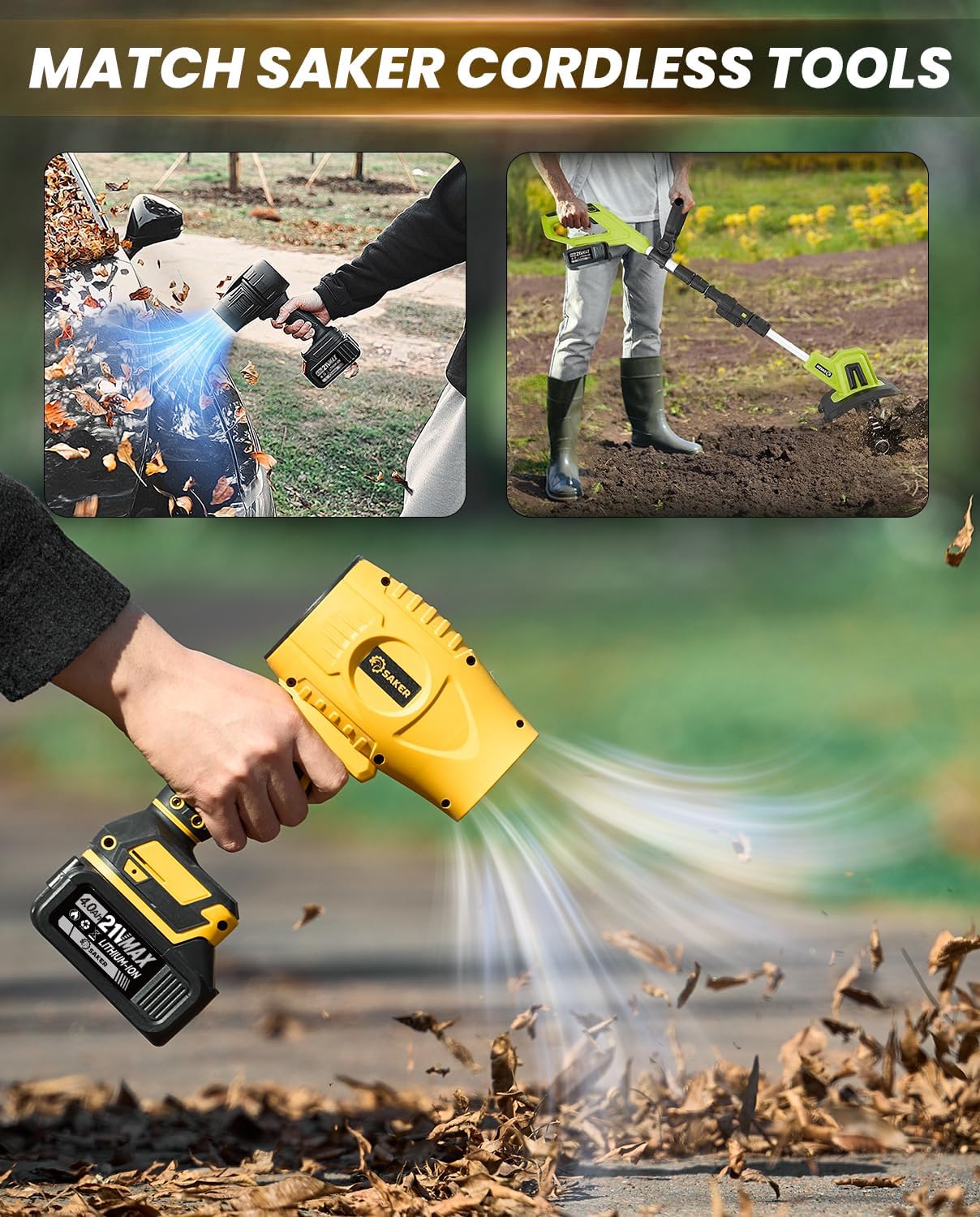
Image: Matching Saker Cordless Tools. This composite image shows the Saker 21V MAX 4.0Ah Lithium Ion Battery powering various compatible Saker cordless tools, such as leaf blowers clearing debris and a garden tiller cultivating soil, demonstrating its practical application.
7. Maintenance and Storage
Proper maintenance and storage will extend the life of your Saker Lithium Ion Battery.
- Cleaning: Keep the battery terminals clean and free from dirt or debris. Use a dry cloth to wipe the battery surface. Do not use liquids or solvents.
- Temperature: Store the battery in a location where the temperature is between 50°F (10°C) and 77°F (25°C) for optimal longevity. Avoid extreme hot or cold environments.
- Humidity: Store the battery in a dry environment. High humidity can damage the battery.
- Charge Level for Storage: For long-term storage, it is recommended to store the battery with a partial charge (around 50-60%). Do not store fully discharged or fully charged for extended periods.
- Periodic Charging: If storing for several months, periodically charge the battery to maintain a partial charge.
- Physical Protection: Protect the battery from impacts and drops.
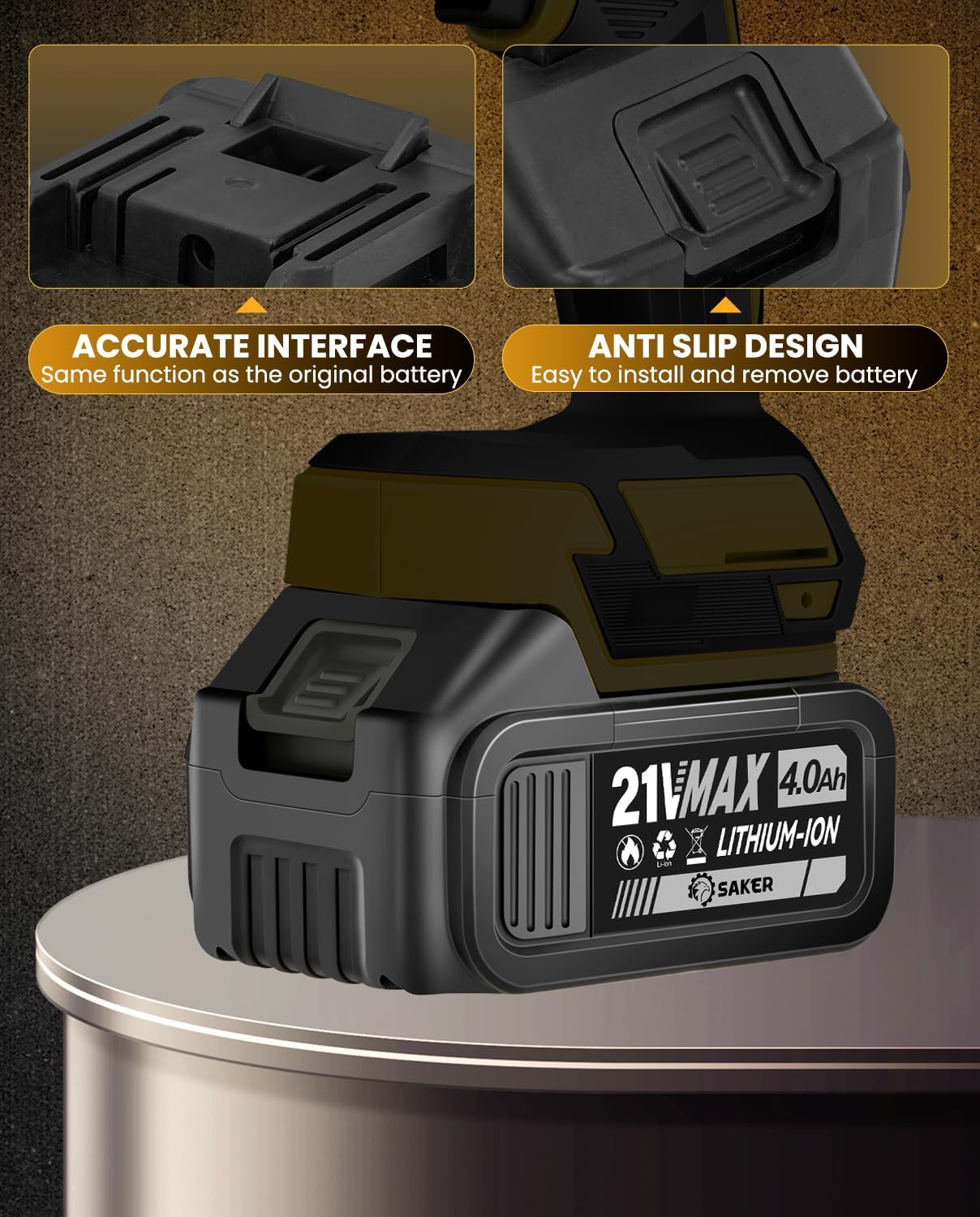
Image: Portable Saker Battery. This image shows two Saker batteries stored in a drawer, emphasizing their compact size and portability, making them easy to store and transport.
8. Troubleshooting
If you encounter issues with your Saker 21V MAX 4.0Ah Lithium Ion Battery, consider the following common troubleshooting steps:
| Problem | Possible Cause | Solution |
|---|---|---|
| Battery not charging |
|
|
| Tool not operating with battery |
|
|
| Reduced runtime |
|
|
If these steps do not resolve the issue, please contact Saker customer support for further assistance.
9. Specifications
| Feature | Detail |
|---|---|
| Model Number | X60714 |
| Voltage | 21V MAX |
| Battery Capacity | 4.0Ah (4 Amp Hours) |
| Battery Cell Composition | Lithium Ion |
| Item Weight | 1.21 pounds |
| Package Dimensions | 5.16 x 3.35 x 2.83 inches |
| Manufacturer | Saker |
| Recommended Uses | Power Tool |
10. Warranty and Support
For information regarding warranty coverage, technical support, or replacement parts for your Saker 21V MAX 4.0Ah Lithium Ion Battery, please refer to the warranty card included with your purchase or visit the official Saker website. You may also contact Saker customer service directly for assistance.
Saker Customer Service: Please refer to your product packaging or the Saker official website for the most current contact information.