
Introduction
The Xiaomi Redmi Pad 2 Smart Pen is designed to enhance your tablet experience with precise input and versatile functionality. This manual provides essential information for the setup, operation, and maintenance of your smart pen.
For optimal performance, ensure your Xiaomi Redmi Pad SE tablet is updated to Android 12.0 or a newer version.
Product Features
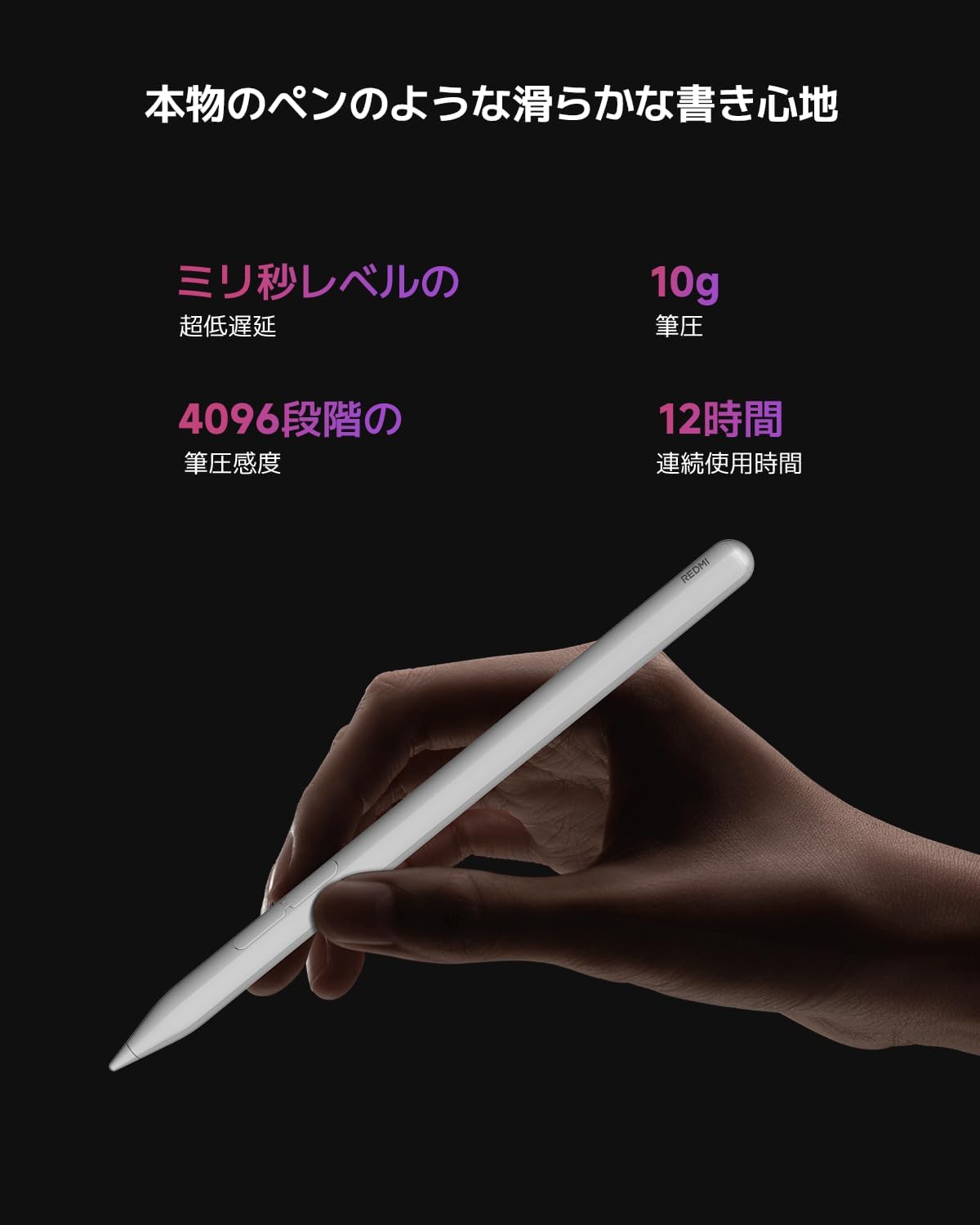
Image: The Xiaomi Redmi Pad 2 Smart Pen, highlighting its sleek design and comfortable grip.
Smooth Writing Experience
The pen features an ergonomic grip and a responsive tip, designed to provide a smooth writing experience akin to using a traditional pen.

Image: The Smart Pen in use, demonstrating its ability to draw smooth, continuous lines on a tablet display.
Ultra-Low Latency and Pressure Sensitivity
Experience seamless writing with ultra-low latency, measured in milliseconds, and a 10g activation force. The pen accurately responds to every small stroke and pressure variation with 4096 levels of pressure sensitivity, allowing precise expression of your creativity on screen.

Image: A visual representation comparing the writing experience with and without Xiaomi's optimized prediction algorithm, highlighting reduced latency.
Optimized Algorithm and Dual-End Design
Utilizing Xiaomi's proprietary smooth algorithm and dual-end optimization, the pen achieves a 240Hz touch sampling rate and a 120Hz screen refresh rate during writing, ensuring highly responsive interaction.

Image: A diagram detailing the functions of the multi-functional shortcut keys on the pen, including opening Mi Canvas, taking screenshots, and scrolling.
Multi-functional Shortcut Keys
The pen includes multi-functional shortcut keys for enhanced productivity:
- Writing Button (Long Press + Touch Display): Opens Mi Canvas for quick notes or drawings.
- Screenshot Button (Long Press + Touch Display): Captures a quick screenshot of the current screen.
- Writing or Screenshot Button (Single Tap): Scrolls documents or articles.

Image: The Smart Pen being used to activate a full-screen canvas on a tablet that was previously off, demonstrating the screen-off memo feature.
Write with Screen Off
Capture inspiration instantly even when the screen is off. A simple tap on the display with the pen tip will activate the screen and open a full-screen canvas, ready for your notes or sketches.
Drawing App Compatibility
The pen is compatible with various drawing applications, acting as an efficient tablet partner. It features proprietary algorithms for single-stroke drawing and text recognition capabilities.
Setup
Compatibility
The Xiaomi Redmi Pad 2 Smart Pen is designed for use with the Xiaomi Redmi Pad SE. Ensure your tablet is updated to Android 12.0 or higher for optimal compatibility.
Initial Connection
The pen typically connects automatically to compatible Xiaomi tablets. If it does not connect automatically, navigate to your tablet's Bluetooth settings and select 'Redmi Smart Pen' to pair.
Charging
Ensure the pen is charged before first use. A full charge provides approximately 12 hours of continuous use. Refer to your tablet's manual or Xiaomi's official support for specific charging methods.
Operating Instructions
Writing and Drawing
Simply touch the pen tip to the screen of your compatible Xiaomi tablet to begin writing or drawing. The pen's 4096 levels of pressure sensitivity allow for varied line thickness and shading based on your input.
Using Shortcut Key Functions
- Open Mi Canvas: Long-press the writing button on the pen, then touch the tablet display.
- Take Screenshot: Long-press the screenshot button on the pen, then touch the tablet display.
- Scroll Documents/Articles: Tap either the writing or screenshot button once.
Screen-Off Memo
When the tablet screen is off, tap the display with the pen tip. The screen will activate, and a full-screen canvas will appear, allowing you to quickly jot down notes or ideas.
Maintenance
Cleaning
Use a soft, dry cloth to clean the pen's body. Do not use abrasive cleaners, solvents, or harsh chemicals. Keep the pen tip free from dust and debris.
Storage
Store the pen in a safe place to prevent damage. Avoid exposing the pen to extreme temperatures, high humidity, or direct sunlight. Keep it away from strong magnetic fields.
Tip Replacement
If the pen tip becomes worn or damaged, it may affect performance. Replacement tips may be available from Xiaomi's official support channels. Follow the instructions provided with replacement tips for proper installation.
Troubleshooting
Pen Not Connecting
- Ensure the pen is sufficiently charged.
- Verify that Bluetooth is enabled on your Xiaomi Redmi Pad SE.
- Attempt to re-pair the pen via your tablet's Bluetooth settings.
- Restart both the pen (if applicable) and the tablet.
Inaccurate or Unresponsive Writing
- Check if the pen tip is clean and undamaged.
- Ensure the tablet screen is clean and free of smudges.
- Confirm the pen is fully charged.
- If issues persist, consider replacing the pen tip.
Battery Life Issues
- Ensure the pen is fully charged before each use.
- Close unnecessary applications on your tablet that might interfere with pen performance or battery consumption.
Specifications
| Brand | Xiaomi |
| Model Name | Redmi Pad 2 Smart Pen |
| Model Number | 6932554444136 |
| Color | White |
| Pressure Sensitivity | 4096 levels |
| Activation Force | 10g |
| Touch Sampling Rate | 240Hz |
| Screen Refresh Rate (Writing) | 120Hz |
| Battery Type | 1 AAAA battery (included) |
| Battery Life | Approx. 12 hours continuous use |
| Compatible Tablet Model | Xiaomi Redmi Pad SE |
| Minimum OS Version | Android 12.0 |
| Product Weight | 0.05 kg |
| Product Dimensions (LxWxH) | 10 x 15 x 15 cm |
| Country of Origin | China |
Warranty and Support
The Xiaomi Redmi Pad 2 Smart Pen comes with a 1-year manufacturer's warranty. For warranty claims, technical support, or to purchase replacement parts, please contact Xiaomi customer service or visit their official website. Keep your proof of purchase for warranty validation.
For the most up-to-date support information, please visit the official Xiaomi support page: mi.com/global/support


