
Introduction
Thank you for choosing the FF FLASHFISH Portable Power Station FF230 and 60W Solar Panel. This manual provides essential information for the safe operation, optimal performance, and maintenance of your power station and solar panel. Please read this manual thoroughly before using the product and retain it for future reference.

Image: The FF FLASHFISH Portable Power Station FF230 shown alongside its accompanying 60W foldable solar panel.
Safety Instructions
To ensure safe operation and prevent damage, please observe the following safety precautions:
- Do not disassemble, repair, or modify the unit. Incorrect reassembly may cause fire or electric shock.
- Do not expose the unit to fire or high temperatures (above 60°C/140°F).
- Do not use or store the unit in high humidity environments or near water.
- Do not drop or subject the unit to strong impacts.
- Keep the unit away from children and pets.
- Use only specified accessories and chargers.
- Ensure proper ventilation during use and charging to prevent overheating.
- In case of leakage from the battery, avoid contact with skin and eyes. Rinse with water and seek medical attention immediately.
- Dispose of the product according to local regulations. Do not dispose of with household waste.
Package Contents
Please check that all the following items are included in your package:
- 1x FF FLASHFISH Portable Power Station FF230 (BP030B)
- 1x AC Wall Charger
- 1x User Manual
- 1x 18V/60W Foldable Solar Panel
- 1x 18V DC Cable (5.5x2.1mm)
- 1x 8mm Connector
- 1x 5.5x2.5mm Connector
- 1x 3.5x1.35mm Connector

Image: Visual representation of the FF FLASHFISH BP030B power station, AC wall charger, and user manual included in the package.
Product Overview
Portable Power Station FF230 (BP030B)
The FF230 power station features multiple output ports and an intuitive display for monitoring power status.

Image: Front view of the FF FLASHFISH Portable Power Station FF230, showing the DC output, USB ports, DC input, and control buttons.
- DC Output Port: For connecting 12V DC devices.
- USB-A Output Ports (x3): For charging USB-compatible devices (5V/2.4A).
- USB-C Output Port: For charging USB-C compatible devices (5V/3A).
- DC Input Port: For charging the power station via AC adapter, solar panel, or car charger.
- AC ON/OFF Button: Activates/deactivates the AC output.
- DC/LIGHT ON/OFF Button: Activates/deactivates DC and USB outputs, and controls the built-in LED light.
- LCD Display: Shows battery level, input/output wattage, and active output indicators.
- AC Output Socket: Located on the side, provides 120V AC power for household appliances.
60W Foldable Solar Panel
The 60W solar panel is designed for efficient solar charging and portability.
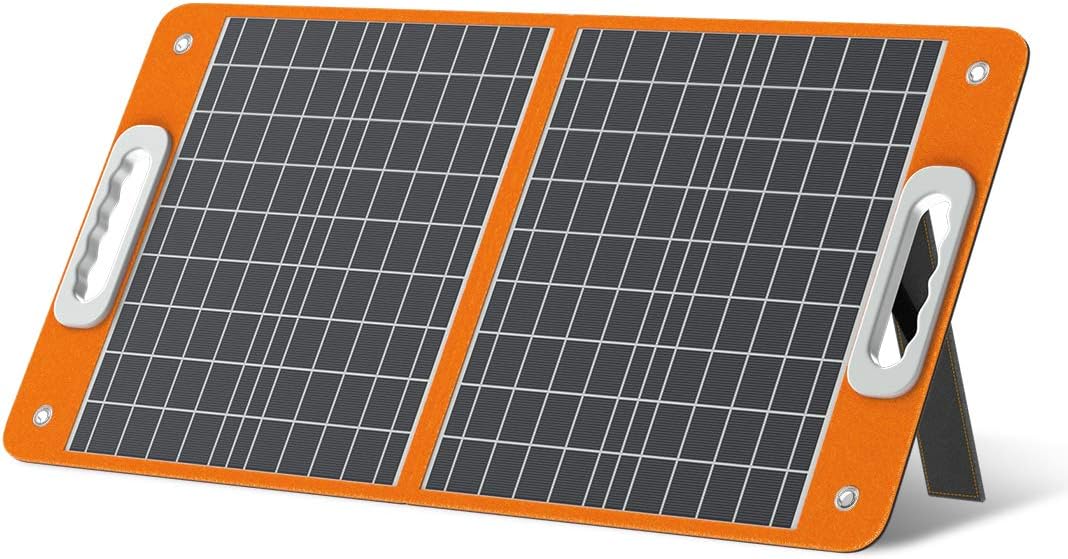
Image: The FF FLASHFISH 60W foldable solar panel shown fully open, displaying its solar cells.
- Foldable Design: Compact for easy transport and storage.
- Integrated Kickstands: Allows for optimal angling towards the sun to maximize charging efficiency.
- Multiple Output Options: Includes DC, USB-A (QC 3.0 18W), and USB-C (PD 45W) ports for direct device charging.
- High Cell Efficiency: Up to 23.5% conversion rate.
Setup
1. Initial Charging of the Power Station
Before first use, it is recommended to fully charge the power station. This ensures optimal battery performance and extends its lifespan.
- Connect the provided AC wall charger to the DC input port on the power station.
- Plug the AC wall charger into a standard wall outlet.
- The LCD display will show the charging status. The power station is fully charged when the battery indicator is full.
2. Connecting the Solar Panel
The 60W solar panel can be used to charge the power station or other compatible devices directly.
- Unfold the 60W solar panel and position it in direct sunlight. Use the integrated kickstands to adjust the angle for maximum sun exposure.
- Connect the solar panel's DC output cable to the DC input port on the power station. Use the appropriate connector if necessary.
- The LCD display on the power station will indicate incoming solar charging.

Image: The 60W solar panel demonstrating its two adjustable kickstands, allowing for optimal angle adjustment to capture maximum solar energy.
Operating Instructions
1. Charging the Power Station
- AC Wall Charger: Connect the AC adapter to the DC input port and a wall outlet.
- Solar Panel: Connect the solar panel to the DC input port. Ensure the panel is in direct sunlight and optimally angled.
- Car Charger (Optional): Use a compatible car charger (not included) to charge via the DC input port.
- Simultaneous Charging: The power station supports charging via AC and DC inputs simultaneously for faster charging, achieving a full charge in approximately 3 hours.
2. Using the Power Station Outputs
- AC Output: Press the AC ON/OFF button to activate the AC output. Plug in your AC-powered devices (e.g., laptop, mini-fridge) into the AC socket. Ensure the total power consumption does not exceed 300W.
- DC Output & USB Outputs: Press the DC/LIGHT ON/OFF button to activate the DC and USB outputs. Plug in your 12V DC devices or USB-compatible devices (phones, tablets) into the respective ports.
- LED Light: Press the DC/LIGHT ON/OFF button once for DC/USB, press again for the LED light, and a third time to turn off.
3. Pass-through Charging (UPS Function)
The FF230 power station features a UPS (Uninterruptible Power Supply) function. When the power station is connected to an AC wall outlet and devices are connected to its outputs, it can act as a backup power source. In the event of a power outage, the power supply will automatically switch from the wall outlet to the FF230 battery backup, ensuring continuous power to your connected devices without interruption.
4. Using the 60W Solar Panel
The solar panel can charge the power station or directly power/charge other devices.
- Positioning: Unfold the solar panel and use the integrated kickstands to angle it directly towards the sun. Adjust as the sun moves for maximum efficiency.
- Direct Device Charging: Connect your devices (e.g., smartphones, tablets) directly to the solar panel's USB-A (QC 3.0 18W) or USB-C (PD 45W) output ports. The solar panel also has a DC output (60W / 18V / 3.3A Max).

Image: The 60W solar panel displaying its multiple output options, including USB-C PD 45W, USB-A QC 3.0 18W, and DC output 60W, with cables connected to two smartphones.

Image: The 60W solar panel in an outdoor setting, highlighting its cell efficiency of up to 23.5% for effective power generation.
Maintenance
- Storage: Store the power station and solar panel in a cool, dry place, away from direct sunlight and extreme temperatures.
- Battery Care: To maintain battery health, recharge the power station every 3-6 months, even if not in use. This prevents deep discharge and prolongs battery lifespan.
- Cleaning: Use a dry, soft cloth to clean the exterior surfaces of both the power station and solar panel. Do not use liquids, abrasive cleaners, or harsh chemicals.
- Solar Panel Cleaning: Keep the solar panel surface clean from dust and debris to ensure maximum light absorption.
Troubleshooting
If you encounter issues with your FF FLASHFISH Portable Power Station, refer to the following common problems and solutions:
- Power Station Not Turning On:
- Ensure the battery is charged.
- Press and hold the main power button for a few seconds to turn on the unit.
- No Output from Ports (AC/DC/USB):
- Ensure the specific output (AC, DC, or USB) is activated by pressing its respective ON/OFF button.
- Check if the connected device exceeds the power station's output limits. Disconnect and try a lower-power device.
- Verify the cables are securely connected.
- Slow Charging or Not Charging:
- For AC charging, ensure the wall charger is properly connected and the wall outlet is functional.
- For solar charging, ensure the solar panel is in direct sunlight, optimally angled, and free from obstructions. Check all cable connections.
- The power station may enter a protection mode if the temperature is too high or too low. Allow it to return to a suitable operating temperature.
- Overload Protection Activated:
- If an output is overloaded (device draws too much power), the power station may automatically shut down to prevent damage.
- Disconnect the overloaded device, restart the power station, and connect devices within its specified power limits.
Specifications
| Model | FF230 (BP030B) |
| Battery Type | LiFePO4 |
| Battery Capacity | 230.4Wh |
| AC Output | 120V/60Hz, 300W (600W Peak), Modified Sine Wave |
| DC Output | 2 x 12V/10A |
| USB-A Output | 3 x 5V/2.4A |
| USB-C Output | 1 x 5V/3A |
| DC Input | Supports 50W AC input + 40W DC input simultaneously |
| Recharge Time | Approx. 3 hours (AC + DC simultaneous) |
| Solar Panel Power | 60W |
| Solar Panel Cell Efficiency | Up to 23.5% |
| Power Station Dimensions (L x W x H) | 217mm (8.5in) x 131mm (5.16in) x 147mm (5.79in) |
| Power Station Weight | 7.05 lbs (3.2 kg) |
| Solar Panel Folded Dimensions (L x W) | 45.6cm (17.9in) x 41.7cm (16.4in) |
| Solar Panel Unfolded Dimensions (L x W) | 45.6cm (17.9in) x 82.25cm (32.3in) |
| Solar Panel Weight | 4.2 lbs |
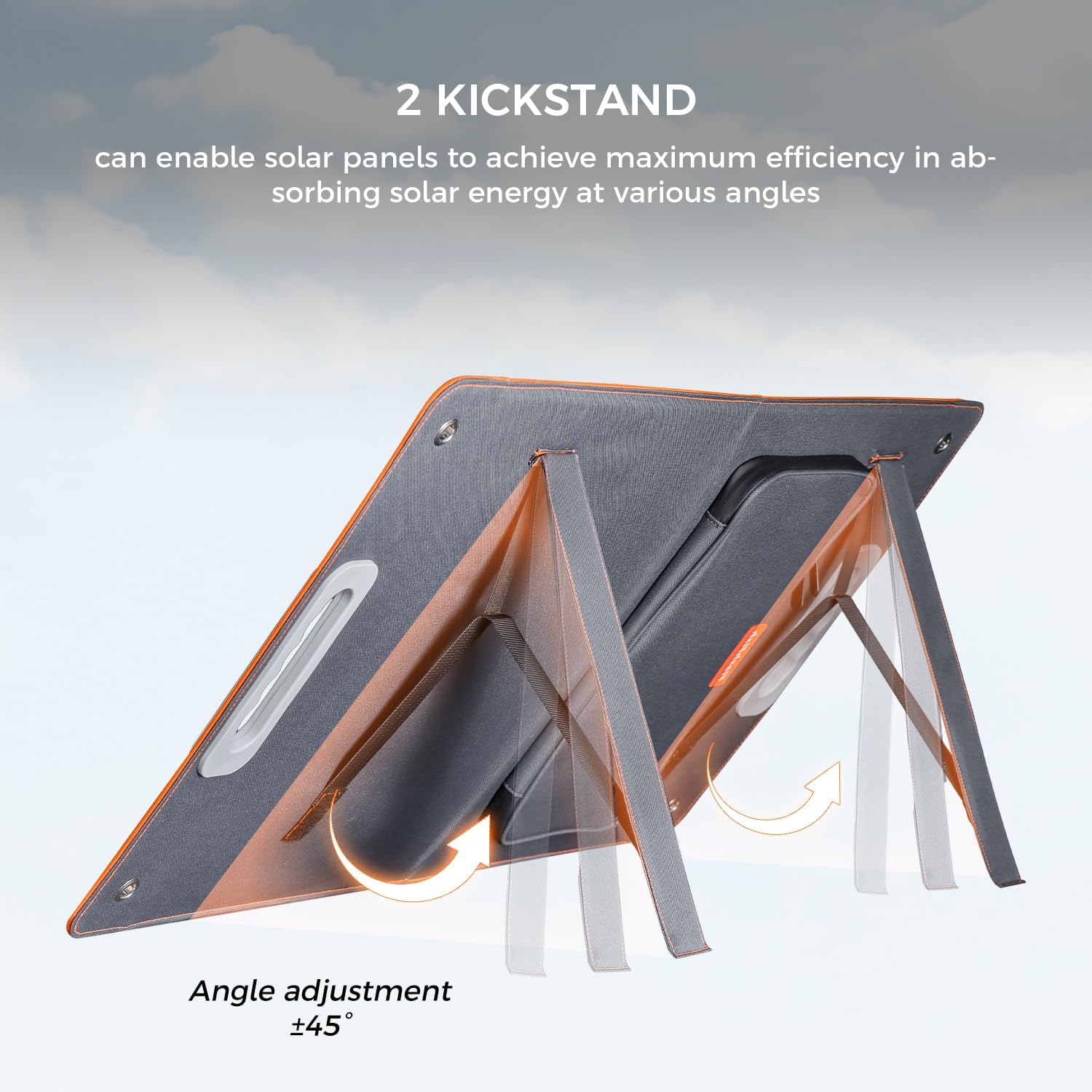
Image: Detailed dimensions of the 60W solar panel in both folded and unfolded states, along with a visual of the included DC connectors.
Warranty & Support
FF FLASHFISH products are designed and manufactured to the highest quality standards. For warranty information, technical support, or any questions regarding your product, please contact FF FLASHFISH customer service through the retailer where you purchased the product or visit the official FF FLASHFISH website for contact details.
Please have your model number (FF230) and purchase details ready when contacting support.
