
1. Introduction
Thank you for purchasing the Divoom Portable Bluetooth Speaker & Fast Charging Bundle. This manual provides detailed instructions for the safe and efficient use of your new devices. Please read this manual thoroughly before use and retain it for future reference.
2. Package Contents
- Divoom Portable Bluetooth Speaker
- Divoom Fast Charging Power Adapter
- USB-C Charging Cable (for speaker)
- USB-C to USB-C Cable (for charger, if included)
- User Manual
3. Product Overview - Portable Bluetooth Speaker
3.1 Key Features
- Superior Sound: Equipped with a unique dual-side bass design for deep, powerful audio.
- Wearable Design: Compact and lightweight, designed for easy attachment to bags or clothing.
- Outdoor Ready: IP67-rated for dust and water resistance, suitable for various environments.
- Extended Playtime: Up to 10 hours of battery life on a single charge.

Image 3.1: Internal view of the Divoom Portable Bluetooth Speaker, highlighting its dual-side bass design for enhanced audio performance.

Image 3.2: The Divoom Portable Bluetooth Speaker shown attached to a backpack strap, demonstrating its wearable and portable design.

Image 3.3: The Divoom Portable Bluetooth Speaker in water, illustrating its IP67 dust and water resistance for outdoor use.

Image 3.4: Multiple Divoom Portable Bluetooth Speakers displayed, emphasizing the 10-hour battery life for extended listening. Note: Playback time may vary based on volume, audio source, equalizer settings, and environmental conditions.
4. Product Overview - Fast Charging Power Adapter
4.1 Key Features
- High-Speed Charging: Delivers up to 65W fast charging for compatible devices.
- Multi-Port Design: Features multiple ports (e.g., USB-C, USB-A) to charge various devices simultaneously.
- Compact & Portable: Designed for travel with features like a 90° folding plug and a removable protective shoe cover.
- Pixel Interactive Screen: (If applicable to your model) Allows for custom pixel art display and interaction.

Image 4.1: A user charging an iPhone with the Divoom 65W Fast Charging Power Adapter, illustrating its rapid charging capability.

Image 4.2: The Divoom Fast Charging Power Adapter simultaneously charging a phone, laptop, and tablet, showcasing its 3-port capability.
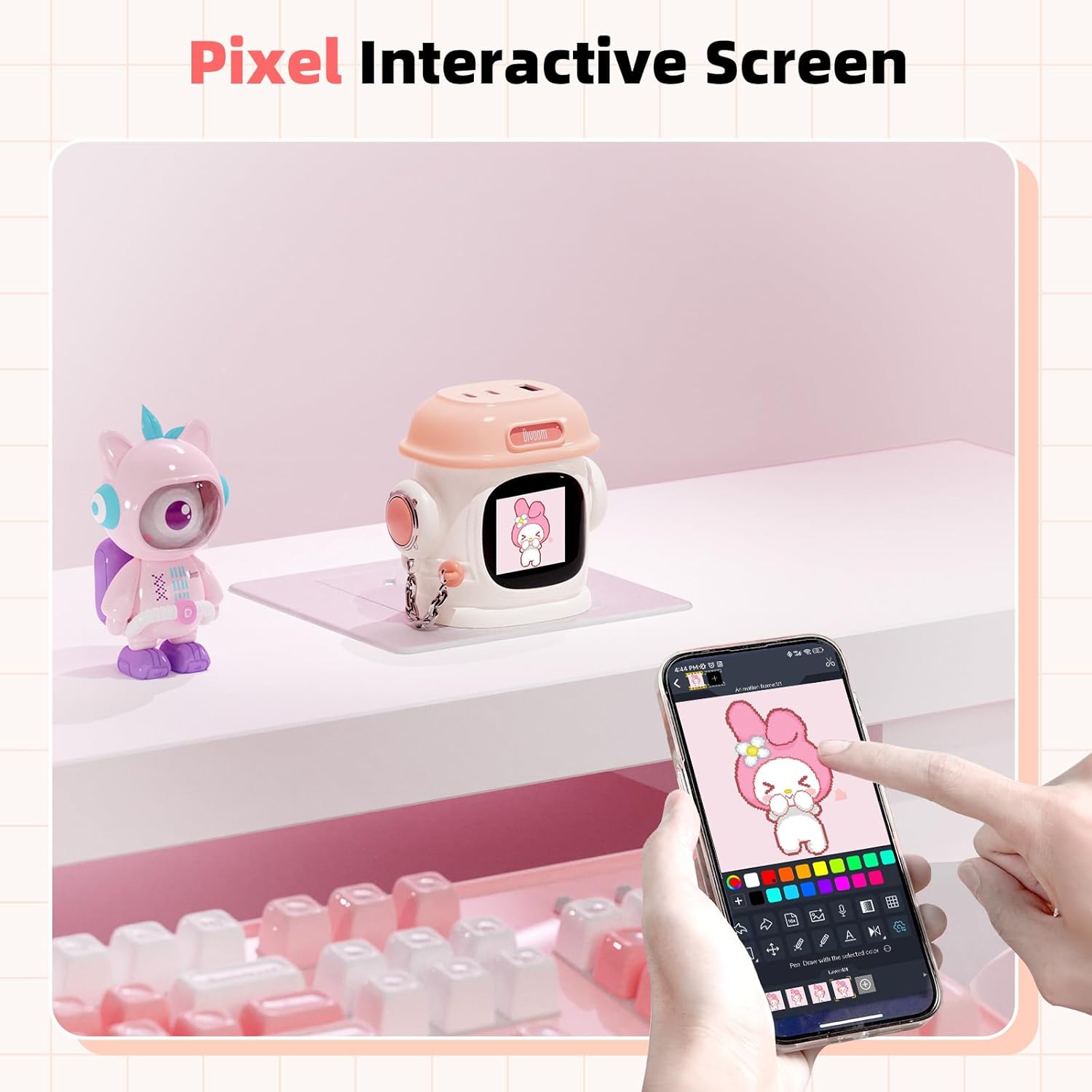
Image 4.3: The Divoom Fast Charging Power Adapter featuring its pixel interactive screen, displaying custom pixel art.

Image 4.4: A detailed breakdown of the Divoom Fast Charging Power Adapter's features, including its 90° folding plug, USB-C1 (65W), USB-C2 (65W), and USB-A (18W) ports, and a removable protective shoe cover.
5. Setup
5.1 Portable Bluetooth Speaker Setup
- Charge the Speaker: Before first use, fully charge the speaker using the provided USB-C cable and a compatible power source. The charging indicator will show its status.
- Power On: Press and hold the power button for a few seconds until you hear an audible cue or see an indicator light.
- Pairing Mode: The speaker will automatically enter Bluetooth pairing mode. The Bluetooth indicator light will flash.
- Connect Device: On your smartphone or other Bluetooth-enabled device, go to Bluetooth settings and select 'Divoom Speaker' from the list of available devices.
- Confirmation: Once connected, the speaker will provide an audible confirmation, and the Bluetooth indicator light will become solid.
5.2 Fast Charging Power Adapter Setup
- Plug In: Extend the folding plug and insert the power adapter into a standard wall outlet.
- Connect Devices: Use appropriate charging cables (USB-C to USB-C, USB-C to Lightning, USB-A to various) to connect your devices to the available ports on the adapter.
- Begin Charging: Charging will begin automatically. The adapter will intelligently distribute power to connected devices.
6. Operating Instructions
6.1 Portable Bluetooth Speaker Operation
- Power On/Off: Press and hold the power button.
- Volume Control: Use the '+' and '-' buttons on the speaker to adjust volume.
- Play/Pause: Press the power button once to play or pause music.
- Skip Tracks: Double-press the '+' button for next track, double-press '-' for previous track (functionality may vary by device).
- Answering Calls: Press the power button once to answer an incoming call. Press again to end the call.
6.2 Fast Charging Power Adapter Operation
- Charging: Connect your devices to the appropriate USB-C or USB-A ports. The adapter will automatically detect and deliver optimal charging power.
- Pixel Screen (if applicable): If your model features a pixel interactive screen, refer to the Divoom app for customization options, including displaying pixel art, animations, or notifications.
7. Maintenance
- Cleaning: Use a soft, dry cloth to clean the exterior of both devices. For the speaker, if it gets dirty during outdoor use, gently wipe it with a damp cloth. Do not use harsh chemicals or abrasive cleaners.
- Storage: Store the devices in a cool, dry place away from direct sunlight and extreme temperatures.
- Battery Care (Speaker): To prolong battery life, avoid fully discharging the speaker frequently. Charge it regularly, even if not in use for extended periods.
- Protective Cover (Charger): Ensure the removable protective shoe cover is in place when traveling to protect the prongs.
8. Troubleshooting
8.1 Portable Bluetooth Speaker
- No Power: Ensure the speaker is charged. Connect it to a power source and try again.
- Cannot Pair: Make sure the speaker is in pairing mode (flashing Bluetooth indicator). Turn off and on your device's Bluetooth. If issues persist, forget the device in your Bluetooth settings and try pairing again.
- No Sound: Check the volume levels on both the speaker and your connected device. Ensure the speaker is properly paired.
- Poor Sound Quality: Move the speaker closer to your device to reduce interference. Ensure there are no obstructions between the devices.
8.2 Fast Charging Power Adapter
- Not Charging: Ensure the adapter is securely plugged into a working wall outlet. Check that the charging cable is properly connected to both the adapter and your device. Try a different cable or port.
- Slow Charging: Ensure your device supports fast charging and that you are using a compatible cable. Some devices may limit charging speed if they are too hot or if multiple devices are connected.
- Pixel Screen Not Working (if applicable): Ensure the adapter is powered on. Check the Divoom app for connectivity and display settings.
9. Specifications
9.1 Portable Bluetooth Speaker
- Connectivity: Bluetooth
- Battery Life: Up to 10 hours (actual playtime varies by volume and content)
- Water Resistance: IP67 (dust and water resistant)
- Sound Features: Dual-side bass design
9.2 Fast Charging Power Adapter
- Input: AC 100-240V, 50/60Hz
- Output (USB-C1): Up to 65W
- Output (USB-C2): Up to 65W
- Output (USB-A): Up to 18W
- Total Output: 65W Max (dynamic power distribution)
- Plug Type: 90° Folding Plug
10. Safety Information
- Do not expose devices to extreme temperatures, direct sunlight, or open flames.
- Do not disassemble or attempt to repair the devices yourself. This will void the warranty and may cause damage or injury.
- Keep out of reach of children.
- Use only original or certified compatible charging cables and accessories.
- Avoid dropping or subjecting the devices to strong impacts.
- For the speaker, while it is water-resistant, avoid prolonged submersion or exposure to saltwater. Ensure charging port is dry before charging.
11. Warranty and Support
Divoom products are covered by a limited warranty. For specific warranty terms and conditions, please refer to the warranty card included with your purchase or visit the official Divoom website. For technical support, troubleshooting assistance, or to inquire about warranty claims, please contact Divoom customer service through their official channels.
Website: www.divoom.com


