
1. Introduction
The Kooduu Synergy is a versatile 3-in-1 device combining an LED lamp, a Bluetooth speaker, and a drink holder. Designed for both indoor and outdoor use, it offers warm ambient lighting, high-fidelity sound, and a convenient space for beverages. This manual provides essential information for the safe and efficient operation of your Synergy device.

The Kooduu Synergy provides light, sound, and a built-in container for various settings.
2. Safety Information
Please read all safety instructions before using the Kooduu Synergy. Keep this manual for future reference.
- Do not expose the device to extreme temperatures or direct sunlight for prolonged periods.
- This product is not waterproof. Avoid direct contact with water or other liquids.
- Use only the provided USB-C charging cable.
- Do not attempt to disassemble, repair, or modify the device. This will void the warranty.
- Keep out of reach of children.
- Ensure the device is placed on a stable, flat surface to prevent tipping.
3. Package Contents
Verify that all items are present in the package:
- Kooduu Synergy 3-in-1 Device
- USB-C Charging Cable
- User Manual
- Legs (for assembly)
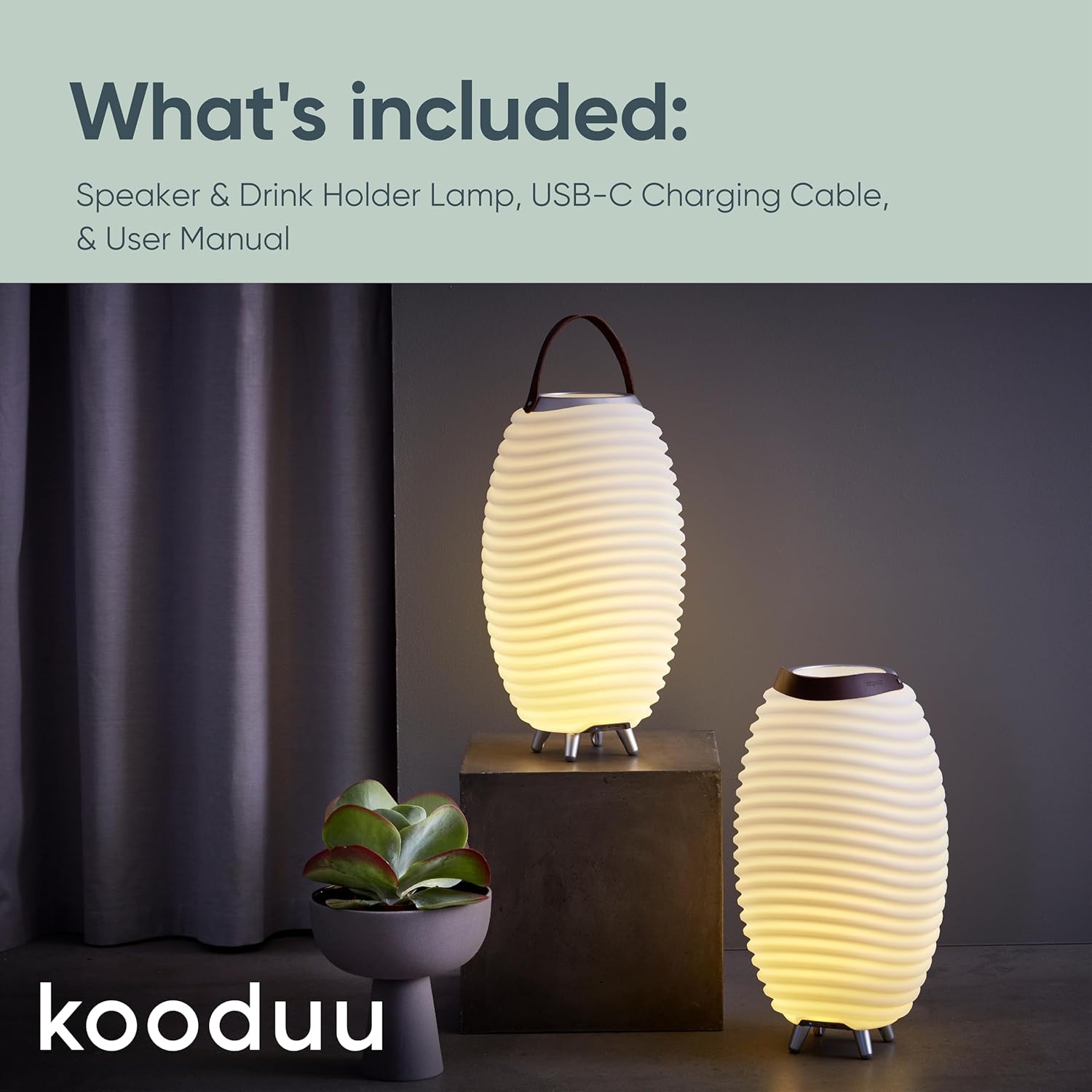
Contents included in the Kooduu Synergy package.
4. Setup
4.1 Assembly
The Kooduu Synergy requires minimal assembly. Attach the provided legs to the base of the unit using a screwdriver. Ensure they are securely fastened for stability.
Video demonstrating the assembly and setup process for the Kooduu Synergy lamp.
4.2 Charging the Device
Before first use, fully charge your Kooduu Synergy. Connect the USB-C charging cable to the charging port on the base of the device and plug the other end into a compatible USB power adapter (not included). The charging indicator light will show the charging status.

The Kooduu Synergy is rechargeable via its USB-C port.
5. Operating Instructions
5.1 Power On/Off
Press and hold the power button on the base of the device for 2-3 seconds to turn the Synergy on or off.
5.2 LED Lighting Control
The Synergy features dimmable LED lighting with four intensity levels. Briefly press the light button on the base to cycle through the brightness settings (low, medium, high, off).

Set the perfect mood with the Synergy's dimmable LED lighting.
5.3 Bluetooth Speaker Pairing
- Ensure the Synergy is powered on and the Bluetooth indicator light is blinking, indicating it's in pairing mode.
- On your smartphone, tablet, or other Bluetooth-enabled device, go to the Bluetooth settings.
- Select "Synergy 50" from the list of available devices.
- Once connected, the Bluetooth indicator light will turn solid blue, and you can begin playing audio.
5.4 True Wireless Stereo (TWS) Pairing
To pair two Kooduu Synergy devices for a stereo sound experience:
- Ensure both Synergy devices are powered on and not connected to any other Bluetooth device.
- On one Synergy device (this will be the primary unit), press and hold the Bluetooth button for 3-5 seconds until you hear a pairing tone.
- The two devices will automatically connect to each other. Once connected, the primary unit's Bluetooth indicator will blink, and the secondary unit's indicator will be solid.
- Now, connect your audio source (smartphone, tablet) to the primary Synergy unit via Bluetooth as described in section 5.3.

Enhance your sound experience by pairing two Synergy units for True Wireless Stereo.
5.5 Drink Holder Function
The integrated compartment at the top of the Synergy can be used to hold drinks. It is designed to fit up to two standard bottles. For best results, use ice to keep beverages chilled. Ensure the compartment is clean and dry after use.

The Synergy's built-in container can hold drinks, making it ideal for social gatherings.
6. Maintenance
- Cleaning: Wipe the exterior with a soft, damp cloth. Do not use abrasive cleaners or solvents. Ensure the device is off and unplugged before cleaning.
- Battery Care: To prolong battery life, avoid fully discharging the battery frequently. Recharge the device regularly, even if not in use for extended periods.
- Storage: Store the Synergy in a cool, dry place away from direct sunlight when not in use.
7. Troubleshooting
| Problem | Possible Solution |
|---|---|
| Device does not power on. | Ensure the device is charged. Connect to power and try again. |
| No sound from speaker. | Check Bluetooth connection. Ensure volume on both the Synergy and your connected device is turned up. |
| Bluetooth not connecting. | Ensure the Synergy is in pairing mode (blinking blue light). Turn off and on Bluetooth on your device. Move closer to the Synergy. |
| Light not working. | Press the light button to cycle through brightness levels. Ensure the device is charged. |
| TWS pairing failed. | Ensure both units are not connected to other devices. Repeat TWS pairing steps carefully. |
8. Specifications
| Feature | Detail |
|---|---|
| Model Name | Synergy |
| Model Number | 1208-02 |
| Dimensions | 16"D x 28.25"W x 16"H |
| Item Weight | 14.17 pounds |
| Material | Plastic Body |
| Speaker Type | Outdoor |
| Speaker Output Power | 10 Watts |
| Wireless Technology | Bluetooth |
| Power Source | Battery Powered (1 Nonstandard Battery included) |
| Battery Capacity | 2600 mAh |
| Control Method | Push Button |
| Recommended Uses | Indoor/Outdoor |
| Waterproof | No |

Dimensions of the Kooduu Synergy models.
9. Warranty and Support
The Kooduu Synergy comes with a 1 Year Limited Warranty from the date of purchase. This warranty covers manufacturing defects and workmanship under normal use. It does not cover damage caused by misuse, accidents, unauthorized modifications, or failure to follow the instructions in this manual.
For warranty claims or technical support, please contact the retailer where you purchased the product or visit the official Kooduu website for contact information.


