Introduction
This manual provides essential instructions for the safe and efficient operation, maintenance, and troubleshooting of your OUKITEL P1000 Plus Portable Power Station and accompanying 200W Solar Panel. Please read this manual thoroughly before using the product to ensure optimal performance and longevity.
Package Contents
Upon unboxing, verify that all items listed below are present and in good condition:
- OUKITEL P1000 Plus Portable Power Station
- 200W Solar Panel
- AC Charging Cable
- Car Charging Cable
- Solar Charging Cable
- User Manual (this document)
Note: Due to the weight of the product, the power station and solar panel may be delivered in separate packages.
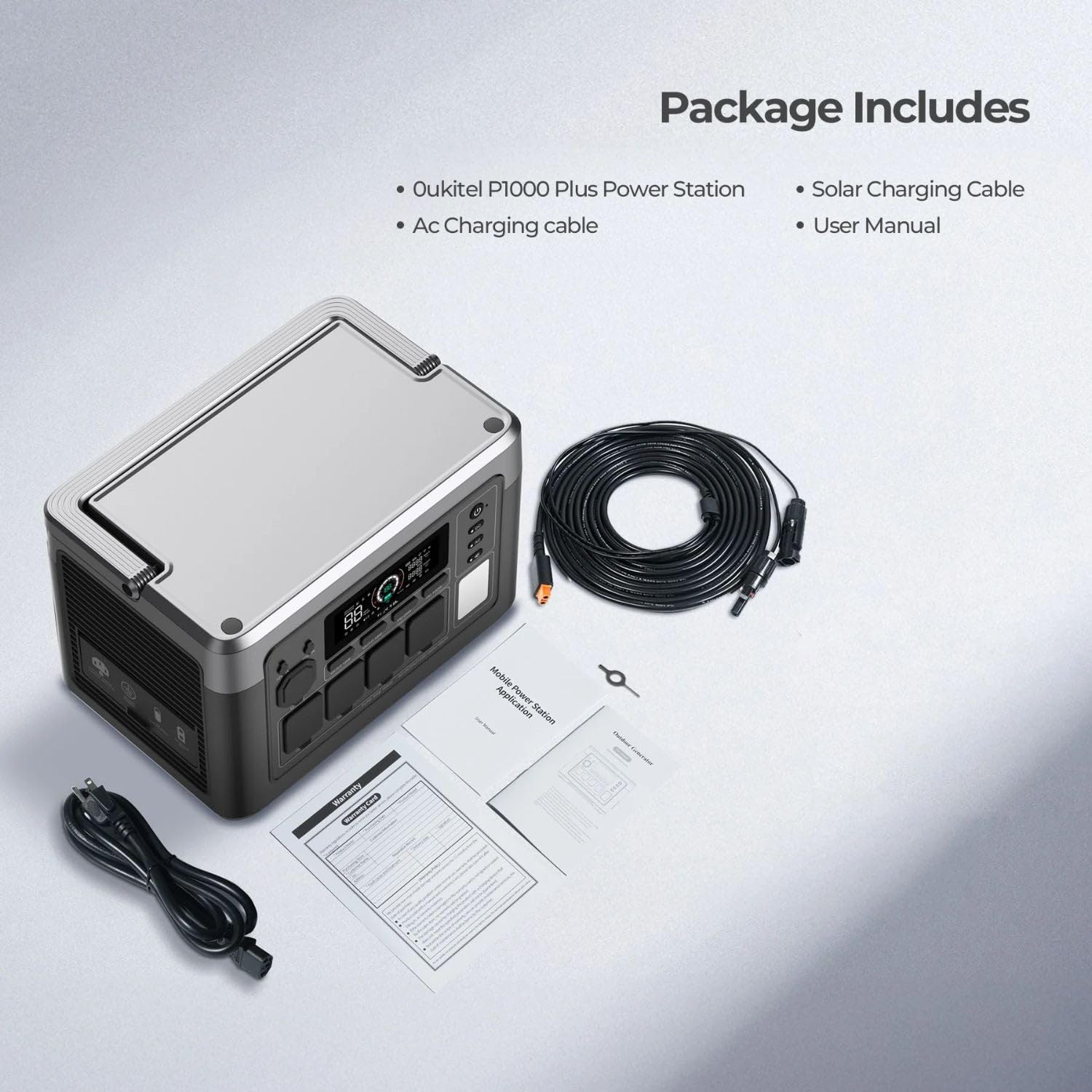
Image: OUKITEL P1000 Plus Portable Power Station and included accessories.
Product Features
- High Power Output & Capacity: The P1000 Plus offers an 1800W (3600W peak) AC output and a 1024Wh LiFePO4 battery capacity, suitable for various appliances.
- Rapid Charging: Achieves 0-100% charge in approximately 1 hour using 1200W AC input. Supports up to 500W solar input for efficient charging.
- Durable LiFePO4 Battery: Equipped with LiFePO4 batteries, providing over 3500 charge cycles and a lifespan exceeding 10 years.
- Smart App Control: Monitor and control the power station remotely via a dedicated smartphone application, checking power levels, input/output, charging time, and battery temperature.
- Multiple Output Ports: Features 11 output ports including 4 AC outlets, 2 USB-A Quick Charge 3.0 ports, 2 USB-C PD ports (20W, 100W), 2 DC outlets, and 1 cigarette lighter port.
- Uninterruptible Power Supply (UPS): Provides seamless power switching within 0.01 seconds during outages, protecting sensitive electronics.
- Advanced Battery Management System (BMS): Monitors voltage, current, and temperature for safe and secure operation.
- Quiet Operation: Operates at less than 29 dB when output is below 500W, ensuring minimal disturbance.
- Integrated LED Lighting: Features 3 LED modes (steady light, SOS, flashing) for various lighting needs.
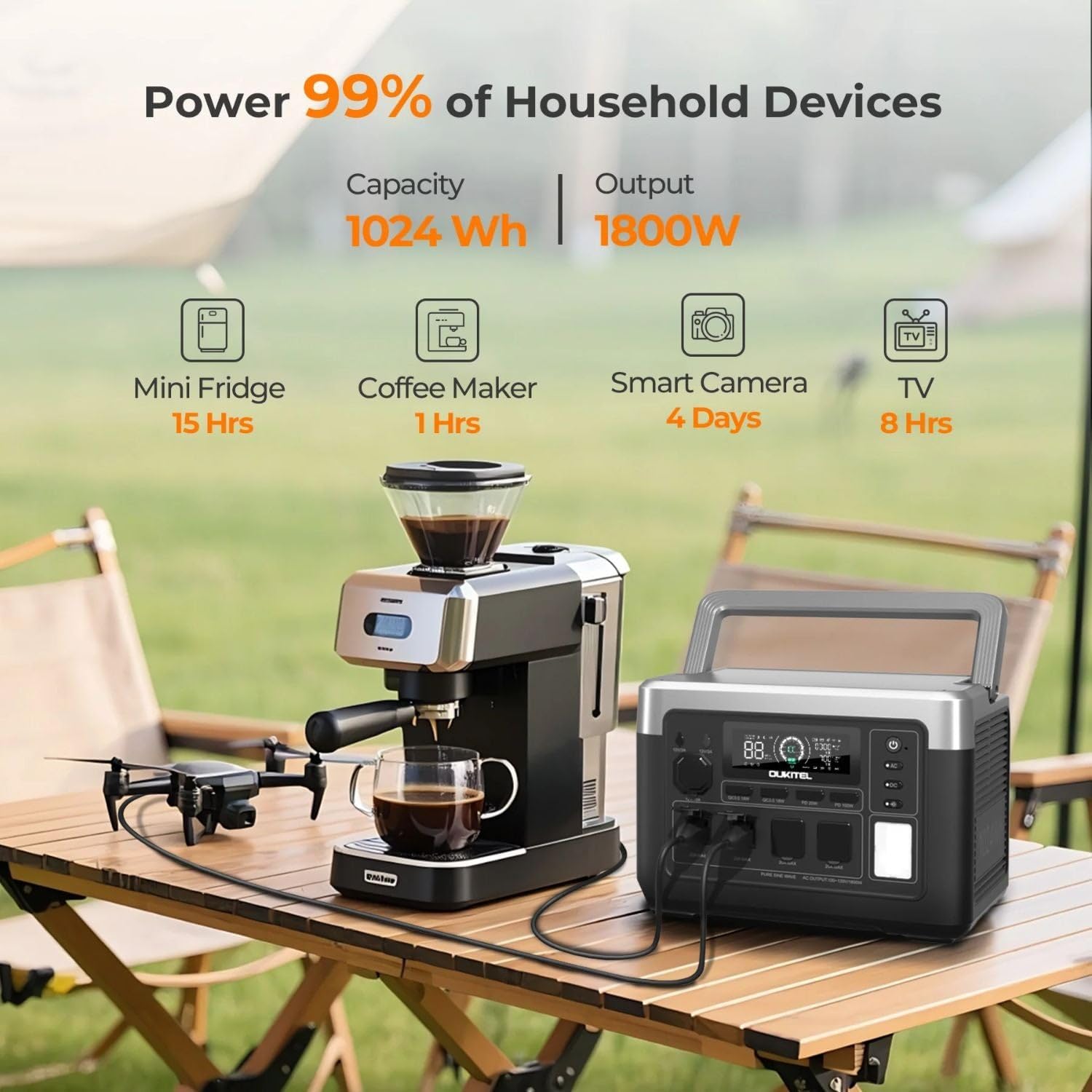
Image: OUKITEL P1000 Plus powering common devices, highlighting its capacity and output.

Image: Advanced LiFePO4 battery technology and BMS for safety and longevity.
Setup Guide
- Unpack: Carefully remove all components from the packaging. Retain packaging for future storage or transport.
- Initial Charge: Before first use, fully charge the P1000 Plus using the AC charging cable. Connect the AC charging cable to the power station's AC input port and then to a standard wall outlet. The display will indicate charging status.
- Solar Panel Setup (Optional): If using the 200W Solar Panel, unfold it and position it in direct sunlight. Connect the solar charging cable from the panel to the power station's solar input port.
- Download App: For smart control features, download the "Wonderfree" app from your smartphone's app store.

Image: OUKITEL P1000 Plus connected for AC charging.
Operating Instructions
Powering On/Off
Press and hold the main power button for a few seconds to turn the unit on or off. The display screen will illuminate upon activation.
Charging the Power Station
- AC Charging: Connect the AC charging cable to the power station and a wall outlet. The unit supports 1200W fast charging.
- Solar Charging: Connect the 200W solar panel (or other compatible solar panels up to 500W) using the solar charging cable. Ensure panels are in direct sunlight for optimal charging.
- Car Charging: Use the car charging cable to connect the power station to your vehicle's 12V cigarette lighter port.
- AC + Solar Charging: For the fastest charging, combine AC and solar inputs.

Image: Various charging methods for the OUKITEL P1000 Plus.
Using Output Ports
To use a specific output type (AC, DC, USB), press the corresponding button (AC, DC, USB) on the power station to activate it. The display will show active outputs.
- AC Outlets: Plug in standard household appliances. The P1000 Plus provides 1800W continuous power.
- USB Ports: Connect USB devices for charging. Includes USB-A Quick Charge 3.0 and USB-C Power Delivery ports.
- DC Outlets & Cigarette Lighter: Use for 12V DC powered devices.

Image: Optimized and versatile output ports on the OUKITEL P1000 Plus.
Smart App Control
After downloading the "Wonderfree" app, connect your smartphone to the power station via Wi-Fi or Bluetooth. The app allows you to:
- Monitor real-time power levels, input, and output.
- Adjust charging speeds.
- Check battery temperature.
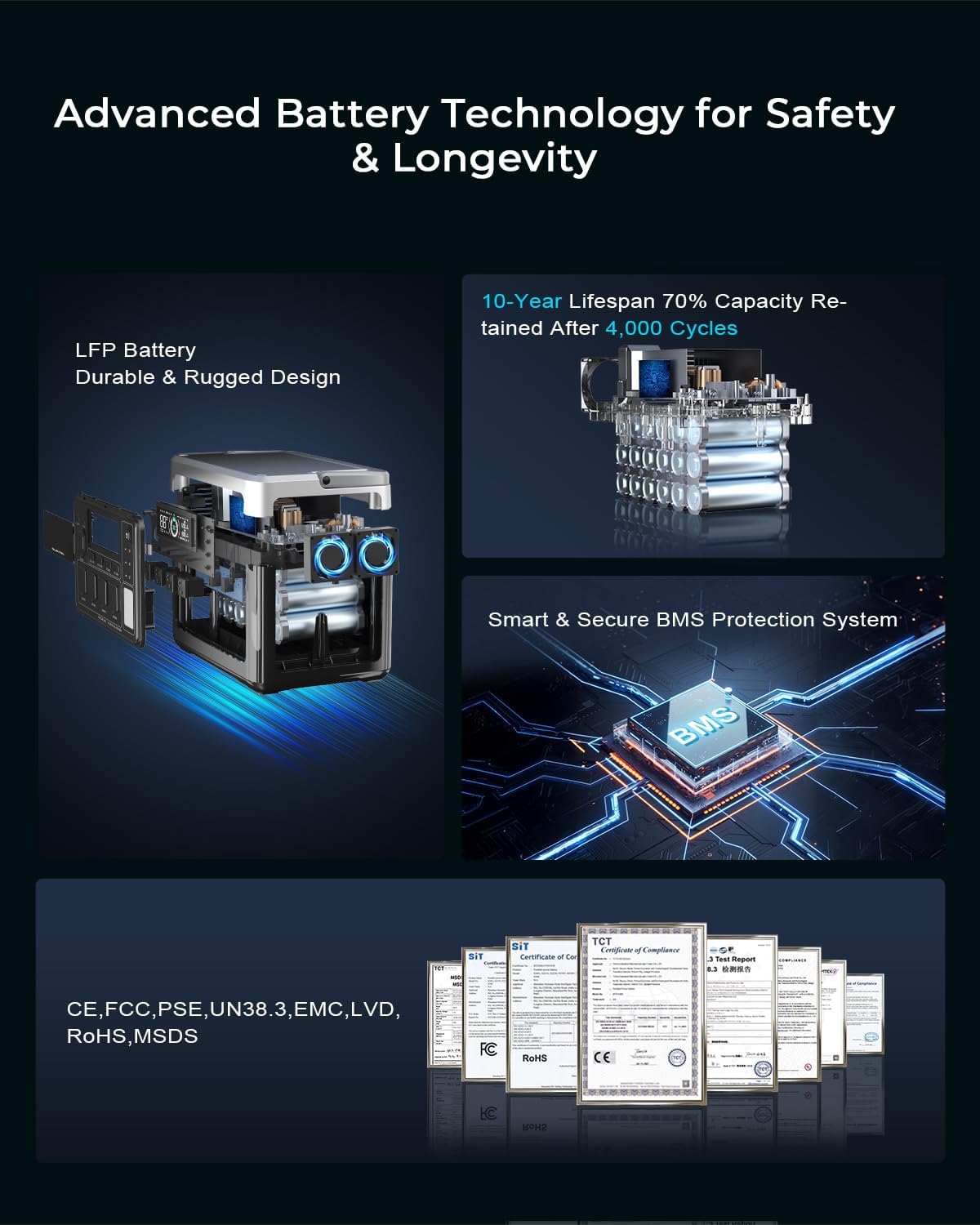
Image: Easy app control interface for the OUKITEL P1000 Plus.
Uninterruptible Power Supply (UPS) Function
When the P1000 Plus is connected to an AC wall outlet and also has devices plugged into its AC outputs, it functions as a UPS. In case of a power outage, the unit will automatically switch to battery power within 0.01 seconds, ensuring continuous operation for connected devices.

Image: OUKITEL P1000 Plus providing seamless UPS backup power.
LED Lighting Modes
The power station includes an integrated LED light with three modes: steady illumination, SOS signal, and flashing. Press the dedicated LED button to cycle through these modes.

Image: OUKITEL P1000 Plus used for quiet, portable power during camping.
Maintenance
- Cleaning: Use a dry, soft cloth to clean the exterior of the power station. Do not use abrasive cleaners or immerse the unit in water.
- Storage: Store the power station in a cool, dry place away from direct sunlight and extreme temperatures. For long-term storage, charge the unit to approximately 50-80% every 3-6 months to preserve battery health.
- Battery Care: Avoid fully discharging the battery frequently. While LiFePO4 batteries are robust, maintaining a charge above 20% when possible can extend overall lifespan.
- Ventilation: Ensure the ventilation openings are clear and unobstructed during operation to prevent overheating.
Troubleshooting
| Problem | Possible Cause | Solution |
|---|---|---|
| Unit does not power on | Battery is fully discharged; Power button not pressed correctly. | Charge the unit via AC. Press and hold the power button firmly for 3-5 seconds. |
| No output from AC/DC/USB ports | Output port not activated; Device draws too much power; Overload protection triggered. | Press the corresponding AC/DC/USB button to activate. Check device wattage. Disconnect device, restart unit. |
| Slow charging speed | Low input power (e.g., cloudy weather for solar); Charging cable issue. | Ensure strong input source. Use original charging cables. Consider combined AC+Solar charging. |
| App not connecting | Bluetooth/Wi-Fi off; App not updated; Unit too far from phone. | Ensure Bluetooth/Wi-Fi is enabled. Update app. Move phone closer to the unit. Restart app/unit. |
Technical Specifications
- Model Name: P1000 Plus+PV200
- Brand: OUKITEL
- Battery Type: LiFePO4
- Capacity: 1024Wh
- AC Output: 1800W (3600W Peak)
- AC Input: 1200W (Fast Charging)
- Solar Input: Up to 500W
- USB-A Output: 2x Quick Charge 3.0 (18W each)
- USB-C Output: 1x PD 20W, 1x PD 100W
- DC Output: 2x DC outlets, 1x Cigarette Lighter (12V)
- UPS Switching Time: 0.01s
- Dimensions: 12.99"L x 8.66"W x 9.05"H
- Weight: 25 Pounds
- Material: Aluminum, Plastic
Visual Guides
OUKITEL P1000 Plus Power Station Overview
Video: A brief demonstration of the OUKITEL P1000 Plus Portable Power Station, showcasing its use for home and camping scenarios.
P1000 Plus 1800W Solar Generator Features
Video: An overview of the OUKITEL P1000 Plus 1800W Solar Generator, highlighting its key functionalities and benefits.
Warranty and Support
The OUKITEL P1000 Plus Portable Power Station comes with a 2-year warranty from the date of purchase. This warranty covers manufacturing defects and ensures free repairment within the warranty period.
Support Information:
- Return/Replacement Policy: Eligible for worry-free return/replacement within 30 days of purchase.
- Repair Service: Free repairment within two years from the order date. Contact OUKITEL customer service to obtain a return label for repairs.
- Repair Duration: Typically takes 1-2 weeks to complete. Note: Water damage due to deliberate human factor is not covered under free repairment.
- Geographic Coverage: Repair services are available in the USA and Western Europe.
For further assistance or inquiries, please contact OUKITEL Official US customer service.