
1. Introduction
Welcome to your new BooaBei Smart Watch T56. This manual provides detailed instructions on how to set up, operate, and maintain your device, ensuring you get the most out of its advanced features and enjoy a smarter, healthier lifestyle.
2. What's in the Box
- BooaBei smartwatch*1
- Comfortable silicone strap*1
- Magnetic charging cable*1
- User manual*1
3. Setup
3.1 Initial Charging
Before first use, ensure your BooaBei Smart Watch is fully charged. Connect the magnetic charging cable to the charging points on the back of the watch. Connect the USB end to a power adapter (not included) or a computer USB port. A full charge typically takes approximately 2 hours.
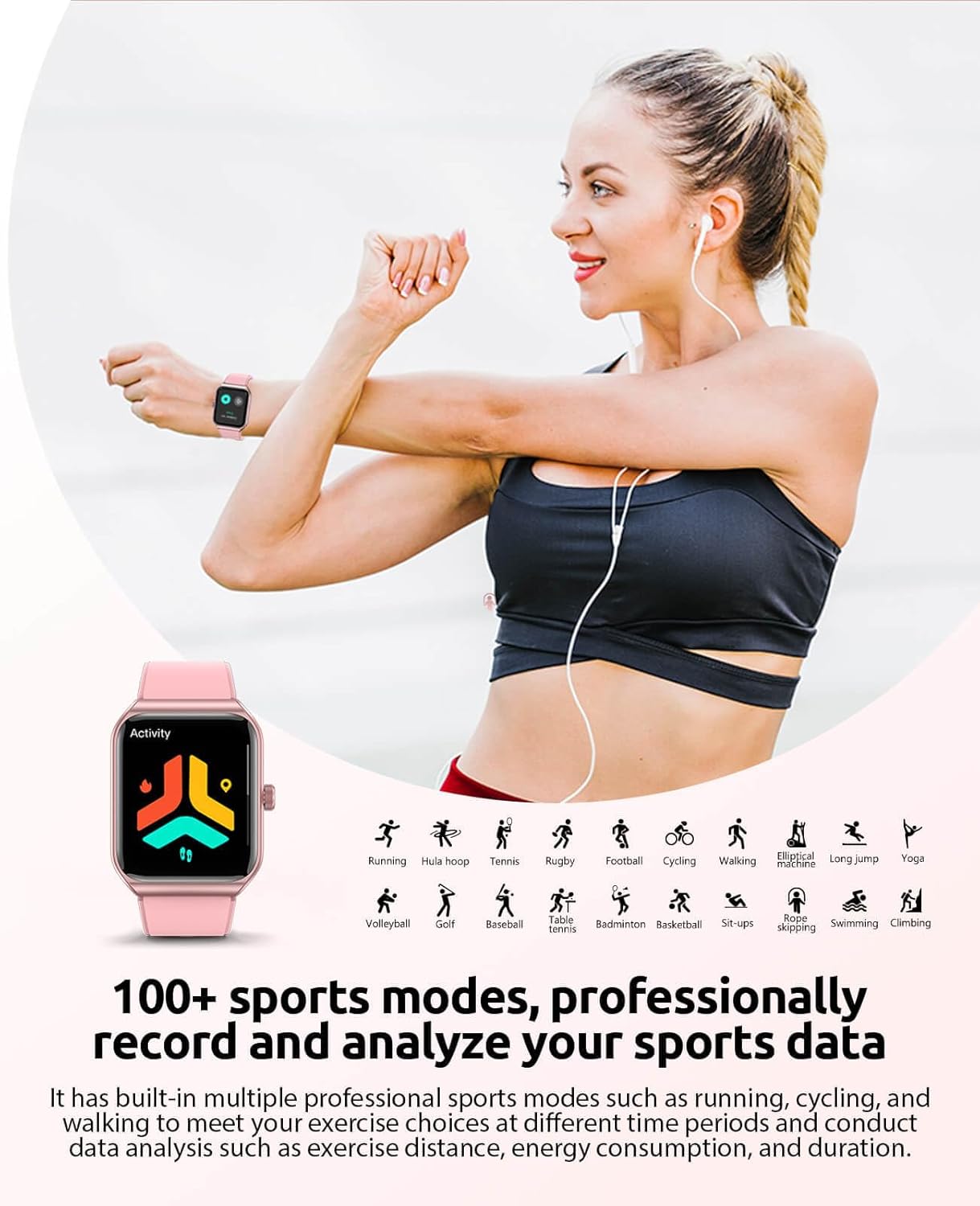
Figure 3.1: Smart Watch T56 during charging, showing the magnetic charging cable connection.
3.2 App Installation and Pairing
To unlock the full potential of your smartwatch, download the companion app. Scan the QR code provided in the physical manual or search for "BooaBei Smart Watch" in your smartphone's app store (compatible with Android 4.4+ and iOS 9.0+).
Once installed, open the app and follow the on-screen instructions to pair your watch. Ensure Bluetooth is enabled on your smartphone and the watch is nearby. The app will guide you through the connection process. Upon successful pairing, the watch will automatically synchronize time, date, and data with your phone.
Video 3.2: Official BooaBei Smart Watch Introduction, demonstrating various features and app interaction.
4. Operating Your Smart Watch
4.1 Basic Navigation
The 1.91-inch HD touchscreen provides a clear and responsive interface. Swipe left or right to navigate through different function screens. Swipe up from the bottom for notifications and down from the top for quick settings. Press the side button to return to the home screen or wake the device.
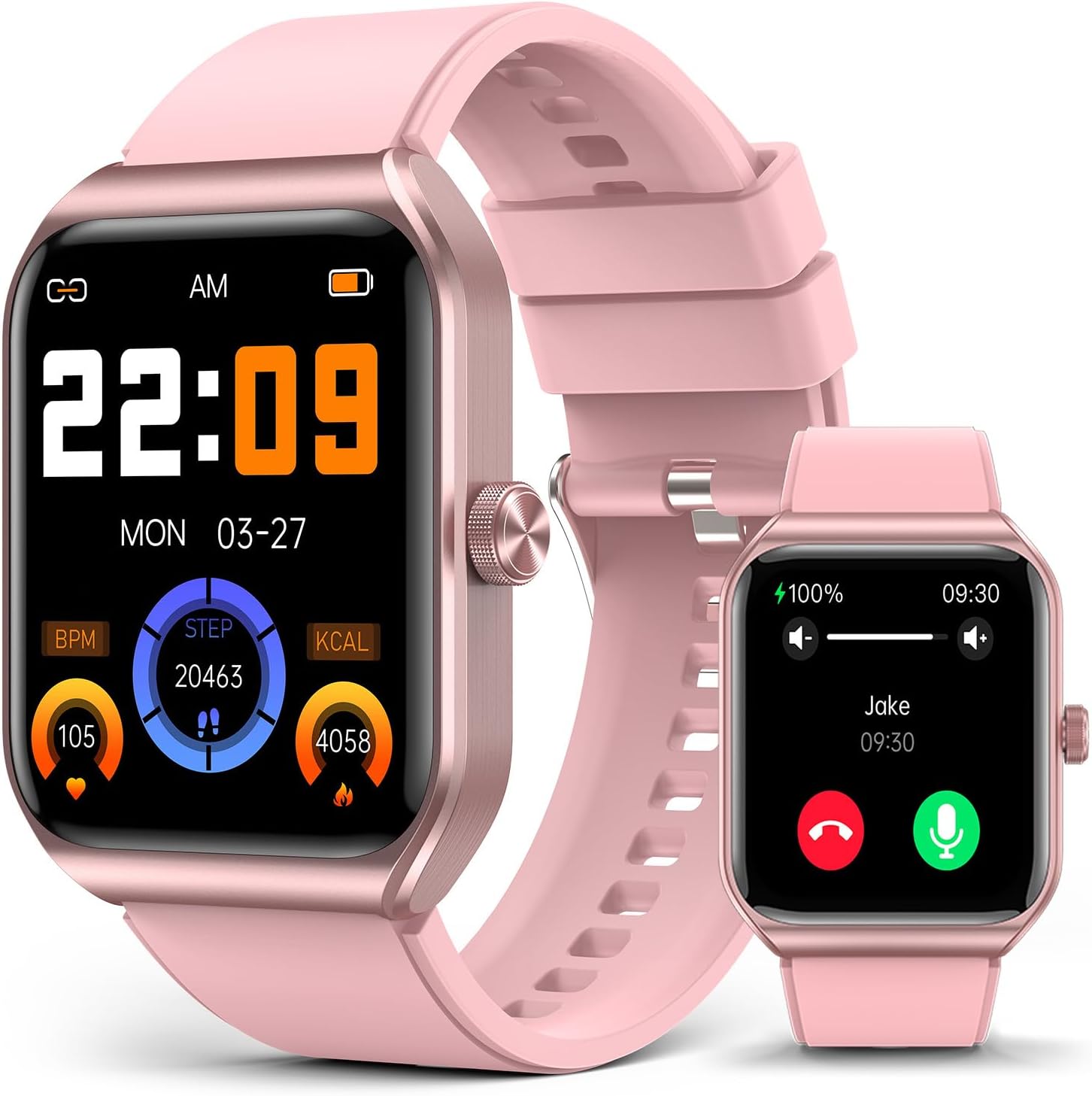
Figure 4.1: The BooaBei Smart Watch T56 displaying its main watch face with health metrics.
4.2 Smart Voice & Dual-mode Bluetooth
Your smartwatch is equipped with a smart voice assistant. Activate it through the watch interface or by pressing and holding the side button. With dual-mode Bluetooth technology, you can make and receive calls directly from your wrist, and synchronize messages, transforming your watch into a portable smart control center.
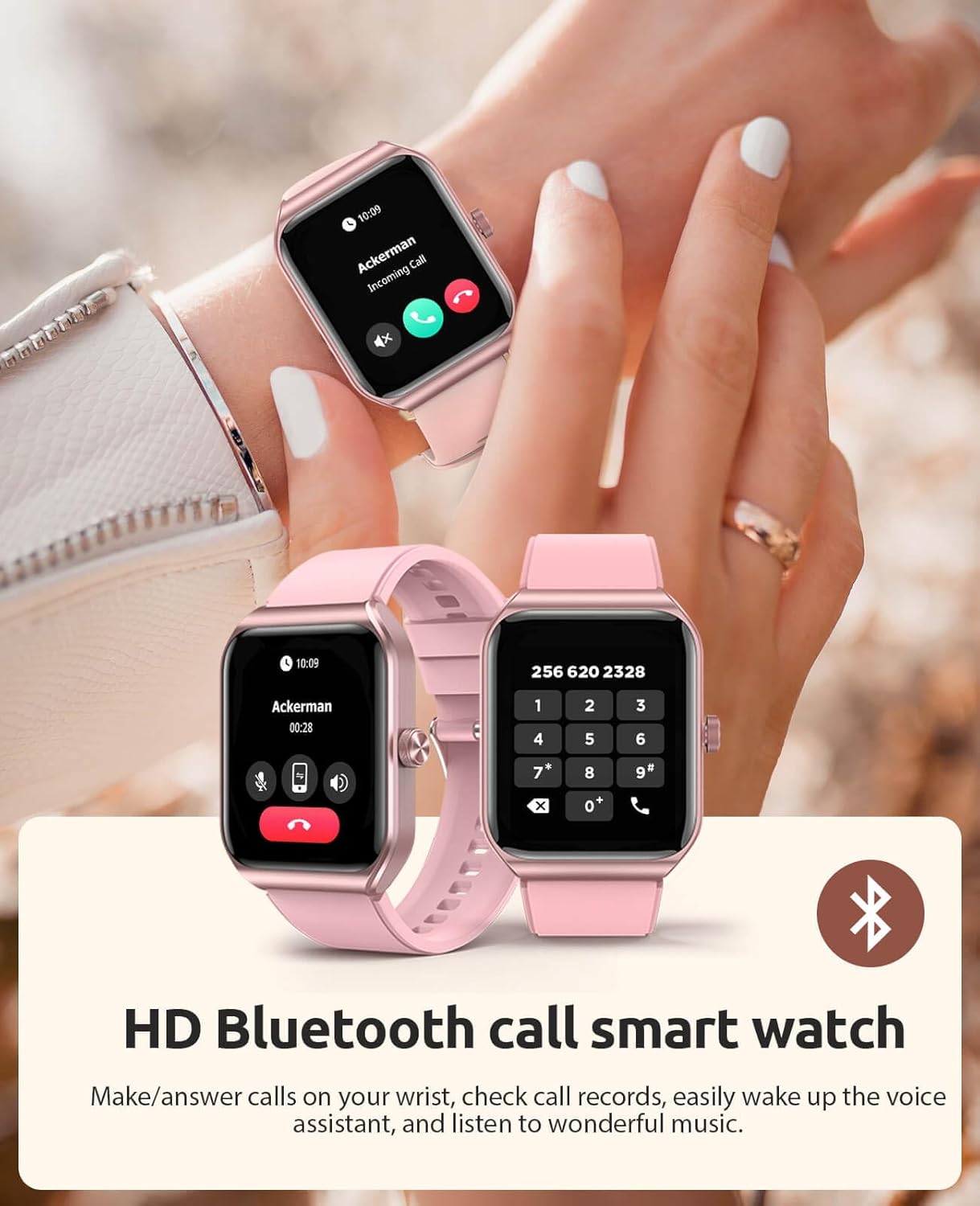
Figure 4.2: The Smart Watch T56 displaying an incoming Bluetooth call.
4.3 Health Monitoring
The BooaBei Smart Watch features built-in advanced sensors and an AI intelligent algorithm to help you better control your physical and mental health.
- Heart Rate Monitoring: Accurately monitors your heart rate in real-time, helping you optimize exercise intensity and track your cardiovascular health.
- Blood Oxygen Monitoring: Measures your blood oxygen saturation levels (SpO2).
- Blood Pressure Monitoring: Provides blood pressure readings for reference. Note: This feature is for reference only and should not replace professional medical advice.
- Sleep Monitoring: Tracks your sleep patterns, including deep sleep, light sleep, and wake times. Intelligent sleep analysis helps you improve your sleep quality.
- Stress Monitoring & Breathing Exercises: Monitors stress levels and offers guided breathing exercises to help you relax and manage stress.
- Body Temperature Detection: Measures your body temperature.
- Women's Health Management: Track your menstrual cycle and receive timely reminders for your fertile period and other cycle phases.
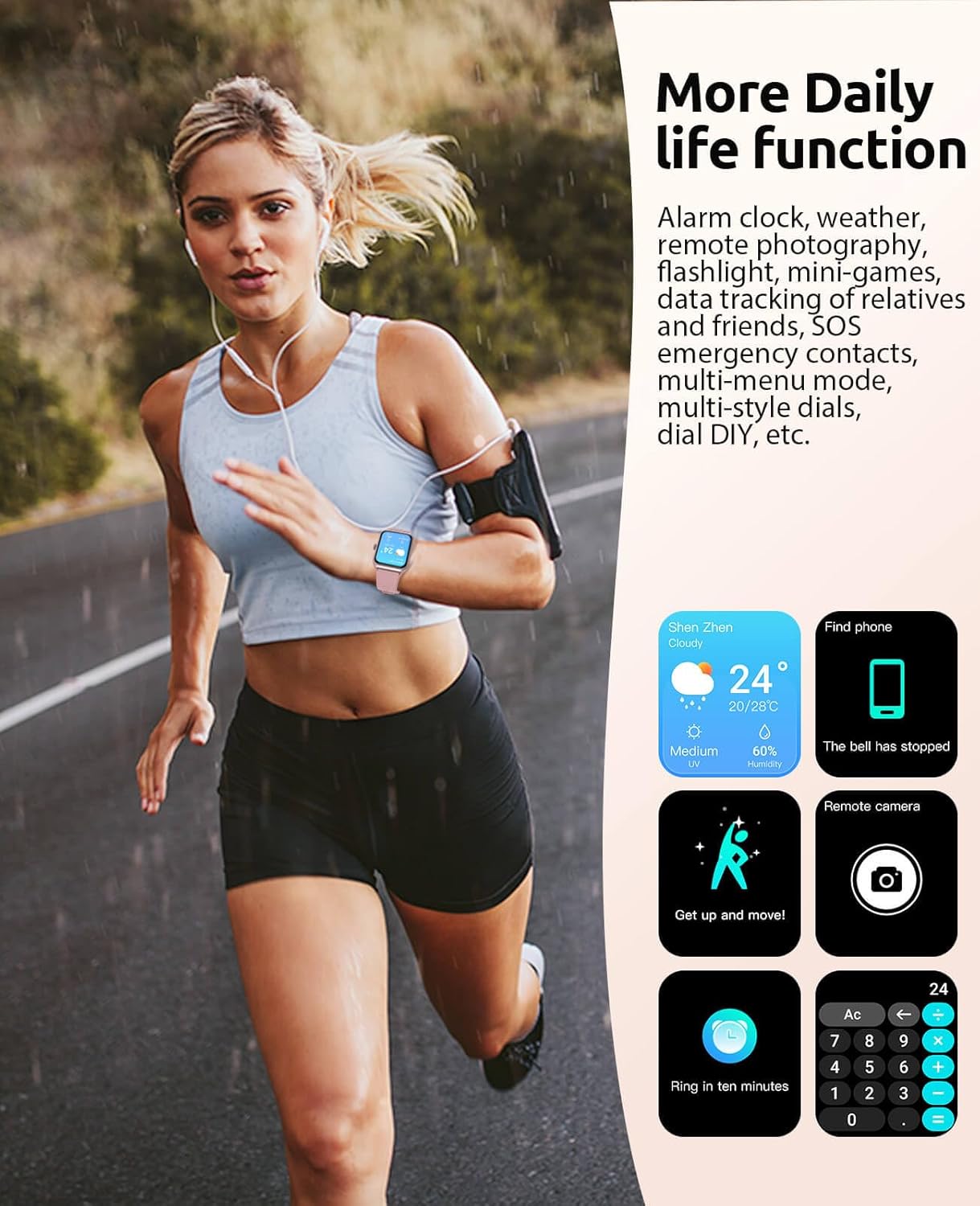
Figure 4.3: Health data monitoring features displayed on the watch and companion app.

Figure 4.4: The Smart Watch T56 supports women's health management features.
4.4 Sports Modes
With over 100 built-in exercise modes, including running, cycling, strength training, skiing, surfing, yoga, and more, your watch accurately monitors every heartbeat and movement to help you improve your fitness. Leveraging your phone's GPS, it provides real-time guidance for outdoor activities. Daily monitoring of steps, calories burned, and exercise duration, combined with 7-day trend analysis, helps you adjust your goals and visualize your progress.

Figure 4.5: The Smart Watch T56 offers over 100 scientific sports modes.
4.5 Customization
Personalize your watch with a variety of artistic watch faces available through the companion app. You can also create custom dials using your own photos, adapting the wearable to your pace and style.
4.6 Other Practical Functions
The watch includes a range of practical functions to simplify your daily life, such as alarm clock, weather forecast, stopwatch, timer, flashlight, calculator, and leisure games. The SOS emergency alert function allows you to quickly dial for help in critical situations. You can also remotely control your smartphone camera for convenient photo taking.

Figure 4.6: The Smart Watch T56 offers various daily life functions for convenience.
5. Maintenance
5.1 Waterproofing Guidelines
The BooaBei Smart Watch is IP68 waterproof, designed to withstand sweat, rain, and splashes. It is suitable for gym workouts and outdoor activities. However, it is not designed for full immersion in water. Please avoid swimming, diving, or prolonged deep water immersion to prevent damage. Do not expose the watch to hot water or steam.

Figure 5.1: The Smart Watch T56 is IP68 waterproof, suitable for splashes and sweat.
5.2 Cleaning
Regularly clean your watch and strap with a soft, dry cloth. If necessary, use a slightly damp cloth with mild soap, then dry thoroughly. Avoid using harsh chemicals or abrasive materials.
5.3 Battery Care
To maximize battery life and longevity, avoid exposing the watch to extreme temperatures. Charge the watch regularly, even if not in daily use, to prevent deep discharge. The watch offers 3-5 days of continuous daily use and up to 30 days of standby time.
6. Troubleshooting
6.1 Watch not turning on
- Ensure the watch is fully charged. Connect it to the charging cable and allow it to charge for at least 30 minutes before attempting to power on.
6.2 Unable to pair with smartphone
- Make sure Bluetooth is enabled on your phone and the watch is within range.
- Restart both your phone and the watch.
- Ensure the correct companion app is installed and updated.
- If issues persist, try unpairing and re-pairing the device through the app settings.
6.3 Inaccurate health readings
- Ensure the watch is worn snugly on your wrist, but not too tight.
- Clean the sensor on the back of the watch.
- Avoid excessive movement during readings.
6.4 Notifications not appearing
- Check app permissions on your smartphone to ensure the companion app has access to notifications.
- Verify that notification settings are enabled within the watch's app.
- Ensure the watch is connected via Bluetooth.
7. Specifications
| Feature | Detail |
|---|---|
| Model Number | T56 |
| Package Dimensions | 6.42 x 3.78 x 0.83 inches |
| Item Weight | 1.41 ounces (0.04 Kilograms) |
| Batteries | 1 Nonstandard Battery required |
| Standing Screen Display Size | 1.91 Inches |
| Operating System Compatibility | Android 4.4 and above, IOS 9.0 and above |
| Battery Capacity | 310 Milliamp Hours |
| Connectivity Technology | Bluetooth |
| GPS | Via Smartphone |
| Shape | Rectangular |
| Waterproof Rating | IP68 |
| Daily Use Battery Life | 3-5 days |
| Standby Battery Life | 30 days |
8. Warranty and Support
BooaBei offers a 30-day hassle-free return and exchange policy, and a 2-year warranty for your Smart Watch T56. We are committed to ensuring you have the best experience possible.
For any questions, technical assistance, or warranty claims, please contact our dedicated customer support team. Your satisfaction is our top priority.
Visit the official BooaBei store for more information: BooaBei Store