
1. Introduction
Thank you for choosing the ZIPRO Ramble Treadmill. This manual provides essential information for the safe assembly, operation, and maintenance of your new fitness equipment. Please read this manual thoroughly before first use and keep it for future reference. The ZIPRO Ramble Treadmill is designed for home use, offering a versatile workout experience with adjustable speed, incline, and various training programs.
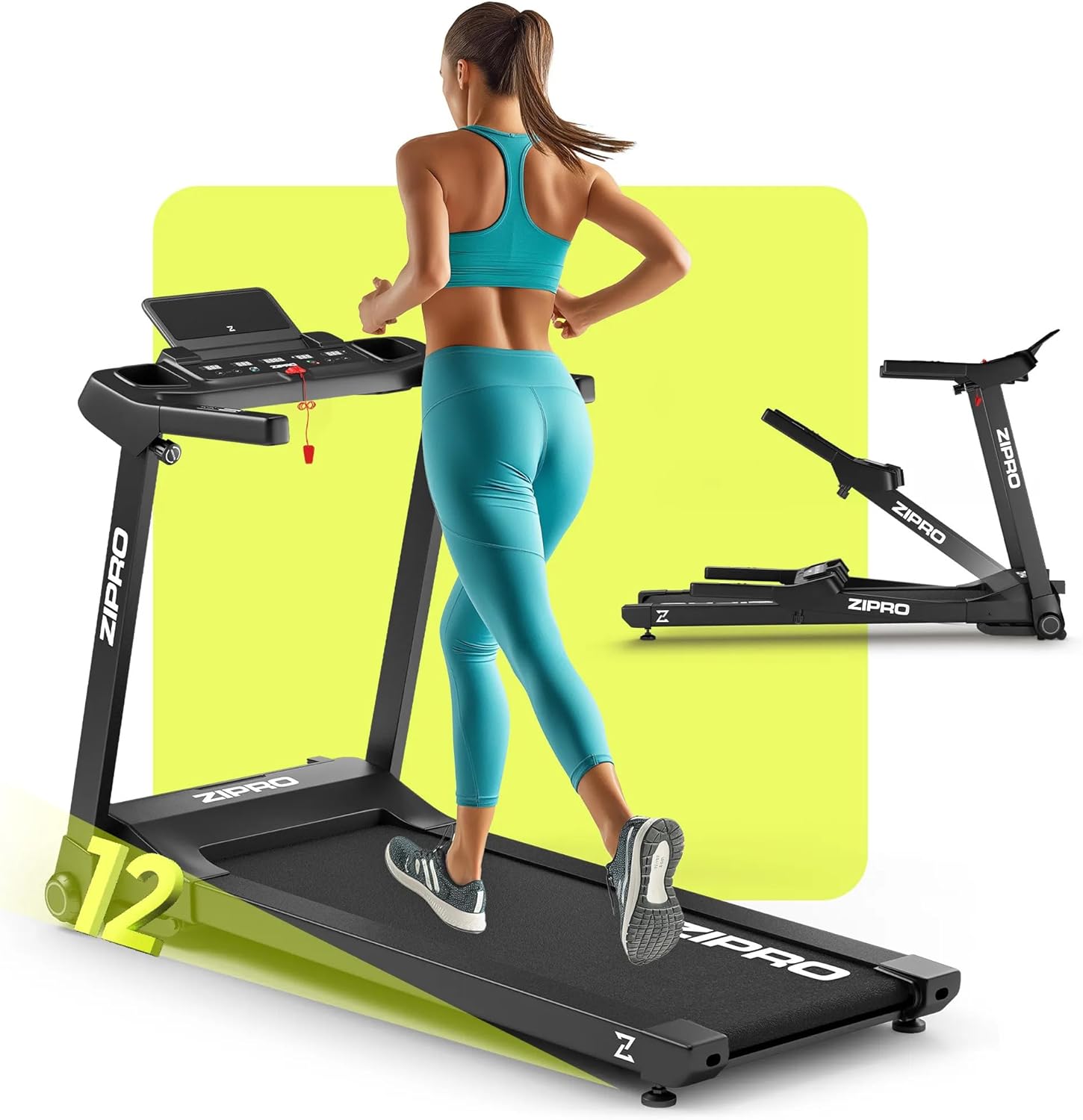
Image 1.1: The ZIPRO Ramble Treadmill in operation, demonstrating its design and functionality.
2. Important Safety Instructions
To reduce the risk of serious injury, read all instructions before using the treadmill. The manufacturer assumes no responsibility for personal injury or property damage sustained by or through the use of this product.
- Consult a physician before starting any exercise program.
- Keep children and pets away from the treadmill during operation.
- Place the treadmill on a flat, stable surface with adequate clearance around it.
- Wear appropriate exercise clothing and athletic shoes.
- Do not operate the treadmill if it has a damaged cord or plug, or if it is not working properly.
- Always use the safety key. Attach the clip to your clothing before starting your workout.
- Do not step on or off the treadmill while the belt is moving.
- Do not attempt to service the treadmill yourself. Contact qualified personnel for repairs.
- Unplug the treadmill from the power outlet when not in use or before cleaning/maintenance.
3. Package Contents
Carefully unpack the box and ensure all components are present and undamaged. If any parts are missing or damaged, do not assemble the treadmill and contact customer support.
- 1x ZIPRO Ramble Inclinable Treadmill (main unit)
- User Manual
- Assembly Tools (if included)
- Safety Key
4. Setup and Assembly
The ZIPRO Ramble Treadmill comes largely pre-assembled. Follow these steps for final setup:
- Unpacking: Remove all packaging materials and place the treadmill on a clear, level surface.
- Unfolding: Carefully lift the console and handlebars into the upright position until they lock securely. Ensure all locking mechanisms are engaged.
- Positioning: Place the treadmill in a location with at least 2 meters (6.5 feet) of clear space behind it and 0.5 meters (1.6 feet) on each side.
- Power Connection: Plug the power cord into a grounded electrical outlet.
- Safety Key: Place the safety key in its designated slot on the console. The treadmill will not operate without the safety key in place.

Image 4.1: Demonstrating the folding and transport features of the treadmill.
The treadmill is equipped with transport wheels for easy relocation when folded. To fold, ensure the running deck is lowered, then lift the rear of the running deck until it locks into the upright position. To unfold, gently release the locking mechanism and lower the running deck to the floor.
5. Operating Instructions
5.1 Console Overview

Image 5.1: The control panel with integrated phone holder and bottle holders.
The console features an LED display showing time, speed, distance, calories burned, and heart rate. It also includes quick-access buttons for speed and incline, as well as a smartphone holder and two bottle holders.
5.2 Starting a Workout
- Power On: Ensure the treadmill is plugged in and the safety key is in place.
- Manual Mode: Press the 'Start' button. The belt will begin moving at a low speed.
- Adjust Speed: Use the '+' and '-' buttons on the console or handlebars to adjust the speed from 1 km/h to 16 km/h.
- Adjust Incline: Use the 'Incline +' and 'Incline -' buttons to adjust the incline level (12 levels available).

Image 5.2: The treadmill's electronic incline adjustment system.
5.3 Predefined Programs
The treadmill offers 12 predefined training programs and 3 customizable modes. To select a program:
- From standby, press the 'Program' button to cycle through available programs (P1-P12).
- Press 'Start' to begin the selected program. The treadmill will automatically adjust speed and incline according to the program profile.

Image 5.3: Overview of training programs and app integration.
5.4 App Connectivity
The ZIPRO Ramble Treadmill can connect to fitness applications like FitShow via Bluetooth. Download the compatible app to your smartphone, enable Bluetooth, and follow the app's instructions to pair with your treadmill. This allows for enhanced workout tracking and control.
5.5 Heart Rate Monitoring
Grip the pulse sensors on the handlebars to display your heart rate on the LED screen. For accurate readings, ensure both hands are firmly placed on the sensors.
5.6 Stopping the Treadmill
Press the 'Stop' button to gradually slow down and stop the treadmill. In an emergency, pull the safety key to immediately stop the belt.
6. Maintenance
Regular maintenance ensures the longevity and optimal performance of your treadmill.
- Cleaning: Wipe down the treadmill surfaces with a damp cloth after each use. Avoid abrasive cleaners or solvents.
- Belt Lubrication: The running belt requires periodic lubrication to reduce friction. Refer to the specific instructions provided with your lubricant for frequency and application. Generally, lift the edge of the belt and apply silicone lubricant to the center of the deck.
- Belt Adjustment: If the running belt slips or drifts to one side, it may need adjustment. Consult the troubleshooting section or contact customer support for guidance.
- Power Cord: Regularly inspect the power cord for any damage.
7. Troubleshooting
If you encounter issues with your treadmill, refer to the following common problems and solutions:
| Problem | Possible Cause | Solution |
|---|---|---|
| Treadmill does not start | Power cord unplugged, safety key not in place, power switch off. | Check power connection, ensure safety key is fully inserted, turn on power switch. |
| Running belt slips | Belt too loose, belt needs lubrication. | Adjust belt tension (refer to specific instructions), lubricate the running deck. |
| Unusual noise during operation | Loose parts, motor issue, belt friction. | Check all bolts and screws for tightness. Lubricate belt. If noise persists, contact customer support. |
| Inaccurate heart rate reading | Hands not firmly on sensors, dry hands. | Ensure firm contact with both sensors. Lightly moisten hands if they are too dry. |
For issues not listed here or if solutions do not resolve the problem, please contact ZIPRO customer support.
8. Specifications
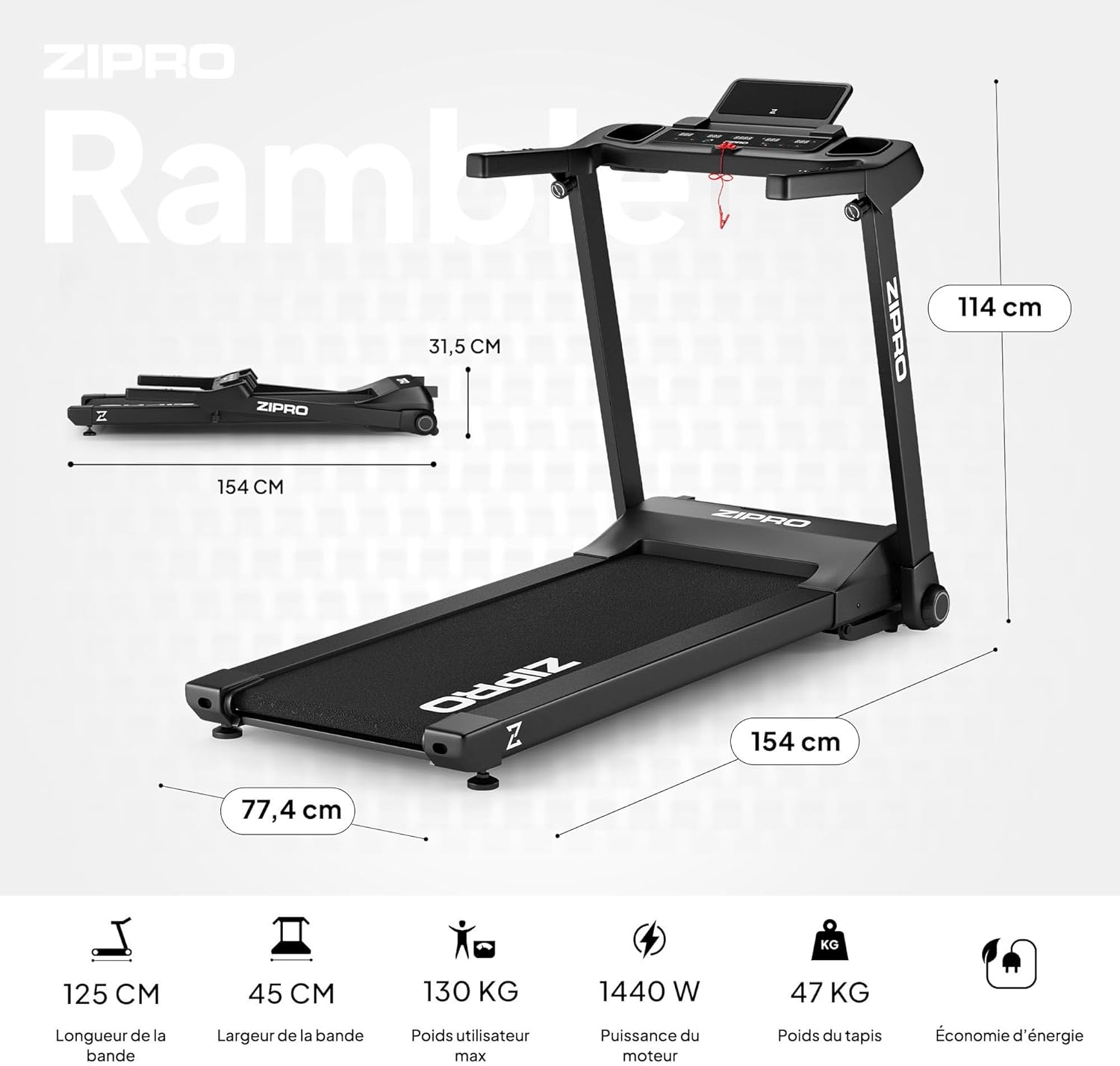
Image 8.1: Key dimensions and specifications of the ZIPRO Ramble Treadmill.
| Feature | Specification |
|---|---|
| Model | Ramble |
| Brand | ZIPRO |
| Motor Power | 1.96 HP (Continuous Duty) / 1440 W |
| Speed Range | 1 - 16 km/h |
| Incline Levels | 12 (Automatic Electronic Adjustment) |
| Running Surface (L x W) | 125 cm x 45 cm |
| Max User Weight | 130 kg |
| Programs | 12 Predefined, 3 Customizable |
| Display | LED (Time, Speed, Distance, Calories, Heart Rate) |
| Connectivity | Bluetooth (for fitness apps like FitShow) |
| Unfolded Dimensions (L x W x H) | 154 cm x 77.4 cm x 114 cm |
| Folded Dimensions (L x W x H) | 154.2 cm x 77.4 cm x 31.5 cm (height) |
| Product Weight | 47.7 kg |
| Special Features | Foldable design, Transport wheels, Heart rate monitor, Bottle holder, Smartphone holder, Shock absorption system (VIBGUARD PRO) |
| Materials | Polyethylene (PE), Metal, Plastic |
9. Warranty and Support
For information regarding warranty coverage, please refer to the warranty card included with your product or visit the official ZIPRO website. If you require technical assistance, spare parts, or have any questions not covered in this manual, please contact ZIPRO customer support through their official channels.
Please have your product model (Ramble) and purchase information ready when contacting support.


