1. Introduction
This manual provides essential instructions for the safe and efficient operation, maintenance, and troubleshooting of your Eureka ReactiSense 440 Cordless Stick Vacuum Cleaner. Please read this manual thoroughly before using the appliance and retain it for future reference.
The Eureka ReactiSense 440 is designed for versatile cleaning across various surfaces, including hard floors and carpets, and is ideal for homes with pets. It features intelligent sensing technology, an anti-tangle brush roll, and a multi-stage filtration system.
2. Important Safety Information
WARNING: To reduce the risk of fire, electric shock, or injury, always follow basic safety precautions when using an electrical appliance.
- Read all instructions before using this appliance.
- Do not leave the appliance unattended when plugged in. Unplug from outlet when not in use and before servicing.
- Do not use outdoors or on wet surfaces.
- Do not allow to be used as a toy. Close attention is necessary when used by or near children.
- Use only as described in this manual. Use only manufacturer's recommended attachments.
- Do not use with damaged cord or plug. If appliance is not working as it should, has been dropped, damaged, left outdoors, or dropped into water, return it to a service center.
- Do not pull or carry by cord, use cord as a handle, close a door on cord, or pull cord around sharp edges or corners. Do not run appliance over cord. Keep cord away from heated surfaces.
- Do not unplug by pulling on cord. To unplug, grasp the plug, not the cord.
- Do not handle plug or appliance with wet hands.
- Do not put any object into openings. Do not use with any opening blocked; keep free of dust, lint, hair, and anything that may reduce airflow.
- Keep hair, loose clothing, fingers, and all parts of body away from openings and moving parts.
- Do not pick up anything that is burning or smoking, such as cigarettes, matches, or hot ashes.
- Do not use to pick up flammable or combustible liquids, such as gasoline, or use in areas where they may be present.
- Do not pick up toxic material (e.g., chlorine bleach, ammonia, drain cleaner).
- Do not use without dust cup and/or filters in place.
- Turn off all controls before unplugging.
- Use extra care when cleaning on stairs.
- Store your appliance indoors in a cool, dry area.
- Only use the charger supplied by the manufacturer to recharge.
- Do not incinerate the battery even if it is severely damaged. The batteries can explode in a fire.
3. Package Contents
Verify that all components are present and in good condition. If any items are missing or damaged, contact customer support.
- Eureka ReactiSense 440 Main Unit
- Accessory Kit (includes Crevice Tool, Dusting Brush)
- Battery (1 C battery included)
- Charger
- User Manual

Image: Eureka ReactiSense 440 Cordless Stick Vacuum Cleaner with its various attachments and charging base.
4. Product Overview
The Eureka ReactiSense 440 is a versatile cordless stick vacuum designed for efficient cleaning. Key features include:
- Anti-Tangle Brushroll: Prevents hair wrap and maintains suction.
- Smart Sense+React Technology: Automatically adjusts suction and brush speed based on dust levels and floor type.
- Powerful Suction: 350W motor with 25.8k Pa suction for deep cleaning.
- H13 HEPA Filtration: Captures 99.95% of microparticles and allergens.
- Long Battery Life: Up to 60 minutes runtime.
- Detachable Battery: For convenient charging and optional extended runtime.
- Lightweight and Portable: Easy to maneuver and convert to handheld.
- LED Headlight: Illuminates dust and debris in dark areas.
4.1 Anti-Tangle Brushroll

Image: Detail of the anti-tangle brushroll, showing specially designed fins and a comb structure that work together to prevent hair from tangling around the brush.
The anti-tangle brushroll features specialized fins and comb-strips that guide hair away from the brush, preventing clogs and maintaining consistent suction. This design is particularly effective for homes with pets.
4.2 Sense+React Technologies

Image: The vacuum head transitioning from a hard floor to a carpet, illustrating how Sense+React technology automatically adjusts suction power from normal to high based on the surface and dust detection.
Intelligent sensors detect dust levels and floor types, automatically adjusting suction power and brush speed for optimal cleaning performance and extended battery life. This ensures efficient cleaning on both hard floors and carpets.
4.3 Powerful Deep Cleaning

Image: The vacuum in action on a carpet, with visual indicators of its 350W motor power and 25,800 Pa suction, demonstrating its capability for deep cleaning.
Equipped with a 350W motor, the ReactiSense 440 delivers powerful suction of 25.8k Pa, effectively tackling both large debris and fine dust for superior cleaning performance.
4.4 HEPA Filtration System

Image: A cutaway view of the vacuum's dustbin, highlighting the H13 HEPA filter and illustrating its ability to capture microscopic particles like dust, dander, and pollen.
The sealed H13 HEPA filtration system captures 99.95% of microparticles and odors, preventing allergens from being released back into the air. This is beneficial for allergy sufferers and maintaining clean indoor air quality.
4.5 Lightweight and Portable Design

Image: A woman easily holding the lightweight handheld portion of the vacuum, demonstrating its portability and ease of use for various cleaning tasks.
Weighing only 6.4 pounds (3.75 lbs in handheld mode), the vacuum is intuitively designed for ease of use and portability, making it simple to clean high or hard-to-reach areas.
4.6 LED Headlight

Image: The vacuum's floor head with its LED headlights activated, illuminating dust and debris under a piece of furniture, highlighting its ability to reveal hidden particles.
The integrated LED headlight on the brushroll illuminates dark corners and reveals hidden dust and debris, ensuring a thorough clean.
5. Setup and Assembly
Follow these steps to assemble your Eureka ReactiSense 440 vacuum cleaner.
- Unpack Components: Carefully remove all parts from the packaging.
- Attach Extension Wand: Insert the extension wand into the main unit until it clicks securely into place.
- Attach Floor Head: Connect the motorized floor head to the bottom of the extension wand, ensuring it clicks firmly.
- Install Battery: Slide the detachable lithium-ion battery into the battery slot on the main unit until it locks.
- Charge Battery: Before first use, fully charge the battery. Connect the charger to the battery or the main unit and plug it into a power outlet. The battery indicator will show charging status.

Image: A hand demonstrating the removal of the detachable lithium-ion battery from the main vacuum unit, indicating ease of charging and replacement.
6. Operating Instructions
Your Eureka ReactiSense 440 offers multiple cleaning modes for various tasks.
- Power On/Off: Press the power button on the main unit to turn the vacuum on or off.
- Select Cleaning Mode: Use the fingertip controls to switch between three modes:
- LOW Mode: For light cleaning and extended runtime on hard floors.
- AUTO Mode: (Default startup mode) The vacuum automatically adjusts suction power and brush speed based on floor type and dust levels.
- HIGH Mode: For maximum suction on deeply embedded dirt and stubborn messes.
- Using Attachments:
- Handheld Conversion: Detach the extension wand and floor head to use the main unit with accessories for handheld cleaning.
- Crevice Tool: Ideal for tight spaces, corners, and edges.
- Dusting Brush: Suitable for delicate surfaces, upholstery, and car interiors.
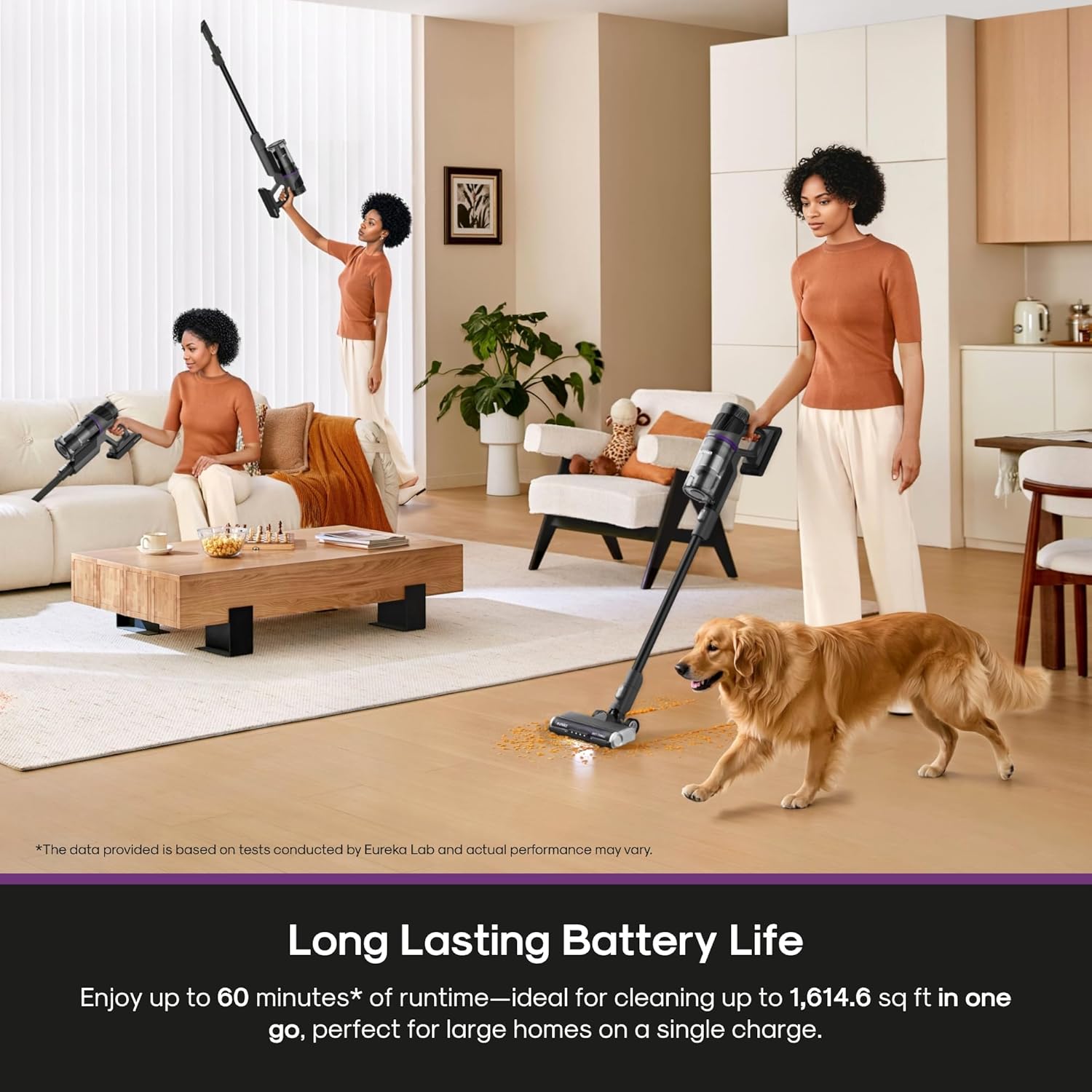
Image: A woman using the Eureka ReactiSense 440 to clean a living room floor, with a dog nearby, demonstrating the vacuum's long battery life suitable for cleaning large areas.
7. Maintenance
Regular maintenance ensures optimal performance and extends the lifespan of your vacuum cleaner.
7.1 Emptying the Dust Cup

Image: Two images showing how to empty the dust cup: one by detaching the entire cup and pouring out debris, and another using the one-touch bottom release mechanism.
Empty the dust cup regularly to maintain suction power.
- One-Touch Release: Press the dust cup release button to open the bottom flap and empty debris directly into a trash bin.
- Full Removal: For thorough cleaning, detach the entire dust cup from the main unit.
7.2 Cleaning Filters

Image: A hand holding a vacuum filter under running water in a kitchen sink, demonstrating that the filters are washable and reusable.
The washable HEPA filter and other internal filters should be cleaned regularly.
- Remove the filters from the dust cup.
- Rinse the filters under cold running water until the water runs clear.
- Allow filters to air dry completely for at least 24 hours before reinserting. Do not use a dryer or other heating device.
- For optimal performance, replace the HEPA filter every 3 months, depending on usage.
7.3 Cleaning the Brush Roll

Image: A composite image showing the removable components of the vacuum: the roller brush, filters, detachable battery, and dust bin, illustrating ease of maintenance.
Periodically check the brush roll for tangled hair or debris.
- Turn off the vacuum and disconnect the floor head.
- Locate the brush roll release mechanism and remove the brush roll.
- Use scissors or a cleaning tool to cut and remove any tangled hair or fibers.
- Reinsert the brush roll, ensuring it clicks into place.
8. Troubleshooting
Refer to this section for solutions to common issues.
| Problem | Possible Cause | Solution |
|---|---|---|
| Vacuum won't turn on. | Battery not charged or improperly connected. | Check battery status. Ensure battery is charged. If battery indicator is off or one light flashes, charge for at least 30 minutes. Remove and reinsert battery pack to ensure secure connection. Clean battery contacts if corroded. |
| Suction power is weak. | Clogged filter, blocked nozzle, or full dust cup. | Clean the HEPA filter (rinse with water and dry completely). Remove debris from the cyclone filter using a soft brush. Check for blockages in the dust cup, suction inlet, and hose. Detach the brush and clear any tangled hair or large particles. |
| Floor brush does not rotate. | Physical obstruction or connection issue. | Turn off the vacuum and disconnect the floor head. Remove hair or debris wrapped around the floor brush roller. Check connection issues; detach and reattach the floor brush to ensure it clicks into place. Clean the electrical contacts between the brush and the main body. |
| High Mode does not activate automatically. | Dust sensor obstructed or low battery. | Clean the dust sensor with a dry cloth. Ensure the floor nozzle is not obstructed. Charge the battery if it is low. |
9. Specifications
| Feature | Detail |
|---|---|
| Brand | Eureka |
| Model Name | Cordless Stick Vacuum Cleaner |
| Item Model Number | NEC440 |
| Color | Black |
| Special Features | Cordless, Detachable Battery, HEPA, High Power, Lightweight, Rechargeable, Washable Filter |
| Filter Type | HEPA Filter |
| Included Components | Accessory Kit, Battery, Crevice Tool, Dusting Brush, User Manual |
| Capacity | 0.5 Liters |
| Wattage | 350 watts |
| Recommended Uses | Bed, Car, Pet Hair, Hard Floors, Carpets |
| Form Factor | Stick |
| Product Dimensions | 10.04"L x 10.12"W x 49.61"H |
| Battery Life | Up to 60 minutes |
| Item Weight | 6.4 pounds |
| Number of Speeds/Power Levels | 3 (LOW/AUTO/HIGH) |
| Indoor/Outdoor Usage | Indoor |
10. Warranty and Customer Support
For warranty information, product registration, or customer support, please refer to the warranty card included in your package or visit the official Eureka website. Keep your purchase receipt as proof of purchase.
Official Website: www.eureka.com


