1. Introduction
The 1010music Bento is a portable, standalone sampling and production studio designed for comprehensive music creation. This device integrates advanced sampling, sequencing, and synthesis capabilities into a compact and mobile form factor. It features a 24-bit sound engine, expressive performance pads, a vibrant multi-touch screen, and custom-assignable macro knobs for intuitive control over its various functions.
The Bento supports five distinct track types, dual synthesis modes, 24-voice polyphony, and a 256-step sequencer. Its robust modulation and effects engine allow for detailed sound shaping. Connectivity options include multiple USB-C, MIDI, and audio connections, complemented by a built-in battery for on-the-go production.
2. Setup
2.1 Unpacking and Contents
Carefully unpack your 1010music Bento. Ensure all components are present:
- 1010music Bento unit
- USB-C cables
- MIDI adapters
- Audio cables
- microSD card (pre-installed or included separately)
- Quick Start Guide

Figure 2.1: The 1010music Bento unit shown with its packaging, including USB-C cables, MIDI adapters, audio cables, and the Quick Start Guide.
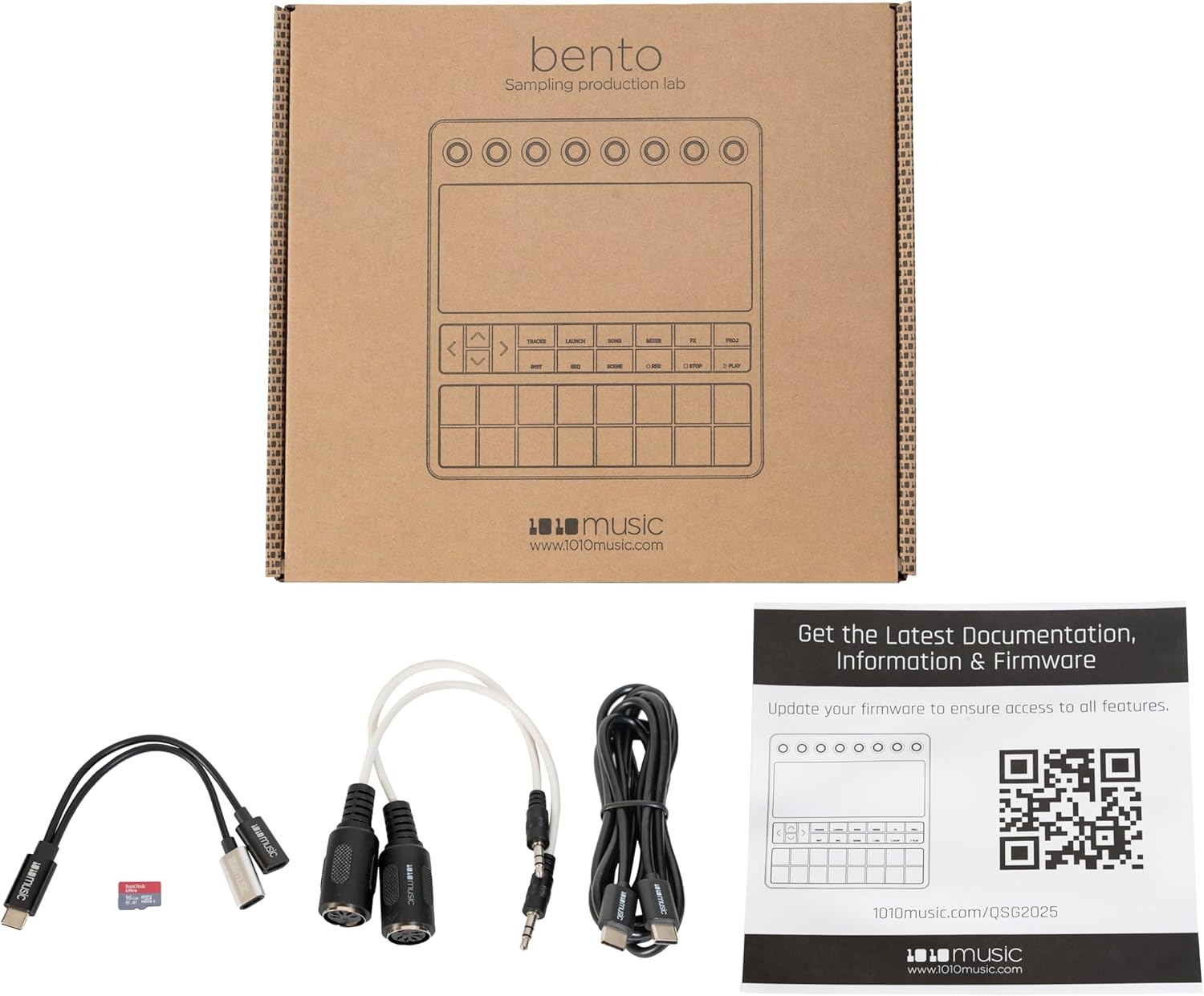
Figure 2.2: An alternative view of the 1010music Bento unit and its included accessories, highlighting the various cables and the Quick Start Guide.
2.2 Powering On
The Bento can be powered via its USB-C port or its internal rechargeable battery. Connect a USB-C power adapter (not included) to the USB-C port labeled "DC/USB" on the rear of the unit. To power on, press and hold the power button located on the rear panel until the screen illuminates.
2.3 Initial Configuration and Connections
For detailed initial setup instructions, including microSD card installation and basic navigation, please refer to the Quick Start Guide. An electronic version of the guide and further documentation can be found at: 1010music.com/QSG2025.
The Bento offers a variety of connectivity options:
- USB-C Ports: For power, data transfer, and MIDI over USB.
- MIDI In/Out: Connect external MIDI devices using the included MIDI adapters.
- Audio Inputs (IN 1, IN 2): Connect external audio sources for sampling.
- Audio Outputs (OUT 1, OUT 2, OUT 3): Connect to mixers, audio interfaces, or speakers.
- Headphones Output: For monitoring audio.

Figure 2.3: Rear panel of the 1010music Bento, displaying the power button, USB-C ports, MIDI In/Out, Audio Inputs (IN 1, IN 2), Audio Outputs (OUT 1, OUT 2, OUT 3), and Headphones output.

Figure 2.4: Side view of the 1010music Bento, illustrating the device's profile and the arrangement of its rear connectivity ports.

Figure 2.5: A clear side profile view of the 1010music Bento, highlighting its compact design.
3. Operating Instructions
3.1 Overview of Controls
The Bento features a combination of physical controls and a multi-touch screen for interaction:
- Multi-Touch Screen: The primary interface for navigation, parameter editing, and visual feedback.
- Rotary Encoders (Macro Knobs): Eight assignable knobs located at the top for precise control over parameters.
- Performance Pads: Sixteen velocity and pressure-sensitive pads for triggering samples, notes, and sequences.
- Navigation Buttons: Dedicated buttons for navigating menus and controlling playback (TRACKS, LAUNCH, SONG, MIXER, FX, PROJ, INST, SEQ, SCENE, REC, STOP, PLAY, and arrow keys).

Figure 3.1: Front view of the 1010music Bento, showing the multi-touch screen displaying sample pool information, the eight rotary encoders, navigation buttons, and the illuminated performance pads.

Figure 3.2: Angled view of the 1010music Bento, illustrating the screen interface during waveform editing and parameter adjustment, alongside the physical controls.

Figure 3.3: Front view of the 1010music Bento with the screen unlit and performance pads in their default, unilluminated state.
3.2 Basic Navigation
Interact with the multi-touch screen by tapping, swiping, and pinching. The rotary encoders provide fine-tuned control over selected parameters displayed on the screen. Use the arrow keys for navigating lists and options.
3.3 Track Types
The Bento supports five distinct track types, each optimized for different aspects of music production. Refer to the full user manual for detailed information on configuring and utilizing each track type.
3.4 Sampling and Playback
To record samples, connect an audio source to the audio inputs. Navigate to the sampling section on the touch screen to arm recording and capture audio. Samples can then be assigned to the performance pads for playback and manipulation.
3.5 Sequencing
The 256-step sequencer allows for the creation of complex musical patterns. Use the performance pads to input notes and triggers, and the screen to edit sequence parameters, quantization, and velocity.
3.6 Synthesis and Effects
Explore the dual synthesis modes to generate sounds directly within the Bento. The integrated effects engine provides a range of processing options to enhance your sounds and mixes. Parameters for both synthesis and effects are adjustable via the touch screen and macro knobs.
3.7 Saving and Loading Projects
Regularly save your work to the microSD card to prevent data loss. Projects can be loaded from the microSD card to resume your creative process.
4. Maintenance
4.1 Cleaning
To clean the Bento, use a soft, dry, lint-free cloth. For stubborn marks, a slightly damp cloth with water can be used, ensuring no moisture enters any ports or openings. Avoid abrasive cleaners, solvents, or aerosol sprays.
4.2 Firmware Updates
Periodically check the 1010music website for firmware updates. Keeping your Bento's firmware up-to-date ensures optimal performance, access to new features, and bug fixes. Instructions for updating firmware are typically provided with the update files on the official website.
4.3 Storage
When not in use, store the Bento in a cool, dry place away from direct sunlight and extreme temperatures. Protect the screen and controls from dust and physical damage.
5. Troubleshooting
If you encounter issues with your 1010music Bento, consider the following basic troubleshooting steps:
- No Power: Ensure the USB-C power cable is securely connected and the power source is active. Check the battery charge level.
- No Sound: Verify audio cable connections to outputs and headphones. Check volume levels on the Bento and connected audio equipment. Ensure tracks are not muted.
- MIDI Issues: Confirm MIDI cable connections and adapter orientation. Check MIDI settings within the Bento and external devices.
- Unresponsive Screen/Controls: Try restarting the device. If the issue persists, check for available firmware updates.
- Performance Problems: Ensure your microSD card is properly inserted and not corrupted. Consider backing up data and reformatting the card if issues persist.
For more detailed troubleshooting guides and technical support, please visit the official 1010music support website.
6. Specifications
| Feature | Detail |
|---|---|
| Model Number | Bento |
| Item Weight | 2.74 pounds (approx. 1.24 kg) |
| Product Dimensions | 11.1 x 10.1 x 2.65 inches (approx. 28.2 x 25.7 x 6.7 cm) |
| Audio Quality | 24-bit |
| Polyphony | 24 voices |
| Sequencer | 256 steps |
| Power Input | USB Power 5V === 2000mA |
| Battery | 3.8V - 5120mAh - 19.5Wh |
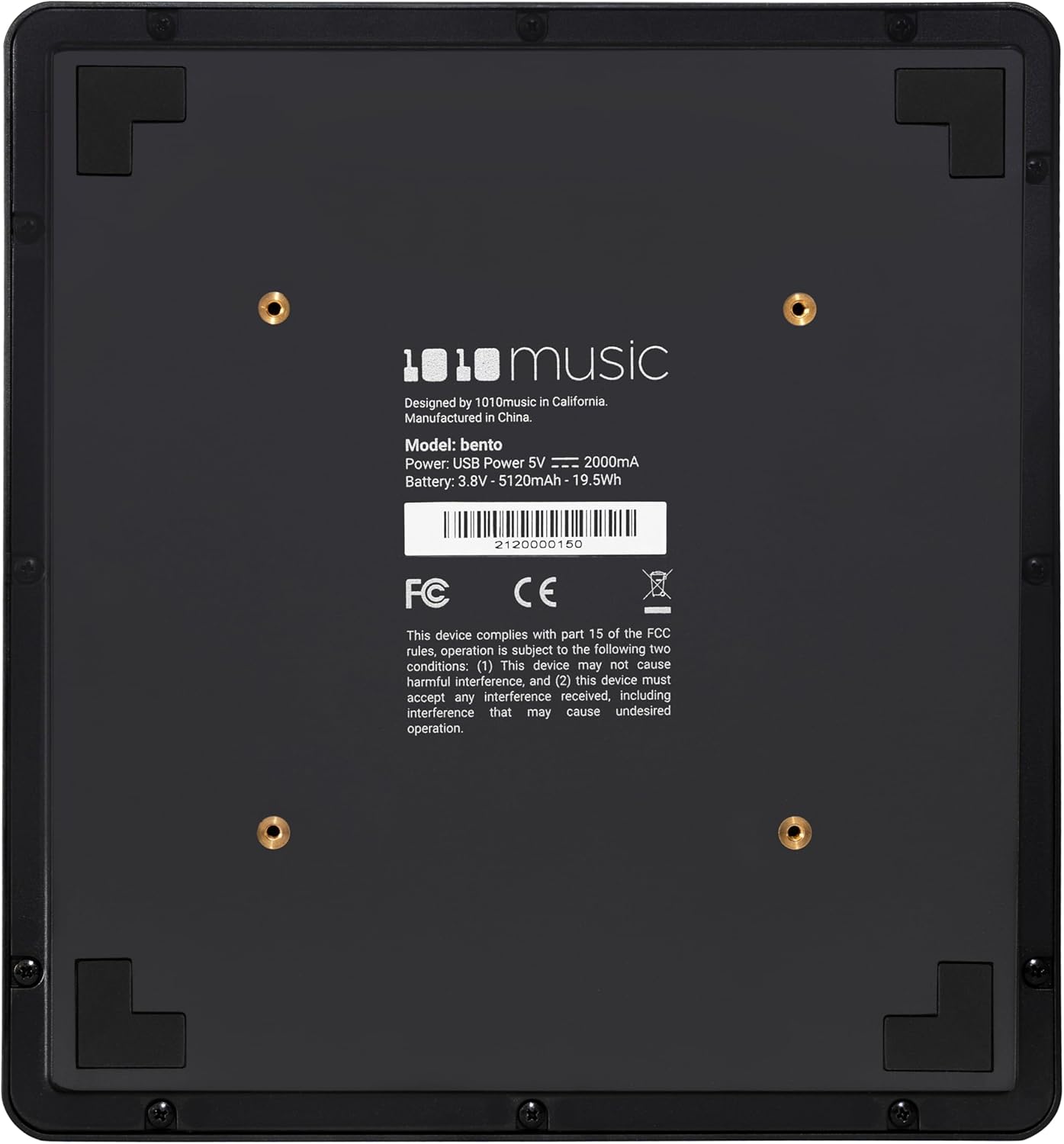
Figure 6.1: Bottom panel of the 1010music Bento, displaying model information, power requirements, battery specifications, and regulatory compliance marks.
7. Support and Warranty
7.1 Technical Support
For technical assistance, product inquiries, or further support, please visit the official 1010music website and navigate to their support section. You may find FAQs, additional documentation, and contact information for their support team.
Official Website: 1010music.com
7.2 Warranty Information
Warranty terms and conditions for the 1010music Bento are provided by the manufacturer. Please refer to the warranty card included with your product or visit the 1010music official website for the most current warranty policy details. Retain your proof of purchase for warranty claims.


