
Introduction
This manual provides detailed instructions for the safe and effective operation, maintenance, and troubleshooting of your Proster Anemometer (Model MS6252A) and IP65 Compass (Model PST180). Please read this manual thoroughly before using the devices to ensure proper functionality and to prevent damage.
Product Overview
Proster Digital Anemometer (MS6252A)
The Proster MS6252A is a multi-function digital anemometer designed for measuring wind speed and airflow. It features a large LCD display with backlight for easy reading in various conditions. This device is suitable for both handheld and fixed measurements.

Image: The Proster Digital Anemometer (MS6252A) shown in various operational environments, including marine, industrial ventilation, cycling, and wind farm monitoring.
Proster IP65 Military Navigation Compass (PST180)
The Proster PST180 is a professional metal compass with an IP65 waterproof rating, making it suitable for outdoor use in various weather conditions. It includes a sighting telescope, fluorescent features for low-light conditions, and a clinometer for measuring slopes.
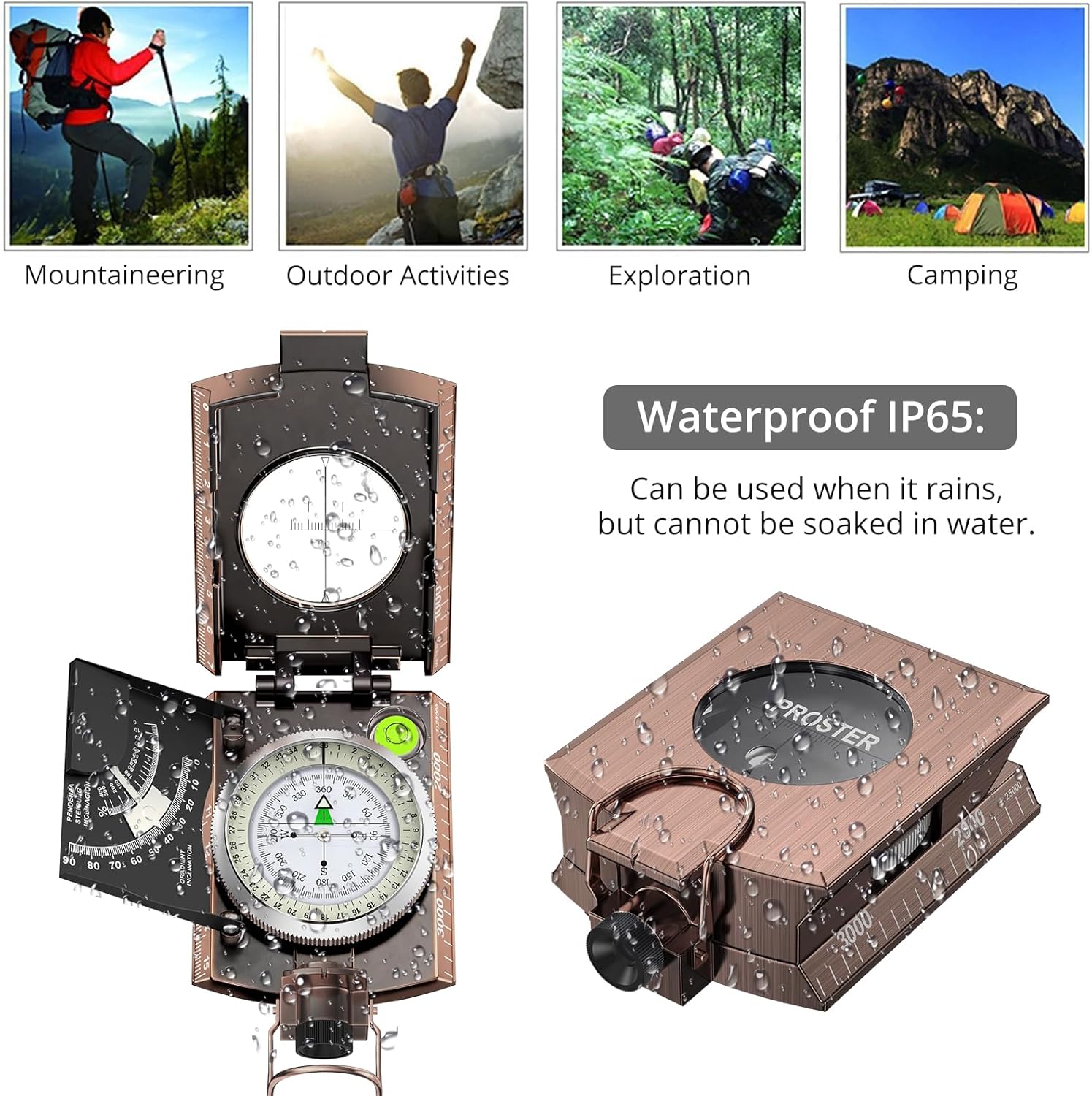
Image: The Proster IP65 Military Navigation Compass (PST180) displayed with its waterproof rating, showing water droplets on its surface.
Setup
Anemometer (MS6252A) Battery Installation
- Locate the battery compartment on the back of the anemometer.
- Open the battery cover.
- Insert the required batteries, ensuring correct polarity (+/-).
- Close the battery cover securely.

Image: A hand holding the Proster Anemometer, demonstrating its use in an indoor setting, possibly for HVAC system airflow measurement.
Compass (PST180) Initial Orientation
- Unfold the compass completely.
- Place the compass on a flat, non-magnetic surface or hold it steadily away from metallic objects.
- Allow the needle to settle and align with magnetic north.
- Familiarize yourself with the main dial, sighting telescope, and clinometer.
Operating Instructions
Anemometer (MS6252A) Operation
- Power On/Off: Press the power button (usually marked with ① or POWER) to turn the device on or off.
- Unit Selection: Press the UNIT button to cycle through different wind speed units: m/s, ft/m, km/h, mile/h, Knots, CFM, CMM, CMS.
- Measurement Modes:
- Current Reading: The main display shows the real-time wind speed.
- MAX/MIN: Press the MAX/MIN button to view the maximum or minimum recorded wind speed since power-on. Press again to cycle.
- HOLD: Press the HOLD button to freeze the current reading on the display. Press again to release.
- Backlight: The device features an automatic backlight for improved visibility in low-light conditions.
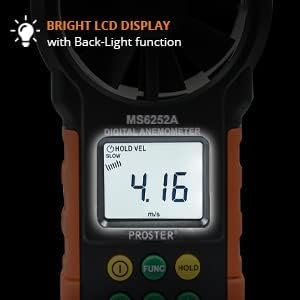
Image: A close-up of the Proster Anemometer's LCD display, showing the bright backlight function for clear readability.
Compass (PST180) Operation
- Basic Navigation:
- Hold the compass level and allow the magnetic needle to settle. The red end of the needle typically points to magnetic north.
- Rotate the compass housing until the desired bearing (direction) aligns with the index line.
- Using the Sighting Telescope:
- Open the compass lid and align the sighting wire with a distant object.
- Look through the sighting lens to read the bearing directly from the compass dial. The vertical lubber line enhances accuracy.
- Fluorescent Features:
- Expose the compass to sufficient sunlight or artificial light to charge the fluorescent markings on the magnet arrow and compass card.
- These markings will glow in dark environments, allowing for night navigation.

Image: An illustration demonstrating the fluorescent light design of the compass, highlighting how the markings glow in the dark for night use.
- Clinometer Function:
- The clinometer is used to measure angles of inclination or declination (slopes).
- Align the base of the compass with the slope you wish to measure.
- Read the angle indicated by the clinometer scale. The range is typically 0-90 degrees.

Image: A detailed view of the compass's clinometer function, showing how to read a 30.5-degree slope measurement.
- Plotting Scale: The compass includes a plotting scale for measuring distances on maps. Refer to the scale markings on the compass body.
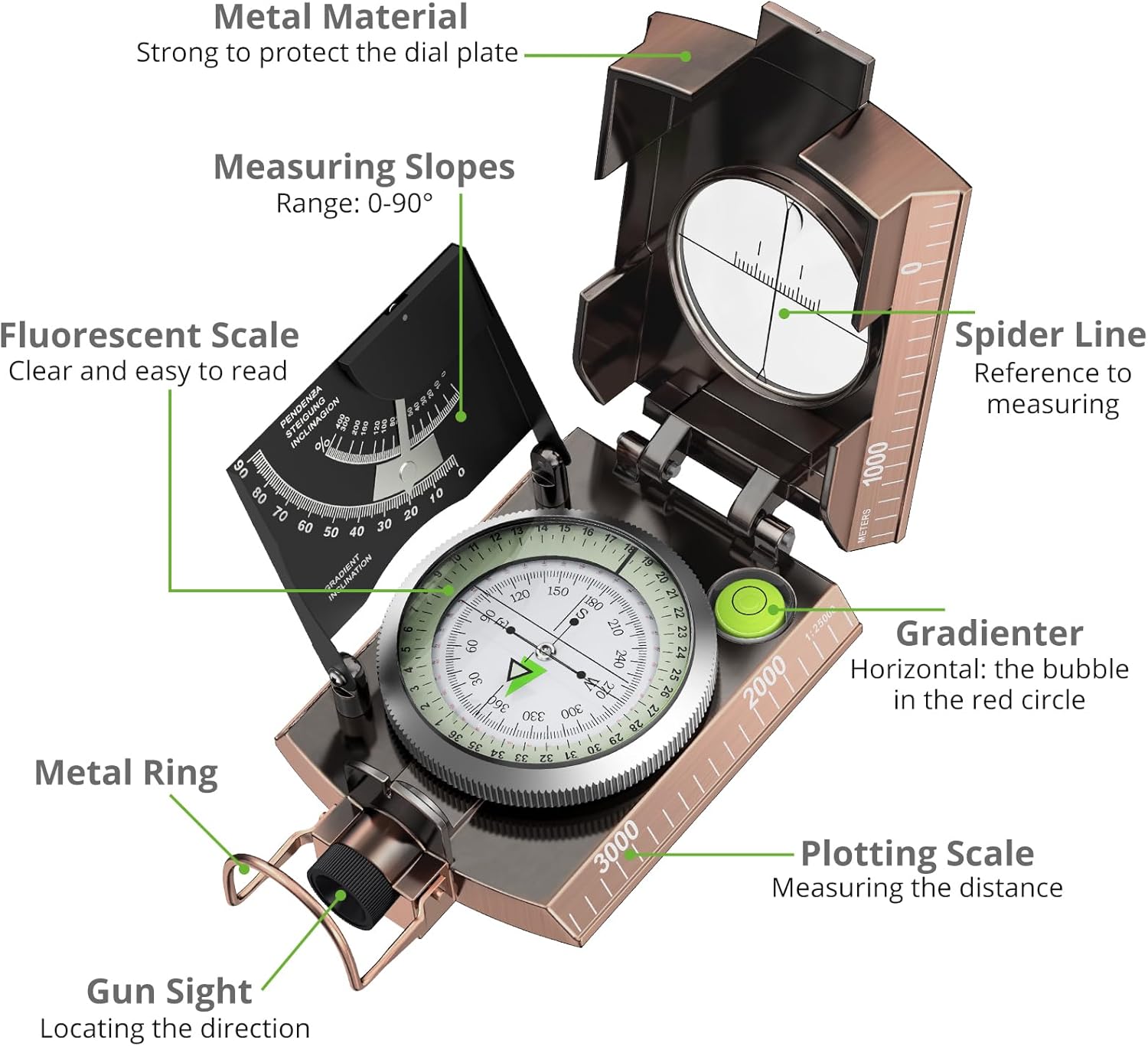
Image: A comprehensive diagram illustrating various features of the Proster Compass, including metal material, measuring slopes, fluorescent scale, spider line, gradienter, metal ring, gun sight, and plotting scale.
Maintenance
- Cleaning: Wipe the devices with a soft, dry cloth. For stubborn dirt, use a slightly damp cloth and mild soap, then dry thoroughly. Do not use abrasive cleaners or solvents.
- Storage: Store the anemometer and compass in a cool, dry place, away from direct sunlight and extreme temperatures.
- Battery Replacement (Anemometer): Replace batteries promptly when the low battery indicator appears to ensure accurate readings and prevent corrosion.
- Compass Care: Avoid exposing the compass to strong magnetic fields, which can demagnetize the needle and affect accuracy.
Troubleshooting
- Anemometer not powering on: Check battery installation and ensure batteries are not depleted.
- Inaccurate Anemometer readings: Ensure the impeller is free from obstructions. Verify correct unit selection.
- Compass needle not settling: Move away from metallic objects or strong magnetic fields. Ensure the compass is held level.
- Fluorescent markings not glowing: Expose the compass to light for a longer period to charge the fluorescent material.
Specifications
Proster Digital Anemometer (MS6252A)
| Parameter | Range |
|---|---|
| Wind Speed (m/s) | 0.40 - 30 |
| Wind Speed (ft/m) | 80 - 5900 |
| Wind Speed (km/h) | 1.4 - 108 |
| Wind Speed (mile/h) | 0.9 - 67.0 |
| Wind Speed (Knots) | 0.8 - 58.0 |
| CFM | 0 to 99990 (0 to 9.999 ft²) |
| CMM | 0 to 99990 (0 to 9.999 ft²) |
| CMS | 0 to 9999 (0 to 9.999 m²) |
| Display | Large LCD with backlight |
| Functions | Reading hold, Max/Min, Unit selection |
Proster IP65 Military Navigation Compass (PST180)
| Feature | Description |
|---|---|
| Material | Professional Metal |
| Waterproof Rating | IP65 (Splash-proof, not for submersion) |
| Sighting Mechanism | Sighting telescope with vertical lubber line |
| Low-Light Visibility | Fluorescent magnet arrow and compass card |
| Clinometer Range | 0-90 degrees for measuring slopes |
| Additional Features | Plotting scale, Metal ring, Gun sight |
Warranty and Support
For warranty information or technical support, please refer to the documentation included with your purchase or contact Proster customer service directly. Keep your purchase receipt as proof of purchase.

Image: The Proster Anemometer and Compass product packaging, including the user manual, carrying pouch, and lanyard, indicating included accessories and documentation.
