
Introduction
Thank you for choosing the Lifetime Air Bladeless Portable Fan. This manual provides essential information for the safe and efficient operation, maintenance, and troubleshooting of your new fan. Please read these instructions carefully before use and retain them for future reference.
Safety Instructions
- Do not insert fingers or any objects into the fan's air outlet.
- Keep the fan away from water or other liquids to prevent electric shock.
- Do not use the fan in high humidity environments.
- Ensure the charging cable is not damaged before connecting.
- This appliance is not intended for use by persons (including children) with reduced physical, sensory or mental capabilities, or lack of experience and knowledge, unless they have been given supervision or instruction concerning use of the appliance by a person responsible for their safety.
- Children should be supervised to ensure that they do not play with the appliance.
- Only use the provided USB cable for charging.
- Do not attempt to disassemble or repair the fan yourself. Contact qualified service personnel.
Product Overview
Familiarize yourself with the components of your Lifetime Air Bladeless Portable Fan:
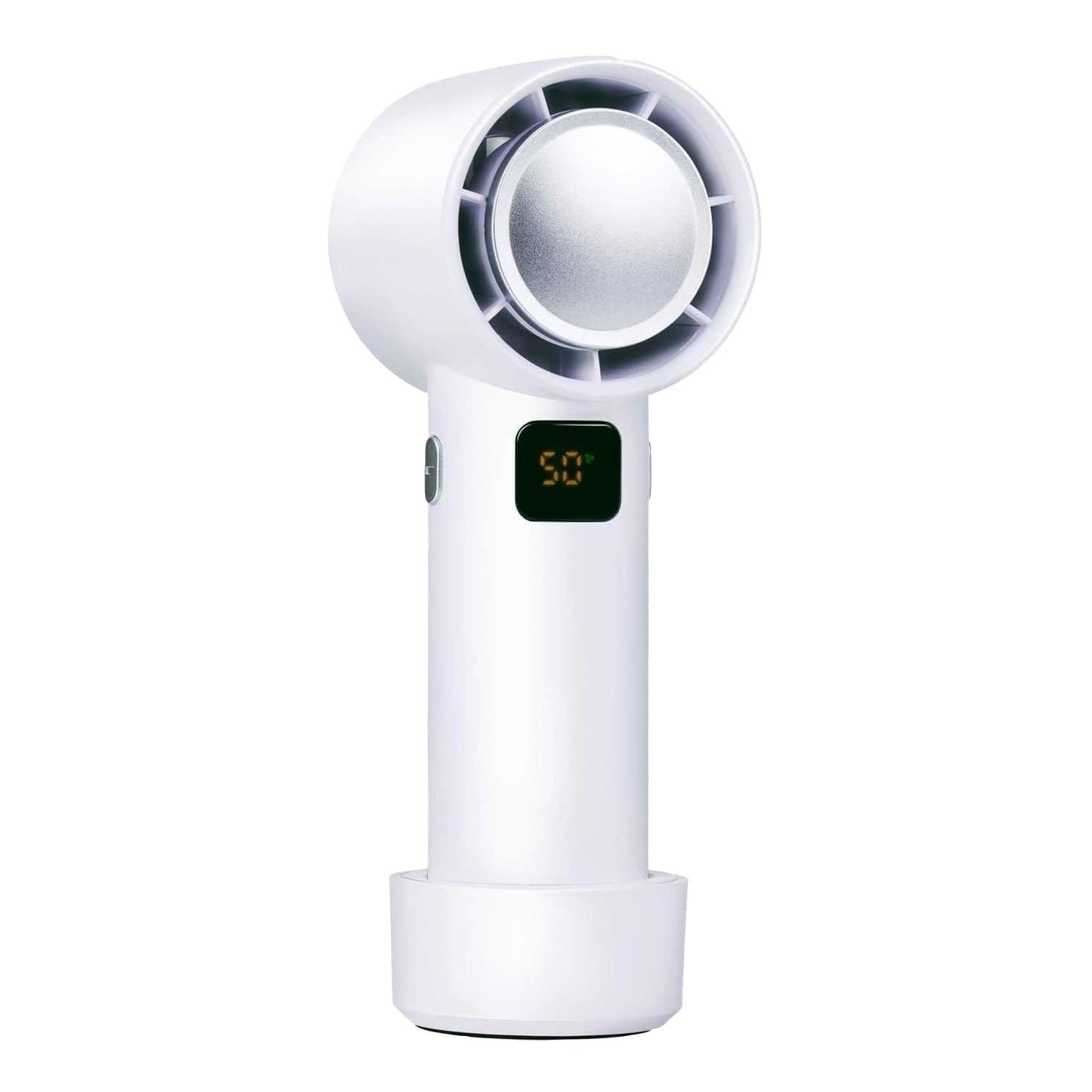
Image: Front view of the Lifetime Air Bladeless Portable Fan. The top section features the bladeless air outlet. Below it, a USB-C charging port is visible, and further down, a power button with a power symbol is located. The fan has a sleek, white cylindrical body.
- Air Outlet: Where the cool air is expelled.
- USB-C Charging Port: For connecting the charging cable.
- Power Button / Speed Control: Used to turn the fan on/off and adjust fan speeds.
- LED Display: Shows battery status and current fan speed.
- Base: Provides stability for freestanding use.
Setup
- Unpack: Carefully remove the fan and all accessories from the packaging.
- Initial Charge: Before first use, fully charge the fan. Connect the provided USB-C cable to the fan's charging port and the other end to a compatible USB power adapter (not included) or a computer USB port. The LED display will indicate charging status.
- Placement: Place the fan on a stable, flat surface or hold it comfortably in your hand.
Operating Instructions
- Power On/Off: Press and hold the Power Button for approximately 2 seconds to turn the fan on or off.
- Adjust Fan Speed: Once the fan is on, short press the Power Button to cycle through the 4 available fan speeds. The LED display will show the current speed setting (1, 2, 3, or 4).
- LED Display: The display shows the current fan speed and the remaining battery level.
Charging
- Connect the USB-C cable to the fan's charging port and to a USB power source.
- The LED display will show a charging indicator (e.g., a flashing battery icon or increasing percentage).
- Once fully charged, the indicator will change (e.g., solid battery icon or 100%). Disconnect the fan from the power source.
- A full charge provides extended wireless operation.
Maintenance
- Cleaning: Due to its bladeless design, cleaning is simplified. Use a soft, dry cloth to wipe the exterior of the fan. For the air outlet, a soft brush or compressed air can be used to remove dust.
- Storage: When not in use for extended periods, store the fan in a cool, dry place, away from direct sunlight. Ensure the battery is partially charged before storage to prolong its lifespan.
- Do not use abrasive cleaners, solvents, or harsh chemicals.
Troubleshooting
| Problem | Possible Cause | Solution |
|---|---|---|
| Fan does not turn on. | Battery is depleted. | Charge the fan using the provided USB-C cable. |
| Weak airflow. | Fan speed is set too low. / Air inlet/outlet blocked. | Increase fan speed. / Check for and remove any obstructions. |
| Fan stops unexpectedly. | Battery is low. | Recharge the fan. |
| Charging not working. | Cable or adapter faulty. / Port dirty. | Try a different USB-C cable or power adapter. Ensure the charging port is clean. |
Specifications
| Brand | Lifetime Air |
| Model Number | 8711252332468 |
| Color | White |
| Fan Type | Bladeless Portable Fan |
| Power Source | Rechargeable Battery (USB-C) |
| Product Dimensions (DxWxH) | 5.7 x 5.6 x 15.6 cm |
| Special Features | Bladeless, LED Display |
| Material | Plastic |
| Number of Speeds | 4 |
| Wattage | 5 watts |
| Usage Environment | Indoor, Outdoor |
| Control Method | Push Button |
| Cordless | Yes |
| Included Components | USB-C Cable |
Warranty and Support
For warranty information or technical support, please refer to the retailer's policy or contact Lifetime Air customer service through their official channels. Keep your proof of purchase for any warranty claims.