
AsperX AX1515
AsperX 15000mAh Portable Charger Power Bank User Manual
Model: AX1515
1. Product Overview
The AsperX 15000mAh Portable Charger Power Bank is designed to provide reliable and fast charging for a wide range of electronic devices. Featuring both USB-C input and output, along with traditional USB-A outputs, this power bank ensures broad compatibility and efficient power delivery. Its compact design makes it an ideal companion for travel and daily use.

Image: Two AsperX 15000mAh portable power banks, showcasing their sleek black design and compact form factor.
2. Package Contents
Please verify that all items are present in your package:
- 2 x AsperX 15000mAh Portable Chargers
- 2 x USB Charging Cables
- 1 x User Manual

Image: A visual representation of the items included in the AsperX 15000mAh portable charger package.
3. Setup and Initial Use
3.1 Charging the Power Bank
Before first use, it is recommended to fully charge your AsperX power bank. Use the provided USB cable and connect it to a compatible USB wall adapter (not included). The LED indicator lights on the power bank will show the charging status.
- Connect the USB-C or Micro USB input port of the power bank to a power source.
- The LED indicators will illuminate to show the charging progress.
- Once all LED indicators are solid, the power bank is fully charged.
Important Note:
- Please use an adapter or charging cable with a power rating lower than 5V x 3A to charge the battery pack.
- Do not charge the power bank via a computer's USB port, as it may not provide sufficient power.

Image: Illustration of the USB-C input and output capabilities of the power bank, highlighting its versatility.
4. Operating Instructions
4.1 Charging Your Devices
The AsperX power bank can charge multiple devices simultaneously using its USB-A and USB-C output ports.
- Connect your device's charging cable to one of the power bank's output ports (USB-A or USB-C).
- Connect the other end of the cable to your device.
- The power bank will automatically begin charging your device.
- The LED indicators will show the remaining battery level of the power bank.

Image: The power bank actively charging three different devices at once, demonstrating its multi-device charging capability.
4.2 Fast Charging Capability
This power bank supports 3A high-speed charging, significantly reducing charging times for compatible devices. The USB-C port functions as both input and output, offering versatile charging options.

Image: A visual comparison illustrating the faster charging speed of the AsperX power bank compared to standard chargers.
4.3 Compatibility
The AsperX power bank is designed for wide compatibility, supporting not only smartphones and tablets but also low-power devices such as AirPods, Bluetooth headphones, fitness trackers, and smartwatches.
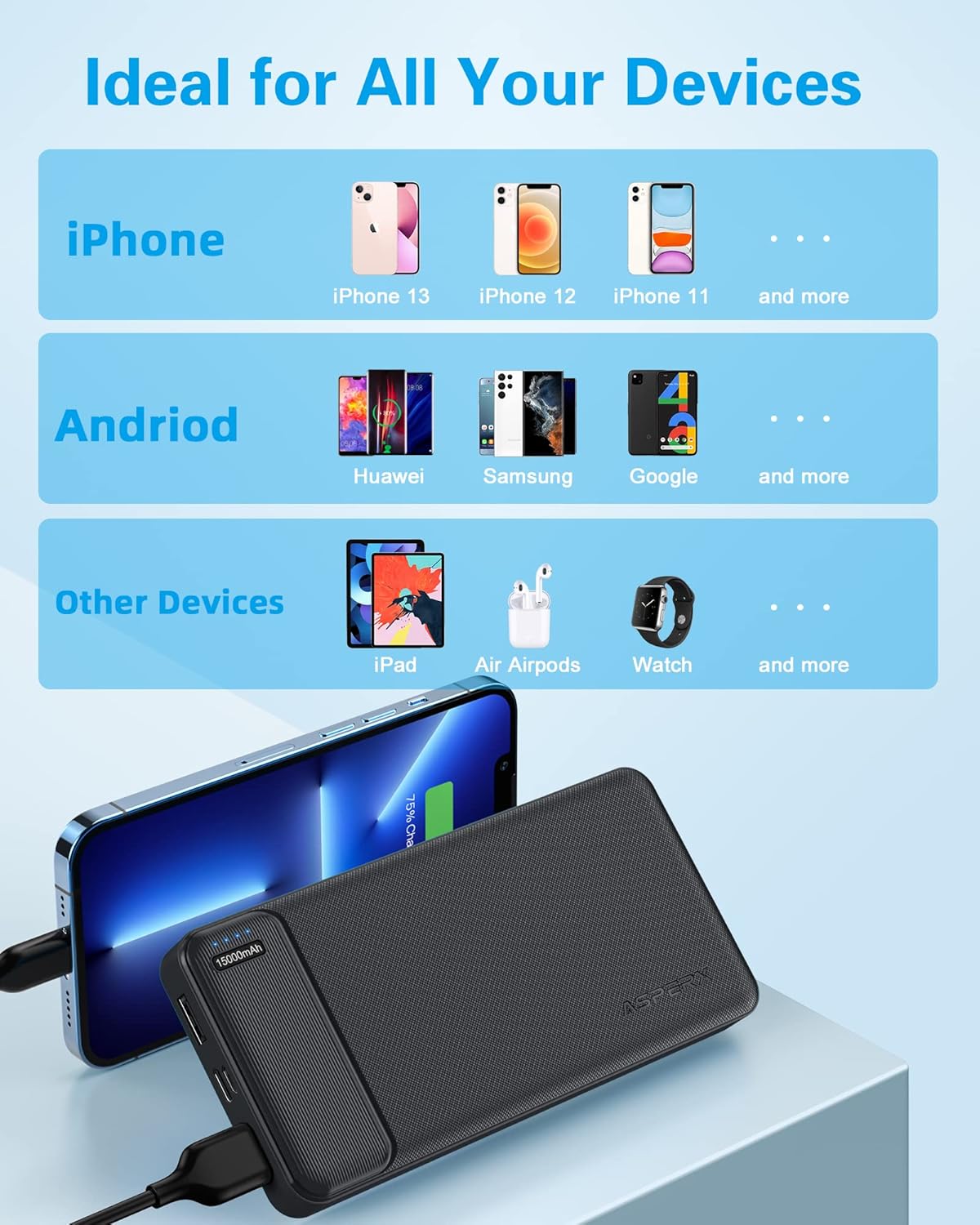
Image: A comprehensive chart detailing the broad compatibility of the power bank with various mobile devices and accessories.
4.4 LED Indicator Lights
The power bank features LED indicator lights to display the current battery level. Each light typically represents a percentage of the total capacity, allowing you to easily monitor the remaining power.
- 4 LEDs: 75-100% charged
- 3 LEDs: 50-75% charged
- 2 LEDs: 25-50% charged
- 1 LED: 0-25% charged (recharge soon)
5. Maintenance and Safety
5.1 General Care
- Keep the power bank away from extreme temperatures, direct sunlight, and humid environments.
- Clean the power bank with a soft, dry cloth. Do not use harsh chemicals or abrasive materials.
- Store the power bank in a cool, dry place when not in use for extended periods.
5.2 Safety Precautions
- Do not disassemble, modify, or repair the power bank yourself.
- Avoid dropping, hitting, or subjecting the power bank to strong impacts.
- Keep out of reach of children.
- Do not use this product while charging the power bank itself.
- Dispose of the power bank responsibly according to local regulations.

Image: A graphic representing the multi-protect safety system integrated into the AsperX power bank, ensuring device and user safety.
6. Troubleshooting
If you encounter issues with your AsperX power bank, please refer to the following common problems and solutions:
| Problem | Possible Cause | Solution |
|---|---|---|
| Power bank not charging | Cable issue, adapter issue, power bank fully charged. | Try a different USB cable or wall adapter. Ensure the adapter meets the power bank's charging requirements. Check LED indicators. |
| Device not charging from power bank | Power bank low on battery, cable issue, device compatibility. | Recharge the power bank. Try a different charging cable. Ensure your device is compatible and the cable is properly connected. |
| Slow charging | Cable quality, device input limit, multiple devices charging. | Use a high-quality charging cable. Ensure your device supports fast charging. Disconnect other devices if charging multiple simultaneously. |
| LED indicators not working | Power bank completely drained, internal fault. | Attempt to charge the power bank for an extended period. If the issue persists, contact customer support. |
7. Specifications
| Feature | Detail |
|---|---|
| Model Number | AX1515 |
| Battery Capacity | 15000mAh |
| Input Ports | USB-C (5V/3A), Micro USB (5V/2A) |
| Output Ports | USB-C (5V/3A), USB-A x 2 (5V/3A) |
| Special Features | Fast Charging, LED Indicator Lights, Pocket Size, Slim Design |
| Product Dimensions | 15 x 1.2 x 7 cm |
| Item Weight | 700 g |
| Battery Type | Lithium Ion |

Image: A size comparison of the AsperX power bank with an iPhone 14 Pro, illustrating its compact and portable dimensions.
8. Warranty and Support
AsperX offers an industry-leading 24-month warranty for this product. This warranty covers manufacturing defects and ensures reliable performance.
If you have any questions, require technical assistance, or need to claim warranty service, please do not hesitate to contact our customer support team. Refer to the contact information provided in your product packaging or visit the official AsperX website for support details.

Image: A graphic highlighting the 24-month support and warranty provided by AsperX for this product.
Related documentsAX1515

Ask a question about this manual
Ask about setup, troubleshooting, compatibility, parts, safety, or missing instructions. Manuals+ will review the question and use this page’s manual context to help answer it.