
1. Introduction
This manual provides essential information for the safe and efficient operation of your OMIZN M9 Global Walkie Talkie. Please read it thoroughly before using the device to ensure optimal performance and longevity. The OMIZN M9 is designed for reliable, long-range communication, featuring global 4G/5G connectivity, robust security, and a durable build.
2. Product Overview
2.1 Included Components
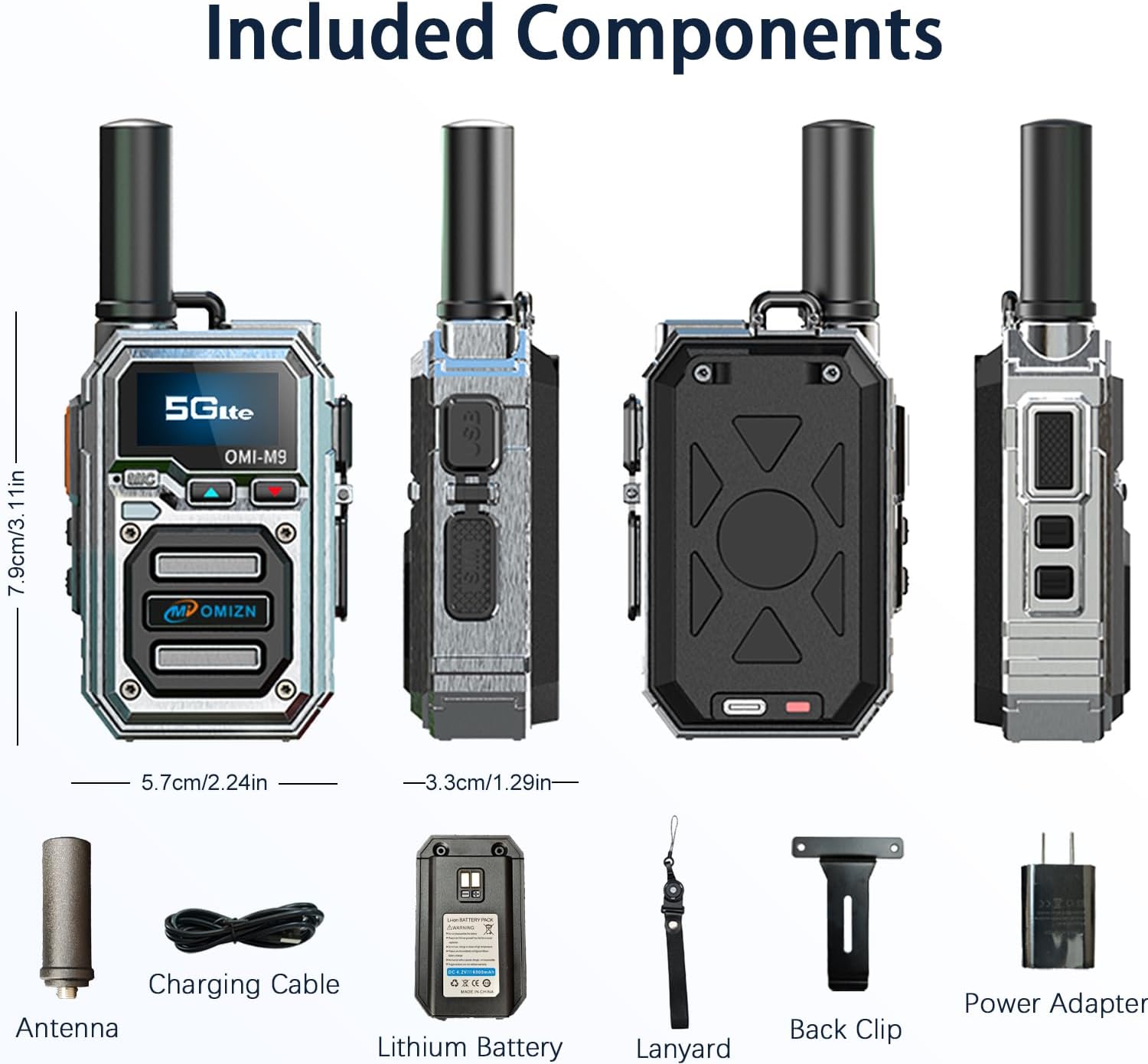
Figure 1: Included Components. This image displays the OMIZN M9 walkie talkie along with its standard accessories: antenna, USB-C charging cable, 6800mAh lithium battery, lanyard, back clip, and power adapter.
Your OMIZN M9 package should contain the following items:
- OMIZN M9 Walkie Talkie Unit
- Antenna
- 6800mAh Lithium Battery
- Type-C Charging Cable
- Power Adapter
- Back Clip
- Lanyard
- User Manual (this document)
2.2 Device Layout

Figure 2: Device Layout. This diagram illustrates the various parts of the OMIZN M9 walkie talkie, including the antenna, flashlight, OLED display, headset/hand mic jack, volume/menu buttons, SIM card slot, power button, menu button, and Push-to-Talk (PTT) button.
- Antenna: For signal transmission and reception.
- Flashlight: Integrated light source.
- OLED Display: Shows status, menu, and communication information.
- Headset Hand Mic Jack: Port for external audio accessories.
- Volume Up / Menu Up: Adjusts volume or navigates menu upwards.
- Volume Down / Menu Down: Adjusts volume or navigates menu downwards.
- SIM Card Slot: For inserting the pre-installed SIM card.
- ON / OFF Button: Powers the device on or off.
- Menu Button: Accesses device settings and options.
- Push to Talk (PTT) Button: Activates voice transmission.
2.3 Key Features
- Global 4G/5G VoIP Coverage: Communicate nationwide and beyond using cellular networks (4G/5G) and VoIP technology, eliminating traditional radio frequency range limits. Operates in over 100 countries with 4G/5G signal.
- Pre-Installed SIM Card: Ready for immediate use with a factory-installed SIM card. Includes free data and fees for the first year. Renewal service available for continued use.
- Extended Battery Life: Equipped with a 6800mAh rechargeable battery, providing up to 48 hours of continuous use or 168 hours of standby. Features USB-C fast charging and voice battery alerts.
- Secure and Private Communication: Utilizes military-grade AES256 encryption to ensure conversations remain private and protected from eavesdropping.
- Smart Noise Reduction: Features anti-magnetic speakers and advanced speech coding digital error correction technology for clear communication in noisy environments and areas with marginal signal reception.
- Durable Construction: Built with a zinc alloy body for shock resistance and crush-proofing. IP54 rated for dust and water resistance, ensuring reliable operation in challenging conditions.
- Unlimited Custom Groups: Supports instant creation of 1-on-1, team, or named group chats.
3. Setup
3.1 Initial Charging

Figure 3: Battery and Charging. This image shows the 6800mAh lithium battery and the Type-C charging cable, highlighting the device's long battery life and convenient charging method.
Before first use, fully charge the OMIZN M9 battery. Connect the provided Type-C charging cable to the device and a power adapter. The OLED display will indicate charging status. A full charge typically takes several hours.
3.2 SIM Card Installation (Pre-installed)
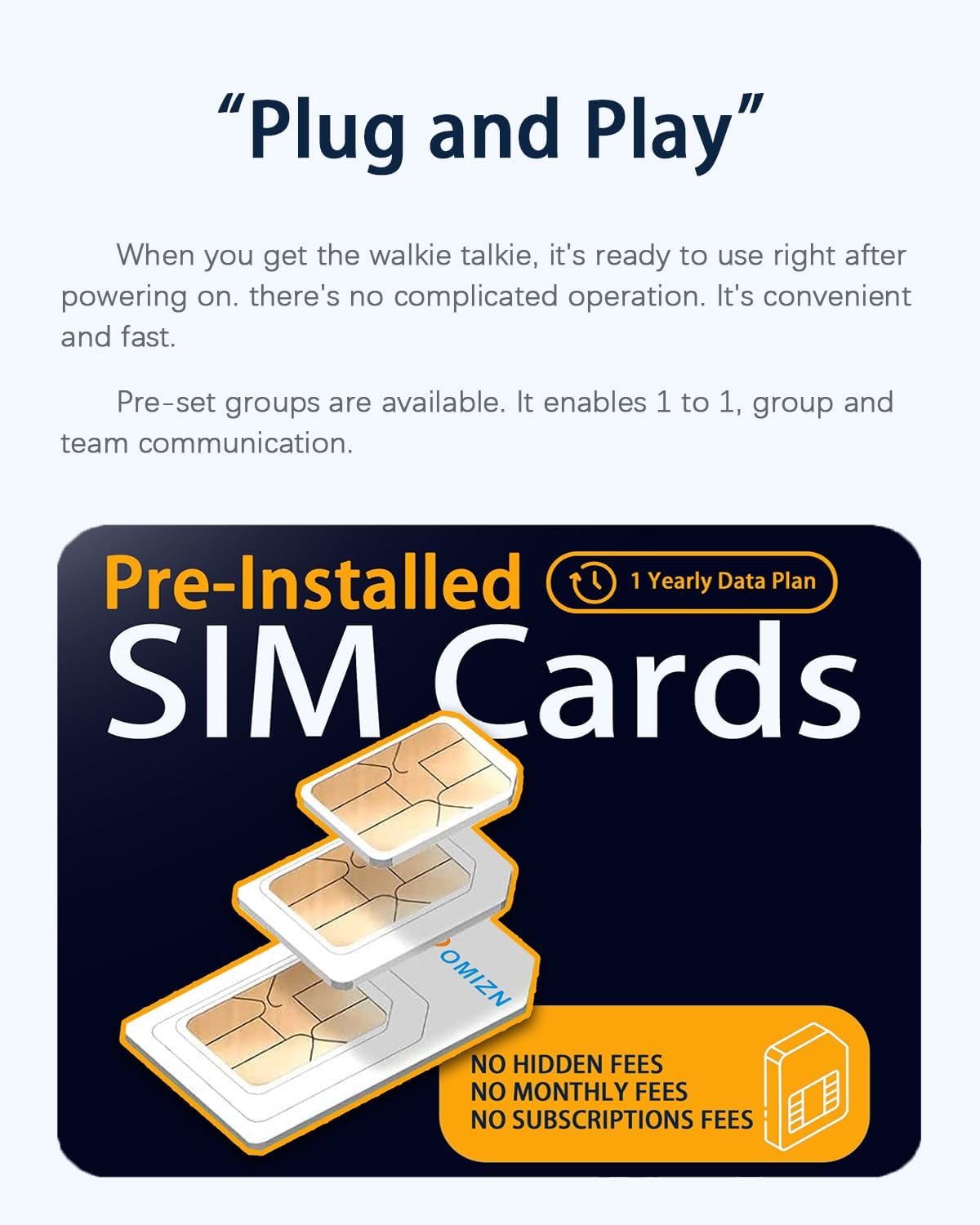
Figure 4: Pre-Installed SIM Cards. This image illustrates that the OMIZN M9 comes with pre-installed SIM cards, offering a yearly data plan with no hidden fees for the first year.
The OMIZN M9 comes with a SIM card pre-installed at the factory. No manual installation is required for initial use. The first year's SIM card fees and data fees are covered. For continued service after the first year, a renewal service is available.
3.3 Powering On/Off
- To Power On: Press and hold the ON / OFF button (refer to Figure 2) until the OLED display illuminates.
- To Power Off: Press and hold the ON / OFF button until the display turns off.
4. Operating Instructions
4.1 Basic Communication (Push to Talk)
To transmit your voice, press and hold the Push to Talk (PTT) button located on the side of the device. Speak clearly into the microphone. Release the PTT button to listen for incoming transmissions. The OLED display will show transmission status.
4.2 Adjusting Volume
Use the Volume Up / Menu Up and Volume Down / Menu Down buttons (refer to Figure 2) to adjust the listening volume. The current volume level will be displayed on the OLED screen.
4.3 Group Communication
The OMIZN M9 supports various communication modes:
- 1-on-1 Chat: Direct communication with a single contact.
- Team Chat: Communication within a pre-defined team group.
- Named Group Chats: Create and join custom groups for specific events or purposes.
To manage groups, navigate through the device's menu using the Menu button and the volume/menu navigation buttons.
4.4 Using the Flashlight
The OMIZN M9 includes an integrated flashlight. Consult the device's menu or a quick-press combination (if available) for activation and deactivation. Refer to Figure 2 for the flashlight's location.
4.5 Headset/Hand Mic Use
For hands-free operation or improved audio quality, connect a compatible headset or hand microphone to the Headset Hand Mic Jack (refer to Figure 2).

Figure 5: HD Sound Quality. This image highlights the OMIZN M9's audio features, including noise reduction, voice announcement capabilities, a Type-C headset jack, and 3D stereo sound, all powered by a 36mm speaker.
5. Maintenance
5.1 Cleaning
To clean the device, use a soft, damp cloth. Do not use harsh chemicals, solvents, or abrasive cleaners. Ensure all ports are dry before charging or connecting accessories.
5.2 Battery Care
To prolong battery life:
- Avoid fully discharging the battery frequently.
- Charge the device regularly, especially if it will be stored for an extended period.
- Store the device in a cool, dry place when not in use.
5.3 Durability and Environmental Protection

Figure 6: Shock-Resistant Casing. This image demonstrates the OMIZN M9's robust zinc alloy body, designed to be shockproof and crush-proof, ensuring functionality even under extreme impact conditions.
The OMIZN M9 features a zinc alloy body, making it shock-resistant and crush-proof. It is also rated IP54, meaning it is protected against dust ingress and splashing water from any direction. While durable, avoid intentional submersion or exposure to high-pressure water jets.
6. Troubleshooting
6.1 Intermittent Signals or Static Noise
If you experience intermittent signals or static noise during use, follow these steps:
- Go to the device's settings menu.
- Select "APN settings".
- Change the base station APN to "automatic".
- Restart the walkie talkie.
If the problem persists, ensure you are within an area with adequate 4G/5G cellular coverage. Obstructions or extreme distances from cellular towers can affect signal quality.
6.2 Device Not Powering On
- Ensure the battery is fully charged.
- Verify the battery is correctly inserted.
- Try charging the device for at least 30 minutes before attempting to power it on again.
6.3 Unable to Transmit or Receive
- Check if the device is powered on and connected to the cellular network (indicated on the OLED display).
- Ensure you are in the correct group or have selected the correct contact for 1-on-1 communication.
- Verify that the PTT button is being pressed correctly during transmission.
- Check for network outages in your area.
7. Specifications
| Feature | Specification |
|---|---|
| Brand | OMIZN |
| Model Number | OMIZN-M9-A1 |
| Connectivity Protocol | LTE (4G/5G) |
| Battery Capacity | 6800mAh |
| Continuous Use Time | Up to 48 hours |
| Standby Time | Up to 168 hours |
| Charging Port | Type-C |
| Encryption | AES256 |
| International Protection Rating | IP54 (Dust Proof, Splash Resistant) |
| Material | Zinc Alloy Casing |
| Product Dimensions (D x W x H) | 1.29" x 2.24" x 3.11" |
| Operating Temperature | -20℃ to 55℃ |
| Frequency Range | Compatible with major U.S. carriers AT&T LTE Bands 2/4/5/12/14/17/29/30/66, T-Mobile LTE Bands 2/4/5/12/66/71, Verizon LTE Bands 2/4/5/13/46/48/66 |

Figure 7: Worldwide Coverage. This image emphasizes the OMIZN M9's global communication capabilities, supporting use in over 170 countries with a communication range exceeding 10,000 miles.

Figure 8: AES256 Encryption. This image visually represents the AES256 encryption technology, ensuring secure and private communication by encrypting and decrypting data with a 256-bit key.
8. Warranty and Support
OMIZN provides comprehensive pre-sales and after-sales service. If you encounter any product malfunctions, operational questions, or require technical guidance, please do not hesitate to contact us. Our team is committed to providing prompt assistance and ensuring your satisfaction.
For issues related to intermittent signals or static noise, please refer to the Troubleshooting section (6.1) for initial steps.
For information regarding the SIM card renewal service after the first year, please contact OMIZN customer support.
Contact Information: Please refer to the seller's contact details on your purchase platform or visit the official OMIZN website for support.

