
1. Introduction
This manual provides essential instructions for the safe and efficient use of your DREAME D15 Plus Auto Self-Empty Robot Vacuum and Mop. Please read this guide thoroughly before operating the device and retain it for future reference. The D15 Plus is designed to provide comprehensive floor cleaning, combining powerful vacuuming with effective mopping, and features an auto self-empty station for enhanced convenience.
2. Safety Information
Always adhere to the following safety precautions to prevent injury or damage to the device:
- Ensure the robot is fully charged before first use.
- Do not operate the robot in wet environments or near standing water.
- Keep loose clothing, hair, and body parts away from moving parts.
- Remove any loose cables, small objects, or fragile items from the cleaning path to prevent entanglement or damage.
- Do not allow children or pets to play with the robot or its charging station.
- Use only the original power adapter and charging station provided with the device.
- Do not use the robot to pick up burning or smoking materials, large debris, or sharp objects.
- Regularly clean the brushes and sensors to maintain optimal performance.
3. Product Overview
The DREAME D15 Plus integrates advanced cleaning technologies for a pristine home environment. Key components include the robot vacuum, the auto self-empty base station, a side brush, and a water tank.

Image: The DREAME D15 Plus robot vacuum positioned in front of its auto self-empty base station, with a smartphone displaying the companion app's map interface.
Key Features:
- 90-Day Auto Dust Collection: The 4L dust bag in the auto-empty station automatically collects and stores dust for up to 90 days, minimizing manual intervention.
- 13,000Pa Vormax Suction: Provides powerful suction for effective removal of hair, dirt, and debris from various floor types.
- 2-in-1 Vacuuming & Mopping: Equipped with a 400ml dust box and a 150ml water tank for simultaneous vacuuming and mopping.
- Special Carpet Cleaning: Features Carpet Boost technology that intelligently adjusts suction power for deep carpet cleaning.
- Long-Running 5200mAh Battery: Offers up to 300 minutes of continuous cleaning, covering areas up to 270m² on a single charge.
- Smart Pathfinder Technology: Utilizes advanced navigation for efficient mapping, obstacle avoidance, and consistent cleaning routes.
- All-Rubber Floating Brush: Designed to effectively collect hair and minimize tangling.
4. Setup
4.1 Unboxing and Component Check
Carefully remove all components from the packaging. Verify that all items listed in the 'Included Components' section of the specifications are present.
4.2 Charging Base Placement
Place the auto self-empty station against a wall in an open area, ensuring there is sufficient space around it for the robot to dock easily. Avoid placing it near stairs or in cluttered areas.

Image: The DREAME D15 Plus robot vacuum docked with its auto self-empty station, highlighting the 4L dust bag and the 90-day hands-free dust collection feature.
4.3 Initial Charge
Connect the charging base to a power outlet. Place the robot onto the charging base. Ensure the robot is properly aligned and charging indicators are active. Allow the robot to fully charge before its first cleaning cycle.
4.4 App Installation and Connection
- Download the 'Dreamehome App' from your device's app store.
- Open the app and follow the on-screen instructions to create an account.
- Select 'Add Device' and choose the D15 Plus model.
- Follow the app's prompts to connect the robot to your home Wi-Fi network (2.4 GHz recommended for initial setup).
4.5 Initial Mapping
Once connected, initiate a full cleaning cycle through the app. The robot will use its Smart Pathfinder Technology to create an initial map of your home. This map is crucial for efficient navigation and allows for advanced features like no-go zones and room-specific cleaning.

Image: An illustration showing the DREAME D15 Plus robot vacuum navigating a room, with glowing lines representing its Smart Pathfinder Technology mapping and obstacle avoidance capabilities.
5. Operation
5.1 Starting and Stopping Cleaning
- Start: Press the power button on the robot or use the 'Start Cleaning' option in the Dreamehome App.
- Pause: Press the power button once during cleaning to pause.
- Resume: Press the power button again to resume cleaning.
- Return to Base: Press and hold the power button for 3 seconds, or select 'Return to Base' in the app.
5.2 Cleaning Modes
The D15 Plus offers various cleaning modes accessible via the Dreamehome App:
- Vacuum Only: For dry debris collection.
- Mop Only: For wet cleaning (ensure water tank is filled).
- Vacuum & Mop: Simultaneous dry and wet cleaning.
- Carpet Boost: Automatically increases suction power when a carpet is detected for deeper cleaning.
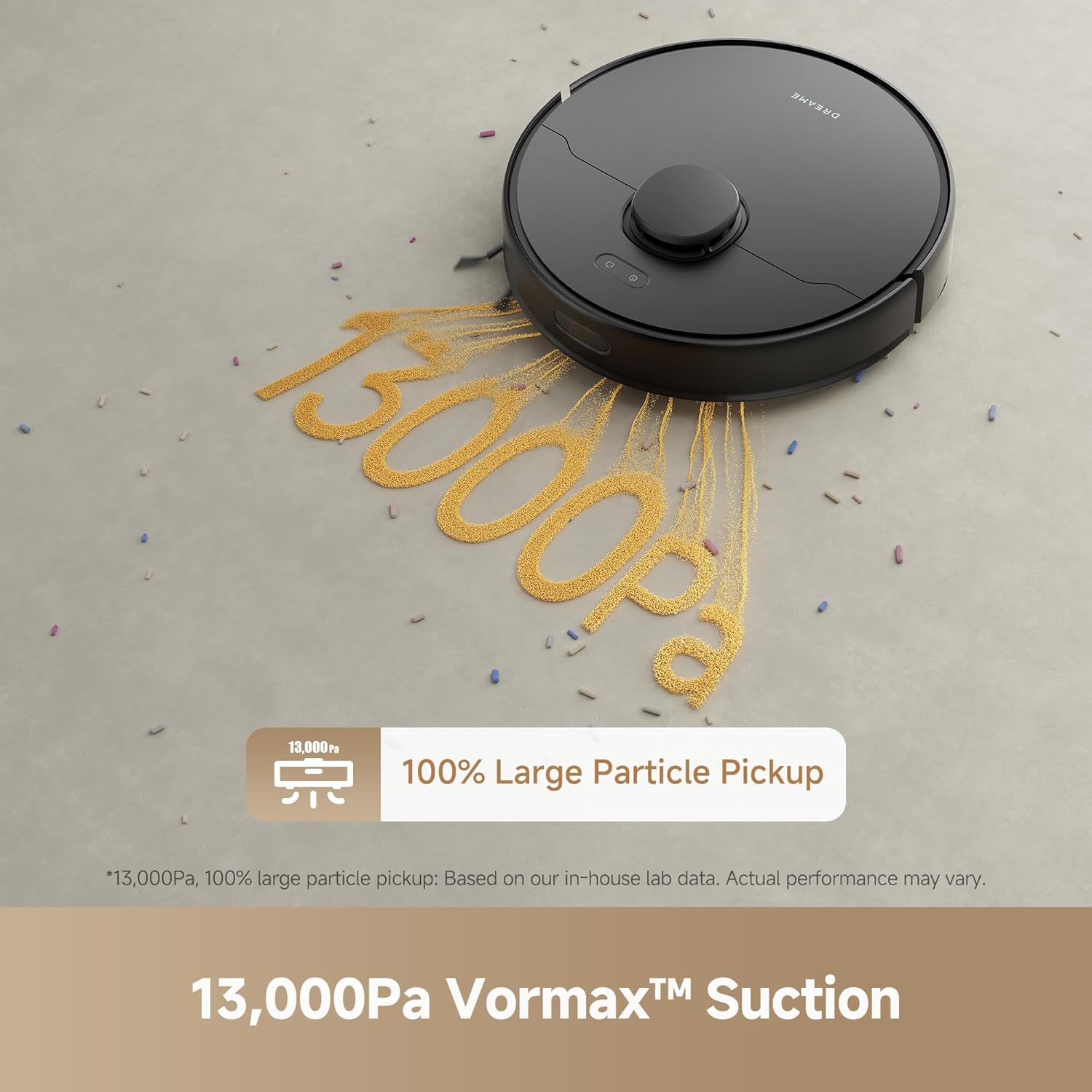
Image: The DREAME D15 Plus robot vacuum on a floor, with golden particles being powerfully sucked into its intake, illustrating its 13,000Pa Vormax suction capability.

Image: A close-up view of the DREAME D15 Plus robot vacuum's underside brush mechanism engaging with a plush carpet, indicating its special carpet cleaning function.
5.3 Scheduling and Customization
Use the Dreamehome App to:
- Set cleaning schedules for specific times and days.
- Adjust suction power and water flow levels.
- Define specific areas or rooms for cleaning.
- Set up 'No-go Zones' and 'No-mop Zones' to restrict the robot from certain areas.

Image: The DREAME D15 Plus robot vacuum approaching a virtual red line on the floor, representing a 'No-go Zone' set via the app, demonstrating its ability to avoid restricted areas.
5.4 Voice Control
The D15 Plus is compatible with voice assistants such as Alexa, Siri, and Google Home. Enable the Dreame skill/action in your voice assistant app and link your Dreamehome account to control the robot with voice commands.

Image: A person sitting on a chair with a cat, next to a small smart speaker emitting sound waves, and the DREAME D15 Plus robot vacuum cleaning in the background, illustrating voice control compatibility.
6. Maintenance
Regular maintenance ensures optimal performance and extends the lifespan of your DREAME D15 Plus.
6.1 Dust Bag Replacement (Auto-Empty Station)
The 4L dust bag typically requires replacement every 90 days, depending on usage. When the bag is full, the app will notify you. Open the top cover of the auto-empty station, remove the full dust bag, and insert a new one.
6.2 Dust Box Cleaning (Robot)
For manual emptying or if the auto-empty function is not used, remove the 400ml dust box from the robot, empty its contents, and rinse with water if necessary. Ensure it is completely dry before reinserting.
6.3 Water Tank Refill and Cleaning
The 150ml water tank should be refilled with clean water before mopping. After each mopping session, empty any remaining water and clean the tank to prevent mold or odors.
6.4 Brush Cleaning
The all-rubber floating brush should be inspected and cleaned regularly. Remove any tangled hair or debris using the cleaning tool provided. The side brush should also be checked for wear and tear and replaced if damaged.

Image: A close-up view of the DREAME D15 Plus robot vacuum's all-rubber floating brush, showing debris being swept into the vacuum, emphasizing its carpet-friendly cleaning and tangle-minimizing design.
6.5 Filter Cleaning and Replacement
The cloth filter inside the dust box should be cleaned periodically by tapping out dust or rinsing with water. Replace the filter every 3-6 months, or as needed, to maintain suction efficiency.
6.6 Sensor Cleaning
Wipe the cliff sensors, obstacle avoidance sensors, and charging contacts on both the robot and the base station with a clean, dry cloth to ensure proper functionality.
7. Troubleshooting
If you encounter issues with your DREAME D15 Plus, refer to the following common problems and solutions:
| Problem | Possible Cause | Solution |
|---|---|---|
| Robot does not turn on or charge. | Low battery; improper docking; power adapter issue. | Ensure robot is correctly docked; check power connection to base; try a different outlet. |
| Robot gets stuck frequently. | Obstacles; uneven surfaces; dirty sensors. | Clear cleaning path; clean obstacle avoidance sensors; ensure no-go zones are set for problematic areas. |
| Poor cleaning performance. | Full dust box/bag; tangled brush; dirty filter. | Empty dust box/replace dust bag; clean main brush and side brush; clean or replace filter. |
| App connection issues. | Incorrect Wi-Fi password; 5GHz Wi-Fi band; app glitch. | Ensure connection to 2.4GHz Wi-Fi; re-enter password; restart robot and app; factory reset if necessary. |
| Robot navigates aggressively or bumps into objects. | Sensor obstruction; mapping error; firmware issue. | Clean all sensors; reset map in the app and allow re-mapping; check for firmware updates. |
| Mopping function is ineffective. | Empty water tank; clogged water nozzle; dirty mop pad. | Refill water tank; clean water nozzle; clean or replace mop pad. |
If the problem persists after attempting these solutions, please contact DREAME customer support.
8. Specifications
| Feature | Detail |
|---|---|
| Brand | DREAME |
| Model Name | D15 Plus |
| Color | Black |
| Product Dimensions | 17.78 x 5.08 x 7.62 cm (Robot); 10L x 10W x 10H millimeters (General) |
| Item Weight | 10.2 kg |
| Battery Life | Up to 300 minutes |
| Battery Capacity | 5200mAh |
| Suction Power | 13,000Pa Vormax |
| Auto Dust Collection | 4L Dust Bag (up to 90 days) |
| Robot Dust Box Capacity | 400ml |
| Water Tank Capacity | 150ml |
| Surface Recommendation | Hard Floor, Carpet, Wood, Tile |
| Controller Type | App Control, Voice Control |
| Special Features | Smart Pathfinder Technology, Special Carpet Cleaning, All-Rubber Floating Brush |
| Included Components | Robot Vacuum x1, Base Station with Auto-Empty x1, Side Brush x1, Water Tank, Instruction Guide |
9. Warranty and Support
9.1 Warranty Information
Your DREAME D15 Plus is covered by a manufacturer's warranty. Please refer to the warranty card included in your product packaging for specific terms, conditions, and duration. Keep your purchase receipt as proof of purchase for warranty claims.
9.2 Customer Support
For technical assistance, troubleshooting beyond this manual, or warranty inquiries, please contact DREAME customer support through the following channels:
- Website: Visit the official DREAME website for support resources and contact information.
- Dreamehome App: Access support features directly within the app.
- Email/Phone: Refer to your product packaging or the official website for specific email addresses and phone numbers for your region.


