1. Introduction
The Retekess TR508 FM Transmitter and PR13 FM Receiver System is designed for wireless audio broadcasting over long distances. This system is ideal for applications such as church translation, museum tours, factory communication, and school events, providing clear and stable audio transmission. The TR508 transmitter features a durable metal body and adjustable frequency, while the PR13 receivers are compact and easy to operate.


2. Safety Information
The FCC ID for the TR508 is 2AAR8TR508. This device complies with Title 47 SECTION 15.205 Restricted bands of operation, ensuring legal and safe usage.
3. Components Overview
The system includes the following main components:
- TR508 FM Transmitter: The main broadcasting unit with adjustable frequency, audio, and microphone inputs.
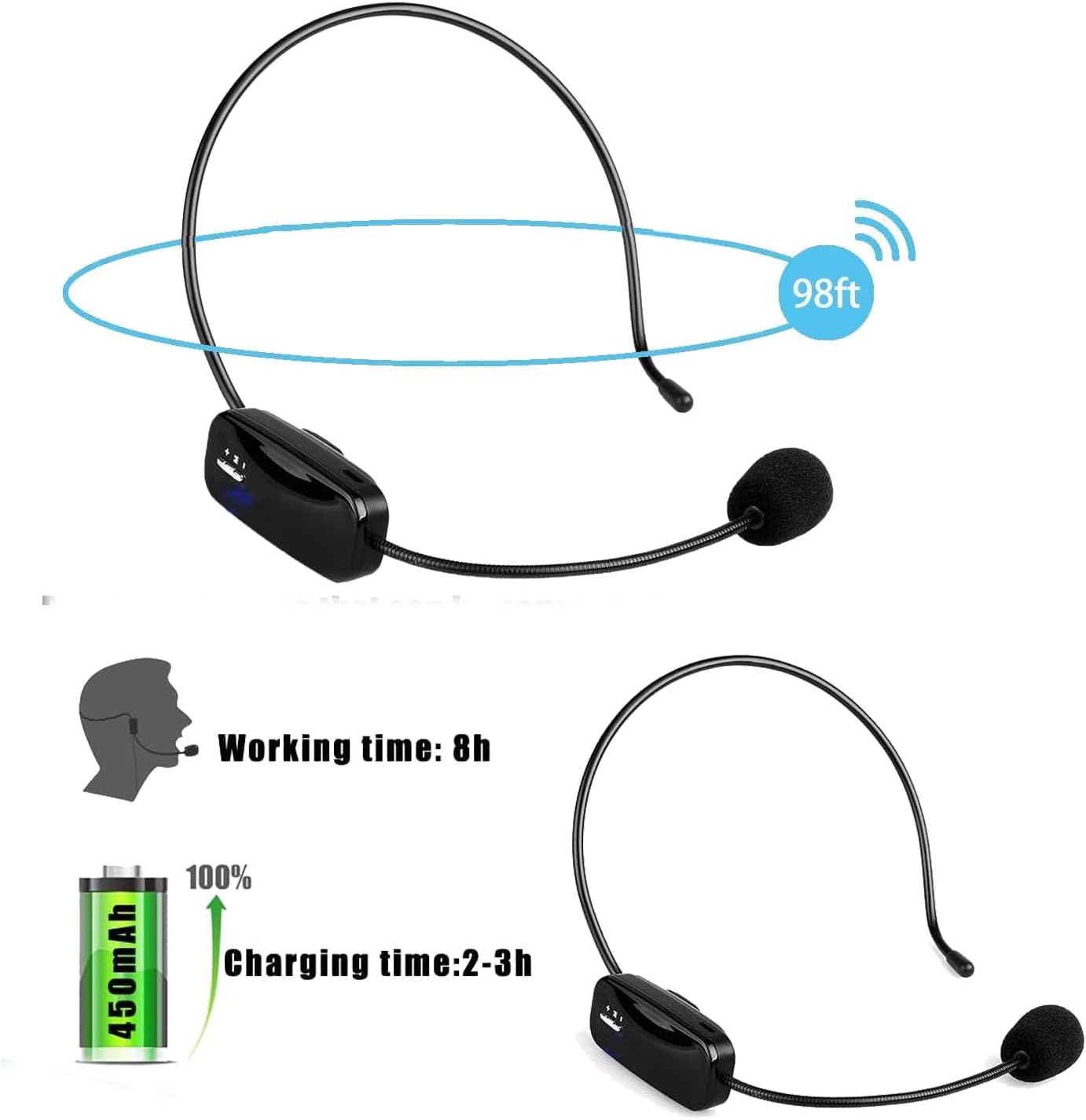
- TR503 FM Transmitter Headset: A headset with a microphone for the speaker, designed for comfortable wear and clear voice transmission.
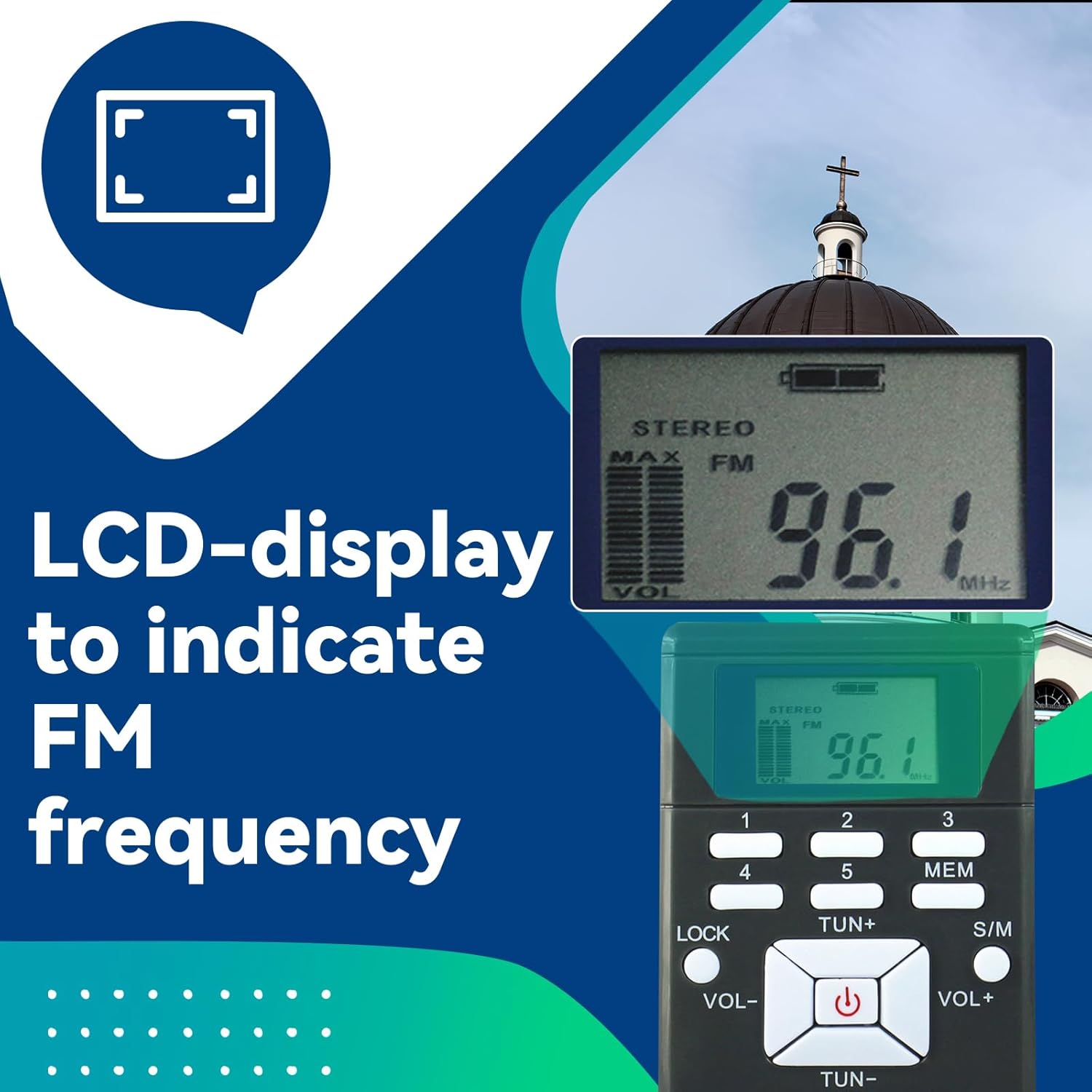
- PR13 FM Radio Receivers: Compact, portable receivers for listeners to tune into the broadcast.

4. Setup Instructions
4.1 TR508 FM Transmitter Setup
- Connect Antenna: Screw the antenna securely into the ANT port on the back of the TR508 transmitter.
- Connect Power: Plug the power adapter into the 12V=2.0A port on the back of the transmitter, then plug the adapter into a power outlet.
- Connect Audio Source: Use the provided 3.5mm audio cable to connect your audio source (e.g., MP3 player, PC, mobile phone) to the 'Audio' input jack on the front panel. For microphone input, connect the TR503 headset or another compatible microphone to the 'Mic' input jack.

4.2 TR503 FM Transmitter Headset Setup
- Charging: Ensure the TR503 headset is fully charged before use. Connect it to a USB power source using the appropriate cable.
- Wearing: Place the headset comfortably on your head with the microphone positioned near your mouth for optimal voice pickup.
4.3 PR13 FM Radio Receiver Setup
- Batteries: Insert the required AAA batteries into each PR13 receiver.
- Earphones: Plug the earphones into the 3.5mm jack on the PR13 receiver.
5. Operating Instructions
5.1 TR508 FM Transmitter Operation
- Power On/Off: Press the power button on the front panel to turn the transmitter on or off.
- Frequency Adjustment: Use the 'Up' and 'Down' buttons to select the desired FM broadcasting frequency. The frequency will be displayed on the LCD screen.
- Volume Control: Adjust the 'Audio' knob to control the volume of the connected audio source and the 'Mic' knob to control the microphone volume.
- High/Low Power Mode: To change power mode, first turn off the transmitter and remove the charger. Then, press and hold the power button while plugging in the charger. The screen will display 'L' for low power or 'H' for high power. Release the power button once the desired mode is displayed.


Video: Instructions on how to use the Retekess TR508 FM Transmitter, including connecting the antenna, power, and adjusting frequency and volume.
Video: Overview of what can be received with the Retekess TR508 system, demonstrating its broadcasting capabilities.
5.2 PR13 FM Radio Receiver Operation
- Power On/Off: Press the power button on the PR13 receiver to turn it on or off.
- Tuning: Use the 'TUN+' and 'TUN-' buttons to search for the desired FM frequency broadcasted by the TR508 transmitter.
- Volume Adjustment: Use the 'VOL+' and 'VOL-' buttons to adjust the listening volume.
- Mono/Stereo Switch: Press the 'S/M' button to switch between mono and stereo audio modes.
- Saving Favorite Stations: Press the 'MEM' button to jump to a memory slot, then press buttons 1-5 to select and save a favorite station.


Video: Demonstrates the basic operation of the Retekess PR13 FM Receiver, including power, tuning, and volume controls.
6. Maintenance
- Cleaning: Use a soft, dry cloth to clean the exterior of the transmitter and receivers. Avoid using harsh chemicals or abrasive materials.
- Battery Care: For PR13 receivers, replace AAA batteries as needed. For the TR503 headset, ensure regular charging to maintain battery life.
- Storage: Store the system components in a cool, dry place away from direct sunlight and extreme temperatures when not in use.
7. Troubleshooting
- No Signal/Poor Audio:
- Ensure the TR508 antenna is securely connected and fully extended.
- Verify that the TR508 transmitter and PR13 receivers are tuned to the same frequency.
- Check the distance between the transmitter and receivers; the effective range is up to 300m/980ft in a barrier-free environment. Obstacles can reduce range.
- Confirm that the audio source is properly connected and playing.
- Power Issues:
- For TR508, ensure the power adapter is correctly plugged into both the transmitter and a working power outlet.
- For TR503, check if the headset is charged.
- For PR13, ensure batteries are correctly inserted and have sufficient charge.
- Microphone Not Working:
- Verify the TR503 headset is connected to the 'Mic' input of the TR508.
- Adjust the 'Mic' volume knob on the TR508.
8. Specifications
| Feature | Specification |
|---|---|
| Model Number | FF9244A-F9221A-F9213AX10 (Kit) |
| Brand | Retekess |
| Connectivity Technology | AUX |
| Power Source | Battery Powered (Receivers), AC Adapter (Transmitter) |
| Material | Metal body (TR508), ABS body (TR503) |
| Transmission Range | Up to 300m/980ft (barrier-free environment) |
| Item Weight | 3.89 pounds (Total package) |
| Package Dimensions | 12.05 x 11.61 x 9.37 inches |
| Batteries | 11 AAA batteries required (included) |
9. Warranty and Support
For warranty information and technical support, please refer to the official Retekess website or contact their customer service directly. Keep your purchase receipt for any warranty claims.


