
1. Introduction
Thank you for choosing the Briidea LD-177 PWM DC Motor Speed Controller. This device is designed to provide precise speed control for DC motors, particularly 55lb trolling motors, offering enhanced functionality with a handle control and a quick shutoff switch. Its robust IP65 waterproof design ensures reliable performance in various marine and outdoor environments. This manual provides essential information for the safe and efficient installation, operation, and maintenance of your controller.
2. Safety Information
Please read all safety instructions carefully before installation and operation. Failure to follow these instructions may result in injury or damage to the product.
- Emergency Shutoff: The controller includes an IEC-compliant emergency shutoff switch. In case of an emergency, such as someone falling overboard, activate this switch immediately to stop the motor and prevent accidents.
- Power Disconnection: Always disconnect power from the battery before performing any installation, maintenance, or troubleshooting.
- Correct Voltage: Ensure the power source matches the controller's operating voltage (12V/24V). Incorrect voltage can damage the unit.
- Wiring: Use appropriate gauge wiring (6AWG recommended for heavy-duty connections) and ensure all connections are secure and properly insulated to prevent short circuits.
- Overheat Protection: The unit features smart cooling protection. Do not obstruct the aluminum heat sink at the bottom of the unit.
- Water Exposure: While the unit is IP65 waterproof, ensure all connections are sealed and protected from direct water ingress during installation.
3. Package Contents
Verify that all components are present in the package:
- Briidea PWM DC Motor Speed Controller (Governor)
- Outboard Remote Control Box (Handle Control)
- Quick Shutoff Switch with coiled lanyard
- Screw accessories kit for installation

Image: Included accessories, including the controller, handle control, quick shutoff switch, and various screws and mounting hardware.
4. Specifications
| Feature | Specification |
|---|---|
| Model Number | LD-177 |
| Operating Voltage | 12V/24V DC |
| Rated Current | 50A |
| Waterproof Rating | IP65 |
| Speed Tuning Precision | 5% |
| Overheat Protection Threshold | 175°F (79.4°C) |
| Output Reduction on Overheat | 20% |
| Cable Gauge (Recommended) | 6AWG for heavy-duty connections |
| Product Dimensions (Controller) | 7.9"L x 6.4"W x 4.2"H (approx.) |
| Item Weight | 4.82 pounds |
| Material | Plastic |

Image: Detailed dimensions of the main controller unit and the handle control unit.
5. Setup and Installation
Follow these steps for proper installation of your Briidea PWM DC Motor Speed Controller.
5.1 Mounting the Handle Control
- Secure the bracket: Attach the mounting bracket for the handle control to your desired location using the provided screws.
- Prepare the Track Mount Tie Down (if applicable): If using a track mount system, prepare the necessary components for securing the handle control.
- Secure to the rail: Mount the handle control unit onto the secured bracket or rail, ensuring it is firmly in place and easily accessible for operation.
5.2 Connecting the Cables
The controller requires connections to your battery, trolling motor, and the handle control unit. Use 6AWG heavy-duty cables for power connections.
- Connect the Governor: Connect the main controller unit (Governor) to your 12V/24V battery. Ensure correct polarity (positive to positive, negative to negative).
- Connect to Trolling Motor: Connect the Governor's output terminals to your trolling motor.
- Connect Handle Control: Plug the cable from the handle control box into the designated 'Control Socket' on the Governor.
- Connect Quick Shutoff Switch: Plug the quick shutoff switch into its designated port on the Governor. Ensure the lanyard is accessible and can be attached to the operator.

Image: Step-by-step guide for mounting the handle control and connecting the cables to the main controller unit.
5.3 Placement Considerations
Consider the optimal placement for the controller components for ease of use and safety.
- Outboard Remote Control Box: Position the handle control box next to your seat or in an easily accessible location for comfortable operation.
- Quick Disconnect Switch: Ensure the quick shutoff switch is within easy reach and its lanyard can be securely attached to the operator.
- Governor: Mount the main controller unit in a secure location, ensuring the heat sink at the bottom has adequate airflow and is not obstructed.

Image: Illustrates recommended placement of the outboard remote control box, quick disconnect switch, and governor within a boat setup.
6. Operating Instructions
The Briidea LD-177 controller offers precise and convenient motor speed and direction control.
6.1 Handle Speed Control
- The handle control allows for smooth and precise speed adjustments. Rotate the handle to increase or decrease the motor speed.
- The controller provides 5% precise speed tuning, enabling fine adjustments to your trolling motor's output.
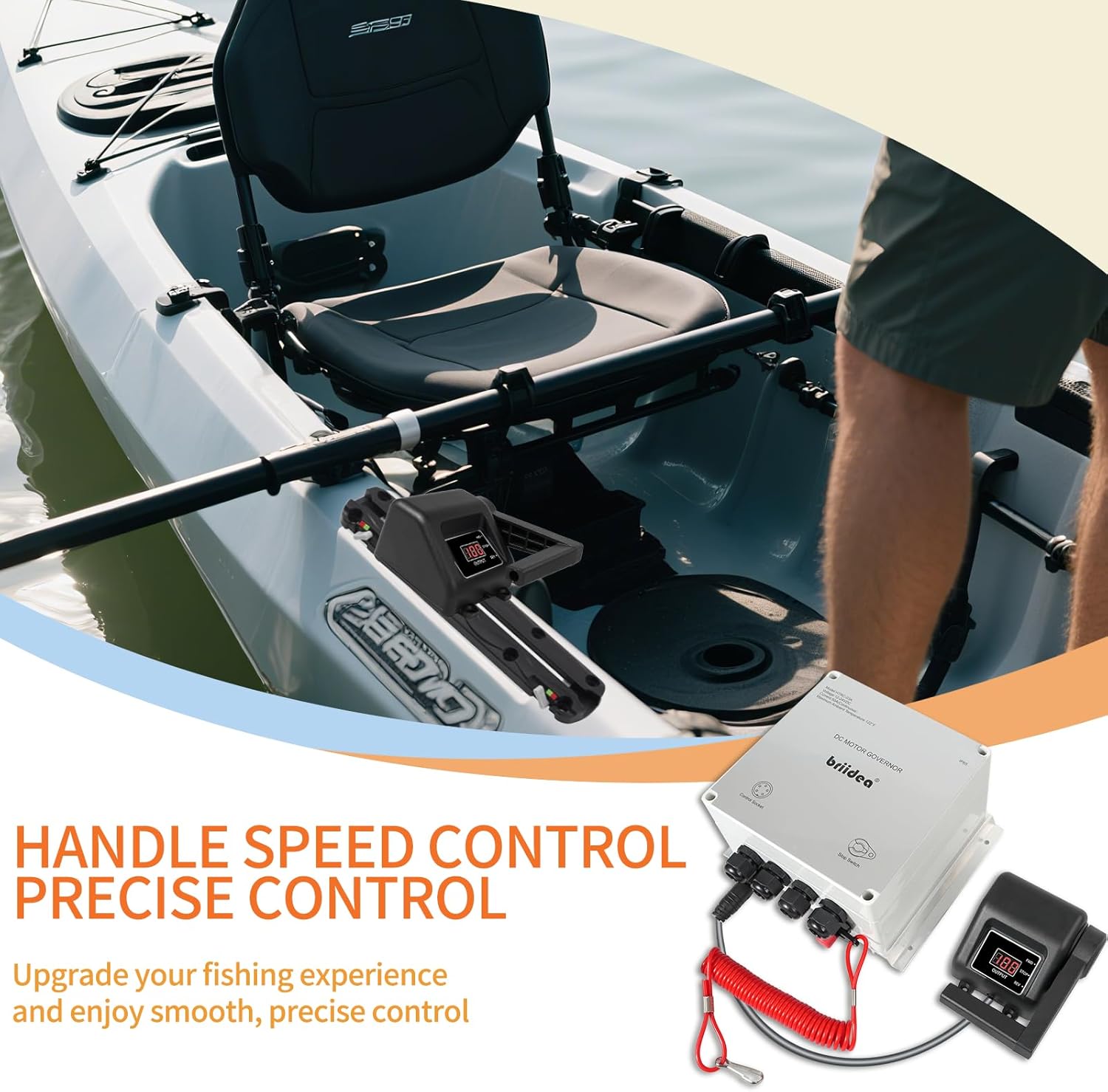
Image: A user demonstrating the handle speed control for a trolling motor on a kayak.
6.2 Forward/Reverse Control
- The handle control includes a forward/reverse switch. Toggle this switch to change the direction of your trolling motor.
- Note: When transitioning rapidly between forward and reverse, there may be a slight delay. This is a design feature to prevent large amperage spikes that could damage the internal components (MOSFETs) and ensures the longevity of the unit.

Image: Close-up of the Briidea controller and handle, highlighting the precise speed tuning and forward/reverse switch.
6.3 Quick Shutoff Switch
- The quick shutoff switch provides an immediate stop function for the motor. Pulling the lanyard from the switch will instantly cut power to the motor.
- Always keep the lanyard attached to yourself or a secure point on the vessel during operation for safety.
6.4 Smart Cooling Protection
- The controller features a built-in smart temperature control system. If the internal temperature exceeds 175°F (79.4°C), the system will automatically activate overheat protection.
- During overheat protection, the output speed will be reduced by 20% to prevent damage and ensure stable, safe performance.
- The aluminum heat sink at the bottom of the unit aids in efficient cooling. Ensure it is not obstructed.

Image: Illustration of the intelligent temperature control system, showing the overheat threshold and speed reduction.
7. Maintenance
Regular maintenance ensures the longevity and optimal performance of your Briidea PWM DC Motor Speed Controller.
- Cleaning: Periodically wipe down the exterior of the controller and handle with a damp cloth. Avoid using harsh chemicals or abrasive cleaners.
- Connection Check: Regularly inspect all electrical connections for tightness and corrosion. Ensure cables are not frayed or damaged.
- Heat Sink: Ensure the aluminum heat sink on the bottom of the main controller unit remains clear of debris and obstructions to allow for proper cooling.
- Storage: When not in use for extended periods, store the controller in a dry, cool place, disconnected from the battery.

Image: Demonstrates the IP65 waterproof design, highlighting its resistance to water, dust, and moisture for outdoor and marine use.
8. Troubleshooting
If you encounter issues with your controller, refer to the following troubleshooting guide:
| Problem | Possible Cause | Solution |
|---|---|---|
| Motor not responding | No power, loose connections, quick shutoff switch disengaged. | Check battery connections. Ensure all cables are securely connected. Verify the quick shutoff switch lanyard is inserted. |
| Motor speed is inconsistent or reduced | Low battery voltage, controller overheating, motor issue. | Check battery charge. Ensure the controller's heat sink is clear. If the unit is hot, allow it to cool. Inspect the trolling motor for any issues. |
| Delay when switching forward/reverse | Normal operational characteristic to protect components. | This is a built-in safety feature. Allow a brief moment for the controller to adjust direction. |
| Controller display not working | No power, faulty connection to handle control. | Check main power connections. Ensure the handle control cable is firmly plugged into the Governor. |
9. Warranty Information
The Briidea LD-177 PWM DC Motor Speed Controller comes with a 2-year warranty from the date of purchase. This warranty covers defects in materials and workmanship under normal use. It does not cover damage caused by misuse, accident, unauthorized modification, or improper installation. Please retain your proof of purchase for warranty claims.
10. Support
For further assistance, technical support, or warranty inquiries, please contact Briidea customer service. Refer to the product packaging or the Briidea official website for contact details.