
GODOX iT30ProS Flash for Sony Cameras
Contents
GODOX iT30 Pro S TTL Mini Camera Flash User Manual
Model: iT30ProS Flash for Sony Cameras
Product Overview
The GODOX iT30 Pro S is a compact and powerful TTL mini camera flash designed for Sony cameras. It features a responsive touchscreen for easy control, a high-capacity lithium battery for extended use, and supports advanced flash functions like High-Speed Sync (HSS) up to 1/8000s. Its integrated 2.4GHz X system allows for versatile wireless master and receiver capabilities, making it suitable for various lighting setups.

Image: The GODOX iT30 Pro S flash unit along with its charging cable, storage bag, and cleaning cloth, demonstrating its compact size and essential components.
Setup
Charging the Battery
The iT30 Pro S is equipped with a built-in 7.4V/900mAh lithium battery. Before first use, ensure the battery is fully charged. Use the provided USB-C charging cable to connect the flash to a compatible USB power source (e.g., a computer USB port or a USB wall adapter).
- Connect the USB-C cable to the charging port on the flash unit.
- Connect the other end of the cable to a USB power source.
- The touchscreen display will indicate the charging status.
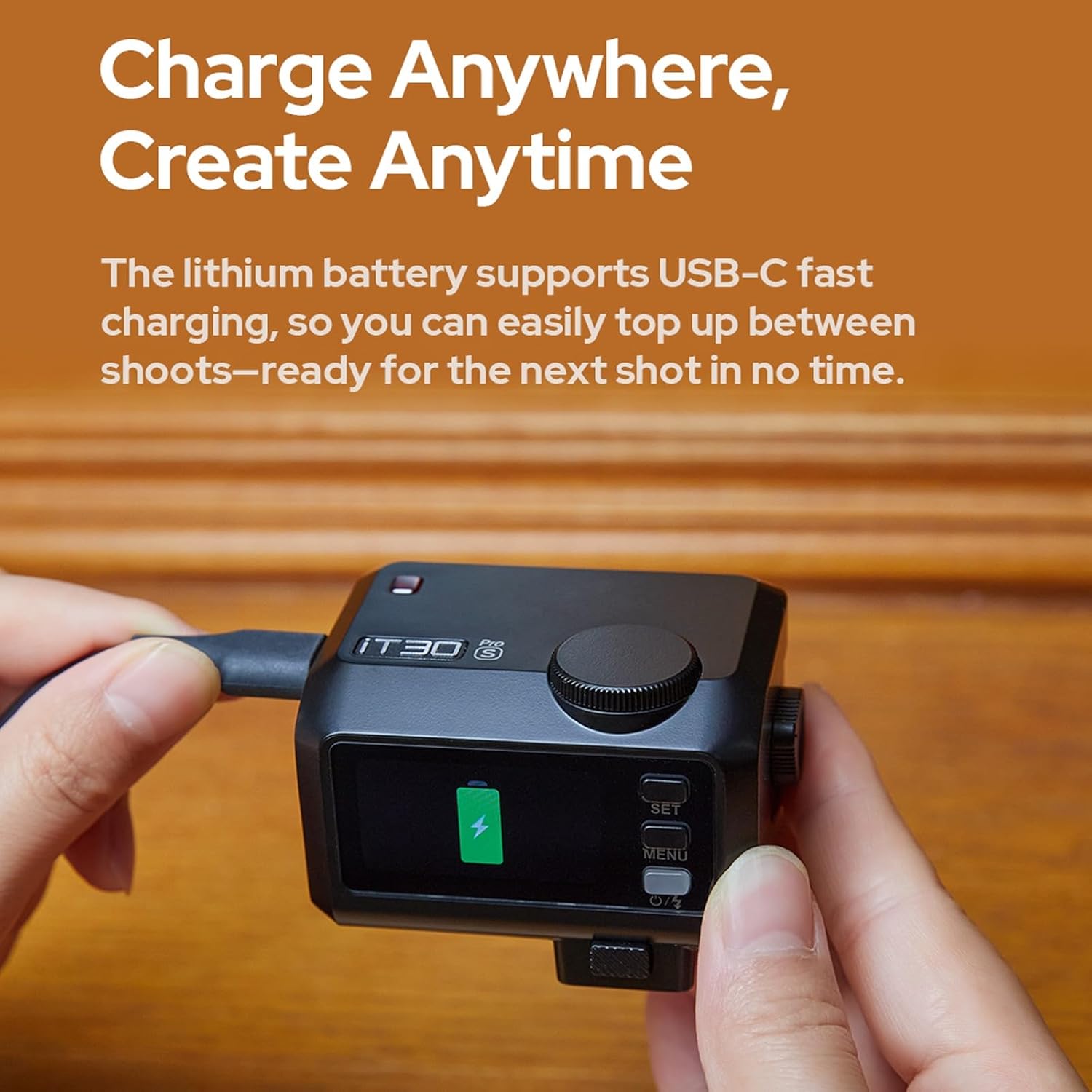
Image: A user connecting the USB-C charging cable to the GODOX iT30 Pro S flash unit, showing the charging indicator on the display.
Mounting the Flash
The iT30 Pro S features a redesigned quick-release foot for easy and secure mounting onto your camera's hot shoe.
- Slide the flash unit's foot into your camera's hot shoe.
- Press the quick-release button (located on the side for iT30Pro C/N/F/O models) to lock the flash securely in place.
- To remove, press the quick-release button and slide the flash out.

Image: A close-up view of the GODOX iT30 Pro S flash being attached to a camera's hot shoe, highlighting the quick-release button for secure mounting.
Operating Instructions
TTL Auto-Exposure Mode
The TTL (Through-The-Lens) auto-exposure mode automatically meters light through your camera's lens and calculates the optimal flash output for perfectly exposed images. This mode is ideal for quick shooting and changing light conditions.

Image: A photographer using the GODOX iT30 Pro S flash in TTL mode on a Sony camera to capture a portrait, demonstrating its automatic exposure capabilities.
Touchscreen Interface
The 2.8-inch full-color touchscreen provides intuitive control over flash settings. You can swipe through menus, adjust power levels, and access various functions with a simple tap. A traditional rotary dial is also available for fine-tuning adjustments.

Image: A detailed view of the GODOX iT30 Pro S's 2.8-inch full-color touchscreen, displaying flash power settings and menu options.
Wireless Master & Receiver Modes
The iT30 Pro S integrates a Godox 2.4GHz X system, allowing it to function as both a master and a receiver unit. This enables flexible multi-light setups when paired with other Godox 2.4GHz wireless flashes or triggers like the X3.
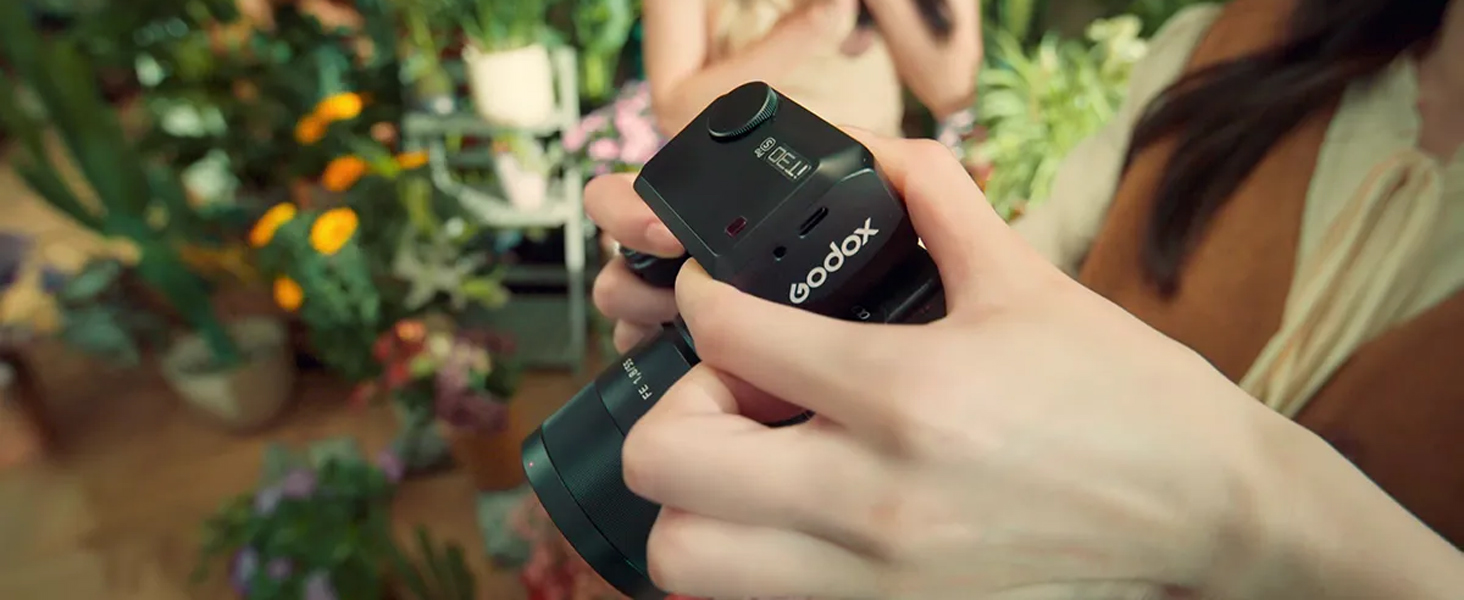
Image: An illustration of a multi-light setup demonstrating the GODOX iT30 Pro S acting as a master unit, wirelessly controlling other Godox flashes for complex lighting scenarios.
Advanced Features
- High-Speed Sync (HSS): Supports shutter speeds up to 1/8000s, allowing you to use flash with wide apertures in bright conditions. The 'S' version specifically adds global-shutter flash sync up to 1/80000s on Sony cameras.
- Front/Rear-Curtain Sync: Synchronizes the flash with the beginning or end of the shutter exposure, useful for creative motion blur effects.
- Multi Mode: Fires a series of rapid flashes during a single exposure, ideal for capturing multiple movements of a subject.
- Flash Exposure Compensation (FEC): Adjusts the flash output relative to the TTL-metered exposure, allowing for fine-tuning of brightness.
Image: A user operating the GODOX iT30 Pro S flash on a camera, demonstrating its use in a professional shooting environment with advanced features enabled.
Built-In Diffuser
The iT30 Pro S includes a built-in diffuser that can be quickly deployed with a flick of a lever. This diffuser softens the flash light, providing wider coverage and more flattering, even illumination, reducing harsh shadows.
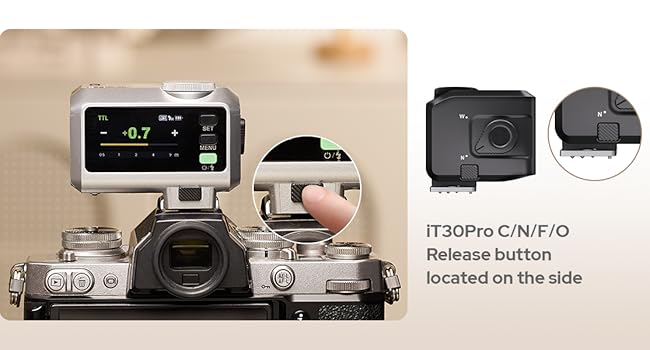
Image: A side-by-side comparison showing the effect of the built-in diffuser: one image with the diffuser off (normal flash) and another with the diffuser on (softened, wider light).
Maintenance
Cleaning the Unit
To maintain optimal performance and appearance, regularly clean your iT30 Pro S flash unit. Use the provided HolaFoto Cleaning Cloth or a soft, lint-free cloth. Do not use liquid cleaners or abrasive materials.
- Gently wipe the exterior of the flash unit to remove dust and fingerprints.
- For the touchscreen, use a clean, dry microfiber cloth.
- Ensure no moisture enters the unit.
Battery Care
To prolong the life of the built-in lithium battery:
- Avoid fully discharging the battery frequently.
- Store the unit with a partial charge (around 50%) if not used for extended periods.
- Charge the battery in a cool, dry environment.
Troubleshooting
If you encounter issues with your GODOX iT30 Pro S flash, please refer to the following common troubleshooting steps:
| Problem | Possible Cause | Solution |
|---|---|---|
| Flash not firing | Low battery; Incorrect mode; Not securely mounted; Camera settings. | Charge battery; Check flash mode (TTL/M); Ensure flash is fully seated in hot shoe; Verify camera flash settings. |
| Inconsistent exposure | Subject distance too far/close; Ambient light issues; FEC setting. | Adjust flash power or distance; Check ambient light conditions; Reset FEC to 0. |
| Wireless sync issues | Interference; Incorrect channel/group; Distance too far. | Change wireless channel/group; Reduce distance between units; Check for obstructions. |
If the problem persists, please contact GODOX customer support for further assistance.
Specifications
| Feature | Detail |
|---|---|
| Model Number | iT30ProS Flash for Sony Cameras |
| Brand | GODOX |
| Compatible Mountings | Sony Alpha |
| Flash Type | External Shoe Mount Flash |
| Flash Sync Speed | Up to 1/8000s (HSS) |
| Battery | 7.4V/900mAh Lithium Battery |
| Recycle Time | 1.5 seconds |
| Full Power Flashes | Up to 560 per charge |
| Wireless System | Built-in Godox 2.4GHz X system (Master & Receiver) |
| Display | 2.8" Full-Color Touchscreen |
| Item Weight | 4.2 ounces (approx. 120g) |
| Package Dimensions | 3.46 x 3.03 x 2.95 inches |
What's in the Box
- 1x Godox iT30Pro-S Light Body
- 1x USB-C Charging Cable
- 1x Storage Bag
- 1x HolaFoto Cleaning Cloth
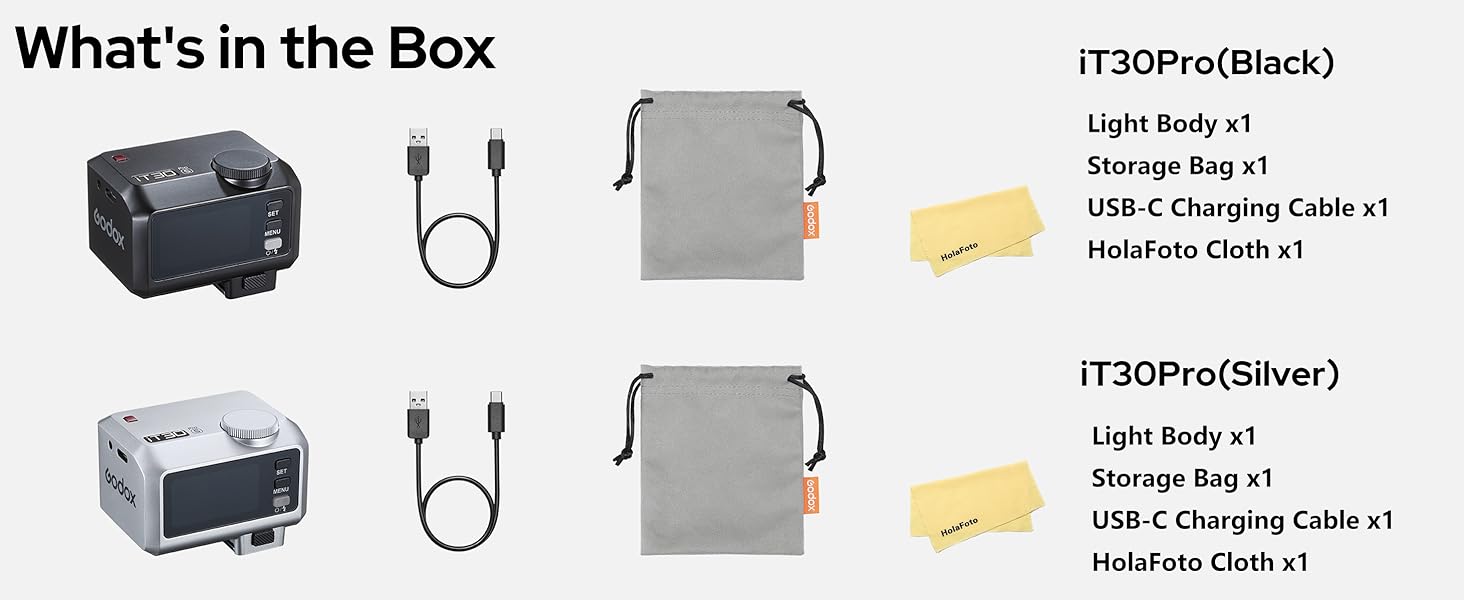
Image: A visual representation of all items included in the GODOX iT30 Pro S package, including the flash unit, charging cable, storage bag, and cleaning cloth.
Warranty and Support
GODOX products are designed for reliability and performance. For any product quality problems or technical assistance, please contact the seller or GODOX customer support.
For purchases made from the HolaFoto store, please contact them directly for support regarding product quality issues. They are committed to assisting you.
Please retain your proof of purchase for warranty claims.
Ask a question about this manual
Ask about setup, troubleshooting, compatibility, parts, safety, or missing instructions. Manuals+ will review the question and use this page’s manual context to help answer it.