
Introduction
This manual provides essential instructions for the safe operation, setup, and maintenance of your FIMI Mini 3 GPS Drone. Please read this manual thoroughly before operating the drone to ensure proper usage and to prevent damage or injury.

Image: FIMI Mini 3 drone in flight over a scenic landscape.
Safety Guidelines
Adherence to safety guidelines is paramount for drone operation. Failure to follow these instructions may result in property damage, injury, or legal penalties.
- Pre-Flight Check: Always inspect the drone, remote controller, and batteries for any damage before each flight.
- Flight Environment: Operate the drone in open areas, away from people, buildings, trees, and power lines. Avoid flying in strong winds (above Level 5 wind resistance, 38 kph), rain, fog, or snow.
- Battery Safety: Use only FIMI-approved batteries and chargers. Do not overcharge or puncture batteries. Discontinue use if batteries show signs of swelling or damage.
- Respect Privacy: Be mindful of privacy laws and regulations when capturing images or videos.
- Local Regulations: Familiarize yourself with local drone regulations, including altitude limits, no-fly zones, and registration requirements. The FIMI Mini 3, weighing 245g, may be exempt from FAA registration in some regions.
- Maintain Visual Line of Sight: Always keep the drone within your visual line of sight during flight.
What's in the Box
Verify that all components are present upon unboxing:
- FIMI MINI 3 Drone x1
- Remote Controller x1
- Gimbal protector x1
- Battery x2 (Note: Some packages may include more batteries, e.g., 3 for 96 minutes total flight time)
- Screwdriver x1
- Cable (Type C/Lightning) x2
- Spare Propeller x4
- Screw x4
- USB-Cable x1
- Instruction x2
- USB Charger x 1

Image: All components included in the FIMI Mini 3 package.
Setup
1. Drone Assembly
- Unfold the drone arms carefully.
- Remove the gimbal protector before powering on the drone.
- Insert a charged battery into the drone until it clicks securely.
- Attach propellers if not already installed, ensuring correct orientation as indicated in the quick start guide.
2. Battery Charging
Charge the drone batteries and remote controller using the provided USB-C cable and charger. The drone supports USB-C fast charging.
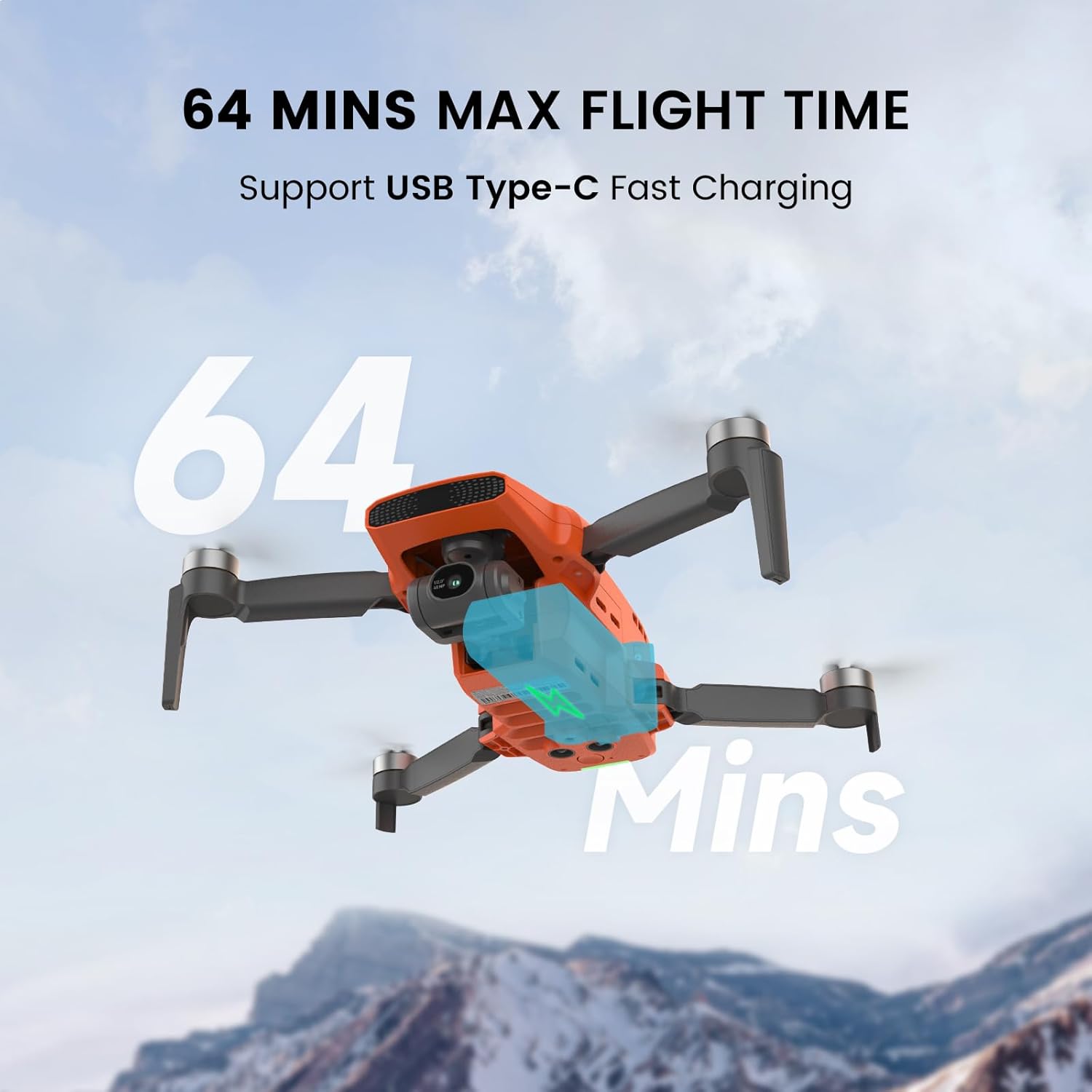
Image: Drone battery charging via USB-C, illustrating flight duration.
3. Remote Controller Setup
- Unfold the remote controller antennas and phone holder.
- Place your smartphone securely in the holder.
- Connect your smartphone to the remote controller using the appropriate cable (Type C or Lightning).
4. App Installation
Download and install the FIMI Navi app on your smartphone. This app is required for drone control, real-time video feed, and accessing intelligent flight features.
Operating the Drone
1. Pre-Flight Checklist
- Ensure batteries are fully charged for both drone and remote controller.
- Check propellers for damage and ensure they are securely attached.
- Verify the gimbal protector is removed.
- Confirm GPS signal acquisition before takeoff.
- Ensure sufficient space for takeoff and landing.
2. Takeoff and Landing
The FIMI Mini 3 features one-key takeoff and landing for ease of use.
- One-Key Takeoff: Press the designated button on the remote controller or within the FIMI Navi app. The drone will automatically ascend to a safe altitude.
- One-Key Landing: Press the designated button. The drone will descend and land automatically.
- Precise Landing: The drone utilizes its downward-facing camera to recognize the launch pad and land directly on it.

Image: Precise landing feature of the FIMI Mini 3.
3. Flight Modes and Features
The FIMI Mini 3 offers various intelligent flight modes to enhance your flying experience:
- Visual Tracking: The drone can automatically track a selected subject, such as a person or vehicle, using advanced SOC technology and AI computing power.
- Waypoint Flight: Plan a flight route in the FIMI Navi app, and the drone will automatically follow the designated path.
- Point of Interest: The drone can orbit around a specified point, keeping it centered in the frame.
- Auto Return (RTH): If the signal is lost or the battery is low, the drone will automatically return to its takeoff point. This feature can also be manually activated.
- SoLink HD Transmission: Provides HD real-time video feed up to 9 KM (29000ft) with dual-band (2.4G/5.8G) stability and low latency (120ms).
- Wind Resistance: Capable of stable flight in winds up to Level 5 (38 kph).
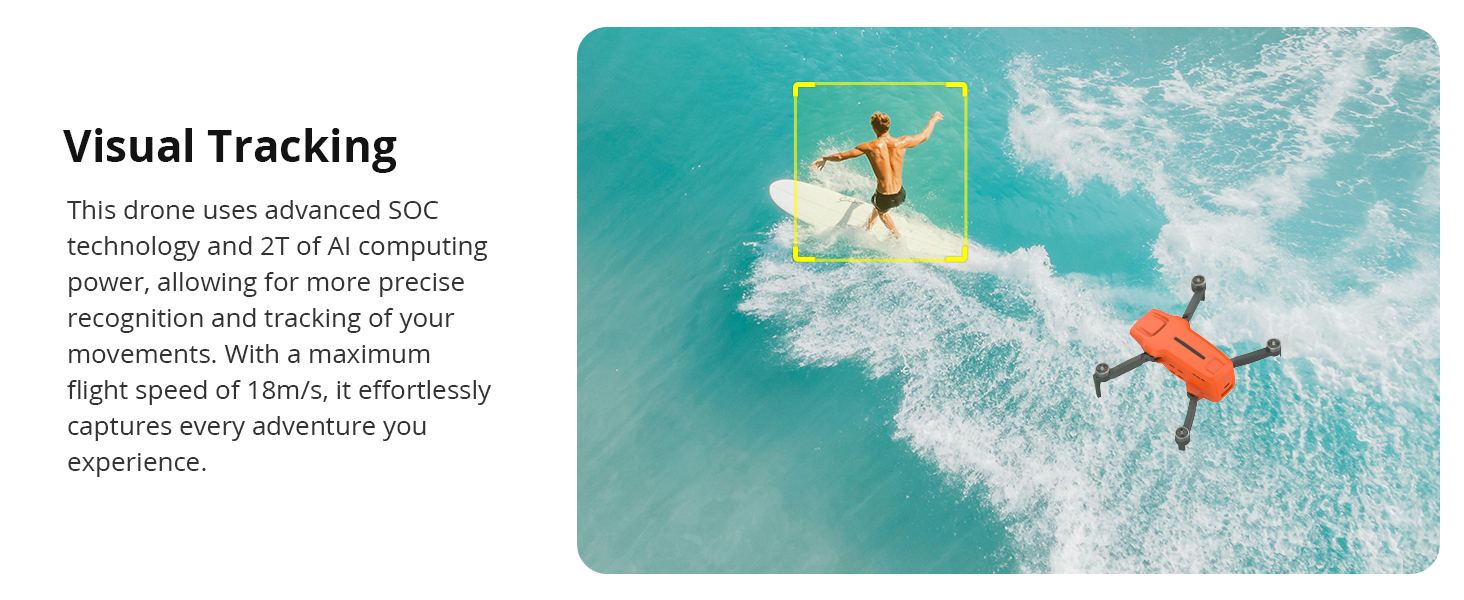
Image: Visual Tracking feature in action, following a moving subject.

Image: Flight Route Planning Shooting feature, showing waypoints.
4. Camera Operation
The FIMI Mini 3 is equipped with a powerful camera system for high-quality aerial photography and videography.
- Sensor: 1/2-inch 48MP Stacked CMOS sensor.
- Video Resolution: Supports 4K/60fps video recording for detailed and smooth footage.
- Gimbal: 3-axis mechanical gimbal ensures stable and shake-free images and videos.
- AI Super Night Video: An advanced AI ISP chip provides a 400% higher signal-to-noise ratio, enabling clear and detailed video capture in low-light conditions.
- Digital Zoom: Features 12X digital zoom. Note that image quality may decrease at higher zoom levels.
- 8K Timelapse: Capture stunning time-lapse videos with 8000x6000 pixel UHD image quality.

Image: Detail of the 48MP camera and 3-axis gimbal.

Image: AI Super Night Video capturing a clear night scene.
Maintenance
Regular maintenance ensures the longevity and optimal performance of your FIMI Mini 3 drone.
- Propeller Care: Inspect propellers for cracks, bends, or chips before each flight. Replace damaged propellers immediately using the provided screwdriver and spare parts.
- Gimbal Protection: Always reattach the gimbal protector when the drone is not in use or during transport to prevent damage to the camera and gimbal mechanism.
- Battery Care: Store batteries in a cool, dry place. Do not store fully charged or fully depleted batteries for extended periods. Charge them to approximately 50-60% for long-term storage.
- Cleaning: Use a soft, dry cloth to clean the drone body and camera lens. Avoid using harsh chemicals.
- Firmware Updates: Regularly check for and install firmware updates via the FIMI Navi app to ensure the drone has the latest features and performance enhancements.
Troubleshooting
This section addresses common issues you might encounter with your FIMI Mini 3 drone.
| Problem | Possible Cause | Solution |
|---|---|---|
| Drone does not power on | Low or uncharged battery; Battery not properly inserted. | Charge the battery fully. Ensure the battery is securely inserted until it clicks. |
| No video feed in FIMI Navi app | Phone not connected to remote; App not launched; Drone/remote not paired. | Ensure phone is connected to remote. Launch FIMI Navi app. Follow pairing instructions in the quick start guide. |
| Poor image quality in cold weather | Low-temperature blur (known issue for some units); Gimbal obstruction. | Ensure the imaging module is updated. Avoid flying in extremely cold conditions if issues persist. Check for any obstructions around the gimbal. |
| Drone drifts during flight | Weak GPS signal; Compass interference; Uncalibrated IMU. | Fly in open areas away from magnetic interference. Perform compass and IMU calibration via the FIMI Navi app. Wait for sufficient GPS satellites before takeoff. |
| Remote controller signal loss | Out of range; Environmental interference; Low remote battery. | Stay within the 9KM transmission range. Avoid areas with high electromagnetic interference. Ensure remote controller battery is charged. If signal is lost, the drone should initiate Auto Return. |
Specifications
| Feature | Detail |
|---|---|
| Brand | FIMI |
| Model Name | MINI3-2 |
| Item Weight | 245 Grams (8.6 ounces) |
| Product Dimensions | 7.9"L x 5.7"W x 2.2"H |
| Camera Sensor | 48MP 1/2-inch Stacked CMOS |
| Video Capture Resolution | 4K/2.7K/1080P @ 60fps/50fps/30fps/25fps/24fps |
| Effective Still Resolution | 48 MP |
| Gimbal | 3-axis Stabilized Gimbal |
| Max Flight Time | Up to 32 minutes per battery (64 minutes with 2 batteries, 96 minutes with 3 batteries) |
| Battery Capacity | 2200 Milliamp Hours (LiPo) |
| Charging | USB Type-C Fast Charging |
| Transmission Technology | SoLink HD digital transmission technology (Dual-band 2.4G/5.8G) |
| Max Transmission Range | 9 KM (29000ft) |
| Wind Resistance | Level 5 (up to 38 kph) |
| Special Features | Auto Follow, AI Super Night Video, Night Vision Camera, One Button Return, Portable, Foldable, Visual Tracking, Precise Landing, Waypoint Flight, Point of Interest, 12X Digital Zoom, 8K Timelapse |
| Control Type | Remote Control |
| Material | Plastic |
| Age Range | Adult |
Warranty and Support
For warranty information, please refer to the warranty card included with your product or visit the official FIMI website. For technical support, troubleshooting assistance, or to inquire about replacement parts, please contact FIMI customer service through their official channels.
You can often find additional resources, FAQs, and contact information on the FIMI brand store page: FIMI Store on Amazon


