
1. Introduction
This user manual provides detailed instructions for the safe and efficient operation, installation, and maintenance of your MERXENG 6000 BTU Window Air Conditioner with WiFi. Please read this manual thoroughly before using the appliance and retain it for future reference.

Image 1.1: The MERXENG 6000 BTU Window Air Conditioner unit with its remote control.
2. Safety Information
To reduce the risk of fire, electric shock, or injury, observe the following basic precautions:
- Read all instructions before using this appliance.
- Ensure the power supply matches the voltage specified on the unit's rating label (115V/60Hz).
- Do not operate the air conditioner with a damaged power cord or plug.
- Do not insert fingers or objects into the air inlet or outlet grilles.
- Always disconnect the power supply before cleaning or servicing the unit.
- This appliance is not intended for use by persons (including children) with reduced physical, sensory, or mental capabilities, or lack of experience and knowledge, unless they have been given supervision or instruction concerning use of the appliance by a person responsible for their safety.
- Keep children supervised to ensure they do not play with the appliance.
3. Package Contents
Verify that all components are present in the package:
- MERXENG Window Air Conditioner Unit
- Remote Control
- Side Panels (Accordion Style)
- Top Rail
- Reusable Filter (pre-installed or separate)
- Mounting Screws and Brackets
- Window Sash Seal Foam
- User Manual (this document)

Image 3.1: Included accessories and parts for installation and operation.
4. Product Features
Your MERXENG 6000 BTU Window Air Conditioner offers several features designed for comfort and convenience:
- Fast Cooling: Capable of cooling rooms up to 250 square feet efficiently.
- Easy Operation: Control settings via the LED digital display, included remote control, or a smartphone application.
- Energy Saving: Equipped with a high-quality compressor for efficient cooling and an environmentally friendly design.
- Low-Noise Operation: Operates at approximately 50 decibels, minimizing disturbance.
- Multiple Modes: Includes Cool, Fan, Sleep, ECO, and Auto modes.
- Timer Function: Program the unit to turn on or off within a 24-hour period.
- Washable Filter: Reusable filter for easy maintenance and improved air quality.
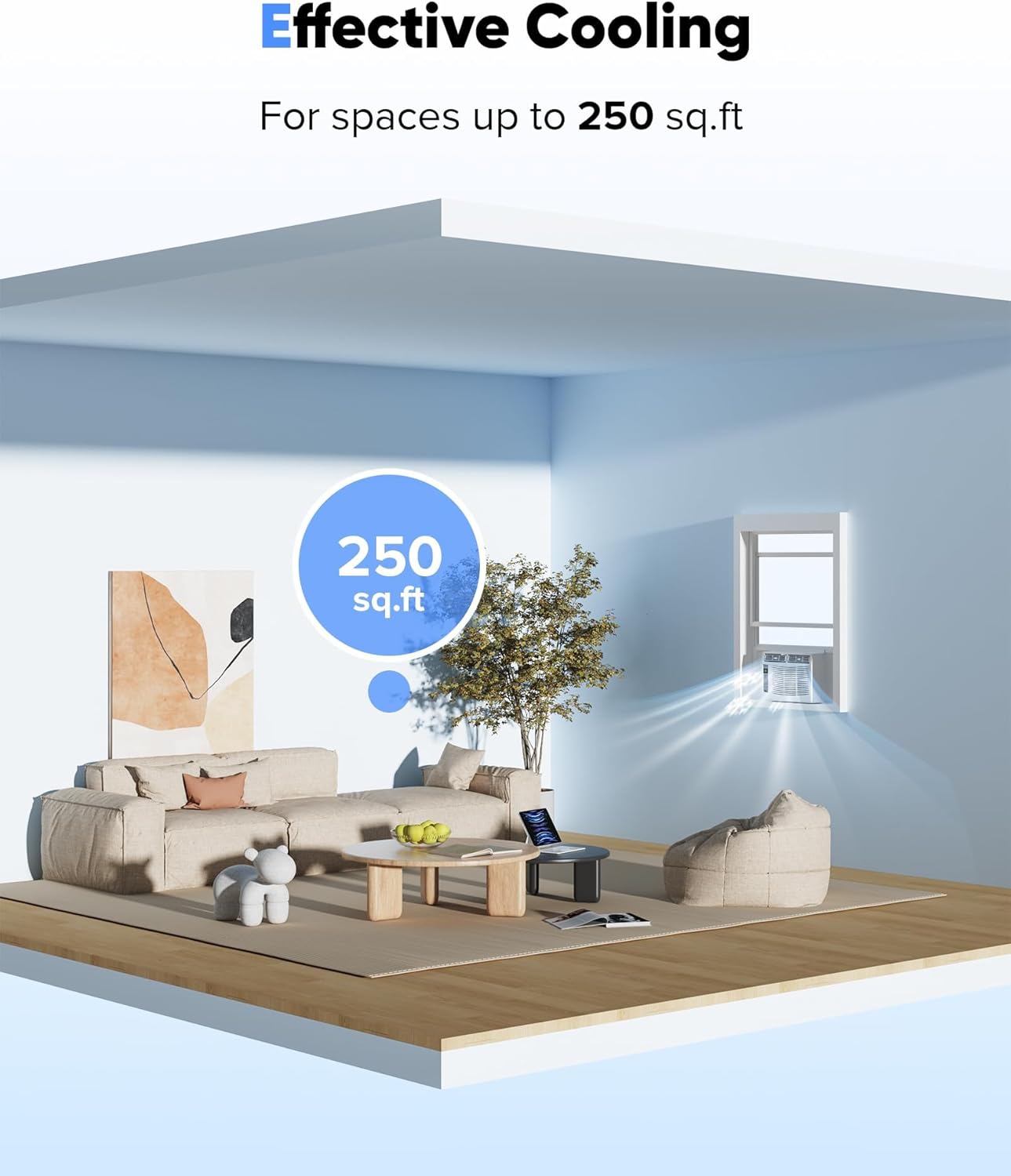
Image 4.1: The air conditioner effectively cools spaces up to 250 square feet.

Image 4.2: The unit operates quietly, allowing for a peaceful environment.
5. Setup and Installation
The MERXENG window air conditioner is designed for easy installation in standard double-hung windows. All necessary mounting accessories are included.
5.1 Window Requirements
- The window opening must be between 23 and 36 inches wide.
- The minimum window height required is 14.5 inches.
5.2 Installation Steps (General Guide)
- Prepare the Window: Clean the window sill and frame. If you have a storm window, remove it or ensure it does not obstruct the air conditioner.
- Attach Top Rail: Secure the top rail to the air conditioner unit using the provided screws.
- Install Side Panels: Slide the accordion side panels into the side channels of the unit.
- Place Unit in Window: Carefully lift the air conditioner and place it in the window opening, ensuring the bottom rail rests on the window sill. Close the window sash down onto the top rail of the unit.
- Extend Side Panels: Pull out the side panels to fill the window opening and secure them with screws to the window frame.
- Secure the Unit: Install the provided support brackets and sash lock to firmly secure the unit in place and prevent window entry.
- Apply Seal Foam: Use the window sash seal foam to seal any gaps around the unit for improved insulation.

Image 5.1: Installation diagram showing window width and height requirements.

Image 5.2: The unit's compact dimensions facilitate easy installation.
6. Operating Instructions
The air conditioner can be operated using the control panel on the unit, the remote control, or the smartphone app.
6.1 Control Panel and Remote Control
The control panel features an LED digital display and buttons for various functions. The remote control duplicates most of these functions for convenience.
- POWER Button: Turns the unit on or off.
- MODE Button: Cycles through operating modes: Cool, Fan, Sleep, ECO, Auto.
- TEMP/TIMER Buttons (Up/Down Arrows): Adjusts the desired temperature (61℉ - 88℉) or sets the timer.
- FAN SPEED Button: Selects fan speed: Low, Medium, High.
- SLEEP Mode: Activates sleep mode for quiet, energy-efficient operation during sleep.
- ECO Mode: Optimizes energy consumption by cycling the compressor on and off to maintain the set temperature.
- FILTER Button: Illuminates to remind you to clean the air filter. Press to reset after cleaning.

Image 6.1: The remote control provides convenient access to all operating modes.
7. WiFi and App Control
The MERXENG air conditioner features WiFi connectivity, allowing control via a smartphone application.
7.1 App Download and Setup
- Download the SmartLife-SmartHome app from the App Store (iOS) or Google Play Store (Android).
- Register an account or log in if you already have one.
- Ensure your air conditioner is plugged in and powered on.
- Follow the in-app instructions to add your device. This typically involves putting the AC unit into pairing mode (refer to the unit's display or specific instructions for pairing mode activation) and connecting to your home WiFi network.
7.2 App Functions
Once connected, the app allows you to:
- Turn the unit on/off.
- Adjust temperature settings.
- Change operating modes (Cool, Fan, Sleep, ECO, Auto).
- Set fan speed.
- Program the 24-hour timer.
- Monitor the unit's status.

Image 7.1: Control your air conditioner remotely using the smartphone app.
8. Maintenance
Regular maintenance ensures optimal performance and longevity of your air conditioner.
8.1 Cleaning the Air Filter
The air filter should be cleaned every two weeks or more frequently depending on usage and air quality. A dirty filter can reduce cooling efficiency and airflow.
- Disconnect the power supply to the unit.
- Open the front grille and carefully remove the air filter.
- Wash the filter with warm, soapy water. Rinse thoroughly.
- Allow the filter to air dry completely before reinstalling. Do not expose to direct sunlight or heat.
- Reinstall the dry filter and close the front grille.
- Press the 'FILTER' button on the control panel or remote to reset the filter reminder.
8.2 Cleaning the Unit Exterior
Wipe the exterior of the unit with a soft, damp cloth. Do not use harsh chemicals, abrasives, or solvents.
9. Troubleshooting
Before contacting customer support, review the following common issues and solutions:
| Problem | Possible Cause | Solution |
|---|---|---|
| Unit does not turn on | No power; Power cord not fully plugged in; Blown fuse/tripped circuit breaker | Check power connection; Reset circuit breaker/replace fuse. |
| Insufficient cooling | Dirty air filter; Room too large; Doors/windows open; Temperature setting too high | Clean air filter; Ensure room size is within capacity; Close doors/windows; Lower temperature setting. |
| Unit is noisy | Loose installation; Obstruction in fan; Normal operating sounds | Check installation for tightness; Remove any obstructions; Some operational sounds are normal. |
| Water dripping outside | Normal condensation | This is normal during high humidity. Ensure proper drainage. |
| Remote control not working | Dead batteries; Obstruction between remote and unit | Replace batteries; Remove obstruction; Ensure remote is pointed at the unit. |
| WiFi connection issues | Incorrect WiFi password; Router too far; App not configured correctly | Verify WiFi password; Move unit closer to router or use extender; Re-follow app setup instructions. |
10. Specifications
| Feature | Detail |
|---|---|
| Brand | MERXENG |
| Model Number | uuek-vZF0ESNaXGxwu4e-Qf3 |
| Cooling Capacity | 6000 BTU |
| Coverage Area | Up to 250 sq. ft. |
| Voltage | 115V / 60Hz |
| Noise Level | 50 Decibels |
| Product Dimensions (D x W x H) | 17.76 x 17.13 x 14.96 inches |
| Item Weight | 44.4 pounds |
| Control Type | Remote Controlled, WiFi App Control, On-unit Digital Display |
| Special Features | Washable Filter, Timer Function, ECO Mode, Sleep Mode |
11. Warranty and Support
Your MERXENG 6000 BTU Window Air Conditioner comes with a 2-Year Limited Warranty. This warranty covers defects in materials and workmanship under normal use.
For warranty claims, technical assistance, or any questions regarding your product, please contact MERXENG customer support. Refer to the product packaging or the official MERXENG website for the most current contact information.
It is recommended to register your product on the MERXENG website for faster support and to stay informed about product updates.