1. Introduction and Safety Information
This manual provides essential instructions for the safe and effective use of your Oyajia 4D Vibration Plate. Please read all instructions carefully before operation and retain this manual for future reference.
Important Safety Precautions:
- Consult a physician before starting any new exercise program, especially if you have pre-existing medical conditions.
- Do not use the device if you are pregnant, have a pacemaker, or suffer from severe heart conditions, epilepsy, or acute thrombosis.
- Ensure the device is placed on a stable, level surface.
- Keep children and pets away from the device during operation.
- The maximum user weight for this device is 120 kg.
- Always wear appropriate athletic footwear when using the vibration plate.
- Unplug the device from the power outlet when not in use or before cleaning.
2. Package Contents
Please check the package to ensure all items are present:
- 1 x Oyajia 4D Vibration Plate
- 1 x EU Power Cord
- 1 x User Manual
- 2 x Expander Bands
- 1 x Remote Control

3. Product Overview
Key Features:
- 4D Vibration Technology: Provides multi-directional vibration for comprehensive muscle stimulation.
- 120 Intensity Levels: Offers a wide range of vibration intensities suitable for all fitness levels.
- 6 Pre-set Training Programs: Includes various workout modes (P1-P5 + HA) for diverse training goals.
- Integrated Bluetooth Speaker: Allows for audio playback during workouts.
- Magnetic Pressure Point Massage: Textured surface designed for foot reflexology and massage.
- 3 Vibration Zones: Clearly marked zones for different exercise intensities (walking, jogging, running).
- Remote Control & LCD Display: Convenient control and monitoring of workout parameters.
- Quiet Operation: Designed for low noise levels during use.
Components:
The Oyajia 4D Vibration Plate consists of the main vibration platform, a control panel with an LCD display, and a remote control for convenient operation.


4. Setup
- Unpacking: Carefully remove all components from the packaging.
- Placement: Place the vibration plate on a firm, level, and non-slip surface. Ensure there is sufficient space around the device for safe movement.
- Power Connection: Connect the EU power cord to the power input on the device and then plug it into a suitable wall outlet.
5. Operating Instructions
Power On/Off:
- To power on, press the power button on the control panel or remote control. The LCD display will illuminate.
- To power off, press and hold the power button until the display turns off.
Using the Control Panel and Remote Control:
The device can be operated using the integrated control panel or the included remote control. The remote control allows for convenient adjustments during your workout.

Training Programs and Intensity:
- Start/Stop: Press the START/STOP button to begin or pause your workout.
- Program Selection: Press the 'P' button to cycle through the 6 pre-set training programs (P1-P5 and HA). Each program has a unique vibration pattern and duration.
- Manual Mode: In manual mode, use the '+' and '-' buttons to adjust the vibration intensity (speed) from 1 to 120 levels.
- Time Adjustment: Use the time adjustment buttons (if available on remote/panel) to set your desired workout duration.
Bluetooth Speaker Function:
- Ensure the vibration plate is powered on.
- Activate Bluetooth on your mobile device or audio player.
- Search for available Bluetooth devices and select "Oyajia Vibration Plate" (or similar name) to pair.
- Once paired, you can play music through the integrated speaker.

6. Exercise Guide
The Oyajia 4D Vibration Plate offers various ways to enhance your workout. Utilize the different vibration zones and included expander bands for a full-body training experience.
Vibration Zones:
The plate surface is divided into three zones, each offering a different intensity of vibration based on foot placement:
- Walking Zone (Center): For lower intensity and gentle stimulation.
- Jogging Zone (Middle): For moderate intensity and increased muscle engagement.
- Running Zone (Outer Edges): For higher intensity and maximum muscle activation.

Using Expander Bands:
Attach the expander bands to the designated points on the vibration plate. These bands can be used for upper body exercises, adding resistance to squats, lunges, and other movements while benefiting from the vibration.
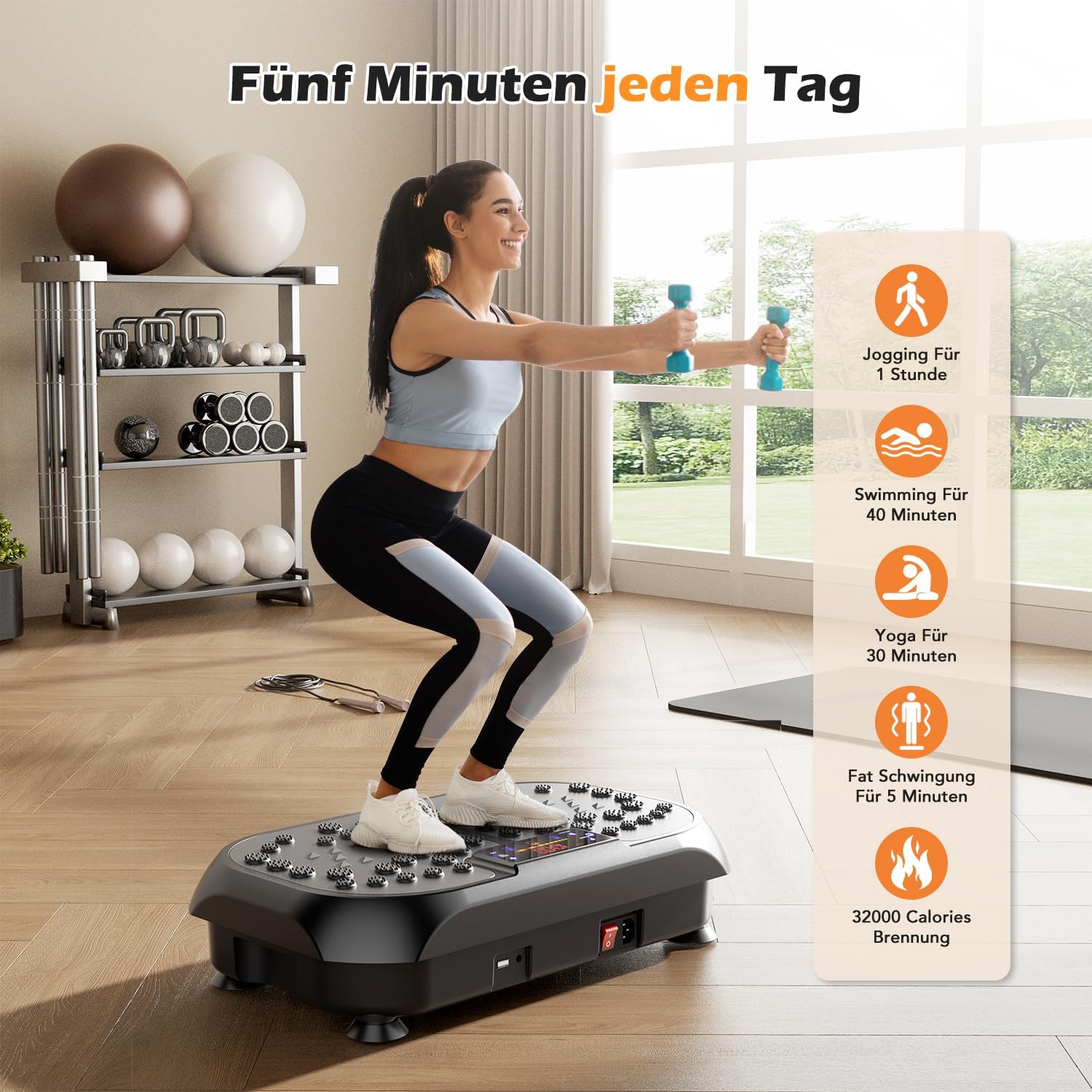
Example Workout Benefits:
7. Maintenance and Care
- Cleaning: Wipe the device with a soft, damp cloth after each use. Do not use abrasive cleaners or solvents.
- Storage: Store the vibration plate in a cool, dry place away from direct sunlight and moisture. Its compact design allows for easy storage.
- Inspection: Regularly check the power cord and the device for any signs of damage. Do not use if damaged.

8. Troubleshooting
| Problem | Possible Cause | Solution |
|---|---|---|
| Device does not power on. | Power cord not properly connected; power outlet not working. | Check power cord connection. Try a different power outlet. |
| Vibration is weak or inconsistent. | Low intensity setting; device overloaded. | Increase intensity level. Ensure user weight does not exceed 120 kg. |
| Remote control not working. | Batteries are dead; remote not aimed correctly. | Replace remote control batteries. Ensure clear line of sight to the device's receiver. |
| Bluetooth speaker not connecting. | Bluetooth not enabled on device; incorrect pairing. | Ensure Bluetooth is active on your mobile device. Re-attempt pairing. |
9. Specifications
| Brand: | Oyajia |
| Model: | 4D Vibration Plate |
| Color: | Black |
| Material: | Plastic |
| Number of Programs: | 6 |
| Number of Intensity Levels: | 120 |
| Maximum User Weight: | 120 kg |
| Dimensions (approx.): | 57.5 cm (Length) x 42.5 cm (Width) x 17 cm (Height) |
| ASIN: | B0F9KB1CZB |
10. Warranty and Support
This product comes with a standard manufacturer's warranty. Please refer to the specific warranty terms provided at the time of purchase or contact your retailer for details.
For technical support, troubleshooting assistance, or warranty claims, please contact Oyajia customer service through your purchase platform or the official Oyajia website.


