
Introduction
Thank you for choosing the Qecnato Q77 Open Ear Bluetooth 5.4 Headphones. These headphones are designed to provide a comfortable listening experience while keeping you aware of your surroundings. Featuring advanced Bluetooth 5.4 connectivity, IPX7 water resistance, and a long-lasting battery, the Q77 is suitable for various activities, including sports, work, and daily use.
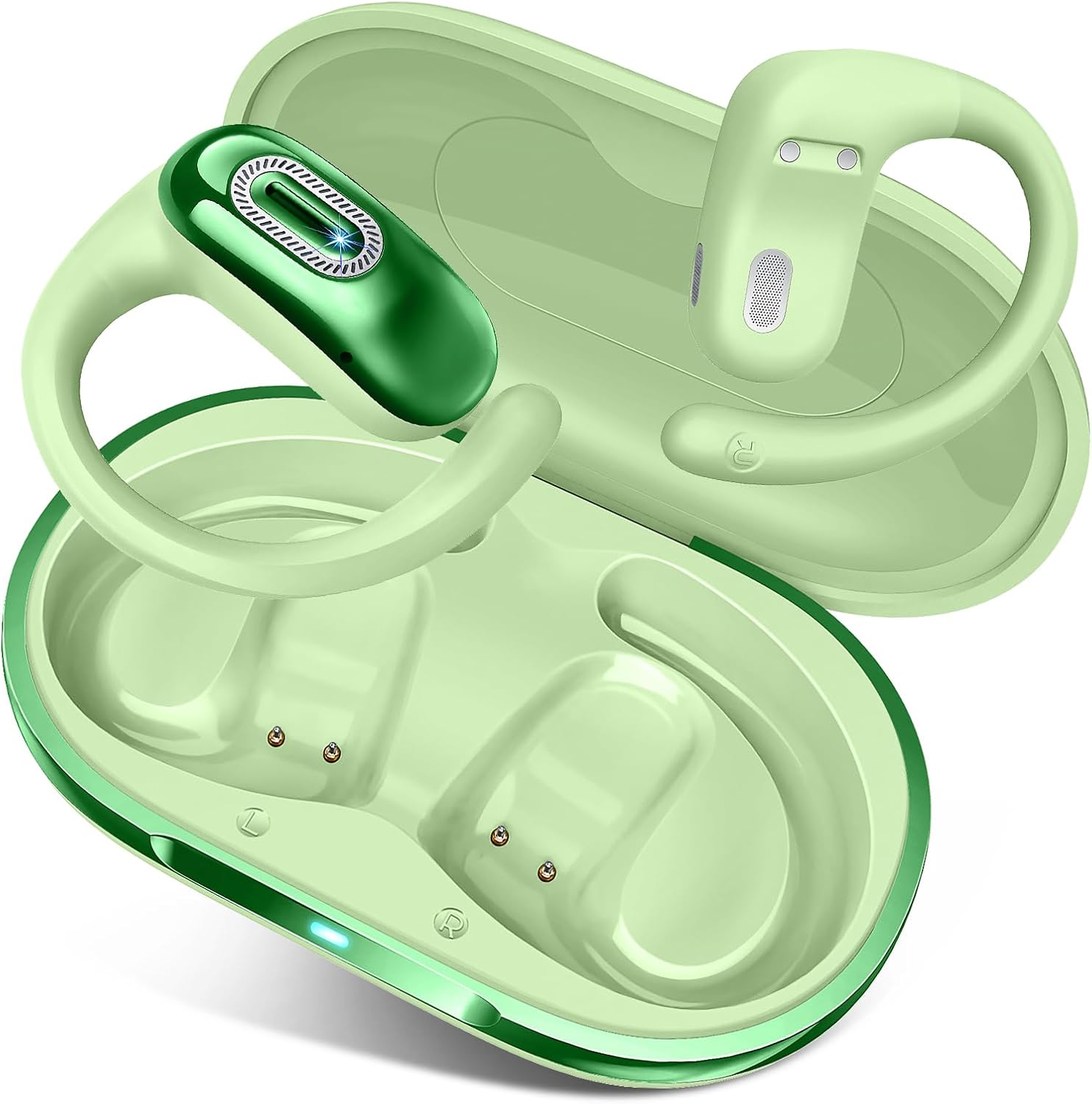
Image: The Qecnato Q77 open ear headphones, shown with their charging case. The headphones feature an ear-hook design and a sleek green finish.
What's in the Box
Please check the package contents to ensure all items are present:
- Open Ear Earbuds x1 pair
- User Manual x1
- USB-C Charging Cable x1
- LED Charging Case x1

Image: A visual representation of the package contents, including the open ear earbuds, charging case, USB-C cable, and user manual.
Setup
1. Charging the Earbuds and Case
Before first use, fully charge the earbuds and the charging case. The earbuds provide up to 8 hours of playback on a single charge, and the charging case extends the total playtime to approximately 50 hours.
- Place the earbuds into the charging case. Ensure they are correctly seated to initiate charging.
- Connect the USB-C charging cable to the charging port on the case and the other end to a USB power source (e.g., computer, wall adapter).
- The LED indicator on the charging case will show the charging status. Refer to the LED indicator section for details.

Image: The Qecnato Q77 earbuds inside their charging case, illustrating the battery life of 8 hours per single charge and 50 hours with the case.
2. Bluetooth Pairing
Follow these steps to pair your Q77 headphones with your device:
- Open the charging case. The earbuds will automatically enter pairing mode.
- On your smartphone or Bluetooth-enabled device, go to the Bluetooth settings.
- Search for available devices and select "Q77" from the list.
- Once connected, you will hear a confirmation tone, and the earbuds' indicator light will change.
The Q77 headphones utilize Bluetooth 5.4 for a stable and low-latency connection, compatible with both iOS and Android devices.
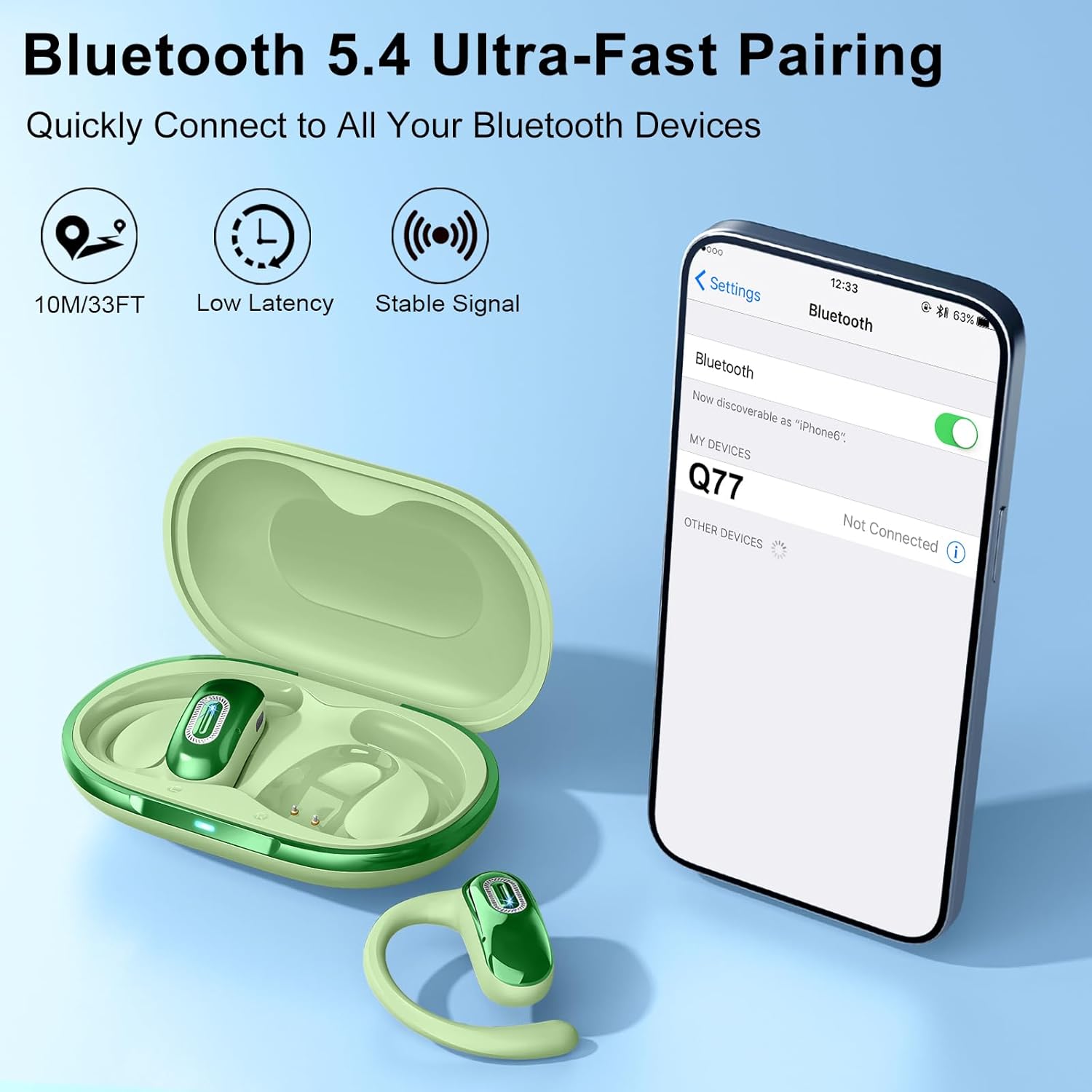
Image: A smartphone screen displaying Bluetooth settings, with "Q77" listed as an available device for connection, demonstrating the pairing process.
3. Wearing the Earbuds
The Q77 headphones feature an open-ear design with ear hooks for a secure and comfortable fit. Each earbud weighs approximately 6.9g.
- Take out the earbuds from the charging case.
- Position the ear hooks over your ears, ensuring the sound openings align with your ear canals.
- Rotate the earbud backward along the auricle to achieve a snug and comfortable fit.

Image: A three-step diagram illustrating the correct method for wearing the Qecnato Q77 open ear headphones, showing how to position the ear hook and rotate the earbud for a secure fit.
Operating Instructions
Touch Controls
The Q77 headphones feature smart touch controls on each earbud for easy management of audio playback and calls.
| Action | Function |
|---|---|
| Touch L/R Twice | Answer/End Call, Play/Pause Music |
| Touch L Three Times | Previous Track |
| Touch R Three Times | Next Track |
| Touch and Hold L/R for 2 Seconds | Reject Call |

Image: A detailed diagram illustrating the touch control functions for the Qecnato Q77 earbuds, showing actions for calls and music playback.
Audio Performance
The Q77 earbuds are equipped with custom 14.2mm racetrack drivers and a composite diaphragm, delivering deep bass, crisp highs, and balanced audio. The open-ear design allows you to enjoy your audio while maintaining awareness of your surroundings, and the anti-leakage design helps keep your listening private.

Image: An exploded view diagram of the Qecnato Q77 earbud, highlighting its 14.2mm dynamic driver, composite diaphragm, and features like deep bass and HiFi sound.
Maintenance
Cleaning
To ensure optimal performance and hygiene, regularly clean your earbuds and charging case:
- Use a soft, dry, lint-free cloth to wipe the earbuds and charging case.
- For stubborn dirt, slightly dampen the cloth with water. Avoid using harsh chemicals or abrasive materials.
- Ensure charging contacts on both earbuds and case are clean and dry.
Water Resistance (IPX7)
The Q77 headphones are rated IPX7 water-resistant, meaning they can withstand sweat and rain. This makes them suitable for workouts and outdoor activities. However, they are not designed for swimming or prolonged submersion in water.
- Do not intentionally submerge the earbuds in water.
- After exposure to sweat or rain, wipe the earbuds dry before placing them back in the charging case to prevent damage to the charging contacts.

Image: The Qecnato Q77 earbuds being splashed with water, visually representing their IPX7 waterproof and sweat-resistant capabilities.
Storage
Store the earbuds in their charging case when not in use to protect them and keep them charged. Avoid storing them in extreme temperatures or high humidity.
Troubleshooting
If you encounter any issues with your Qecnato Q77 headphones, please refer to the following common solutions:
| Problem | Solution |
|---|---|
| Earbuds not pairing |
|
| No sound from one earbud |
|
| Poor sound quality |
|
| Earbuds not charging |
|
Specifications
- Model Name:
- Q77
- Connectivity Technology:
- Wireless (Bluetooth 5.4)
- Ear Placement:
- Open Ear
- Form Factor:
- Over Ear (with ear hooks)
- Water Resistance Level:
- IPX7
- Control Type:
- Touch Control
- Driver Size:
- 14.2mm
- Battery Life (Earbuds):
- Up to 8 hours
- Total Playtime (with Charging Case):
- Up to 50 hours
- Charging Port:
- USB-C
- Item Weight:
- 5.3 ounces (total package) / 6.9g per earbud
- Manufacturer:
- Dongguan Huien Electronic Technology Co.,Ltd
Warranty and Support
For warranty information and customer support, please refer to the documentation included with your purchase or contact the seller directly. You can also visit the official Qecnato website for further assistance.
Manufacturer: Dongguan Huien Electronic Technology Co.,Ltd
