
Introduction
The FIMI Mini 3 is a compact, high-performance drone designed for both enthusiasts and professionals. Weighing only 245g, it is exempt from FAA registration requirements in many regions, making it highly portable. It features an advanced 4K/60fps 48MP camera with a 3-axis gimbal for stable, high-quality aerial photography and videography. This manual provides essential information for setting up, operating, maintaining, and troubleshooting your FIMI Mini 3 drone.
What's in the Box
Upon unboxing your FIMI Mini 3 drone, verify that all components listed below are present:
- FIMI MINI 3 Drone x1
- Remote Controller x1
- Gimbal protector x1
- Battery x2
- Screwdriver x1
- Cable (Type C/Lightning) x2
- Spare Propeller x4
- Screw x4
- USB-Cable x1
- Instruction x2
- USB Charger x 1

Figure 1: All components included in the FIMI Mini 3 Drone package.
Product Overview and Key Features
High-Quality Imaging System
The FIMI Mini 3 is equipped with a powerful 1/2-inch 48MP Sony CMOS sensor, capable of capturing stunning 4K/60fps video. The integrated 3-axis mechanical gimbal ensures exceptionally smooth and stable footage, even during dynamic flight maneuvers.

Figure 2: Detail of the FIMI Mini 3's 48MP camera and 3-axis gimbal for stable video.
Lightweight and Portable Design
Weighing only 245g, the FIMI Mini 3 drone is ultra-portable and does not require FAA or Remote ID registration in most countries. Its compact, foldable design allows for easy transport, fitting conveniently into bags or backpacks.

Figure 3: The FIMI Mini 3's compact size, ideal for portability.
Extended Transmission Range
The drone features SoLink HD digital transmission technology, providing a stable and low-latency connection for real-time video up to 9 KM (29,500 ft). It operates on dual-band (2.4G/5.8G) frequencies to ensure reliable signal strength.

Figure 4: Illustration of the drone's 9KM HD transmission capability.
Long Flight Duration and Fast Charging
Each battery provides up to 32 minutes of flight time. The combo package includes two batteries, offering a total flight time of 64 minutes. The drone supports USB Type-C fast charging, minimizing downtime between flights.
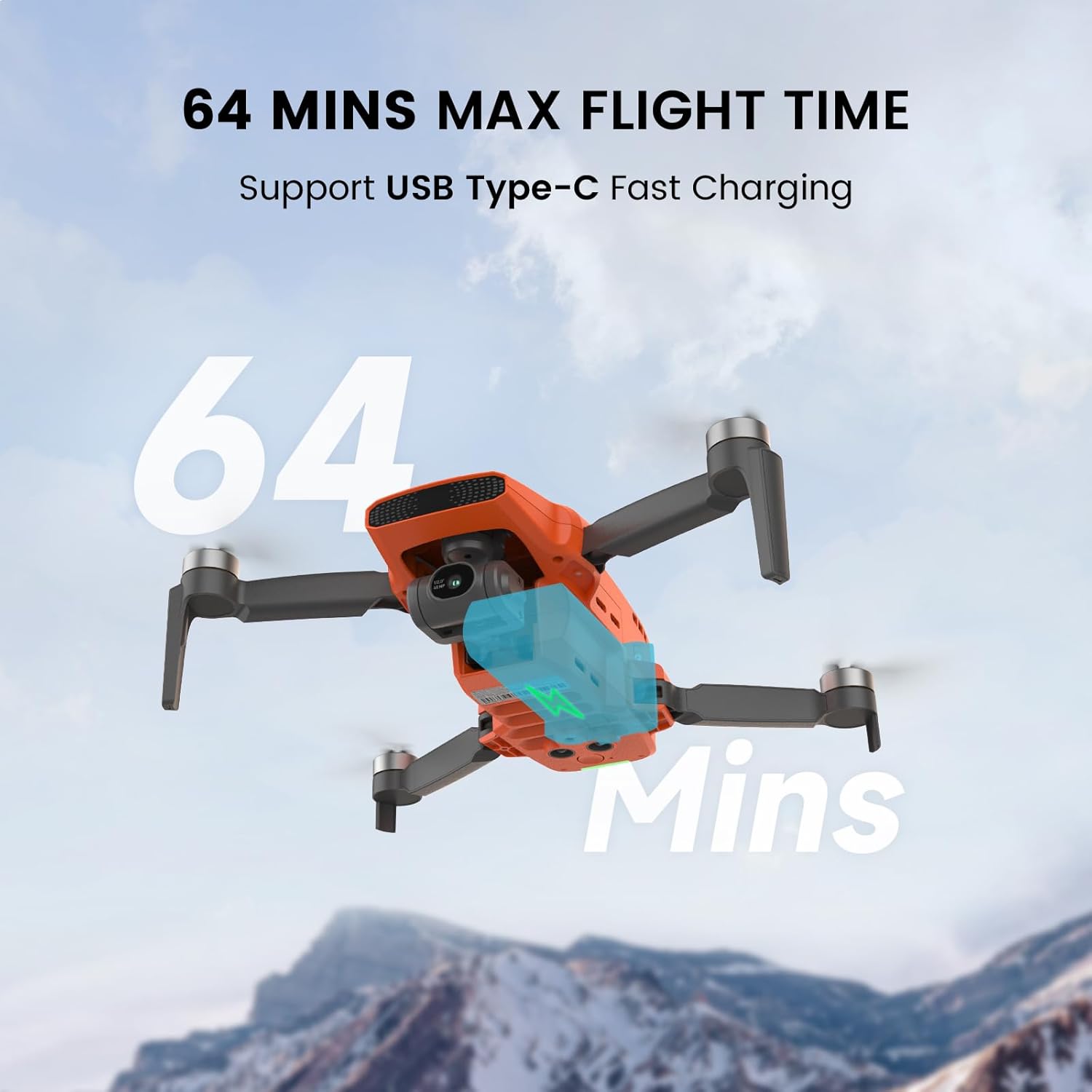
Figure 5: Visual representation of the drone's extended flight time.
Enhanced Wind Resistance
The FIMI Mini 3 is engineered to withstand winds up to Level 5 (38 kph), ensuring stable flight and consistent footage even in challenging weather conditions. This robust design contributes to a dependable aerial experience.

Figure 6: The drone's capability to maintain stability in windy conditions.
AI-Powered Super Night Video
An advanced AI ISP chip significantly improves low-light video performance, delivering a 400% higher signal-to-noise ratio compared to traditional chips. This allows for clear and detailed video capture in dark environments.

Figure 7: Visual comparison highlighting the effectiveness of AI Super Night Video.
Smart Flight Modes
Explore the various intelligent flight modes available in the FIMI Navi app to automate complex maneuvers and enhance your creative possibilities. Always ensure sufficient space and clear surroundings when using these modes.
- Visual Tracking: Automatically follows a designated subject.
- Precise Landing: Utilizes the downward-facing camera to accurately land on the launch pad.
- Waypoint Flight: Pre-plan a flight route for automated execution.
- Point of Interest: Circle a specific point of interest.
- 12X Digital Zoom: Allows for magnified views, useful for observation.
- One-Click Video Templates: Create professional-looking short videos with automated flight paths (Soaring, Dronie, Orbit).

Figure 8: Overview of intelligent flight modes and user-friendly features.
Official Product Video
Video 1: An aerial view captured by the FIMI Mini 3 drone, showcasing its imaging capabilities in a mountain environment.
Setup Guide
- Charge Batteries: Fully charge the drone batteries and the remote controller using the provided USB-C cable and charger. Ensure the charging indicator lights confirm full charge.
- Install Propellers: Attach the propellers to the motor arms according to the markings (e.g., 'A' to 'A', 'B' to 'B'). Ensure they are securely fastened.
- Remove Gimbal Protector: Before powering on, carefully remove the gimbal protector from the camera. Failure to do so may damage the gimbal.
- Download FIMI Navi App: Install the official FIMI Navi app on your smartphone or tablet. The app is available for both iOS and Android devices.
- Connect Remote Controller: Place your mobile device into the remote controller's holder and connect it using the appropriate cable (Type-C or Lightning).
- Power On: Press and hold the power button on the drone and then on the remote controller until they power on and connect.
- Firmware Update: If prompted by the FIMI Navi app, update the drone's firmware to the latest version. Ensure stable internet connection during the update process.
- Calibrate Compass: Perform a compass calibration before the first flight and whenever flying in a new location. Follow the on-screen instructions in the FIMI Navi app.
For detailed visual instructions, refer to the quick start guide included in the box.
Operating Instructions
Basic Flight Operations
- Takeoff: Place the drone on a flat, open surface. In the FIMI Navi app, tap the one-key takeoff icon or use the combination stick command (refer to the app for specific gestures).
- Landing: Tap the one-key landing icon in the app or use the combination stick command. The drone will descend and land automatically.
- Controlling Flight: Use the remote controller joysticks to control the drone's altitude, direction, and movement. Familiarize yourself with the controls in a safe, open area.
Camera and Video Functions
- Photo Capture: Press the dedicated photo button on the remote controller or in the app to take still images.
- Video Recording: Press the dedicated video button to start/stop recording. Ensure a high-speed microSD card is inserted.
- Gimbal Control: Use the gimbal dial on the remote controller to adjust the camera's tilt angle during flight.
- 8K Timelapse: Access this feature through the FIMI Navi app to capture stunning time-lapse sequences.
- 12X Digital Zoom: Utilize the digital zoom function via the app for magnified views. Note that digital zoom may reduce image quality.
Intelligent Flight Modes
Explore the various intelligent flight modes available in the FIMI Navi app to automate complex maneuvers and enhance your creative possibilities. Always ensure sufficient space and clear surroundings when using these modes.
Maintenance
Regular maintenance ensures the longevity and optimal performance of your FIMI Mini 3 drone.
- Propeller Inspection: Regularly check propellers for cracks, bends, or damage. Replace damaged propellers immediately using the provided spare parts and screwdriver.
- Gimbal Care: Avoid applying force to the gimbal. Keep the camera lens clean with a soft, dry cloth. Always use the gimbal protector when transporting or storing the drone.
- Battery Storage: Store batteries in a cool, dry place, away from direct sunlight and extreme temperatures. For long-term storage, discharge batteries to approximately 50-60% capacity.
- Drone Body Cleaning: Use a soft, damp cloth to clean the drone's body. Avoid using harsh chemicals or abrasive materials.
- Firmware Updates: Keep the drone and remote controller firmware updated to ensure compatibility and access to new features and bug fixes.
Troubleshooting
This section addresses common issues you might encounter with your FIMI Mini 3 drone.
| Problem | Possible Cause | Solution |
|---|---|---|
| Drone fails to power on | Low battery; Battery not properly inserted | Charge battery fully; Reinsert battery securely. |
| No image transmission to app | Loose cable connection; App not running; Interference | Check cable between remote and phone; Restart app; Move to an area with less interference. |
| Unstable flight / Drifting | Compass not calibrated; Strong winds; Propeller damage | Perform compass calibration; Avoid flying in strong winds; Inspect and replace damaged propellers. |
| Poor image quality in cold weather | Temperature affecting imaging module | The drone's upgraded imaging module is designed to mitigate this. Ensure firmware is updated. Avoid extreme cold if issues persist. |
| Remote controller not connecting | Low remote battery; Pairing issue | Charge remote controller; Re-pair drone and remote controller following manual instructions. |
If you encounter issues not listed here, or if the suggested solutions do not resolve the problem, please contact FIMI customer support.
Specifications
| Feature | Detail |
|---|---|
| Brand | FIMI |
| Model Name | MINI3-2 |
| Item Weight | 245 Grams |
| Video Capture Resolution | 4K/2.7K/1080P@60fps/50fps/30fps/25fps/24fps |
| Effective Still Resolution | 48 MP |
| Battery Capacity | 2200 Milliamp Hours |
| Max Flight Time (per battery) | Up to 32 minutes |
| Max Transmission Range | 9 KM (29,500 ft) |
| Wind Resistance | Level 5 (up to 38 kph) |
| Gimbal | 3-axis mechanical gimbal |
| Connectivity Technology | USB, SoLink HD digital transmission |
| Product Dimensions | 7.9"L x 5.7"W x 2.2"H |
Warranty and Support
FIMI products are backed by a manufacturer's warranty. For specific warranty terms and conditions, please refer to the warranty card included with your product or visit the official FIMI website. Keep your proof of purchase for warranty claims.
Customer Support
For technical assistance, troubleshooting, or service requests, please contact FIMI customer support through their official channels. You can typically find contact information on the FIMI website or within the FIMI Navi app.
Online Resources:
- Official FIMI Website: www.fimi.com
- FIMI Store on Amazon: Visit FIMI Store


