
Yamaha P145BT
Yamaha P-145BT Digital Piano User Manual
Model: P145BT
1. Introduction
The Yamaha P-145BT is an 88-key digital piano designed for beginners and enthusiasts seeking an authentic playing experience in a compact form. It features touch-sensitive, weighted keys and a rich grand piano sound, providing an expressive, acoustic-like feel. Its slim and stylish design allows it to fit comfortably into various spaces. With built-in Bluetooth audio, users can stream and play along with their favorite songs directly through the piano's speakers, enhancing practice sessions. This manual provides essential information for setting up, operating, and maintaining your P-145BT digital piano.

Figure 1: Yamaha P-145BT Digital Piano with music rest attached.
2. What's in the Box
Upon opening the packaging, please verify that all the following items are included:
- Yamaha P-145BT Digital Piano Unit
- Music Rest
- Sustain Foot Switch
- AC Adapter
- Owner's Manual (this document)

Figure 2: Included accessories: Music Rest, Foot Switch, Power Adapter, and Owner's Manual.
3. Setup
Follow these steps to set up your Yamaha P-145BT digital piano:
- Unpack the Piano: Carefully remove the digital piano and all accessories from the packaging. Place the piano on a stable, flat surface.
- Attach the Music Rest: Slide the music rest into the designated slot on top of the piano. Ensure it is securely seated.
- Connect the Sustain Foot Switch: Locate the "SUSTAIN" jack on the rear panel of the piano. Insert the plug of the sustain foot switch firmly into this jack.
- Connect the AC Adapter: Locate the "12V" power input jack on the rear panel. Connect the AC adapter to this jack, then plug the adapter into a standard electrical outlet.
- Power On: Press the Power button located on the left side of the piano to turn it on.

Figure 3: Rear panel connections for the Yamaha P-145BT.
4. Operating Instructions
4.1 Basic Playback
Once powered on, the piano is ready to play. The 88 weighted, touch-sensitive keys with Graded Hammer Compact action provide a natural acoustic piano feel. The default sound is a rich grand piano tone.
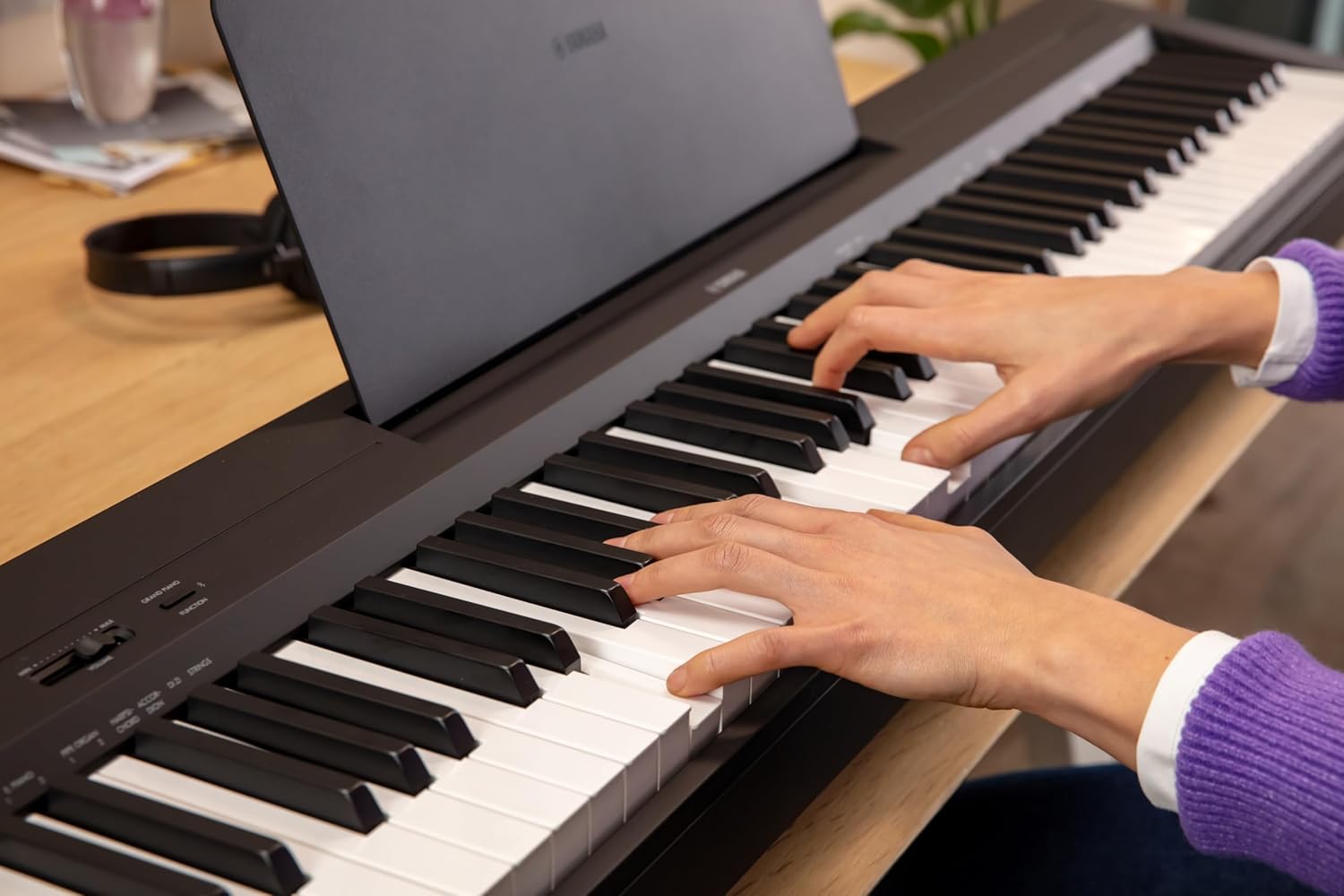
Figure 4: Hands playing the Yamaha P-145BT.
4.2 Adjusting Volume
Use the VOLUME slider or buttons on the control panel to adjust the overall output volume of the piano's built-in speakers or connected headphones.
4.3 Bluetooth Connectivity
The P-145BT features built-in Bluetooth audio, allowing you to stream music from your smart device and play along through the piano's speakers. Refer to your smart device's manual for specific Bluetooth pairing instructions. Ensure the piano's Bluetooth function is enabled.
4.4 App Integration (Smart Pianist & Rec’n’Share)
Enhance your playing and practice experience by connecting the P-145BT to compatible Yamaha apps like Smart Pianist and Rec’n’Share. These apps offer features for learning, practicing, and sharing your performances. Connect your device via the USB TO HOST port on the rear panel (cable not included) for full functionality.
5. Maintenance
Proper care will ensure the longevity and optimal performance of your digital piano:
- Cleaning: Use a soft, dry cloth to wipe down the piano's surface. For stubborn dirt, slightly dampen the cloth with water and a mild detergent, then wipe dry immediately. Avoid abrasive cleaners, solvents, or polishes.
- Dust Protection: When not in use, cover the piano with a dust cover (sold separately) to prevent dust accumulation on the keys and internal components.
- Environmental Conditions: Avoid exposing the piano to direct sunlight, extreme temperatures, or high humidity, as these can damage the internal electronics and finish.
- Transportation: When moving the piano, ensure it is powered off and all cables are disconnected. Handle with care to prevent physical damage.
6. Troubleshooting
This section addresses common issues you might encounter with your P-145BT. If the problem persists after trying these solutions, please contact Yamaha customer support.
| Problem | Possible Cause | Solution |
|---|---|---|
| No sound from speakers/headphones. | Volume is too low or muted. Headphones are plugged in. AC adapter not properly connected. | Increase the VOLUME. Unplug headphones if using speakers. Ensure AC adapter is securely connected and power outlet is active. |
| Keys do not respond or sound incorrect. | Incorrect voice selected. Piano is in a special mode. | Refer to the full owner's manual for voice selection. Power off and on the unit to reset. |
| Bluetooth audio not connecting. | Bluetooth is not enabled on piano or device. Device is too far from piano. | Ensure Bluetooth is active on both devices. Move device closer to the piano (within 10 meters/33 feet). |
7. Specifications
| Feature | Detail |
|---|---|
| Model Name | P145BT |
| Number of Keys | 88 |
| Key Action | Weighted, Graded Hammer Compact |
| Dimensions (D x W x H) | 10.55"D x 52.21"W x 5.08"H |
| Item Weight | 24.47 Pounds |
| Connectivity | Bluetooth, USB to Host, 6.35mm Headphones Jack |
| Power Source | Corded Electric (AC Adapter) |
| UPC | 889025165631 |
8. Warranty & Support
For detailed warranty information, please refer to the warranty card included with your product or visit the official Yamaha website. For technical support, troubleshooting assistance beyond this manual, or service inquiries, please contact Yamaha customer support through their official channels. Keep your purchase receipt as proof of purchase for warranty claims.
Yamaha Official Website: www.yamaha.com
Related Documents - P145BT
 |
Yamaha DGX-670 88-Key Weighted Digital Piano Owner's Manual Discover the Yamaha DGX-670 Portable Grand Digital Piano, an 88-key weighted instrument designed for immersive musical experiences. This owner's manual guides you through its authentic piano sound, diverse voices, auto-accompaniment Styles, USB audio playback/recording, lesson features, and Bluetooth connectivity. Learn to maximize your creative potential with this advanced digital piano. |
 |
YAMAHA P-45 Digital Piano Owner's Manual Comprehensive owner's manual for the YAMAHA P-45 88-Key Weighted Action Digital Piano, providing detailed instructions on setup, operation, features, troubleshooting, and specifications for this digital keyboard. |
 |
Yamaha P45 88-Key Weighted Digital Piano Owner's Manual This manual provides comprehensive instructions for operating the Yamaha P45 88-Key Weighted Digital Piano, covering setup, controls, features, and troubleshooting. |
 |
Yamaha Guide to Choosing a Keyboard: Features, Types, and Terms An informative guide from Yamaha on selecting the right keyboard, covering common features, different types like synthesizers, workstations, digital pianos, and arrangers, along with essential terminology. |
 |
Let's Play Together! 10-Minute Basic Training - Yamaha Music Practice Guide A comprehensive 10-minute basic training guide for musicians, featuring exercises and practice routines for various instruments, designed to improve sound and reading skills. Published by Yamaha. |
 |
Let's Play Together: 10-minute Basic Training Vol. 2 - Music Exercises for Instruments Explore musical skills with Yamaha's 'Let's Play Together: 10-minute Basic Training Vol. 2'. This comprehensive guide offers targeted exercises for a wide array of instruments, focusing on rhythm, technique, and musicality for beginners and intermediate players. |
Ask a question about this manual
Ask about setup, troubleshooting, compatibility, parts, safety, or missing instructions. Manuals+ will review the question and use this page’s manual context to help answer it.