
Feihe B0F9FG396L
Feihe 14 inch Small Smart TV
User Manual
Product Overview
The Feihe 14 inch Small Smart TV is a compact, high-definition television designed for versatile use in various settings such as kitchens, RVs, or bedrooms. It features an Android smart operating system, allowing access to a wide range of applications. The TV includes a built-in ATSC & NTSC tuner for over-the-air broadcasts and comes with a voice remote control for enhanced user experience.

Figure 1: Front view of the Feihe 14 inch Small Smart TV, showing its compact design and smart interface.
Setup
Unboxing
Carefully remove all components from the packaging. Verify that all listed items are present: Smart TV, Remote Control, AC Adapter, and Car Charger Adapter.
Assembly
The TV comes with a detachable stand for tabletop use. Follow these steps to assemble the stand:
- Insert the support post of the stand directly into the square base round hole.
- Place the round post of the support column into the back case of the TV.
- Cover the round post of the support column with the raised cover and then lock the four holes with screws.
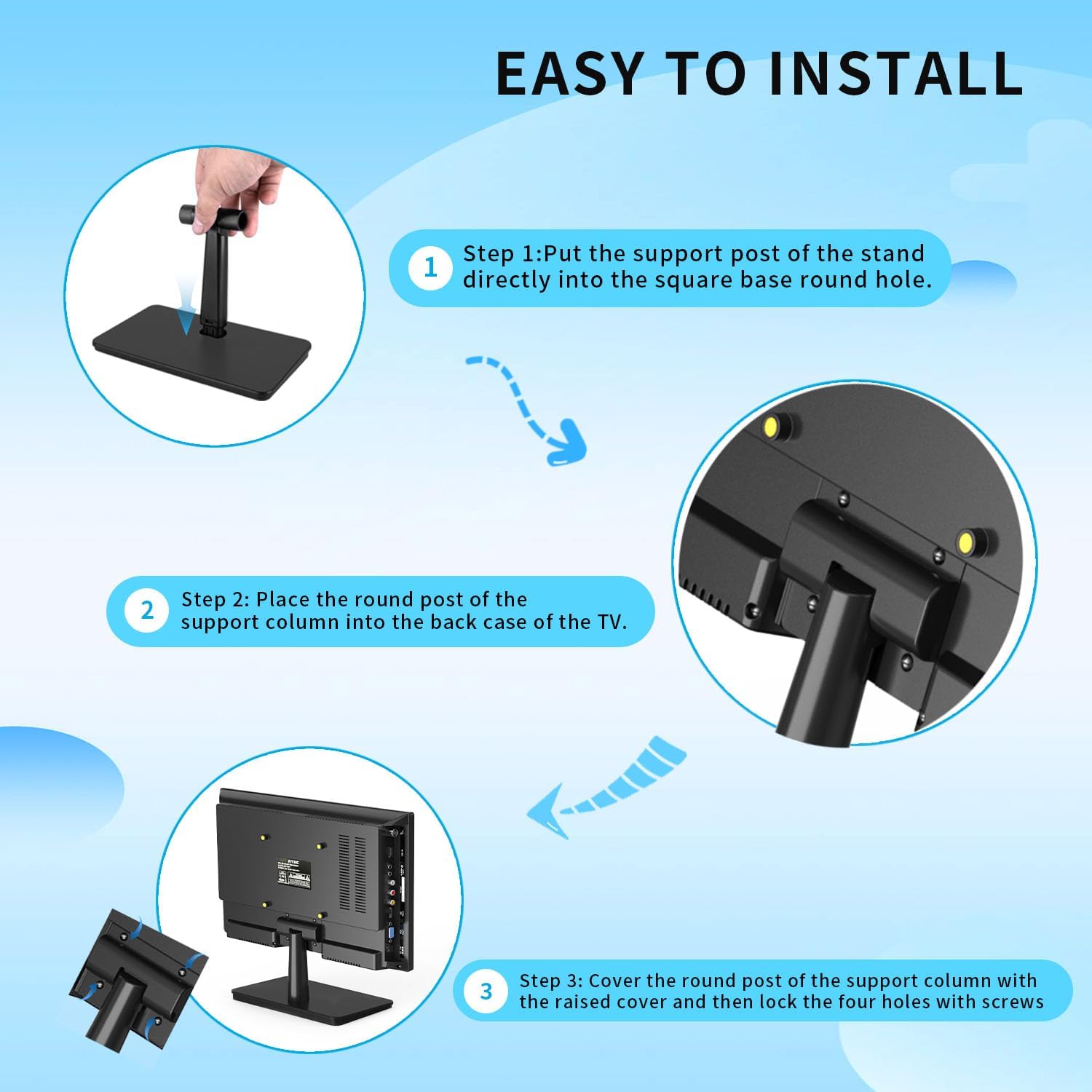
Figure 2: Step-by-step guide for TV stand assembly.
For a visual guide on installation, please refer to the official product video below:
Video 1: Official guide demonstrating the steps to install the TV stand.
Initial Power On and Network Setup
Connect the provided AC adapter to the TV and a power outlet. Upon first power-on, the TV will guide you through the initial setup process, including language selection, time zone, and Wi-Fi network connection. Ensure you have your Wi-Fi password ready. The Android operating system allows for easy navigation and app downloads once connected.

Figure 3: The compact design of the TV, suitable for small spaces like kitchens or RVs.
Operating Instructions
Smart Features and Navigation
The Feihe Smart TV runs on an Android operating system, providing access to a wide array of streaming services, games, and other content via downloadable applications. The intuitive navigation interface simplifies content discovery.
- Voice Remote Control: Use the included voice remote to control the TV and search for content using voice commands. This feature enhances ease of use.
- Chromecast Built-in: Easily cast movies, shows, and photos from your phone or other compatible devices directly onto your TV screen.

Figure 4: The voice remote control simplifies navigation and content search.

Figure 5: Chromecast built-in allows for easy content sharing from mobile devices.

Figure 6: Overview of the TV's smart features.
Connectivity Options
The TV offers multiple input options for connecting external devices:
- HDMI: For high-definition audio and video input from devices like gaming consoles, Blu-ray players, or set-top boxes.
- USB: For playing media from USB drives.
- AV Input: For connecting older devices using composite video and stereo audio cables.
- Earphone Jack: For private listening with headphones.
- PC (VGA): For connecting a computer as a monitor.
- TV Tuner: Built-in ATSC & NTSC tuner for receiving over-the-air digital and analog broadcasts. Note: Not compatible with Xfinity/Direct TV/Comcast/Verizon cable TV.

Figure 7: Available connectivity ports on the TV.
Picture Quality
The TV features an HD flat screen, delivering clear and detailed visuals for an enhanced viewing experience.
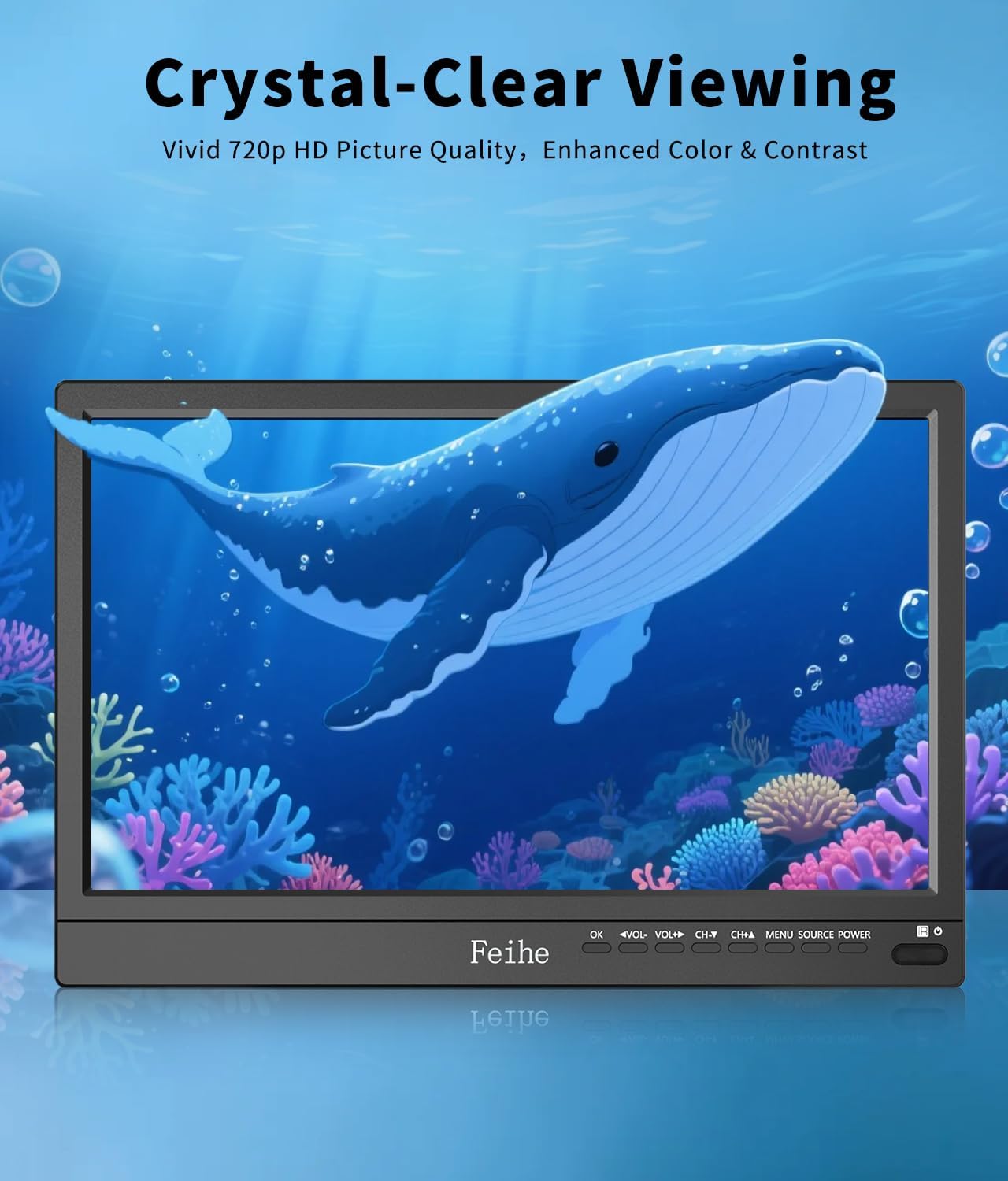
Figure 8: Example of the TV's vivid HD picture quality.
Maintenance
To ensure the longevity and optimal performance of your Feihe Smart TV, follow these maintenance guidelines:
- Cleaning: Use a soft, dry cloth to clean the screen and exterior. For stubborn marks, slightly dampen the cloth with water. Avoid using harsh chemicals or abrasive cleaners.
- Software Updates: Periodically check for software updates through the TV's settings menu to ensure you have the latest features and performance improvements.
- Ventilation: Ensure proper ventilation around the TV to prevent overheating. Do not block the ventilation openings.
Troubleshooting
This section addresses common issues you might encounter with your Feihe 14 inch Smart TV.
| Problem | Possible Cause | Solution |
|---|---|---|
| No Power / TV does not turn on | Power cable not connected; Power outlet issue. | Ensure the AC adapter is securely connected to both the TV and a working power outlet. Try a different outlet. |
| Cannot connect to Wi-Fi | Incorrect password; Router too far; Network issue. | Double-check the Wi-Fi password. Move the TV closer to the router. Restart your Wi-Fi router. |
| No picture / Black screen | Incorrect input source; Loose cable connection. | Press the "Source" or "Input" button on the remote to select the correct input. Check all cable connections (HDMI, AV, etc.). |
| Voice remote not responding | Low battery; Remote not paired. | Replace the batteries in the remote control. Refer to the TV's on-screen instructions for pairing the voice remote if it becomes unpaired. |
| Poor over-the-air reception | Antenna positioning; Signal strength. | Adjust the position of your antenna. Perform a channel scan in the TV settings. Consider a stronger antenna if in a weak signal area. |
Specifications
| Feature | Detail |
|---|---|
| Brand | Feihe |
| Model | B0F9FG396L |
| Screen Size | 14 Inches (36 cm diagonal) |
| Display Technology | LCD |
| Resolution | 1080p |
| Refresh Rate | 60 Hz |
| Operating System | Android Smart Operating System |
| Tuner Type | ATSC & NTSC |
| Connectivity | HDMI, USB, AV, Earphone, PC (VGA) |
| Product Dimensions (L x W x H) | 13.4 x 2 x 12.2 inches |
| Item Weight | 5 pounds |
| Included Components | Smart TV, Remote Control, AC Adapter, Car Charger Adapter |
Warranty and Support
For warranty information and technical support, please refer to the documentation included with your product or visit the official Feihe website. Protection plans are available for extended coverage.
For additional assistance, you may contact Feihe customer service through their official channels.
Ask a question about this manual
Ask about setup, troubleshooting, compatibility, parts, safety, or missing instructions. Manuals+ will review the question and use this page’s manual context to help answer it.