
Introduction
Thank you for choosing the Aokrean Grow Light. This manual provides detailed instructions for the setup, operation, and maintenance of your new grow light. Designed for indoor plants, this full-spectrum LED light offers adjustable height, multiple color modes, and a convenient timer to support healthy plant growth.
Package Contents
Please verify that all items listed below are included in your package:
- Aokrean Halo Grow Light (1 unit)
- Power Adapter (1 unit)
- Telescopic Pole (1 unit)
- ABS Base (1 unit)
- User Manual (1 unit)
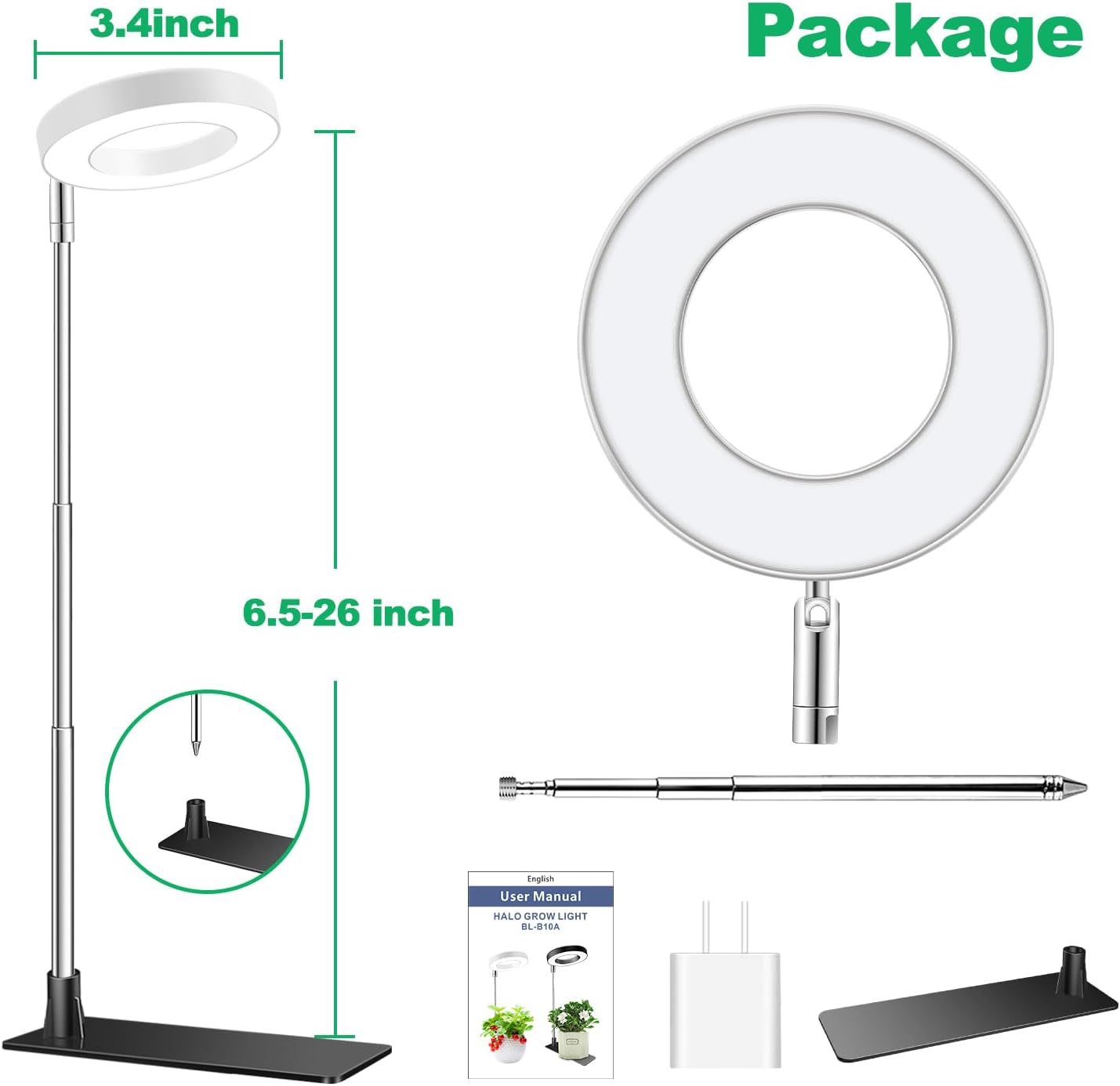
Image: Contents of the Aokrean Grow Light package, showing the halo light, telescopic pole, ABS base, power adapter, and user manual.
Setup Instructions
The Aokrean Grow Light offers two primary installation methods to suit your plant setup:
Method 1: Using the Detachable Base
- Insert the telescopic pole into the designated slot on the ABS base. Ensure it is securely fitted.
- Place your potted plant directly onto the base, ensuring the pot's weight stabilizes the light.
- Adjust the height of the telescopic pole to position the light appropriately above your plant.
Method 2: Direct Soil Insertion
- Carefully insert the pointed end of the telescopic pole directly into the soil of your potted plant. Ensure it is stable and does not damage the plant's root system.
- Adjust the height of the telescopic pole to position the light appropriately above your plant.

Image: Visual guide for dual-use design, showing how to insert the light into the detachable base or directly into soil, and how to adjust height and angle.
Operating Instructions
The Aokrean Grow Light features an inline controller for easy management of its functions.
Power On/Off and Brightness Adjustment
- Power Button: Press the power button (marked with a power symbol) to turn the light on or off.
- Brightness Levels: Use the '+' and '-' buttons to cycle through 10 dimmable brightness levels, from 10% to 100%.
Timer Settings
The grow light includes an automatic timer function to provide consistent lighting cycles for your plants.
- Press the timer button (marked with a clock symbol) to select a duration of 3, 9, or 12 hours.
- An indicator light (Blue for 3H, Green for 9H, Red for 12H) will illuminate to confirm your selection.
- The light will automatically turn on and off daily according to the set schedule.
Color Modes (Spectrum Adjustment)
Optimize light for different plant growth stages with three spectrum modes:
- White Light: General full-spectrum light for robust growth.
- Warm White & Red: Enhances flowering and fruiting.
- All Light On: Combines all LEDs for maximum intensity across the full spectrum.
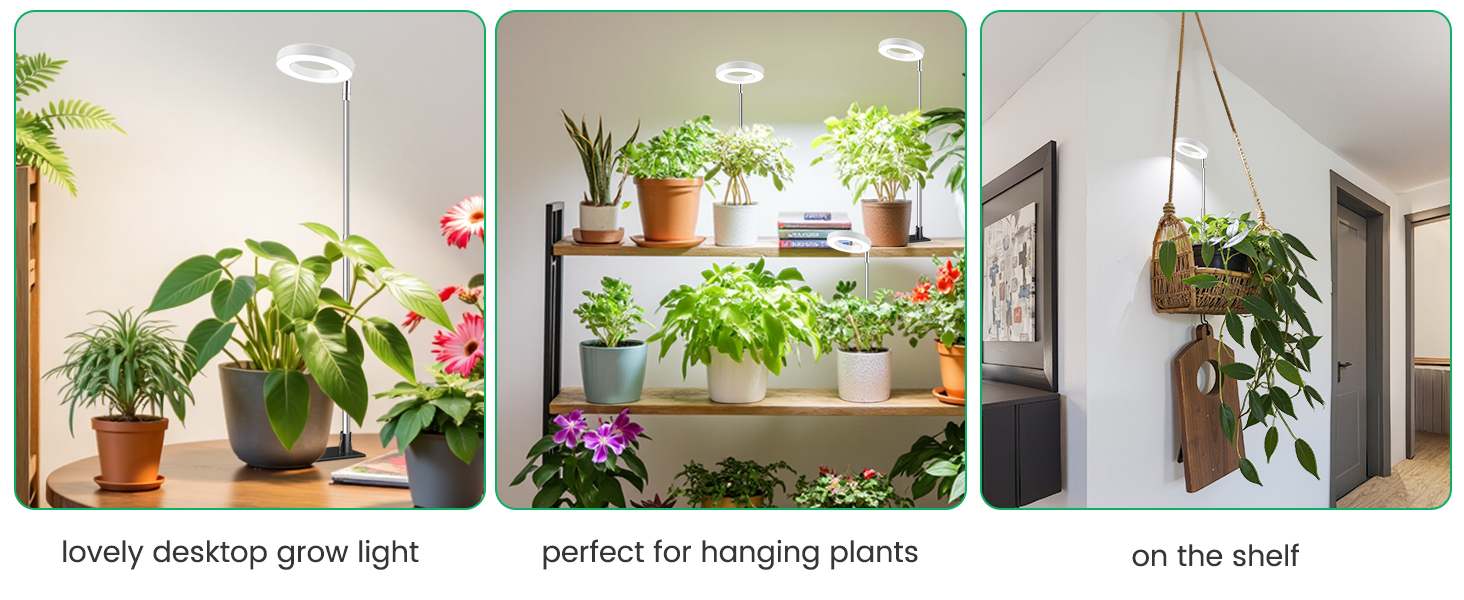
Image: The inline controller for the Aokrean Grow Light, detailing brightness, spectrum, and timer controls. Examples of the three optional spectrum modes (White Light, Warm White & Red, All Light On) are shown illuminating plants, alongside the 3, 9, and 12-hour timing options and 10 brightness levels.
Height and Angle Adjustment
- Adjustable Height: The telescopic pole allows height adjustment from 6.5 inches to 26 inches, accommodating plants at various growth stages.
- Adjustable Angle: The light head can be rotated 90 degrees to direct light precisely where needed.
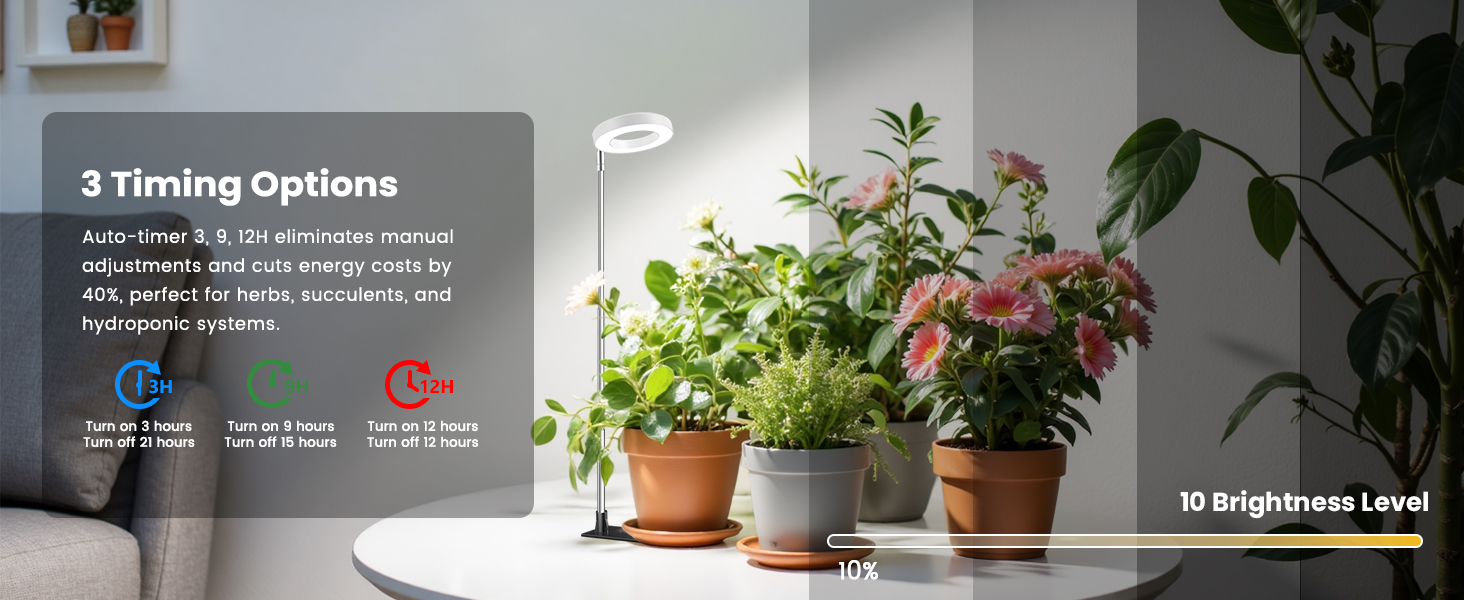
Image: The Aokrean Grow Light demonstrating its flexible height and angle adjustment features, ensuring every part of the plant receives adequate light.
Maintenance
- Cleaning: Gently wipe the LED panel and pole with a soft, dry cloth to remove dust. Do not use abrasive cleaners or immerse the unit in water.
- Storage: When not in use, store the grow light in a cool, dry place away from direct sunlight and moisture.
- Cable Care: Avoid bending or crimping the power cable excessively to prevent damage.
Troubleshooting
- Light Not Turning On: Ensure the power adapter is securely plugged into both the wall outlet and the grow light. Check if the outlet is functional.
- Timer Malfunction: If the timer is not working as expected, unplug the unit for a few seconds and then plug it back in to reset. Re-set your desired timer duration.
- Inconsistent Brightness/Color: Verify that the controller buttons are pressed firmly. If issues persist, try resetting the unit by unplugging and replugging.
Specifications
| Feature | Detail |
|---|---|
| Model Name | Halo grow light |
| Brand | Aokrean |
| Light Source Type | LED (48 Multi-Color Temperature LEDs) |
| Product Dimensions | 3.4"D x 3.4"W x 6.5"H (Halo diameter 3.4in) |
| Adjustable Height | 6.5 - 26 inches |
| Color Modes | 3 (White Light, Warm White & Red, All Light On) |
| Brightness Levels | 10 Dimmable Levels |
| Timer Options | 3H, 9H, 12H (Auto On/Off) |
| Installation Methods | 2 (Detachable Base, Soil Insertion) |
| Material | Acrylonitrile Butadiene Styrene, Aluminum |
| Power Source | Corded Electric |
| Indoor/Outdoor Usage | Indoor |
| Item Weight | 7.4 ounces |
Safety Information
- Ensure the power adapter is compatible with your local voltage.
- Do not expose the grow light to water or high humidity. This product is for indoor use only.
- Keep out of reach of children and pets.
- Avoid looking directly into the LED lights for extended periods.
- If any part of the product is damaged, discontinue use immediately and contact customer support.
Warranty and Support
For warranty information and customer support, please refer to the documentation included with your product or visit the official Aokrean brand store:
