
Introduction
This manual provides essential information for setting up, operating, maintaining, and troubleshooting your wo-we H5 Mini PC Twin Lake N150. Please read this manual thoroughly before using the device to ensure optimal performance and longevity.
What's in the Box
Verify that all items are present in the package:
- Intel N150 16GB 512GB Mini PC × 1
- Adapter (DC 12V/3A , AC 100~240V, 50/60Hz) × 1
- HDMI Cable × 1
- VESA Mount & Screws × 1
- User Manual × 1

Image: Contents of the wo-we H5 Mini PC package.
Product Overview
The wo-we H5 Mini PC is a compact desktop computer designed for various tasks, from office work to light entertainment. It features a robust set of ports and internal components for efficient performance.
Key Features:
- Processor: Intel Twin Lake N150 (4 cores/4 threads, up to 3.6GHz turbo)
- Memory: 16GB DDR4 RAM
- Storage: 512GB PCIe 3.0 NVMe M.2 SSD
- Graphics: Intel UHD Graphics (1000MHz) with 4K@60Hz support
- Connectivity: WiFi5, Bluetooth 5.0, 2.5G RJ45 Ethernet
- Display Output: Triple 4K@60Hz display support via 2x HDMI 2.0 and 1x USB-C
- Ports: 2x USB 3.2 Gen 2 Type-A (10Gbps), 2x USB 3.2 Gen 1 Type-A (front), 1x full-function USB-C (10Gbps data/PD3.0/DP), 3.5mm TRRS headphone jack
Port Layout:

Image: Front and rear ports of the wo-we H5 Mini PC. Front ports include USB 3.2 5Gbps, USB-C 4K@60Hz, Audio Jack, and Power button. Rear ports include 2.5G RJ45 LAN, USB 3.2 10Gbps, HDMI 2.0 4K@60Hz, and DC power input.
Setup Instructions
- Connect to Power: Connect the provided power adapter to the DC input port on the mini PC and then plug it into a power outlet.
- Connect to Display: Use the HDMI cable to connect the mini PC to your monitor or TV. For triple display setup, use both HDMI ports and the USB-C port with a compatible display.
- Connect Peripherals: Connect your keyboard, mouse, and other USB devices to the available USB ports.
- Network Connection: For a wired connection, connect an Ethernet cable to the 2.5G RJ45 LAN port. For wireless, the device supports WiFi5 and Bluetooth 5.0.
- Power On: Press the power button located on the front of the mini PC.

Image: A wo-we H5 Mini PC connected to a display and other devices, illustrating a typical setup.
Operating Instructions
Basic Operation:
- Power On/Off: Press the power button to turn the PC on. To turn off, use the operating system's shutdown function or press and hold the power button for 5 seconds for a forced shutdown.
- Operating System: The mini PC comes with a pre-installed operating system. Follow the on-screen instructions for initial setup.
- Connecting to Wi-Fi: Access your operating system's network settings to connect to a wireless network.
- Bluetooth Devices: Pair Bluetooth devices through the operating system's Bluetooth settings.
Triple Display Setup:
The wo-we H5 Mini PC supports up to three 4K@60Hz displays simultaneously. Connect displays using the two HDMI 2.0 ports and the full-function USB-C port. Configure display settings within your operating system.
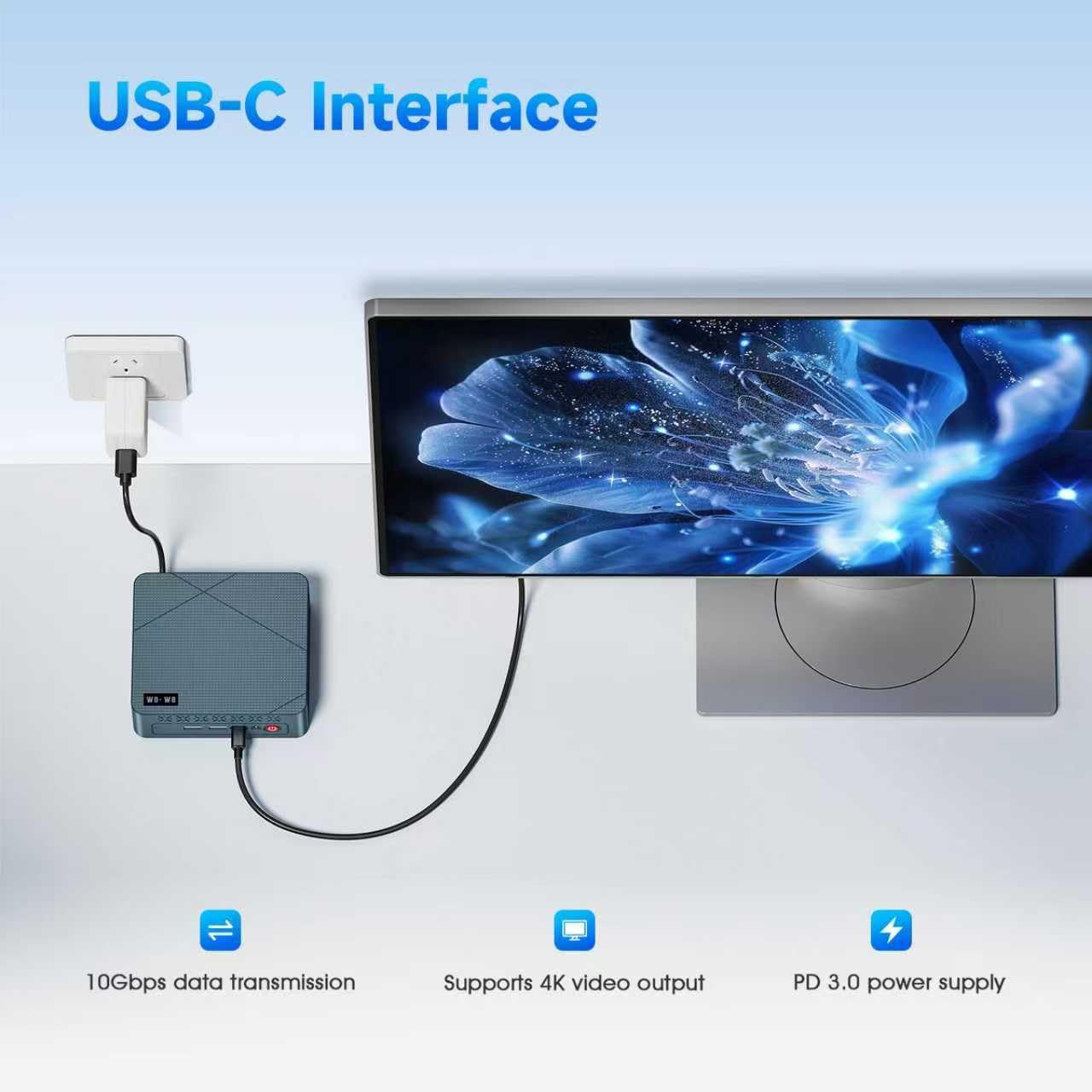
Image: A wo-we H5 Mini PC powering three external monitors, demonstrating its triple screen display capability.
Maintenance
- Cleaning: Use a soft, dry cloth to clean the exterior of the mini PC. Avoid liquid cleaners. Ensure ventilation holes are free from dust.
- Software Updates: Regularly update your operating system and drivers to ensure security and optimal performance.
- Storage Management: Periodically check your storage usage and remove unnecessary files to maintain system speed.
- Ventilation: Ensure the mini PC is placed in a well-ventilated area to prevent overheating. Do not block the air vents.

Image: An exploded view of the wo-we H5 Mini PC's cooling system, highlighting efficient heat dissipation.
Troubleshooting
| Problem | Possible Cause | Solution |
|---|---|---|
| No power | Power adapter not connected or faulty. | Check power connections. Try a different outlet. |
| No display output | HDMI/USB-C cable loose or faulty; incorrect input selected on monitor. | Ensure cables are securely connected. Select the correct input source on your monitor. |
| Wi-Fi/Bluetooth not working | Drivers not installed; wireless module disabled. | Check device manager for driver issues. Ensure Wi-Fi/Bluetooth is enabled in OS settings. |
| System slow or unresponsive | Too many applications running; insufficient storage; overheating. | Close unnecessary applications. Free up disk space. Ensure proper ventilation. |
Specifications
| Feature | Detail |
|---|---|
| Brand | wo-we |
| Model Number | HU-MNPC07-X |
| Processor | Intel Twin Lake N150 (4 Cores/4 Threads, 0.8GHz base, up to 3.6GHz turbo) |
| Graphics | Intel UHD Graphics (Integrated) |
| RAM | 16GB DDR4 SDRAM (2666 MHz) |
| Storage | 512GB NVMe M.2 SSD (PCIe x4) |
| Operating System | OS (Pre-installed) |
| Video Output | 2x HDMI 2.0, 1x USB-C (Supports Triple 4K@60Hz Display) |
| USB Ports | 2x USB 3.2 Gen 2 Type-A (10Gbps), 2x USB 3.2 Gen 1 Type-A (5Gbps, front), 1x USB-C (10Gbps data/PD3.0/DP) |
| Network | 2.5G RJ45 LAN, WiFi5 (802.11ac), Bluetooth 5.0 |
| Audio | 3.5mm TRRS Headphone Jack |
| Dimensions | 5 x 4.45 x 1.61 inches |
| Cooling Method | Air Cooling |
| Power Adapter | DC 12V/3A (AC 100~240V, 50/60Hz) |
Warranty and Support
Warranty Information:
The wo-we H5 Mini PC comes with a 1-Year Manufacturer Warranty from the date of purchase. This warranty covers defects in materials and workmanship under normal use.
Customer Support:
For any inquiries, technical assistance, or troubleshooting not covered in this manual, please contact wo-we customer support. Our professional team provides 7-day, 24-hour online support.
- Online Support: Log in to your Amazon account, navigate to "Your Account" > "Your order", and select "Ask Product Questions" for your wo-we H5 Mini PC.
- Email Support: service@wo-we.com

Image: Details on wo-we's after-sales service, including online and email support options, and warranty period.